

Overview
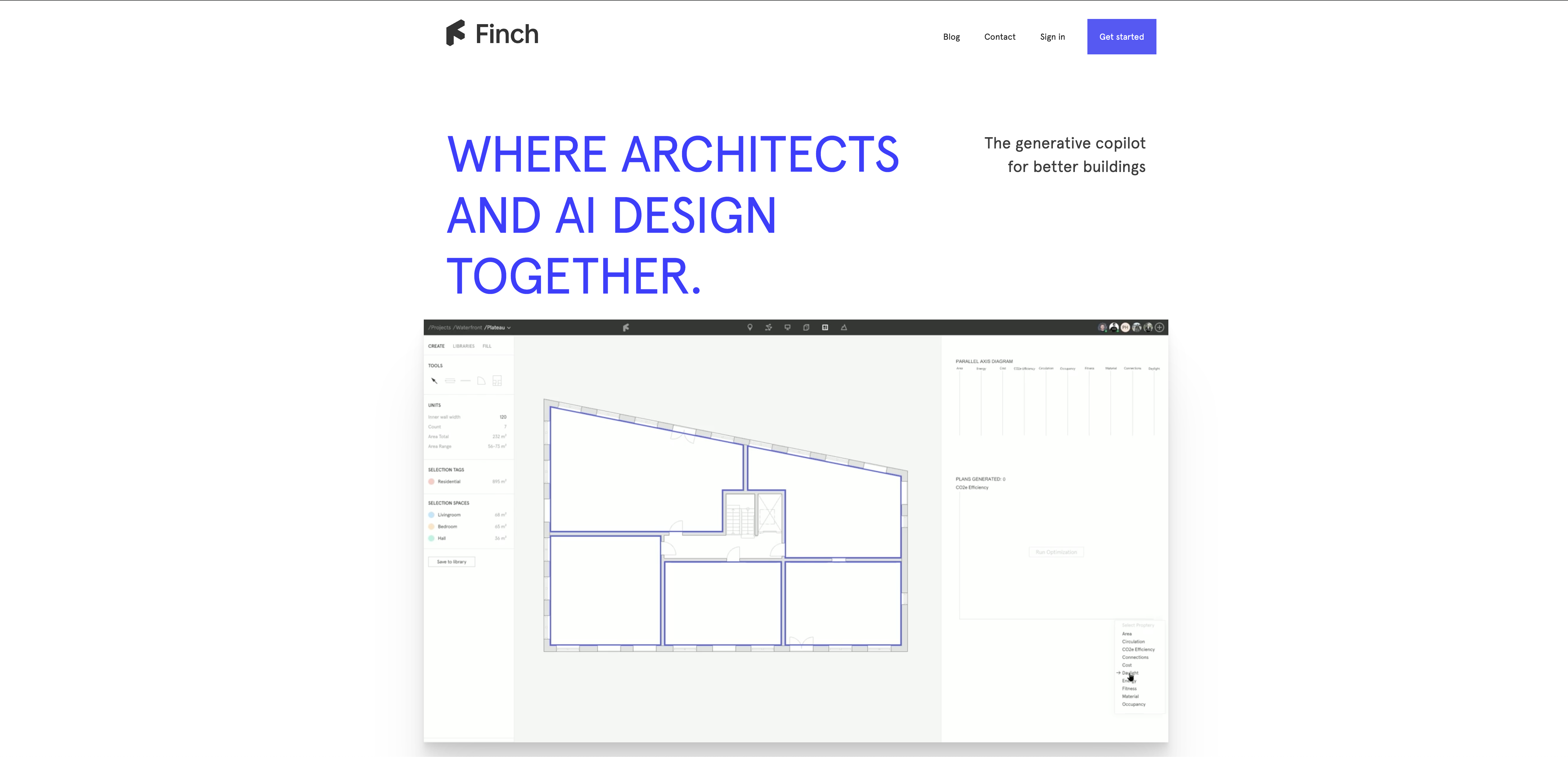
- Eliminate Excel roundtrips with instant feedback on unit distribution, carbon footprint, and daylight simulation through real-time performance analytics
- Explore multiple design alternatives in seconds rather than hours using automatic story fill-ins and AI-assisted massing variants
- Maintain complete rule compliance with automatic error detection that enforces firm, customer, and municipal regulations
- Share interactive 3D models directly via browser for immediate stakeholder feedback on massing, plans, and objects
- Reuse proven designs infinitely by saving hardened projects to your organization library for consistent future projects
- Work seamlessly across platforms with bidirectional data streaming to Revit, Rhino, and Grasshopper while maintaining Finch's instant feedback
Pros & Cons
Pros
- Immediate performance feedback
- Error detection
- Optimal solution suggestions
- Fast iteration
- Explores mass and program variants
- Automatic filling stories with plans
- Instant key figure calculation
- Unit and area distribution feedback
- Carbon footprint feedback
- Daylight simulation feature
- Error prevention feature
- Shares 3D models interactively
- Designs saved in library
- Bidirectional streaming of 3D data
- Supports Revit, Rhino, Grasshopper
- Direct data feedback
- Instant design changes
- Over 12,000 waiting list
Cons
- No offline capability
- Limited software integration
- Limited to architectural design
- Doesn't allow cross-platform use
- No direct customer support
- Waiting list for access
- No version controls
- No free trial option
- Potential privacy issues with sharing
Reviews
Rate this tool
Loading reviews...
❓ Frequently Asked Questions
Finch 3D is an artificial intelligence-powered tool that uses graph technology to optimize building design. It provides immediate feedback on building performance and offers optimal solutions at the early stages of design, including 3D floor planning and image design.
The main purpose of Finch is to optimize architectural designs. It empowers architects to iterate faster and explore multiple mass and program variants effortlessly, automating essential tasks and promoting error-free design.
Finch assists in building design optimization by providing instant feedback on building performance, detecting errors, and suggesting optimal solutions. It automatically fills in stories with plans for accelerated comparison of different alternatives, and provides data on crucial performance parameters, such as unit distribution, carbon footprint, and daylight.
Key features offered by Finch for architects include immediate performance feedback, error detection, optimal solution recommendations, automatic story fill-ins, interactive 3D model sharing, organization library saves, and bidirectional streaming of 3D data, among others.
Finch automatically fills in stories with plans by using its AI-assist. It enables architects to iterate faster and explore many mass and program variants, making it considerably easier to compare different alternatives.
Finch provides feedback on a building's performance parameters such as the unit and area distribution, daylight simulation, and carbon footprint. It provides immediate analytics to help architects adjust their designs accordingly.
Yes, Finch offers error detection and prevention features. It ensures that the buildings are compliant with the rules of the user's firm, customer and municipality, serving as a background guard for the architect's designs.
Yes, Finch 3D models can be shared with others. It has a built-in feature that allows users to share fully interactive 3D models via browser with anyone, enabling immediate feedback on massing, plans, and objects in the design.
Yes, Finch designs can be saved and reused. Once the designs are hardened, they can be saved to the user's team or organization library for infinite reusability.
Finch supports bidirectional streaming of 3D data by enabling users to design the building mass in other software like Revit, Rhino, and Grasshopper. Meanwhile, direct feedback and changes are made in Finch, making the process significantly faster than standard plugins.
Software that is compatible with Finch for 3D data streaming includes Revit, Rhino, and Grasshopper.
Finch's AI technology assists architects by providing error detection and optimal solutions. It helps architects to iterate faster, explore different designs effortlessly, and provide instant feedback about building performance.
Finch assists with architectural rule compliance through a built-in error prevention feature. This ensures that the designs remain compliant with the rules of the architect's firm, customer, and municipality.
To sign up for early access to Finch, interested users can navigate to Finch's website to join the 12,000+ individuals on the waiting list.
The benefit of Finch's instant feedback feature is that it eliminates the need for Excel roundtrips to calculate key figures. Architects can instantly know how they match their customers’ demands and make necessary adjustments to their designs accordingly.
Yes, Finch's tool provides instant feedback on several key performance metrics including, unit and area distribution, carbon footprint, and daylight simulation.
Finch promotes productivity through reusable designs by allowing users to save their hardened designs to their team or organization library. This way, they can easily pull plans, objects, and rules into their projects for consistent design.
Yes, designs done in other software can be modified with Finch. With its bidirectional streaming of 3D data, you can design the building mass in your software of choice and receive direct feedback in Finch.
Yes, users can access the Finch tool via a browser. This makes it easy to share a fully interactive 3D model with anyone, allowing them to comment on massing, plans, and objects in the design.
Finch aids architects' iteration by speeding up the design process, providing immediate feedback, identifying errors and offering optimal solutions. It keeps architects in the flow of design, allows for quick mind changes, and helps make better informed design decisions.
Pricing
Pricing model
Freemium
Paid options from
$49/month
Billing frequency
Monthly
Related Videos
Finch 3d - Adaptive house
Jesper Wallgren•29.1K views•Sep 6, 2019


