
Overview
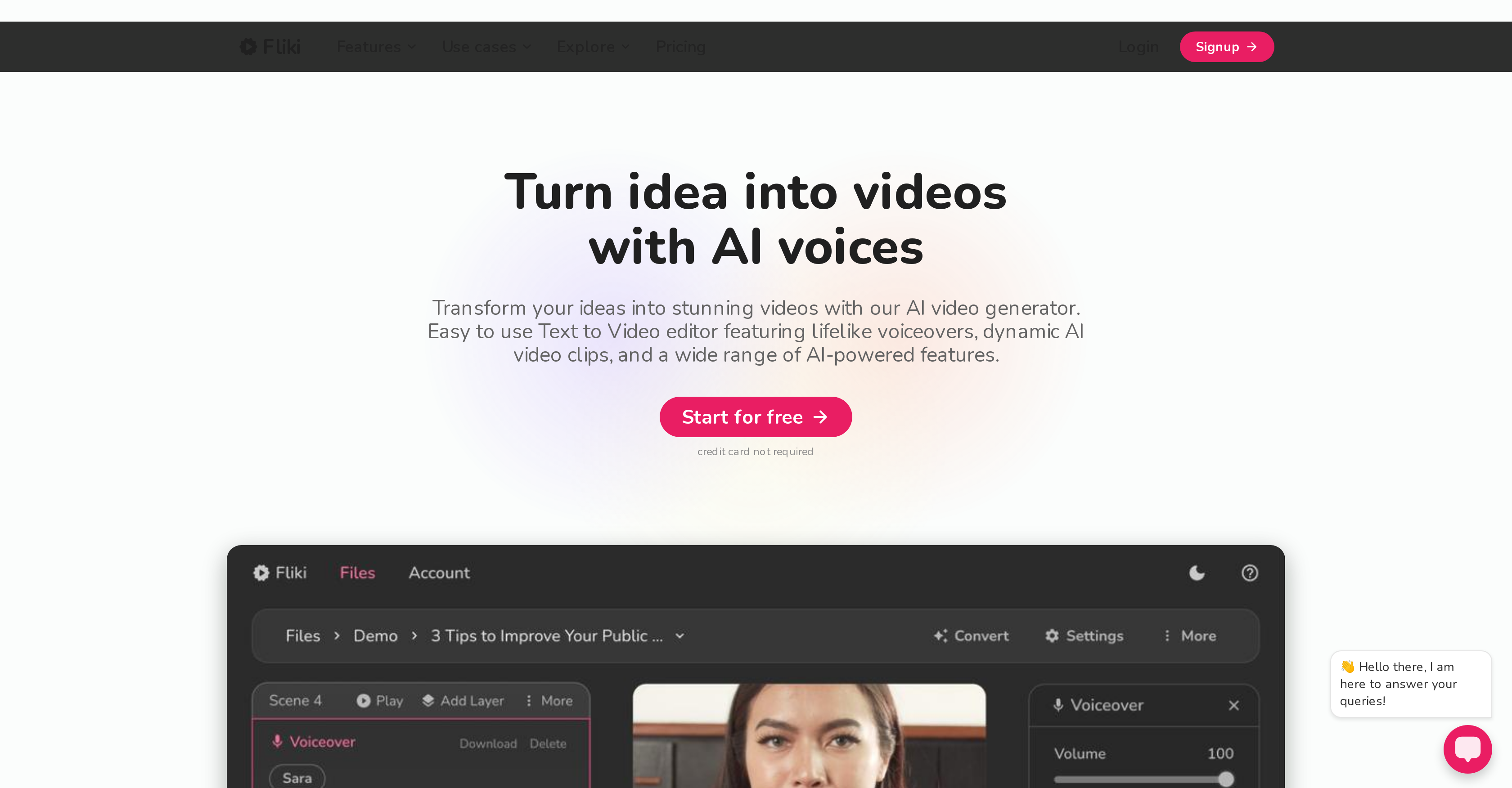
- Transform blog posts and articles into engaging video summaries automatically with AI-powered article summarization and visual matching
- Create professional voiceovers indistinguishable from human narration using lifelike text-to-speech with 900+ voices across 75 languages
- Convert existing PowerPoint presentations and tweets into video content instantly through multi-format import capabilities
- Generate avatar videos with a single click using specialized AI avatar creation technology
- Localize content for global audiences with support for 100+ dialects and automatic translation features
- Maintain brand consistency across videos with customizable subtitles using brand-specific colors and fonts
- Access millions of royalty-free images, video clips and background music through the integrated media library
- Work from any device with internet access using the fully web-based platform requiring no software installation
Pros & Cons
Pros
- 900+ voices available
- 75 languages supported
- Millions of media assets
- Branded subtitles feature
- Reliable for 150,000+ content creators
- User-friendly text-to-video editor
- Tool simulates email writing
- Fast creation process
- Supports Idea-to-Video conversion
- Supports Blog-to-Video conversion
- Supports Tweet-to-Video conversion
- Supports Product-to-Video conversion
- Creates avatar videos
- Localizes content automatically
- Web-based operation
- High satisfaction rating
- Free tier available
- Advanced and premium features
- Human-like voiceovers
- 100+ dialects supported
- Supports PPT-to-Video conversion
- Saves time and budget
- High quality content
- Flexible tool for diverse requirements
- Requires only a device and internet
- Superior voice quality
- Voice cloning feature
- No prior expertise required
- Export in MP4 format
- Large community of users
- Wide application across sectors
- Offers commercial usage rights
- Supports watermark removal
- Priority customer support
- Secure payment gateway
- Highly rated on multiple review platforms
- Multi-lingual voiceovers
- Customizable media choice
- Instant content previewing
- Ready-to-use templates
- Applicable for translations
- Realistic text-to-speech capabilities
- Highly responsive customer support
Cons
- No offline usage
- Requires stable internet
- Limited free tier
- Advanced features require payment
- No software download available
- Doesn't support all browsers
- Limited voice customization
- No direct social media posting
- Potential brand conflict with watermarks
- Subscription-based pricing model
Reviews
Rate this tool
Loading reviews...
❓ Frequently Asked Questions
Fliki is an AI-powered text-to-video and text-to-speech tool designed to create content with lifelike voices swiftly. It is equipped with an ability to automatically summarize a written article, locate accompanying visuals and fabricate a video with a human-like voiceover. Offering a suite of 900 voices in 75 languages and dialects, Fliki enables access to a vast library of images, video clips and background music. Users also have the convenience to embellish their subtitles with various brand-specific colors and fonts. Famed for its user satisfaction rating of 4.8 out of 5, Fliki caters to over 150,000 content creators worldwide.
Fliki's text-to-video feature allows users to transform their text and ideas into visually stimulating content in a matter of minutes. It is designed to be user-friendly, resembling the simplicity of composing an email. Fliki not only offers script-based editing for convenience but also aids quick creation by providing AI-generated voiceovers. The feature is designed for efficiency and accessibility, producing high-quality content cost-effectively.
The differentiating factor of Fliki's text-to-speech tool lies in its advanced AI machinery that converts written text into human-like speech. The natural-sounding voiceovers thus produced emulate human speech patterns and tones, providing a realistic audio experience. This tool forms an integral part of Fliki's comprehensive content creation platform.
Fliki provides access to an expansive list of over 900 voices spanning 75 languages and dialects. This vast selection makes it suitable for diverse content requirements and audience demographics across the globe.
Fliki provides access to millions of images, video clips, and background music that can be used to improve the quality and appeal of the video content. The AI's rich stock library is easily accessible to all users.
Yes, Fliki provides options for subtitles customizations. Users can tailor the subtitles to fit their brand's aesthetics by changing the colors and fonts.
Yes, Fliki is free to use. However, there are also options to upgrade if users seek more added benefits or scale their usage.
Numerous known companies utilize Fliki, including Google, Meta, ByteDance, Upwork, Zoho, Unilever, Practo, L3Harris, AT&T, OpenWeb, Games2Win, Montel, Salesforce, Verizon, Sony and many more.
Fliki's 'idea to video' tool transforms concepts into attractive videos. It is capable of converting various forms of content such as blog articles, PowerPoint presentations, tweets, and product listings into engaging video content, thereby catering to a broad spectrum of content needs.
Yes, Fliki offers a specific feature aimed at creating avatar videos effortlessly. Users can create striking avatar videos with just a single click.
Fliki can aid content localization and translation by supporting over 75 languages in more than 100 dialects. This feature helps in tailoring the content as per the local context and audience, thereby enhancing its universal acceptability.
Fliki's AI-driven text-to-speech feature utilizes advanced AI algorithms to generate lifelike and professional-quality speech from written text. By carefully modelling human speech patterns and tonalities, the AI voices bring a certain verisimilitude to the content.
While Fliki does offer free access, some advanced features and premium AI functionalities may necessitate a paid subscription for access.
Fliki does not require any specific software as it is a fully web-based tool. Users just need a device with internet access and a compatible browser.
Yes, Fliki provides the ability to convert PowerPoint presentations and tweets into engaging video content. This versatile capability supports varied content formats, making it an invaluable tool for creating diverse types of video content.
Yes, Fliki can be used to transform product listings into engaging videos. This feature can be incredibly beneficial for e-commerce businesses looking to enhance the presentation of their products.
Yes, Fliki supports script-based editing. This feature adds convenience and flexibility to the video creation process.
Yes, Fliki is a fully web-based tool. It requires nothing more than a device with internet access and a compatible browser for operation.
Yes, Fliki offers different options for translating text into speech that sounds natural. It uses AI to mimic human speech patterns and tonalities, resulting in lifelike and professional voiceovers.
Yes, Fliki is a useful tool for both marketers and educators. Its versatility in creating a variety of videos such as product demos, explainer videos, training videos, and educational content makes it a well-rounded tool for these professions.
Pricing
Pricing model
Freemium
Paid options from
Free tier available
Billing frequency
Monthly