
FlirteR
Never get stuck on what to text back: tap the sparkle button and get three AI reply suggestions for the message you're answering, right above your keys.
Listing not yet reviewed by our editors · How we check
Overview
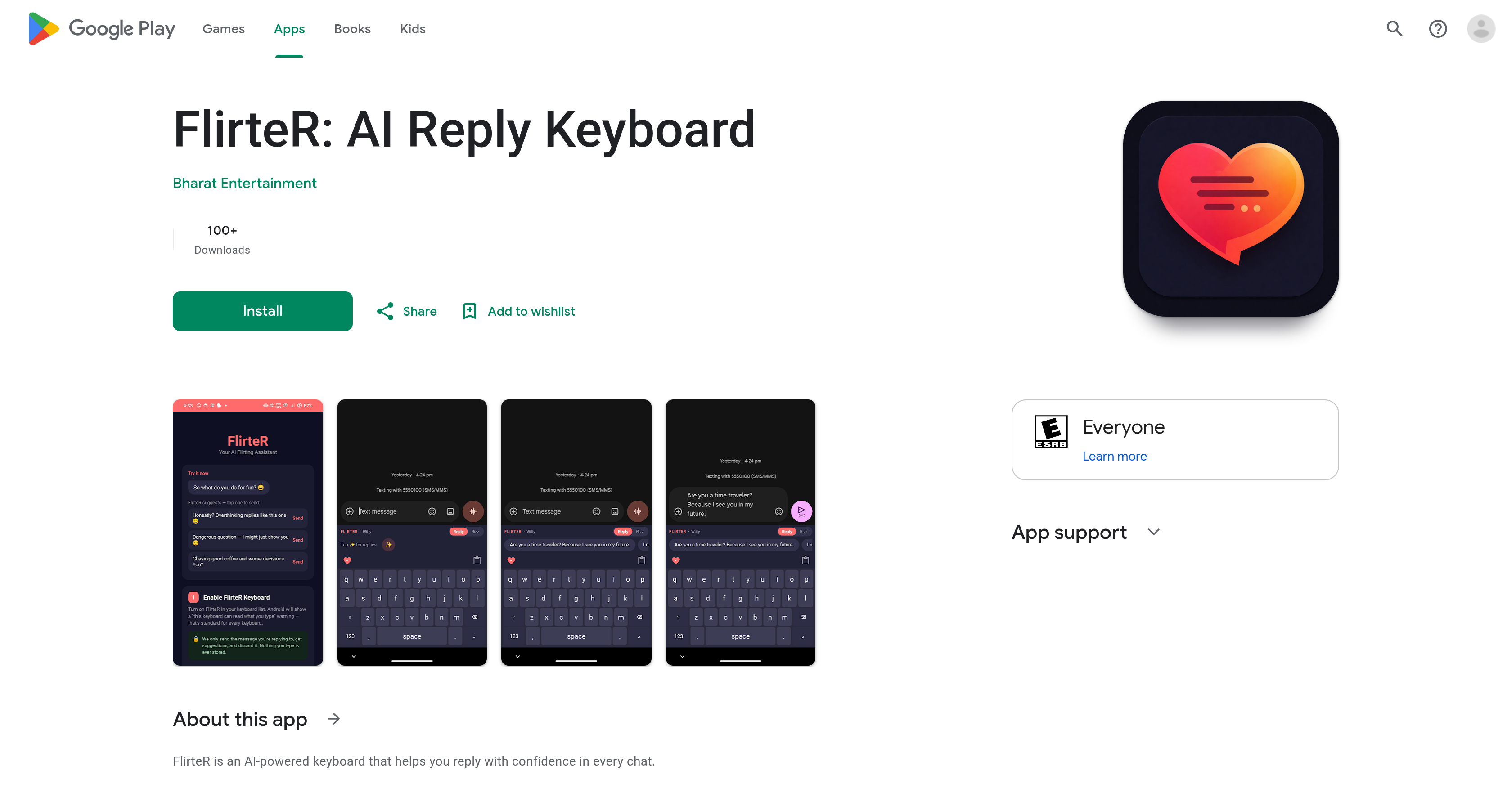
- Never get stuck on what to text back: tap the sparkle button and get three AI reply suggestions for the message you're answering, right above your keys.
- Start conversations without waiting for the other person: Rizz mode writes opening lines and icebreakers from scratch, so you can send the first message with confidence.
- Sound like yourself in every chat: pick Witty, Bold, Sweet, or Playful and every suggested response matches the flirting tone you want.
- Reply without leaving the conversation: the keyboard inserts your chosen text straight into the message field in WhatsApp, Instagram, and other chat apps that accept third-party keyboards, with no copy-paste or app switching.
- Keep your normal typing routine: a full QWERTY layout lets you write, edit, and tweak replies on the same keyboard that generates them.
- Spot warning signs in long conversations: the Red Flag Scanner reviews longer chat threads for potential problem content.
- Keep sensitive fields out of AI processing: password, email, and web-address fields are excluded, only the message you're answering is sent for reply generation, and that data is encrypted in transit.
- Improve what you get back: long-press any suggestion to report it as inappropriate or inaccurate.
- Stay in control of your plan and data: Premium removes the reply limit and unlocks unlimited AI replies and Rizz-mode opening lines, and you can cancel your subscription or delete your Google-linked account directly in the app.
Pros & Cons
From the listing; not yet checked by our editors.
Pros
- Sparkle button submits context
- Three suggestions displayed above keys
- Long-press reports inappropriate suggestions
- Red Flag Scanner analyses chats
- Excludes password, email fields
- Encryption in transit
- Google sign-in authentication
- In-app subscription cancellation
- Account deletion within app
- Premium unlimited reply generation
- Free usage quota
- Rizz mode generates openers
- Reply mode for incoming messages
- Four tone styles selectable
- Full QWERTY layout included
- Works in any chat app
- One-tap insertion into message
- No copypaste required
- Fewer repeated suggestions
- Faster Red Flag Scanner
- Real-time suggestion generation
- Context-aware reply generation
- Supports WhatsApp and Instagram
- Privacy: only message sent
- Typed content never stored
- On-device privacy handling
- Supports Android system keyboard
- Lightweight keyboard footprint
- Low latency suggestions
- Customizable style per session
- Long-press suggestion preview
- Reportable suggestions improve model
- Secure data transmission
- No background keystroke logging
- Automatic exclusion of URLs
- Premium subscription managed internally
- Free tier with defined quota
- Inline suggestions above keys
- Direct insertion avoids app switching
- Tone styling influences output
Cons
- Only three suggestions per input
- No offline generation mode
- Red Flag Scanner criteria undisclosed
- Google signin mandatory
- Premium required for unlimited replies
- Data shared with third parties
- Androidonly, no iOS support
- Only four tone presets
- Suggestion count not customizable
- Inconsistent password field exclusion
Alternatives to FlirteR
Tools that share the most tags with FlirteR.
- Gigachad AI
Answer matches without leaving the chat: the Gigachad AI keyboard generates multiple dating reply suggestions based on the current conversation, right inside Tinder, Hinge, and Bumble.
Paid · from $6.99
$6.99
Not yet checked
- Wingman Rizz AI
Reply to matches and friends without leaving the chat: the Wingman AI keyboard works in iMessage, Instagram, WhatsApp, Snapchat, Hinge, Tinder, TikTok, and any app with a text field, so one reply workflow follows you everywhere with no separate integrations or chat histories.
Paid · from $6.99
$6.99
Not yet checked
- Cupidly: AI Dating Keyboard
Answer a match in seconds without leaving the chat: switch to the Cupidly keyboard, screenshot the conversation, and tap a ready-made dating reply or opener to send. Screenshots taken just before opening the keyboard load automatically.
Paid · from $4.99
$4.99
Not yet checked
Reviews
Rate this tool
Loading reviews...
Frequently asked questions
How does FlirteR generate replies in real‑time when I tap the sparkle button?
When you tap the sparkle button, FlirteR sends only the incoming message you are replying to to its cloud‑based AI service, receives three generated replies in seconds, inserts the chosen one via the keyboard API, and then discards the sent text.
What’s the difference between Reply mode and Rizz mode in FlirteR?
Reply mode generates a response to a specific incoming message, while Rizz mode creates a fresh opening line or ice‑breaker without needing any prior message as a prompt.
Can I choose the tone of FlirteR’s suggestions, like witty or sweet, and how does that work?
Yes; you can select one of four styles—Witty, Bold, Sweet, or Playful—and FlirteR passes that style flag to the generation model so the returned suggestions reflect the chosen tone.
How many reply suggestions does FlirteR show for each message?
FlirteR always displays three suggestion candidates for each message you tap the sparkle button on.
Does FlirteR work inside WhatsApp and Instagram without switching apps?
Yes; because FlirteR operates as a system‑wide keyboard, its suggestions appear directly inside WhatsApp, Instagram and any other chat app without requiring you to leave the conversation.
Is there a free daily limit for FlirteR’s AI replies, and what happens when I reach it?
IDK
What does the Premium subscription unlock in FlirteR besides unlimited replies?
The Premium subscription removes the reply quota and also provides unlimited Rizz‑mode ice‑breaker lines; it otherwise functions as the standard keyboard with no additional features listed.
Can I cancel my FlirteR subscription or delete my account directly from the app?
Yes; you can cancel your subscription and delete your FlirteR account from within the app’s settings at any time.