

Wingman Rizz AI
Reply to matches and friends without leaving the chat: the Wingman AI keyboard works in iMessage, Instagram, WhatsApp, Snapchat, Hinge, Tinder, TikTok, and any app with a text field, so one reply workflow follows you everywhere with no separate integrations or chat histories.
Listing not yet reviewed by our editors · How we check
Overview
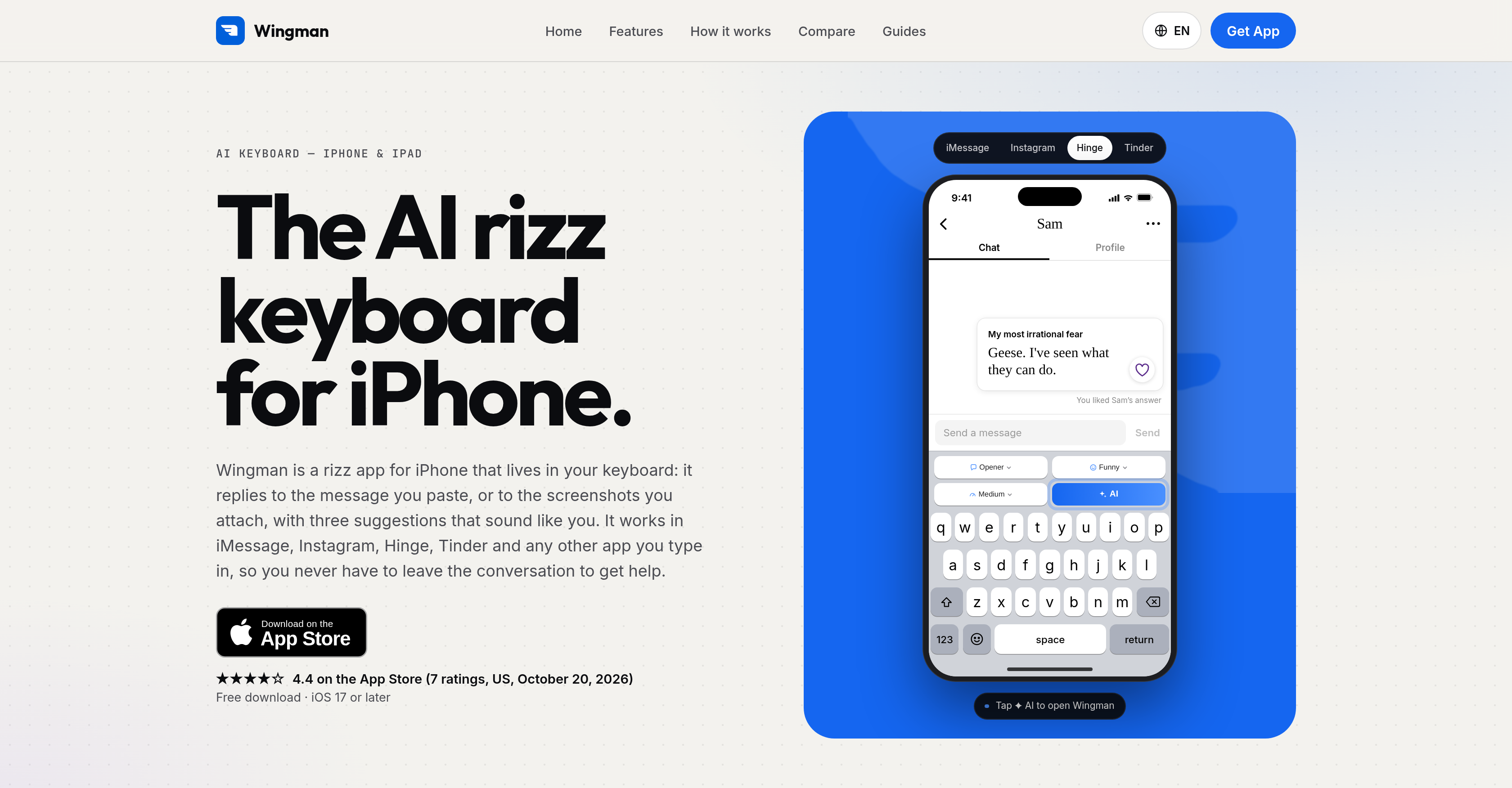
- Reply to matches and friends without leaving the chat: the Wingman AI keyboard works in iMessage, Instagram, WhatsApp, Snapchat, Hinge, Tinder, TikTok, and any app with a text field, so one reply workflow follows you everywhere with no separate integrations or chat histories.
- Get replies that react to what you actually see: attach up to five screenshots of a dating profile, story, prompt, or conversation, and the AI uses profile text, story content, and chat bubbles to write context-aware responses.
- Open strong and recover smoothly in any situation: choose from seven reply types (Icebreaker, Opener, Flirt, Comeback, Compliment, Apology, and Joke) before you generate a dating app reply.
- Sound like yourself, not a template: set the tone to Chill, Funny, Smooth, Charming, Bold, or Serious, then pick from three effort levels and three length options in the control bar above the keys.
- Always have a better line ready: every request returns three reply suggestions, and Regenerate gives you a fresh set of three for the same message.
- Keep the final word on every message: tap a suggestion to copy it, then paste, edit, and send it yourself. Wingman never sends texts automatically.
- Text naturally in your own language: the keyboard detects the conversation's language and replies in it, with 15 keyboard layouts including QWERTY, AZERTY, QWERTZ, Nordic, Turkish, Cyrillic, Polish, and Czech, each with built-in autocorrect.
- Keep your typing private: Wingman does not log keystrokes, sends text only when you tap Analyze, and lets you turn off anonymous usage analytics in privacy settings.
- Start free with no ads or hidden fees on iPhone and iPad with iOS 17 or later. Wingman Pro adds screenshot replies, all reply types and tones, and up to 200 AI requests per device per day.
Pros & Cons
From the listing; not yet checked by our editors.
Pros
- Image-based context extraction
- Supports up to five screenshots
- 15 keyboard layouts with autocorrect
- Automatic language detection
- Seven reply type presets
- Six tone presets
- Adjustable effort and length
- Regenerate alternative drafts
- Privacy-first: no keystroke logging
- Transmits text only on request
- Works inside any text field
- Crossapp without separate integrations
- iPad multitasking friendly
- Full Access required for functionality
- Free download, optional Pro
- 200 daily requests per device
- Localized UI in 45 languages
- Supports Cyrillic, Turkish, Ukrainian
- Integrated reply controls above keys
- Onetap analysis button
- Three response options per request
- Manual copypaste send workflow
- Contextual replies from stories
- Supports iOS 17+
- Keyboardlevel autocorrect per language
- Pro subscription unlocks unlimited usage
- Fairuse daily quota
- Visual context improves relevance
- Instant tone switching
- Effort levels: low, medium, high
- Reply length presets
- Inline suggestions without leaving chat
- Supports popular dating apps
- Supports mainstream messaging apps
- Works with any thirdparty app
- Customizable reply tone
- Supports righttoleft scripts
- Privacy: ondevice processing until send
- No background data collection
- Quick screenshot attachment UI
- Multilanguage replies match conversation
Cons
- Requires Full Access permission
- iOSonly, no Android support
- 200 daily request limit
- Screenshot context capped at five
- No automatic message sending
- Overlay controls shrink typing area
- Requires iOS 17+ OS
- No offline reply generation
- Pro features locked behind subscription
- Keyboard extension may lag typing
Alternatives to Wingman Rizz AI
Tools that share the most tags with Wingman Rizz AI.
- Gigachad AI
Answer matches without leaving the chat: the Gigachad AI keyboard generates multiple dating reply suggestions based on the current conversation, right inside Tinder, Hinge, and Bumble.
Paid · from $6.99
$6.99
Not yet checked
- FlirteR
Never get stuck on what to text back: tap the sparkle button and get three AI reply suggestions for the message you're answering, right above your keys.
Not listed
Not listed
Not yet checked
- Cupidly: AI Dating Keyboard
Answer a match in seconds without leaving the chat: switch to the Cupidly keyboard, screenshot the conversation, and tap a ready-made dating reply or opener to send. Screenshots taken just before opening the keyboard load automatically.
Paid · from $4.99
$4.99
Not yet checked
Reviews
Rate this tool
Loading reviews...
Frequently asked questions
How do I set up Wingman as a keyboard on my iPhone?
Open Settings → General → Keyboard → Keyboards → Add New Keyboard and select Wingman AI, then toggle on "Allow Full Access". After that, switch to the Wingman keyboard in any text field.
Can Wingman suggest replies from screenshots, or do I have to paste text?
Wingman can generate replies from up to five attached screenshots; pasting raw text is optional.
What reply types does Wingman offer (like icebreakers, flirts, jokes, etc.)?
Wingman offers seven reply types: Icebreaker, Opener, Flirt, Comeback, Compliment, Apology, and Joke.
How can I change the tone of the suggestions – e.g., funny vs. smooth?
Above the keys there is a tone selector with six presets (Chill, Funny, Smooth, Charming, Bold, Serious); tap the desired tone before hitting Analyze.
Is there a way to adjust the length or effort of Wingman's replies?
The bar above the keys also includes an effort/length selector with Low, Medium, and High effort levels and three length options, letting you control how short or elaborate the suggestions are.
How many screenshots can I attach at once for context?
You can attach up to five screenshots per request.
Does Wingman work in apps like WhatsApp, Snapchat, and TikTok?
Yes. Wingman works in any app with a text field, including WhatsApp, Snapchat, TikTok, iMessage, Instagram, Hinge, Tinder, and many others.
Can Wingman detect and reply in the language I'm chatting in?
The keyboard automatically detects the language of the conversation and generates replies in that same language.