

Google Photos
Find any photo in seconds by searching for people, places, or things, powered by Google AI that recognizes faces, travel highlights, and events.
Listing not yet reviewed by our editors · How we check
Overview
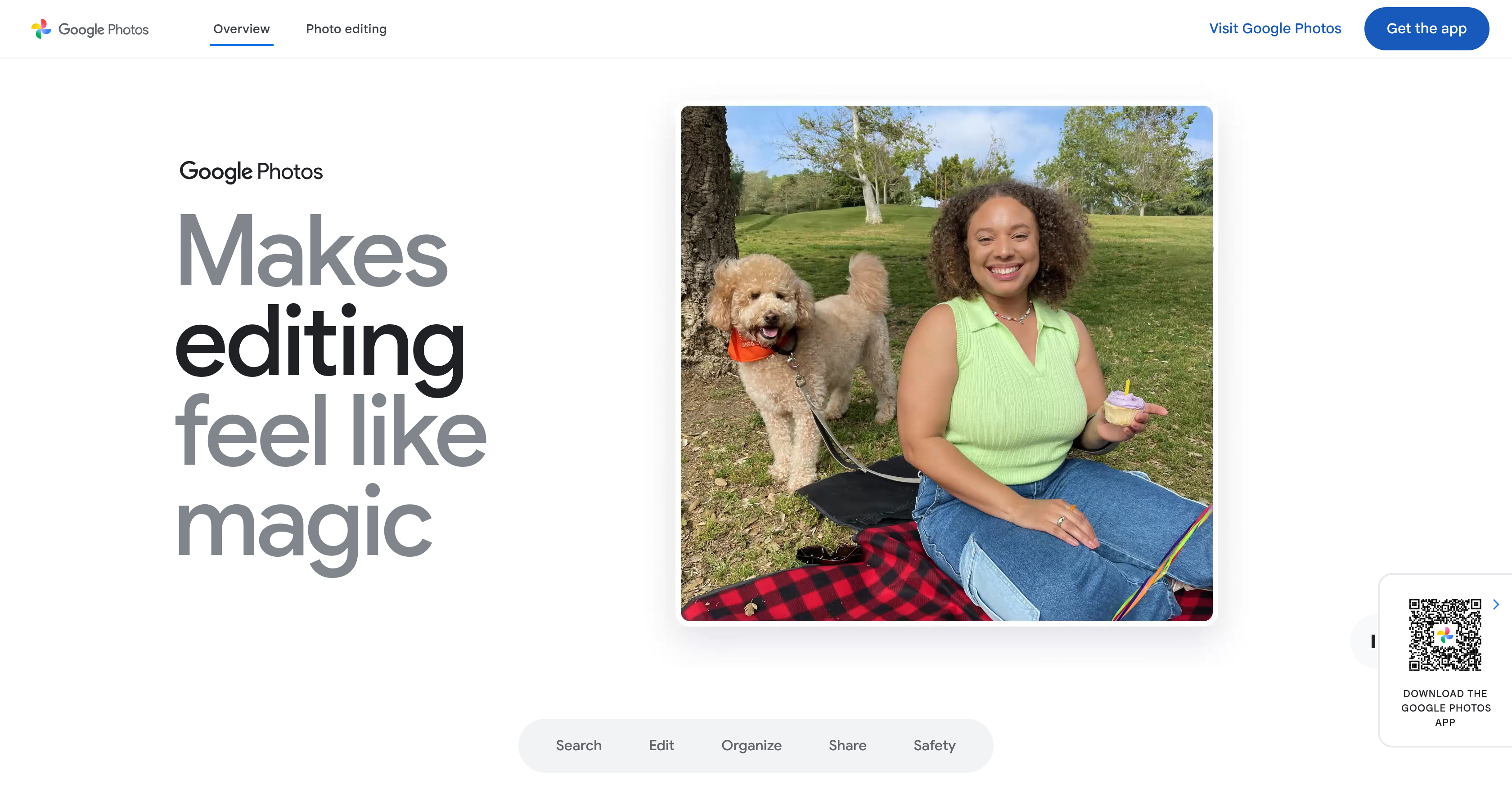
- Find any photo in seconds by searching for people, places, or things, powered by Google AI that recognizes faces, travel highlights, and events.
- Transform blurry or cluttered photos into clear, perfect shots using AI-powered features like Photo Unblur and Magic Eraser.
- Automatically organize thousands of photos into neat stacks and albums for screenshots, receipts, and notes, so your library is always tidy.
- Share full albums or individual photos with anyone, even if they don't use Google Photos, via links or apps like WhatsApp and Snapchat.
- Keep every memory safe with automatic backup that syncs across all your devices, so photos taken on your phone are instantly available on your desktop.
- Turn digital memories into physical keepsakes by ordering photo prints, custom photo books, and canvas prints directly from your organized library.
- Maintain complete ownership and privacy, with a guarantee that your photos and videos are never sold or used for advertising.
Pros & Cons
From the listing; not yet checked by our editors.
Pros
- Enhances user photos
- Easy photo search
- Automatic photo categorization
- Photo Stacks feature
- Document sorting into albums
- Protects data ownership
- No advertising with user data
- Easy photo sharing
- Automatic sharing with trusted contacts
- Offers photo prints, books, canvas
- Suitable for Android, iOS
- Operates on desktops, tablets
- Magic Eraser feature
- Photo Unblur feature
- Improved search for memories
- 15 GB cloud storage
- Document Types sorted into albums
- Sharing to everyday apps
- Google's advanced security infrastructure
- Photo, video, personal information privacy
- Prints personal photos for keepsakes
Cons
- Limited editing features
- No hardcopy backup
- Stores photos in compressed format
- Lacks keyword tagging
- Limited photo layout options
- Restricted storage space
- Photo enhancement not always accurate
- Dependent on internet connection
- Can confuse similar faces
- Potential privacy concerns
Alternatives to Google Photos
Tools that share the most tags with Google Photos.
- Kive
Instantly find any image in your library without remembering filenames using AI that searches visual content like objects, colors, and themes
Freemium · from $12/month
$12/month
Not yet checked
- Keep It Shot
Instantly find any screenshot with natural language search powered by local OCR keyword indexing
Freemium · from $8/month
$8/month
Not yet checked
- Organize with AI
Instantly find any photo by describing it in plain English or 45 other languages using semantic search that understands content, not just filenames
Paid · from $20
$20
Not yet checked
- EasyPic.app
Eliminate manual keyword brainstorming with AI that generates 45-50 highly relevant keywords per image instantly
Free trial · from $1.49
$1.49
Not yet checked
- Tagbox
Find any visual asset in seconds with AI-generated searchable tags and custom filters
Freemium · from $100/month
$100/month
Not yet checked
- localscreenshot
Your AI agents read the content that matters, not the clutter: the screenshot API switches off cookie banners, ads, pop-ups, chat bubbles, sticky bars, videos and animations before every capture.
Freemium · from $13.50/unit
$13.50/unit
Not yet checked
Related Videos

The Ultimate Guide to Google Photos: My Complete 2024 Workflow (Outdated-Check my 2026 Link)
Jenna Redfield The Optimization Toolbox 🧰 · Nov 1, 2024

How to download ALL GOOGLE PHOTOS in just a few clicks. Save your memories!
Neil Mossey · Feb 23, 2023
When to Save Photos in Google Photos vs Google Drive
Clutter Care Organizing · Nov 22, 2024

How to fix your Google storage space forever... for free!
Neil Mossey · Nov 22, 2022

Google Photos
Surfshark Academy · May 30, 2025
Reviews
Rate this tool
Loading reviews...
Frequently asked questions
How does Google Photos use AI to enhance photos?
Google Photos enhances photos using its AI-powered features like Magic Eraser and Unblur. The Magic Eraser can remove distractions from the photos and the Photo Unblur feature can transform blurry images into sharp and clear ones. Furthermore, users can even ask Google Photos to edit their photos by describing the edits they want to see.
Can Google Photos automatically categorize my photos?
Yes, Google Photos can automatically categorize your photos. This is done through its advanced AI technology, which automatically sorts and groups similar photos together. This feature is known as 'Photo Stacks'. Additionally, documents are automatically sorted into corresponding albums like screenshots, receipts, and notes.
Is it possible to search for specific photos on Google Photos?
Definitely, Google Photos allows users to search for specific photos easily. It uses AI to simplify this process. You can search your memories for travel highlights, events, people, and more. The AI can recognize these elements and sort them accordingly for easy access.
How does machine learning help in curating top shots and memories on Google Photos?
Google Photos uses machine learning to curate top shots and memories. Machine learning algorithms are able to identify key features in photos, like faces or landmarks, and highlight these as top shots. Additionally, it helps to organize these highlighted photos and memories for easy sharing.
What is a 'Photo Stack' in Google Photos?
'Photo Stack' in Google Photos is a feature in which the AI automatically groups similar photos together. This enables more convenient viewing and searching of photos as you can easily browse through stacks of similar photos as opposed to navigating around individual ones.
What types of documents can be sorted into albums by Google Photos?
Google Photos is designed to sort various types of documents into albums. Examples of these documents include screenshots, receipts, and notes. This is achieved with the help of Google's AI technology for automatic sorting.
How does Google Photos protect user's data ownership?
Google Photos protects users' data ownership by ensuring that everything added to it belongs to the user only. Users have the capacity to delete or export their content anytime they wish. These measures show Google Photos' commitment to protect the ownership of users' data.
Does Google Photos sell or use my photos for advertising?
No, Google Photos neither sells your photos nor uses them for advertising. It is mentioned explicitly in its data policy that Google Photos does not sell your photos, videos, or personal information to anyone. It also does not use the images or videos stored in Google Photos for advertising purposes