
Overview
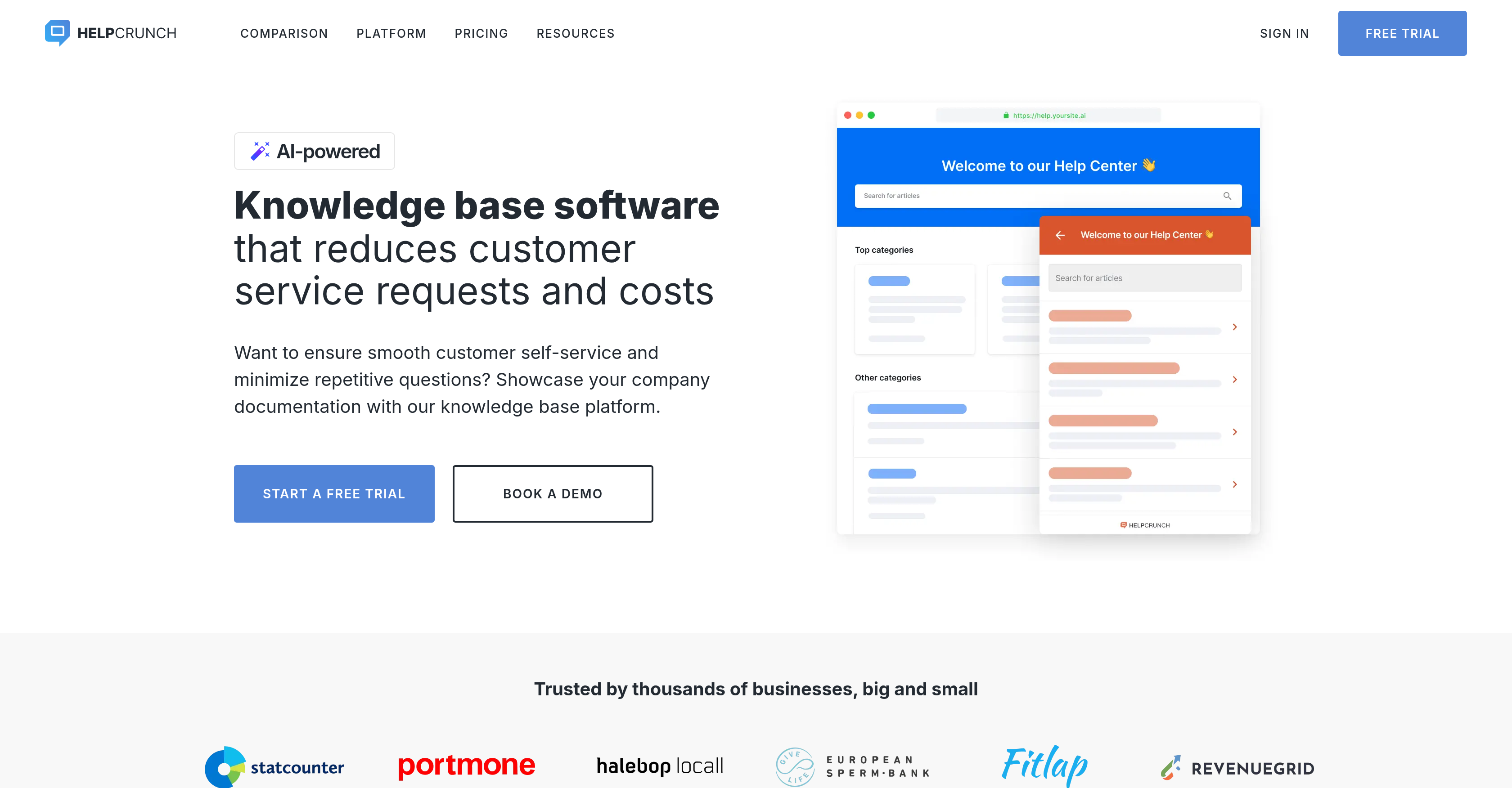
- Resolve 80% of common customer questions without agent intervention by embedding a smart widget that lets customers search articles before contacting support
- Create a self-service help center that ranks in search results and answers queries instantly using an SEO-optimized article builder with a WYSIWYG editor
- Cut support ticket volume with an integrated FAQ chatbot that automatically suggests relevant knowledge base articles based on each customer's scenario
- Scale content creation across languages without manual translation effort by leveraging the AI Editor to shorten, expand, rephrase, and auto-translate articles
- Spot content gaps that drive repeated support contacts by tracking failed search reports, revealing exactly what customers need but cannot find
- Improve article effectiveness continuously by monitoring real-time views and customer ratings, then refining underperforming content
- Maintain brand consistency across every customer touchpoint by customizing the help center with your own domain, logo, color scheme, and custom CSS/JavaScript
Pros & Cons
Pros
- Structured help centers creation
- Uses WYSIWYG editor
- SEO-optimized articles
- Widget Integration option
- Article performance tracking
- Custom branding options
- FAQ chatbot integration
- Multi-language support
- Automatic Translations
- Mobile-friendly
- 24/7 Customer self-service
- Domain customization
- Logo customization
- UI Color customization
- Widget color customization
- Cognitive load reduction
- Articles Auto-translation
- Real-time support chat integration
- Custom CSS and JavaScript support
- Powerful search function
- Personalized search suggestions
- Widget provides additional help
- Smart search suggestions
Cons
- Limited customization options
- No explicit API documentation
- May require SEO knowledge
- Dependent on widget integration
- Automatic translations may be inaccurate
- Limited control over chatbot responses
- Requires manual metrics tracking
- Multiple languages not fully supported
Reviews
Rate this tool
Loading reviews...
❓ Frequently Asked Questions
HelpCrunch's Knowledge Base Software is a platform for businesses that streamlines the creation of an accessible online platform for customer self-service support. It is equipped with features to manage customer support tasks easily and effectively, allowing the creation of structured help centers with SEO-optimized articles using a WYSIWYG editor. The software also provides tracking of views and ratings of articles and has an AI Editor to help in the creation and management of the content. It offers several customization features and supports multiple languages for global reach. There is also an integrated FAQ chatbot that suggests relevant help articles based on scenarios.
HelpCrunch's Knowledge Base Software simplifies customer support tasks by allowing businesses to create an informative, structured help center with SEO-optimized articles. The tool uses a visual editing interface, which eliminates the need for complex coding. This way, customers can search for help before contacting the support team, thus reducing the amount of manual labor for the support staff. The integrated chatbot can suggest relevant articles to customers based on scenarios, automating part of the customer service process.
Yes, HelpCrunch's Knowledge Base Software tool allows the creation of SEO-optimized articles. The platform features a true WYSIWYG editor facilitating the inclusion of images, videos, tables, and the optimization of content for SEO. This ensures that customers find exactly what they need when they perform searches.
Absolutely, HelpCrunch's Knowledge Base Software provides an option for integrating the entire knowledge base into a widget. This widget integration allows customers to search for help, explore articles, and find assistance before contacting the support team. It increases efficiency by offering customers self-service assistance while potentially reducing the volume of direct inquiries made to the support team.
HelpCrunch's Knowledge Base Software is equipped with an in-built tracking feature. It allows the tracking of views per article and the ability for customers to rate them. This feature provides insights on the performance of individual help articles, which can guide improvements and adjustments for better articles and increased customer satisfaction.
The AI Editor in HelpCrunch's software is an artificial intelligence-driven feature that aids in creating and managing documentation content. It simplifies and scales the creation process by allowing the shortening, expanding, or rephrasing of text. This reduces the cognitive load for teams and ensures content is presented in a tone that matches the audience. It also helps in providing customers with faster self-serve resources and automatically translating articles into multiple languages for a larger audience.
Yes, HelpCrunch's Knowledge Base Software allows for the use of your own domain and branding. You can customize the platform using your own domain, logo, color schemes, and other branding elements. This offers consistent branding across all your platforms and enhances customer recognition and trust.
Absolutely, HelpCrunch's Knowledge Base Software supports extensive customization features. These features allow you to use your own domain, logos, color schemes, and even specify header and footer links to your website. Additionally, you can add a chat widget for real-time support, and the software offers options for custom CSS and JavaScript to make your help center look and function just the way you desire.
The integrated FAQ chatbot in HelpCrunch's Knowledge Base Software suggests relevant knowledge base articles to customers based on provided scenarios. This not only enhances user experience but also reduces the burden on the support team by resolving common inquiries through automated responses.
Definitely. HelpCrunch's Knowledge Base Software supports multiple languages for its articles to cater to a global audience. You can create and present content in various languages to effectively communicate with your diverse customer base.
Yes, HelpCrunch provides automatic translations for its articles. The AI-powered editor in HelpCrunch's tool can translate articles to multiple languages, providing your global audience with content in their native languages.
Yes, the software includes a feature that monitors views and ratings of individual help articles. This provides immediate data about customer interaction and reception of the articles, offering insight into how useful the articles are to the customers, and where improvements may be needed.
HelpCrunch's Knowledge Base Software delivers real-time information through its tracking feature. This feature monitors how many people viewed each article and how they rated them. Additionally, it includes a failed searches report, helping you identify areas where additional content is needed.
Document content in HelpCrunch's tool is managed through its AI Editor. This artificial intelligence-driven feature helps in creating, expanding, shortening, or rephrasing content as required. This streamlines the management of help center content, reducing the cognitive load for teams and facilitates quicker provision of self-serve resources for customers.
Yes, HelpCrunch's Knowledge Base Software offers an option to hide the chat option. Customers can be directed to search through the integrated help center within the widget before contacting the support team. This feature underlines a self-service approach, leading to a reduction in the number of direct inquiries.
Yes, the Knowledge Base Software from HelpCrunch allows for tracking failed search reports. This feature helps identify gaps in the content by highlighting what customers searched for but did not find, offering valuable insights for content creation and optimization.
Customers can search for help within the widget by simply typing in their query. HelpCrunch's Knowledge Base Software also features a smart search with suggestions that swiftly guides users to the content they need. This highly-intuitive tool is designed to aid customers with their inquiries promptly and accurately.
Yes, articles in HelpCrunch's Knowledge Base Software platform can be automatically translated into multiple languages. Through its AI Editor, the platform offers automatic translation of articles, helping businesses provide content in the native language of their diverse and global clientele.
Via HelpCrunch's Knowledge Base Software you can track actionable metrics such as the number of views each article receives and how customers rate them. This can help provide insights into the performance of individual help articles, in turn assisting in improving and refining your content strategy.
HelpCrunch's Knowledge Base Software caters to a global audience in a number of ways. It allows businesses to create articles in multiple languages, tailoring content to different audiences. Also, the AI-powered editor provides automatic translations, ensuring that businesses can deliver relevant content to customers around the globe.
Pricing
Pricing model
Free Trial
Paid options from
$15/month
Billing frequency
Monthly
Related Videos
HelpCrunch Review: A Multi-Channel Communication Center for Your Online Business
SoftwareSupp / Kanał technologiczny•3.3K views•Oct 21, 2018