
Ideamap - Brainstorm and Mindmap AI
Overview
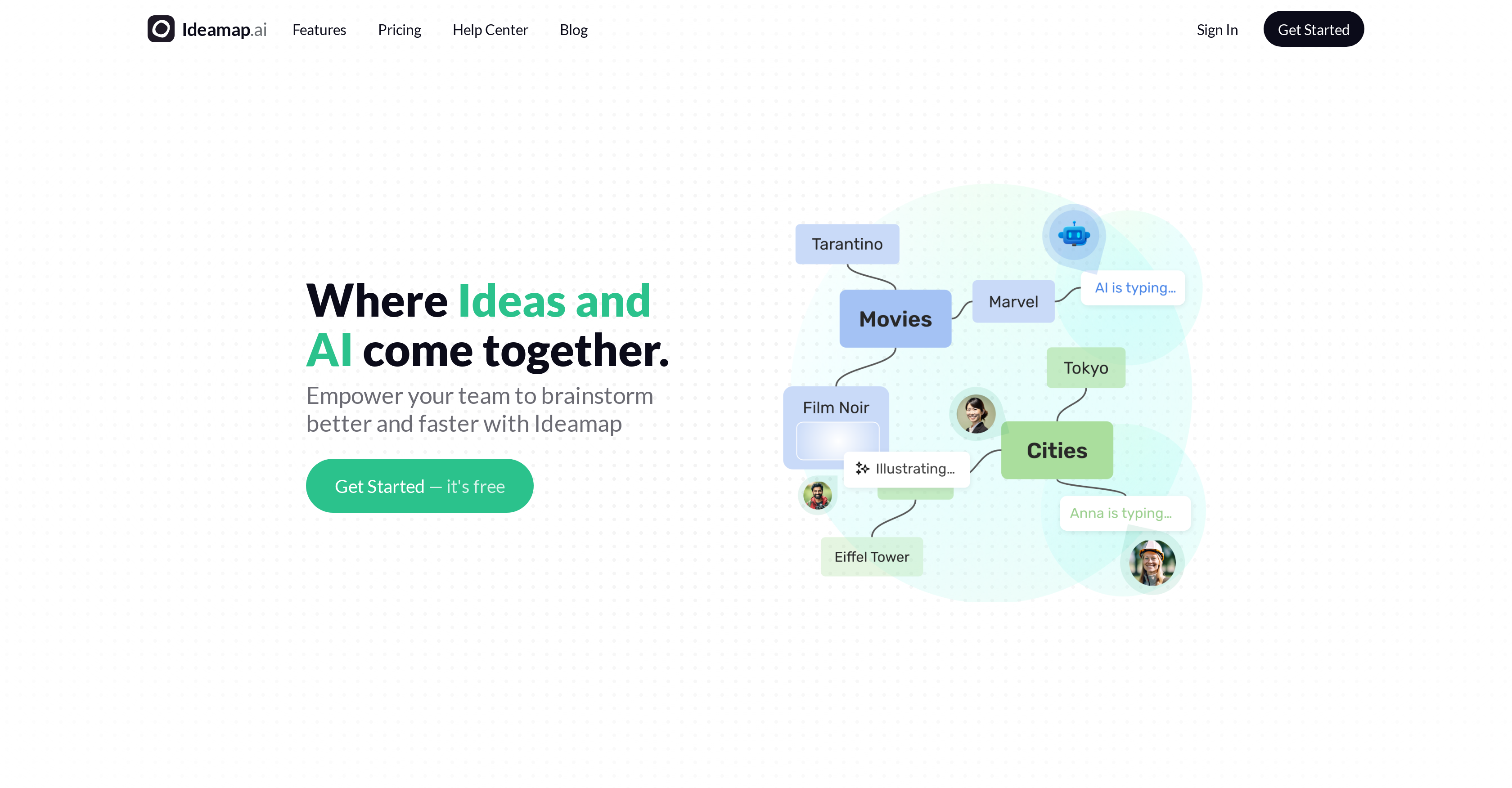
- Generate fresh ideas automatically and overcome creative blocks with AI brainstorming co-pilot
- Visualize complex concepts instantly using interactive mind mapping on an infinite canvas
- Eliminate duplicate ideas automatically with AI detection that streamlines your ideation process
- Collaborate with entire teams in real-time using shareable links and multi-device access
- Import existing content seamlessly from presentations and recordings to build on previous work
- Reach decisions faster with built-in voting systems and structured framework templates
- Retrieve every brainstorming session easily with secure, organized workspace storage
Pros & Cons
Pros
- Interactive visual workspace
- Facilitates real-time collaboration
- Infinite canvas for brainstorming
- Supports team decision making
- Various framework templates
- Easy sharing options
- Idea imports from diverse sources
- Inbuilt security features
- Detects duplicate or repetitive ideas
- Real-time feedback mechanism
- Inspires creative processes
- Streamlines ideation process
- Enhances efficient use of time
- Facilitates input from external stakeholders
- Idea visualization
- Offers automatic idea generation
- Interactive feedback and suggestion system
- Emphasizes structured yet fun brainstorming
- Free for external participants
- Imports from real-time recordings
- Imports from existing presentations
- Voting system on ideas
- Ensures retrievable brainstorming sessions
Cons
- Lacks offline working mode
- No language translation feature
- Limited customization options
- Doesn't support all file types
- No mention of data backup
- No native mobile application
- Potential privacy concerns
- Lacks text-to-speech functionality
- No explicit accessibility features
- Unclear pricing structure
Reviews
Rate this tool
Loading reviews...
❓ Frequently Asked Questions
Ideamap is an AI-powered tool designed to facilitate effective and creative brainstorming. It provides teams with an interactive visual workspace where they can collaborate and refine ideas in real-time. It's designed to be fun and structured, accentuating brainstorming and decision-making capabilities of teams.
Ideamap uses AI to boost creativity and expedite the brainstorming process. The AI aspect acts as a 'Co-pilot,' functioning as a dynamic and untiring eye for providing feedback and offering inspired suggestions. It increases the productivity of brainstorming sessions by analyzing ideas and offering inspiration.
The 'Co-pilot' feature in Ideamap is the AI component of the tool. This feature functions dynamically as an untiring eye that offers feedback and creative suggestions, thus enhancing the productivity of brainstorming sessions.
Ideamap has the ability to detect duplicate or repetitive ideas, thus providing an efficient and streamlined process for idea generation and brainstorming. This feature helps to ensure that the ideation process remains fresh and original.
Yes, Ideamap can be effectively used for remote work. Its collaborative features and accessibility make it an ideal tool for teams that may not be located in one place. Its real-time capabilities ensure that every team member can contribute to brainstorming sessions, regardless of their location.
Ideamap streamlines the ideation process by offering an interactive visual platform where ideas can be mapped, discussed, and refined in real-time. It utilizes its AI features to generate ideas, detect duplicates or repetitions, and help analyze ideas to provide inspiration and a structured approach.
Yes, Ideamap does offer custom framework templates. Teams can use these templates to structure their brainstorming sessions and to facilitate the ideation process.
Ideamap facilitates collaborative decision making by allowing teams to vote on ideas. After thoroughly engaging with the creative process on Ideamap's platform, teams can conclude brainstorming sessions facilitated by AI algorithms and make decisions collectively.
Yes, external stakeholders can be invited to Ideamap brainstorming sessions. Teams can invite as many external stakeholders as required, making it a scalable solution for larger meetings or brainstorming sessions.
Yes, ideas can be imported into Ideamap from various sources. This could include real-time recordings and existing presentations, creating a more comprehensive ideation environment.
Ideamap has security features that ensure the safety of every team's brainstorming sessions. While specific security measures aren't detailed on their website, it assures that sessions remain secure and retrievable.
Yes, Ideamap sessions can be easily retrieved. Its built-in organization and security features have been engineered to create a secure home for brainstorming sessions, making them easily findable again.
The 'Infinite Canvas' in Ideamap is a feature that allows for a limitless space to brainstorm, map, and refine ideas. It's designed to be engaging with a playful but structured way of adding ideas and comments.
Ideamap enhances creativity with its AI co-pilot feature, which offers feedback and suggests dynamic ideas. This, combined with the 'Infinite Canvas' for a structured yet playful ideation process, helps foster creative thinking.
Ideamap offers AI-powered tools that analyze ideas and provide inspiration. These tools are designed to enhance productivity by saving substantial amounts of time, allowing users to focus more on the creative process.
Yes, teams can vote on ideas in Ideamap. This feature is part of the tool's collaborative decision-making capabilities, enabling collective consensus on brainstormed ideas.
Yes, Ideamap can be used to visualize ideas. Ideamap offers an interactive visual workspace where ideas can be mapped out, thereby facilitating a better understanding and refinement of these ideas.
Yes, Ideamap provides real-time feedback. This is primarily provided by the 'Co-pilot' AI feature, which is designed to be a dynamic, untiring provider of feedback and inspired suggestions.
Ideamap has powerful sharing options. Teams can share brainstorming rooms via shareable links, posters, QR codes and more, to engage people wherever they are, using their own devices.
Ideamap can boost productivity during brainstorming sessions with its AI-powered features. The AI assists in idea analysis and inspiration, helps in identifying duplicates, and provides real-time feedback. It also aids in idea visualization, making sessions more organized and effective.
Pricing
Pricing model
Freemium
Paid options from
$7/month
Billing frequency
Monthly
Related Videos
IdeaMap AI Review: Complete Step By Step Guide (Best Way To Brainstorm With AI)
Dan Thorne•413 views•Dec 9, 2024