

Image Editor Online
Overview
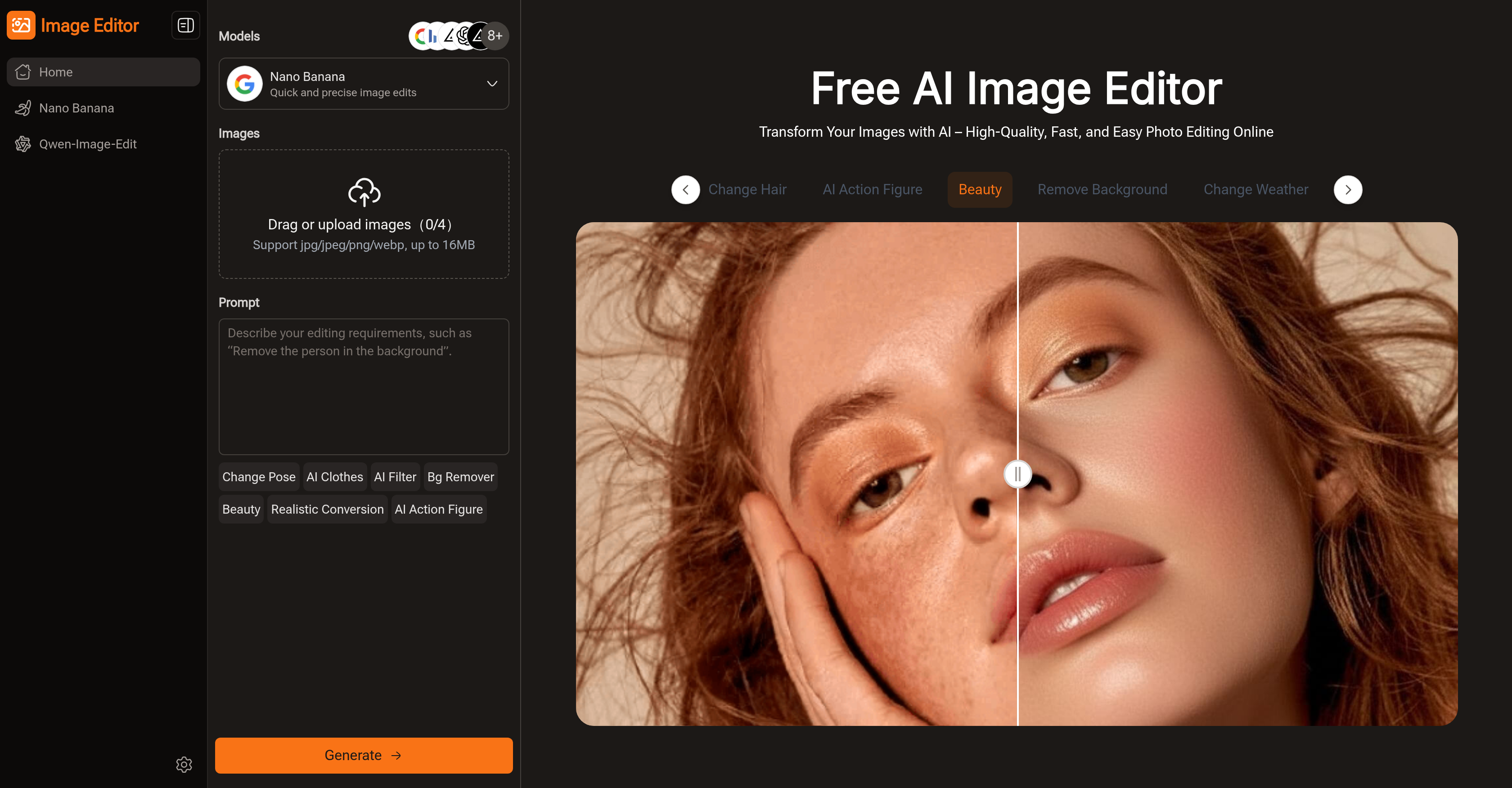
- Achieve professional edits without learning complex software using simple text prompts that automatically transform your images
- Remove distracting backgrounds instantly with AI-powered background removal that precisely isolates your subject
- Transform clothing and styles in any photo using AI clothing simulation and style transfer features
- Adjust body poses automatically without manual editing through AI-powered pose adjustment capabilities
- Create perfectly sized visuals for any platform with aspect ratio presets for social media, posters, and presentations
- Access hundreds of pre-designed prompts and styles for instant professional results without writing your own instructions
- Download high-resolution images for free with professional-grade quality suitable for printing and digital use
- Edit multiple images continuously in one workflow without switching between different tools or platforms
Pros & Cons
Pros
- Supports continuous editing
- Natural language processing enabled
- Pre-designed templates and styles available
- High-resolution image download
- Free to use
- Pose adjustments feature
- Supports removal of image background
- Makes marketing images
- Creates educational materials
- Requires no sign-up
- Supports image resolution selection
- Supports aspect ratio adjustment
- Provides fast image edits
- Allows for quick image uploads
- Supports jpeg/png/webp image formats
- Supports personal photo enhancements
- Enables poster creation
- Provides one-stop editing
- Preview results before download
- Edit images in-browser
- Creates high-quality professional images
- Editable images for social media
- Handles multiple use-cases
- Change weather in images
- Remove objects from images
- Preset prompts for easy editing
- Eliminates need for professional software
- User-friendly for all skill levels
- Supports creative effects and filters
- Suitable for e-commerce product images
- Easy transformation of images
- Processes and edits image quickly
- Merge multiple images into one
- Image editing through descriptive text
- Enables creation of visually appealing content
- Efficiency in handling multiple images
- Perfect for content creators
- Can use for blog visuals
- Features for removing backgrounds
- Assists in quick color adjustments
- Offers hundreds of prompt options
- Supports style references with GPT model
- Image blending feature for creative ideas
Cons
- No offline functionality
- Not user-friendly for beginners
- No support for batch processing
- Limited image format support
- Requires high-speed internet connection
- Overly dependent on text prompts
- No multi-language support
- No mention of data privacy
- Potentially limited advanced features
Reviews
Rate this tool
Loading reviews...
❓ Frequently Asked Questions
Image Editor is an AI-powered tool that simplifies and accelerates the process of photo editing, enabling users to transform photos quickly using textual prompts and eliminating the need for complex editing software like Photoshop. Users can create high-end visuals, optimized for social media, educational platforms, product showcasing, and creative projects. It supports multiple AI models including Nano Banana, Flux Kontext, Seedream, and GPT, each enhancing images distinctively.
The AI in Image Editor works via simple textual prompts. Users describe their desired edits, and the AI system processes the given instructions automatically, applying the changes and enhancing the image accordingly. The tool offers several preined AI models, each possessing unique capabilities, allowing the software to handle a diverse range of edits.
Image Editor is quite suitable for beginners. Rather than having to navigate complex editing tools, users can simply input prompts or select from hundreds of pre-designed styles to guide their editing. The AI models automate the editing process, providing results with a professional finish, without the need for advanced editing skills.
Image Editor incorporates several AI models like Nano Banana, Flux Kontext, Seedream, and GPT. Each model offers distinct capabilities to improve and transform images differently.
Each AI model within Image Editor comes with unique capabilities designed for specific editing needs. For instance, some might specialize in detail enhancement, while others excel at applying creative effects or facilitating style transfer between images. These models provide an extensive variety of prompts to serve diverse editing needs, catering to different user preferences.
While the precise number of photos that can be edited simultaneously isn't expressly stated, Image Editor is built to handle continuous editing, allowing users to refine details and experiment with styles without needing to switch between different tools. Therefore, multiple editing tasks can be more efficiently managed within a single workflow.
Yes, Image Editor provides high-resolution outputs, ensuring users are given sharp, professional-quality images. It offers various image resolution options and allows the generation and download of images in high resolution for free.
Image Editor houses hundreds of pre-designed prompts and styles providing users with a wide variety of pre-set editing options. Users lacking the know-how to write their own prompts can simply click and apply one of these ready-made options to accelerate the editing process.
Image Editor aids in creating professional visuals by offering a range of features tailored towards achieving a professional finish. These include background removal, style transformation, pose adjustment, and AI-powered clothes simulation. It supports several AI models, each designed to enhance images differently, giving users the ability to process and refine images until they achieve their desired level of visual beauty.
Yes, Image Editor is free to use. It lets users access its range of features such as background removal, image enhancement, and style transfer, allowing the creation and download of high-quality edited images at no cost. Certain advanced features or high-resolution options may be limited in the free version, but it still provides substantial functionality for most editing needs.
Image Editor is highly effective, offering comparable results to software like Photoshop but with simplified and accelerated processes. Complex menus and countless features are replaced with straightforward text prompts and a user can easily refine details and experiment with styles without switching between tools. It aims to deliver high-quality results without the steep learning curves associated with traditional editing tools like Photoshop.
Image Editor can handle both simple and complex photo editing tasks. It employs AI models which perform functions like background removal, pose adjustment, style transfers, and other effects that simulate natural clothing. These functions lend themselves well to simple tasks such as image enhancement and to more complex projects requiring considerable altering of the original image.
Image Editor does support continuous editing. The tool's mechanism enables users to refine even minute details and interchange styles multiple times without needing to switch between different tools or sections. This ensures a more seamless and efficient editing experience for users.
Image Editor has various features to optimize photos for social media. With AI-powered edits, background removal, style transfer, and pose adjustment capabilities, users can create engaging and aesthetic visuals for social platforms. The AI models also facilitate adjustments to benefit social media optimization, such as maintaining the aspect ratios preferred by different platforms.
Image Editor caters to creative projects by providing many features like style transfer, AI clothing simulation, and background removal that can greatly enhance the aesthetic appeal of any image. Its multiple AI models each provide unique enhancement capabilities, giving users a wide array of creative options. Moreover, hundreds of preset prompts and styles inspire creativity while delivering professional-looking results.
Yes, Image Editor can facilitate automatic background removal. By selecting the appropriate option or inputting a specific prompt, the AI models can be made to automatically distinguish and remove the background of any image, leaving the subject intact and highlighted.
Image Editor is very useful in creating learning materials. Educators can utilize its AI models to create diagrams, enhance photographs, or design learning visuals effortlessly. Plus, the wide array of editing features offers great flexibility in creating visually appealing, high-quality educational content.
In Image Editor, pose adjustment can be managed automatically with the help of the AI's capabilities. The AI models understand the prompt to adjust the pose and will modify the image accordingly. This allows for efficient photo editing and reduces the technical requirements of such tasks.
Style transfer in Image Editor works through AI models understanding prompts or pre-designed styles chosen by the user. The AI models then transform the look and feel of the image, implementing the received instructions to achieve a specific aesthetic or replicate the style of another image.
The specific AI models that Image Editor offers are Nano Banana, Flux Kontext, Seedream, and GPT. Each model has been trained with a different focus, allowing diverse capabilities and solutions for a variety of editing tasks, thus enhancing images in a distinct and unique manner.
Image Editor is an online AI-powered tool that revolutionizes the process of photo editing. It simplifies and accelerates image enhancement, editing, and transformation using text prompts, eliminating the need for intricate software like Photoshop. Features include background removal, pose adjustment, AI clothes, and style transfer, making it perfect for editing both portraits and product images. It works through simple textual prompts wherein users express their desired changes and the AI takes over the editing automatically. It offers AI models such as Nano Banana, Flux Kontext, Seedream, and GPT for diverse image enhancement needs.
Image Editor supports several AI models including Nano Banana, Flux Kontext, Seedream, and GPT. Each of these models possesses unique capabilities to enhance images differently, catering to a variety of user requirements.
The continuous editing feature in Image Editor provides a streamlined workflow where users can edit and adjust their images over and over again without having to switch between different tools or platforms. It simplifies the process of refining every detail and experimenting with multiple styles.
Yes, Image Editor can indeed help remove the background of an image. It is one of the many features Image Editor is equipped with to allow you to easily modify your images without the need for intensive editing skills or intricate software.
The pre-designed templates and styles in Image Editor are ready-to-use assets that can aid in the editing process. They save time and inspire creativity while producing professional-looking results. Users can apply these templates and styles with a single click, making image editing faster and more efficient.
Yes, you can adjust the aspect ratio of your images using Image Editor. The platform provides several options including Auto, 16:9, 9:16, 4:3, 3:4 and 1:1, giving you the flexibility to choose the layout that best suits your project.
Absolutely, you can create and edit high-resolution images using Image Editor. One of the key features of Image Editor is its capability to output in high resolution, ensuring sharp and professional-grade visuals.
Yes, Image Editor does support style transformation. With the help of powerful AI models like Flux Kontext and GPT, users can apply various style transformations to their images for unique and creative results.
Yes, Image Editor does provide free downloads of the edited images. These are high-resolution downloads and users can directly use their edited creations for various purposes such as social media, posters or learning materials.
Absolutely, Image Editor is an excellent tool for social media content creation. From photo optimization to creating social media posts and posters, Image Editor can cater to varied use-cases and is highly beneficial for content creators.
In Image Editor, text prompts are a user-friendly feature where users can simply type in their desired changes. The AI then interprets these prompts and executes the changes automatically, doing away with the need for complex editing skills.
In Image Editor, AI filters are used to modify and enhance images according to user requirements. These include changes in pose, clothing, backgrounds as well as application of realistic conversion and beauty filters.
Yes, Image Editor allows for the editing of multiple images at once. It supports a system where users can drag, upload and edit multiple images, providing efficiency and saving time for users.
Yes, Image Editor supports image transformation. Users can creatively transform their images using the AI models and pre-designed prompts and styles. Additionally, the natural language prompts make it easier for users to describe and execute their desired transformations.
Image Editor can be a valuable tool for marketing purposes. Its extensive range of features, including high-resolution image exports, tailored prompts, varied style transformations, background removal, and pose adjustment, make it ideal for creating marketing visuals like banners, promotional graphics, social media posts and more.
Absolutely, you can change the pose of a subject in an image using Image Editor. Its advanced AI models like Nano Banana and GPT allow for specific tasks such as pose adjustments, making it easy to achieve desired results.
Yes, Image Editor does support natural language processing in text prompts. This means users can simply describe their desired changes in plain language, and the AI will interpret and execute these instructions, making the process accessible and user-friendly.
Image Editor can be used for creating and enhancing educational materials. Its features like high-resolution image exports, pose adjustment, style transformation, and background removal make it convenient for educators to create visually appealing and effective learning materials.
The AI clothes feature in Image Editor is a unique tool that lets users experiment with different clothing on their images. It offers pre-designed styles and can also interpret text prompts to create distinct and vivid clothing changes.
The free usage of Image Editor is based on providing access to its core features, including the ability to edit images, apply AI prompts, and download high-quality results without a fee. However, some advanced features or high-resolution options may be limited in the free version.
Pricing
Pricing model
Free
Paid options from
Free


