Image To Image AI
Overview
- Maintain perfect composition while transforming image aesthetics using advanced neural networks that preserve original structure
- Generate multiple high-resolution variations in seconds for rapid campaign asset creation without design skills
- Apply diverse artistic styles from oil painting to cyberpunk while keeping key elements intact for consistent branding
- Create commercial-ready images for marketing materials and product visualizations with customizable aspect ratios
- Control transformation strength to balance creative changes with original image integrity using precise adjustment settings
Pros & Cons
Pros
- Maintains original image structure
- Applies user-specified modifications
- Balanced transformation and preservation
- Visualizes design concepts
- Quickly generates variations
- Applies various styles
- Creates high-resolution images
- No design skills required
- Efficient processing
- User-friendly four-step process
- Original composition preservation
- Generates multiple outputs
- Marketing, product visualization use
- Social media campaign tool
- Transforms instead of creating
- Allows description of changes
- Adjustable settings
- Multilingual interface
- Supports JPEG, PNG, GIF, WEBP
- Supports up to 20MB and 4096x4096pixels
- Allows aspect ratio change
- Generates multiple image outputs
- Preserves key image elements
- Allows transformation description
- Produces professional-quality results
- Generates downloadable images
- Supports commercial use
- Preserves basic composition
- Fast image transformation
- Versatile style applications
- Integrates advanced neural networks
- Supports artistic style experimentation
- Artistic effects modification
- Commercial use ready results
- Supports various image formats
- Allows transformation control
- Supports non-stop image transformations
Cons
- No batch processing
- Unspecified processing time
- No explicit version history
- Limited output formats
- Unshared neural network details
- Restricted image size:4096px
- No offline functionality
- No multi-language support
- No integration capabilities
Reviews
Rate this tool
Loading reviews...
❓ Frequently Asked Questions
Image to Image AI is an advanced tool which uses artificial intelligence to transform existing images. It maintains the composition and structure of the original image while modifying its style or aesthetics as specified by the user. The aim of this tool is to strike a balance between transformation and preservation for finely controlled results.
Image to Image AI uses state-of-the-art neural networks to interpret both the source image and user instructions. This intelligent system applies transformations while maintaining the integrity of key elements in the image. This process enables high-fidelity preservation and reconstruction of the image in a way that aligns with the user's specified changes.
Image to Image AI comes in handy in visualizing design concepts, creating diverse campaign assets, and experimenting with various artistic styles. It's ideal for any situation where there's a need to transform images while preserving their original structure and composition.
No, Image to Image AI doesn't create images from scratch. It’s specifically designed to modify existing images while preserving their original structure and composition.
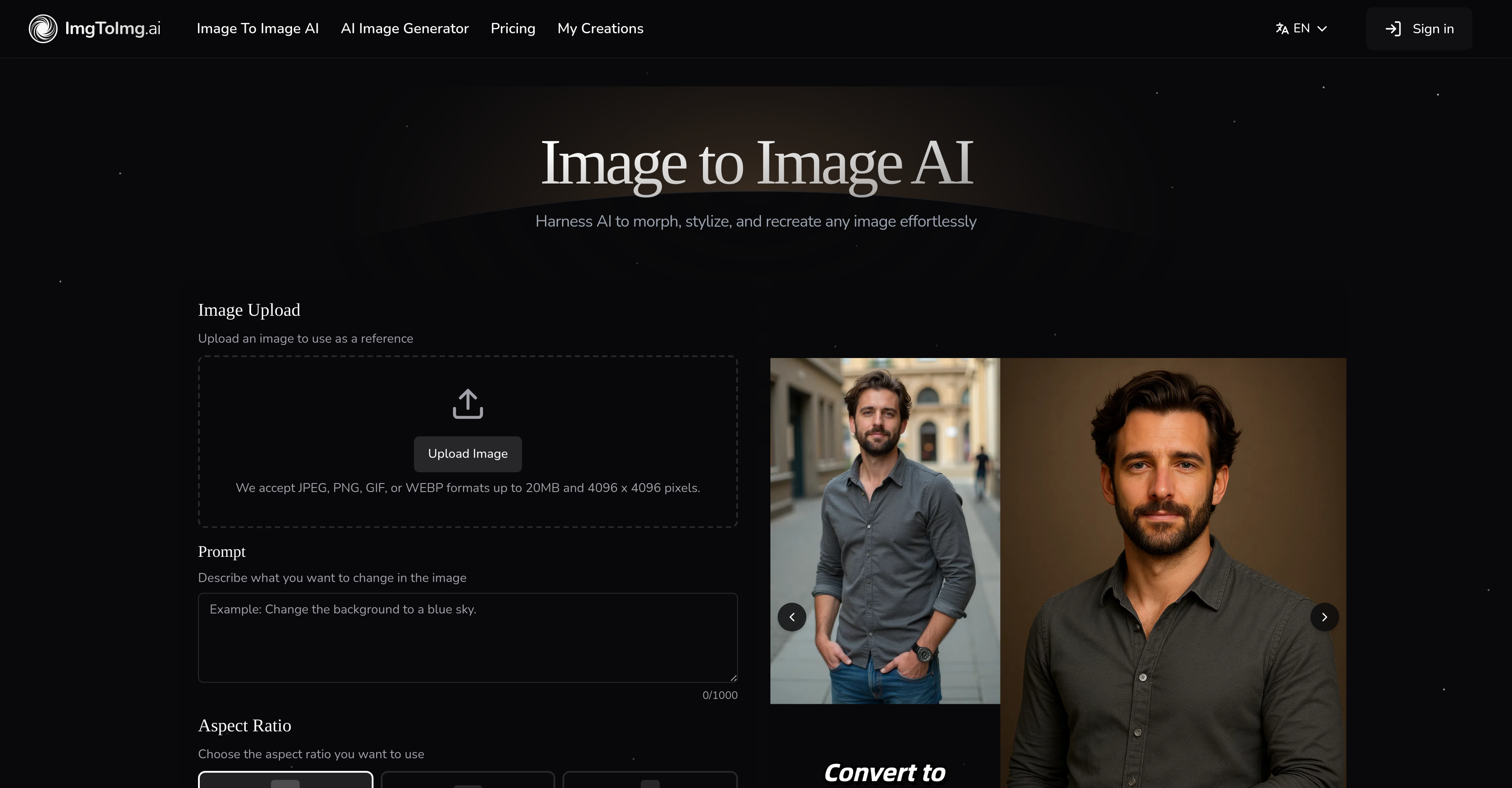
Using Image to Image AI involves a four-step process. Firstly, you upload an image. Next, you describe the changes you wish to apply. The third step involves adjusting your settings, defining aspects like aspect ratio and output count. Finally, you generate the image and can then download high-quality versions ready for use.
Image to Image AI preserves the original composition of images through its advanced AI-driven tool that modifies the aesthetics or style without disrupting the original structure. The neural networks intelligently understand the image and the changes to be made, ensuring the transformations maintain the key elements' integrity.
Yes, Image to Image AI can generate multiple variations of an image quickly. This capability allows for the rapid exploration of different creative directions without long processing times.
Certainly, Image to Image AI has the capacity to create high-resolution images suitable for commercial use. These transformations can be used in marketing materials, product visualizations, website content, and social media campaigns.
Marketing, product visualization, and social media campaigns are among the industries that benefit most from Image to Image AI. Basically, any industry looking to reshape and modify images while maintaining their original structure and artistic integrity will find it highly beneficial.
No, design skills are not needed to use Image to Image AI. Its user-friendly interface and intuitive operations make it accessible to users regardless of their background or skill level.
Image to Image AI supports JPEG, PNG, GIF, and WEBP image formats.
The maximum image size that can be uploaded to Image to Image AI is 20MB with dimensions up to 4096 x 4096 pixels.
Yes, users can choose the aspect ratio they want in Image to Image AI. This feature gives you more control over the transformation process and the final result.
Image to Image AI can handle a diverse range of artistic styles. From oil paintings to cyberpunk aesthetics, users can specify and apply different styles to their images.
Yes, Image to Image AI offers customization settings such as aspect ratio, output count, and transformation strength settings. These settings provide control over how closely the results resemble the original image.
Yes, the images processed by Image to Image AI are suitable for marketing and social media campaigns. The tool’s ability to generate high-resolution images makes it ideal for producing professional-quality content for commercial use.
The image transformation process in Image to Image AI is efficient as it can quickly generate multiple image variations in just a few seconds.
Yes, users have significant control over the image transformation process in Image to Image AI. You can direct transformations by specifying styles, colors, modifications, or artistic effects. Additionally, you can adjust key transformation parameters.
To adjust the settings, you need to specify how you want to transform the image during the initial setup. You can refine transformation parameters like aspect ratio, output count, and transformation strength to control the resemblance of the result to the original image.
Absolutely, Image to Image AI can be employed for product visualizations. Its ability to create high-resolution transformed images preserving the structure and composition of the original makes it an effective tool for enhancing product presentations.
Pricing
Pricing model
Paid
Paid options from
$7.99/month
Billing frequency
Monthly
Refund policy
Users can request a refund within 7 days if they are not satisfied.