
Image to Video AI
Overview
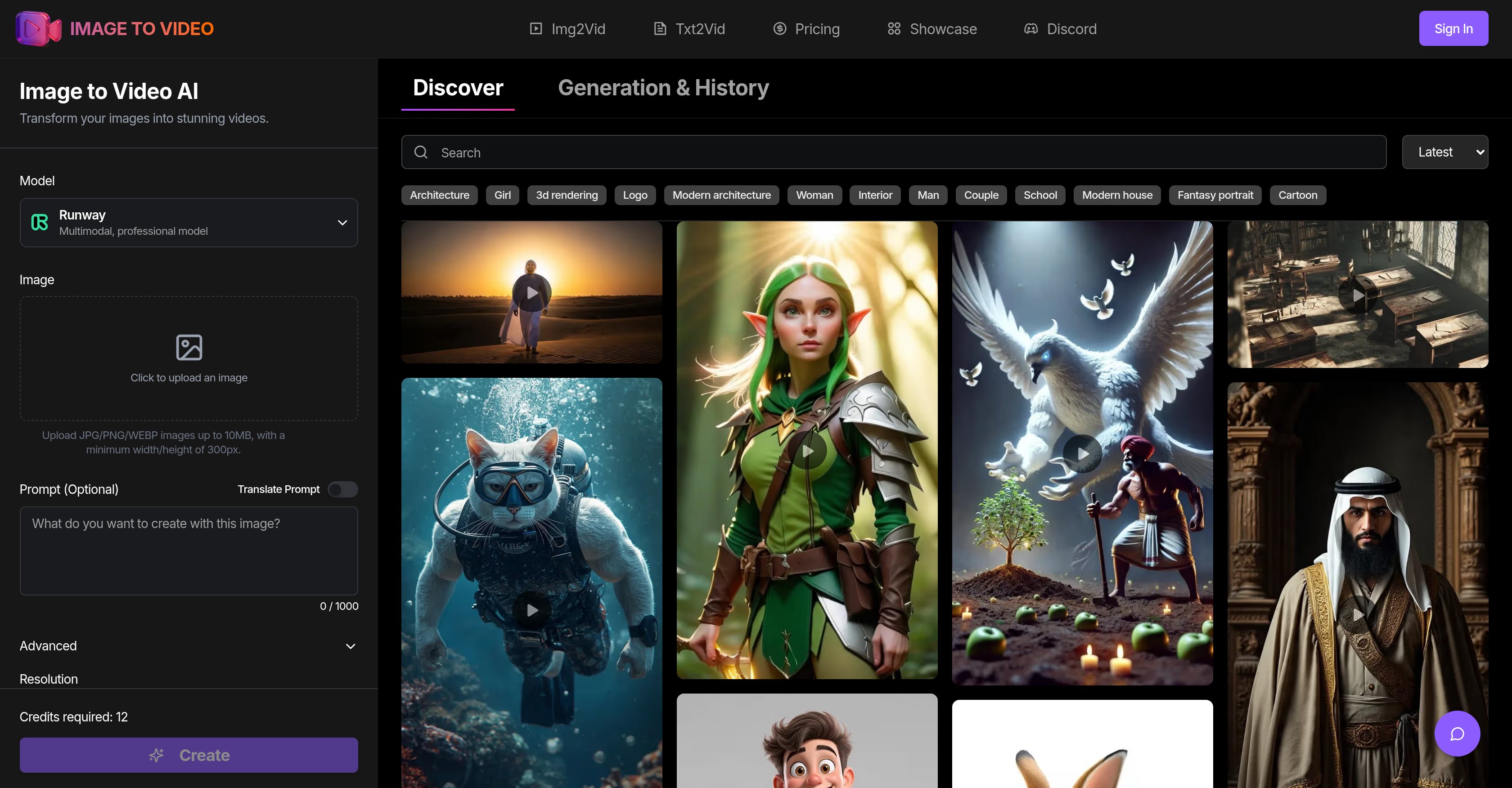
- Bring static images to life with dynamic motion, transforming JPG, PNG, or WEBP files into engaging videos
- Control the creative outcome by using text prompts to specify environmental details and narrative elements
- Achieve professional-grade video quality for presentations and portfolios by selecting 720p or 1080p resolution
- Animate complex 3D models and renderings, adding depth and motion to previously static designs
- Create hyper-realistic scenes from fantasy portraits and cartoons, making imaginative concepts move
Pros & Cons
Pros
- Supports JPG, PNG, WEBP
- Minimum width/height of 300px
- User-specified prompt guidance
- Accurate dynamic interpretation
- Resolution options: 720p, 1080p
- Customizable video duration
- Supports modern architecture visuals
- Supports 3D rendering
- Supports fantasy portraits
- Supports cartoon visuals
- Supports 3D model visuals
- Transforms images to hyper-realistic settings
- Video generation without watermark
- Supports images up to 10MB
- Supports advanced resolution
- Instant high-quality videos
- Multi-use for various industries
- Quick processing time
- Easy to use interface
- Versatile applications
- Customizable results
- High resolution up to 4K
- Effective batch processing
- Supports multiple animation styles
- Fast video generation
- Over 100K videos created
- Over 10K active users
- Average 2 min processing time
- High customer satisfaction
- Potential increase in engagement rate
- Handy for solo content creators
- Cost-saving for e-commerce
- Valuable for educational content creators
- Effective for real estate agents
- Option to control video style
- Option to control animation speed
Cons
- Limited video duration
- Minimum image size requirement
- Restricted to only 1080p
- Only supports JPG, PNG, WEBP
- No batch processing support
- Doesn't support raw images
- No multi-language support
- Requires user prompt for guidance
- Limited choice for video resolution
- Limited video generation applications
Reviews
Rate this tool
Loading reviews...
❓ Frequently Asked Questions
The Image to Video AI supports a variety of image formats, notably JPG, PNG, and WEBP.
Image to Video AI utilizes advanced artificial intelligence technology to transform static images into dynamic, high-quality videos. It can generate motion in previously static scenes, effectively breathing life into them.
The quality of the videos generated by Image to Video AI is high-definition. Users have the option to choose between 720p and 1080p resolution modes.
Image to Video AI has the capability to work with a wide variety of image types. This includes images ranging from modern architecture, 3D renderings, and fantasy portraits to cartoons and complex 3D models tied with a narrative in a hyper-realistic setting.
Image to Video AI requires a minimum width or height of 300px in the images.
Yes, a user can set a specific duration for a video created by Image to Video AI. The duration options available range between 5 and 8 seconds per video.
The Image to Video AI tool is useful in a variety of settings. This includes, but is not limited to, 3D rendering, modern architecture representations, fantasy portraits, cartoons, and complex 3D models in hyper-realistic scenarios.
Image to Video AI offers two resolution modes - 720p and 1080p.
Yes, a user can specify prompts to guide the video creation process in Image to Video AI.
Image to Video AI is capable of dynamically interpreting and sticking to the provided prompts with considerable accuracy.
Yes, Image to Video AI can create videos with specific environmental details if these details are stated in the prompts provided by the user.
The prompt guidance feature in Image to Video AI allows users to specify details they would like to see in their videos. The AI can then interpret these prompts to create customized videos accordingly.
Yes, a cartoon image can be transformed into a video using the Image to Video AI.
Image to Video AI can generate videos from 3D models that are intertwined with the narrative in a hyper-realistic setting, adding depth, motion, and life to a previously static 3D model.
Yes, Image to Video AI is capable of creating videos in hyper-realistic settings if such details are provided in the prompts.
Yes, Image to Video AI is designed to handle 3D rendering, turning static 3D images into engaging videos.
Yes, one can convert a fantasy portrait into a video using Image to Video AI as it's capable of processing a range of image types, including fantasy portraits.
Yes, Image to Video AI can be used to animate modern architecture representations, converting static architectural designs into engaging, dynamic videos.
The quality of the output video in Image to Video AI can be adjusted through the resolution mode settings, offering choices between 720p and 1080p.
Pricing
Pricing model
Free Trial
Paid options from
$13.90/month
Billing frequency
Monthly









