Image to STL
Overview
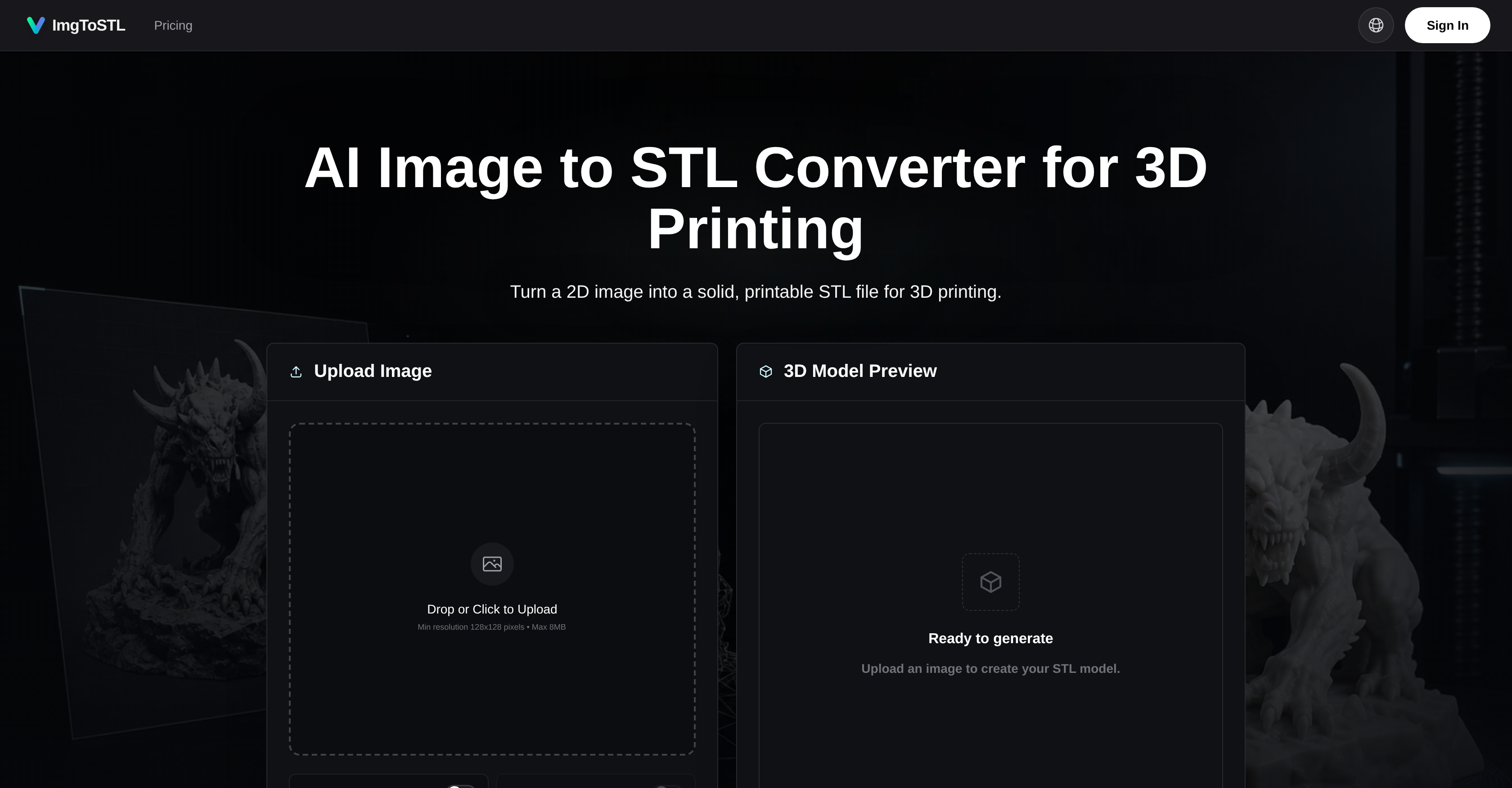
- Move from any 2D image to a printable STL file in seconds, skipping hours of manual 3D modeling — by uploading JPG, PNG, or WebP and letting AI interpret the shape.
- Inspect every angle before committing to a print, dodging wasted material and failed prints — by using the in-browser preview to rotate and examine the 3D model.
- Turn sketches, character references, or cosplay concepts into tangible props and miniatures, eliminating the need to sculpt from scratch — by converting flat visual ideas into solid STL files.
- Produce rapid prototypes from product photos or AI-generated art, accelerating your design iteration cycle — by generating an STL-ready model from a single image upload.
- Export finished models in STL, GLB, OBJ, or FBX for seamless cleanup in Blender or direct slicing, avoiding format conversion headaches — by choosing the output that matches your post-processing pipeline.
- Sell your 3D-printed creations with full legal confidence, removing licensing uncertainty — by using commercial licenses included with paid tiers for all generated assets.
Pros & Cons
Pros
- Supports JPEG, PNG, WebP
- Exports STL, GLB, OBJ, FBX
- Rapid prototyping support
- DIY and cosplay-friendly
- Preview before downloading
- Fast iteration capability
- Commercial use allowed
- User-friendly interface
- Quality dependent on input
- STL-focused export
- Handles complex image conversion
- Creates printable 3D models
- Accepts major image formats
- Preview and rotate models
- Supports custom parts creation
- Supports miniature creation
- Supports prototype development
- Built for functional 3D printing
- Can adjust before conversion
- Supports product design
- Prioritizes functionality and speed
- Supports JPG to STL
- Supports PNG to STL
- Tabletop props production support
- Allows for visual concept conversion
- Texture generation functionality
- Advanced format export
- Early access to new features
- API access
- Priority support
- Batch experiments support
- Credit packs available
- Handles armor concepts
- Handles jewelry designs
- Supports product sketches
- Handles character sketches
- Facilitates slicing preparation
- Allows commercial license
- Handles 2D CAD sketches
- Supports image enhancement
- Can handle low-contrast images
- Generates textured 3D models
- Pre-printing preview feature
- Supports various hobby applications
- Supports digital design
- Accommodates file conversion
- Supports character photos converting
- Capable of turning clear single-object images
- Handles broken part photos
Cons
- Limited editing options
- Quality dependent on source
- Not suitable for complex images
- May require additional refinement
- No support for batch uploads
- No free usage tier
- Limited supported input formats
- Mainly STL-oriented export
- Lack smaller scale pricing options
- Quality inconsistency for low-contrast images
Reviews
Rate this tool
Loading reviews...
❓ Frequently Asked Questions
ImgToSTL is an AI Image to STL Converter optimized for generating STL files ready for 3D printing. It uses AI technology to convert 2D images, sketches, photos or concepts into solid 3D models.
ImgToSTL works by using artificial intelligence to interpret 2D images, photos, sketches, or other visual concepts and convert them into printable 3D models. The images are uploaded and once the AI processes the image, you can preview a 3D design before proceeding with the conversion. Ultimately, you download a solid STL file suitable for 3D printing.
ImgToSTL can convert a variety of 2D images into solid STL files. These include JPEGs, PNGs, and WebPs, whether they are flat images, photos, sketches, visual concepts or reference images such as character photos.
ImgToSTL accepts a range of formats for input, which include JPEG, PNG, and WebP images.
ImgToSTL primarily supports STL format for output, making it suitable for 3D printing applications. However, where supported, it can also export in other common 3D formats like GLB, OBJ, and FBX.
Yes, with ImgToSTL, users have the flexibility to inspect the 3D design and make necessary adjustments before converting the image into an STL file.
Absolutely, ImgToSTL is indeed beneficial for 3D printing projects as it is designed to transform 2D images into solid STL files which are appropriate for 3D printing.
Yes, ImgToSTL can be an excellent tool for cosplay and DIY projects. It can transform character sketches, jewelry designs, and armor concepts into tangible 3D-printable items.
ImgToSTL is built for speed and allows for immediate conversion of 2D content into 3D models, making it a valuable tool for rapid prototyping.
For the images uploaded to ImgToSTL, the maximum size limit is 8MB.
Yes, ImgToSTL is capable of converting sketches or concepts into 3D models. The intention behind this technology is to turn flat sketches and visual concepts into tangible 3D-printable items.
When converting jewelry designs and armor concepts, ImgToSTL uses AI technology to interpret these flat visual concepts and transforms them into solid, printable STL files.
Yes, STL models and 3D assets generated on the paid tiers of ImgToSTL come with a commercial license, thus they can be used for commercial purposes.
The process of converting an image into an STL file with ImgToSTL involves three steps: First, you upload an image. Secondly, an AI creates a 3D model from your uploaded image. Finally, you download the STL file for 3D printing.
STL files generated by ImgToSTL are designed to be solid and printable. However, intricate designs or low-contrast source photos might require small adjustments in software like Blender, Meshmixer, or your slicer before printing.
The preview feature on ImgToSTL allows users to rotate and inspect their 3D model before downloading the STL file.
Clear single-object images with good lighting yield the best results with ImgToSTL. Thin parts, busy backgrounds, flat logos, and low-contrast photos may need cleanup or small edits after generation.
While ImgToSTL focuses on creating STL files, it does support other 3D formats such as GLB, OBJ, and FBX where compatible.
Yes, there is a difference. Basic tools might be good for converting simple 2D images into 3D like logos or signs. However, ImgToSTL is engineered for creating more elaborate 3D models from photos, sketches, or object references.
ImgToSTL offers three pricing tiers. The Starter pack costs $9.90 per month billed annually, the Pro pack is $23.90 per month also billed annually, and the Studio pack is $49.90 per month also billed annually. The pricing includes varying monthly credits, commercial license, access to all AI models and premium features, generation queue, advanced format export, API access, and priority support. The credit packs are for creating STL-ready models, prototypes, and batch experiments.
Pricing
Pricing model
Paid
Paid options from
$9.90/month
Billing frequency
Monthly