

iMyFone DreamVid
Overview
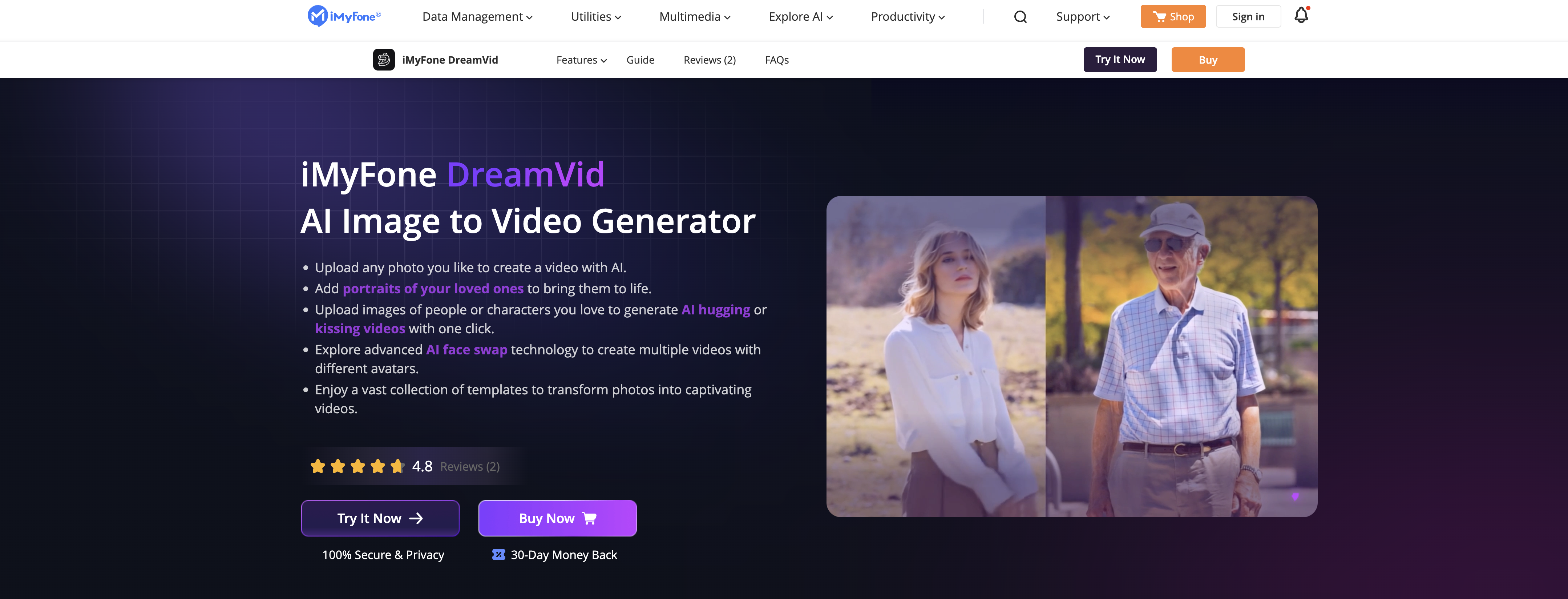
- Transform personal photos into animated memories with AI-powered image to video conversion
- Create engaging marketing content from static brand images using dynamic video templates
- Enhance educational materials by converting diagrams and photos into interactive video presentations
- Generate unique face swap videos with celebrities or characters using advanced AI technology
- Produce professional-looking videos instantly without editing skills through pre-built animation templates
- Bring fictional characters to life with animated sequences like hugging and kissing from single images
Pros & Cons
Pros
- Converts static images to dynamic videos
- Multiple video generation from a single image
- Easy interface
- Vast collection of templates
- Transforms photos into videos easily
- Highly adaptable for different use-cases: marketing, education, content creation
- Enriches visual communication
- Helps introduce dynamic elements to static images
- Supports variety of image formats
- Supports multiple image uploads
- Realistic animation
- Automatically generates narratives
- Realistic dynamic effects
- Image size limit up to 5 MB
- Supports both iOS and Android systems
- Offers encrypted storage for uploaded photos
- Allows post-creation edits
- Supports generation of talking photos
- Allows customization of camera parameters and motion range
- Constant updates with trending elements
- Automatically extends video content
- Supports customization through commands
Cons
- Limited to iOS and Android
- Image size limit 5MB
- Complex voice imitation process
- No data storage or exposure assurances
- Specific required photo formats
- No multi-photo support for all scenes
- Must manually delete records
Reviews
Rate this tool
Loading reviews...
❓ Frequently Asked Questions
iMyFone DreamVid is an AI-based tool designed to convert static images into dynamic videos. It's capable of transforming a variety of images, including photos of people or characters, into animated sequences such as hugs, kisses, or face swaps. Moreover, it utilizes advanced AI face swap technology to create a multitude of videos with different avatars.
iMyFone DreamVid works by using advanced AI algorithms to animate images. Here's how it works: Users upload their still images, which can be photos of people or characters. The tool then generates animated sequences based on these images, creating videos with dynamic actions like hugs, kisses, or face swaps. The tool also uses AI face swap technology to swap faces of characters in videos, allowing users to create multiple videos with different avatars.
Yes, you can upload multiple images to iMyFone DreamVid to create a video. If you are creating scenes that involve multiple characters, such as AI hugging or kissing scenes, uploading photos of two or more characters will yield better results.
Definitely, iMyFone DreamVid caters to the needs of marketers and educators as well. By converting images into videos, marketers can produce more engaging content for their brands, while educators can seamlessly introduce dynamic elements to their visual presentations or digital narratives, thus both enhancing learning experiences and widening the reach of their message.
The key features of iMyFone DreamVid include, but are not limited to, Image to Video Transformation, AI Face Swap, User-Friendly Interface, Content Creation, Animation Creation, Digital Storytelling, Visual Communication, Motion Graphics, and Video Content Creation. It also provides a rich collection of templates, making the process of transforming photos into captivating videos effortless.
The AI face swap technology in iMyFone DreamVid works by detecting and analyzing facial features in the images uploaded by users. It then swaps the faces of characters in videos, allowing you to create multiple videos with different avatars. This feature can be utilized in various ways, for instance, to see how you would look as a different gender or to experience movie roles.
Absolutely, you can use pictures of your favorite characters, whether they are people or fictional, for animations in iMyFone DreamVid. The AI technology will analyze and utilize these images to generate animated sequences such as hugging or kissing.
Yes, iMyFone DreamVid offers a vast collection of templates to assist users in transforming their photos into engaging videos. These templates help make the conversion process simpler, more flexible and enable users to create captivating and unique videos.
iMyFone DreamVid simplifies digital storytelling by turning static images into dynamic, engaging video content. Users can upload images of people, loved ones, or favorite characters, and the tool will generate animated sequences based on these images. This not only makes the storytelling process more dynamic and visually engaging but also allows a greater degree of flexibility and creativity in the narratives users can craft.
To use iMyFone DreamVid's AI for image-to-video transformations, you will need to first upload the images you want to transform. You can then select or input the desired video effect prompts. Once this is done, click the 'Generate Video' button and the AI will automatically process the photos, generating videos based on the scenes you chose.
Using iMyFone DreamVid, you can create a plethora of videos from romantic videos with AI hugging or kissing sequences to light and fun videos with face swaps. Pictures of your loved ones can be transformed into warm memories and even photos of your favorite characters can be brought to life. This makes it ideal for creating captivating personal content or sharing engaging visual narratives on social media platforms.
Yes, you can introduce dynamic elements to your presentations with iMyFone DreamVid. The AI technology allows you to transform static images into engaging video content. This makes it a useful tool for educators, allowing them to introduce more visually dynamic and engaging elements into their teaching materials.
Indeed, iMyFone DreamVid offers a user-friendly interface. It's easy to navigate which enables users to effectively upload images, choose templates, and create videos. The transformation process is made effortless through this intuitive interface.
To convert static images into dynamic videos with iMyFone DreamVid, you start by uploading the images you want to animate. After uploading, you can select from a vast collection of templates or input desired video effect prompts. You simply hit 'Generate Video' button and the tool does the rest, transforming your static images into engaging videos.
iMyFone DreamVid caters to personal use by enabling users to animate their personal photos with ease. You can bring to life your old memories, create heartwarming videos of your loved ones, or even animate portraits of your favorite characters. The application uses AI technology to create these unique and personal animated sequences, enhancing the way you preserve and revisit your memories.
Absolutely, marketers can utilize iMyFone DreamVid for creative marketing strategies. By converting static images to engaging video content, marketers can create visually appealing advertisements or promotional material. This tool is particularly beneficial for marketers who want to generate unique, engaging, and memorable content for their audience.
Yes, educators can use iMyFone DreamVid for their visual communication needs. They can convert static images into dynamic videos and integrate them into their teaching materials. This can help make learning more interactive and engaging, potentially increasing student understanding and retention of information.
iMyFone DreamVid supports common photo formats such as JPG, PNG, and JPEG. The user can upload an image of a person or a character they want to animate. The image size limit is 5 MB.
There is no specific limit mentioned on their website regarding the number of images that you can upload on iMyFone DreamVid. It has been mentioned, however, that for scenes involving multiple characters, uploading photos of two or more characters will yield better results.
The AI face swap feature of iMyFone DreamVid allows you to replace faces in videos with any face you desire. The process involves uploading photos of your favorite celebrities or characters to create a face swap video. The feature also allows for gender transformations and experiencing movie roles by swapping your face, enhancing the variety of videos that can be created on the platform.
Pricing
Pricing model
Paid
Paid options from
$15.99/month
Billing frequency
Monthly
Refund policy
No Refunds
Related Videos
Image to Video | Viral Video | Text to Image | Ultimate AI Kiss & AI Hug Video Maker - DreamVid🥰💛
iMyFone•7.3K views•Feb 26, 2025


