Overview
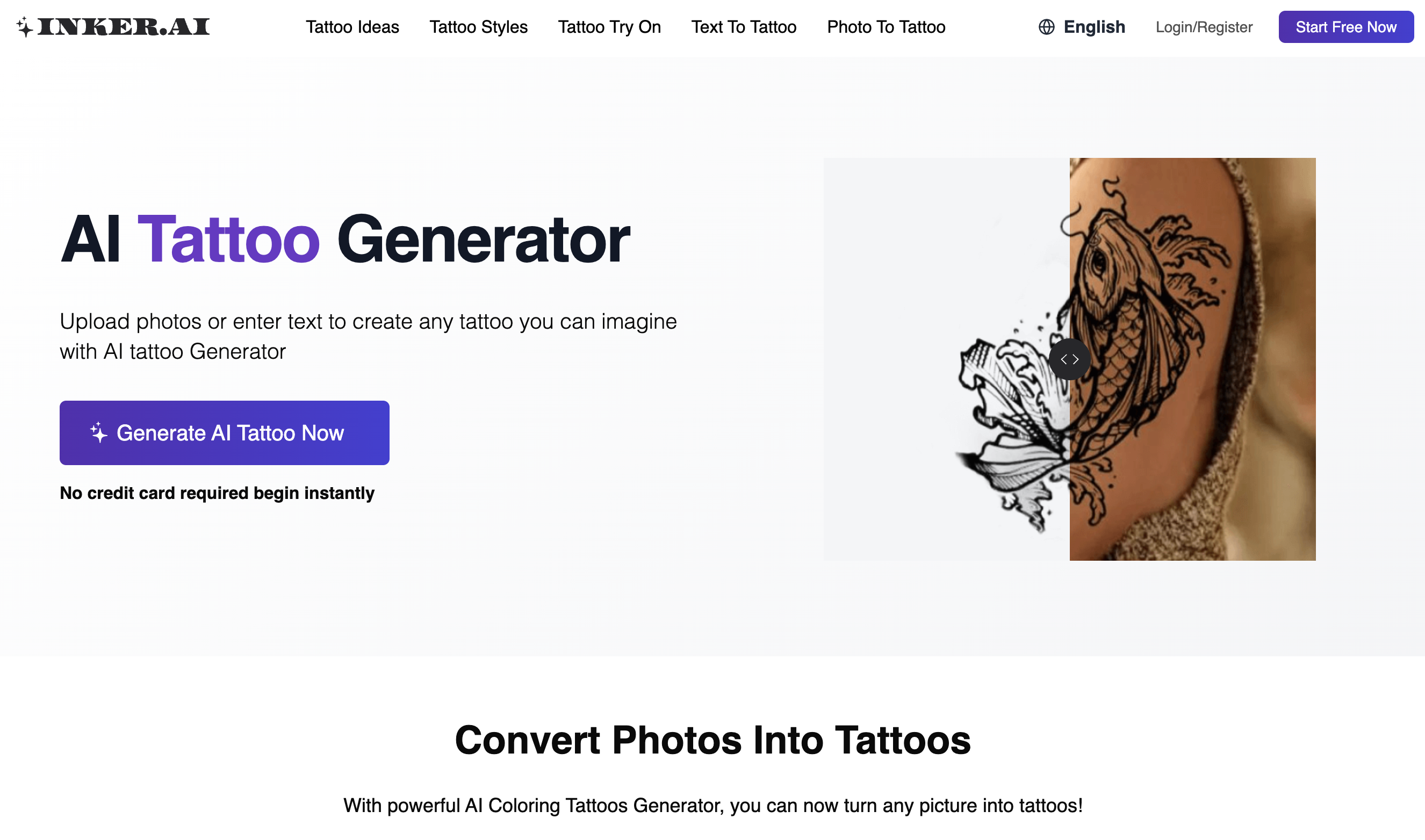
- Transform any text or photo into a unique tattoo design in seconds with the AI tattoo generator, eliminating the need for drawing skills
- Visualize exactly how a design will look on your body before committing, using the virtual try-on feature on simulated skin
- Explore varied tattoo styles to find the perfect personalized art, ensuring your design reflects your unique vision
- Generate professional reference art for permanent tattoos or create temporary tattoos, providing versatile design applications
- Keep all your design concepts private and secure, with a privacy mode that ensures only you can see your generated content
Pros & Cons
Pros
- Visualizes tattoo designs
- Transforms text into art
- Transforms photos into art
- Generates designs in seconds
- Streamlines design for artists
- Virtual try-on feature
- Contributes to personalized designs
- Requires no design skills
- Generates ready-to-use tattoos
- Suitable for creating temporary tattoos
- Privacy mode for content
- Variety of tattoo styles
- Suitable even without drawing skills
- Supports multiple languages
- Encrypted storage mechanism
- Ideal for tattoo inspiration
- Elevates tattoo artists' craft
- Cost-effective design solution
- Multiple output formats
- User-friendly interface
- Images-to-tattoos feature
- Text-to-tattoos feature
- Facilitates style exploration
- Direct download of designs
- Monthly free usage quota
- Compatible with PC and mobile
- Tattoos from personal memories
Cons
- Limited styles variety
- No offline mode
- No editing tools
- Limited language support
- Requires continuous data input
- No option for skin tone alteration
- Could have better visualization
- No 3D preview
- No user community
- Limited temporary tattoo options
Reviews
Rate this tool
Loading reviews...
❓ Frequently Asked Questions
Inker.AI is an AI-powered tool that offers a transformative experience in creating visual tattoo designs. Users can upload photos or input text, and Inker.AI generates a custom tattoo design. The AI tattoo generator interprets the uploaded photos or the input text and delivers a visual rendering of the tattoo within seconds.
The virtual try-on feature of Inker.AI offers an innovative way to see how a design may look on the skin before having it inked. The platform allows users to visualize their chosen design on different parts of the body, providing a realistic preview of the tattoo. This feature can help users make more informed decisions about their design choices.
Yes, Inker.AI allows users to turn any text or photo into a personalized tattoo design. The platform uses powerful AI to interpret uploaded photos or text inputs, swiftly creating unique tattoo art.
Inker.AI is capable of creating a visual rendering of a custom tattoo design within seconds. It factors in user-provided information such as uploaded photos or text input to quickly generate the tattoo design.
Inker.AI's services can be used by anyone—those seeking to transform their ideas or images into unique designs, tattoo artists, and those who lack drawing skills but wish to create a tattoo design. Essentially, anyone from tattoo enthusiasts to professionals in the tattoo industry can use Inker.AI's services.
Inker.AI's privacy mode ensures that all user-generated content is kept private. If a user activates privacy mode, their created content is only visible to them, securing their designs from public view.
Absolutely. Inker.AI is designed to be easy to use and does not require any design skills. It aids users who lack drawing skills to create their own tattoo designs. Users simply have to input their ideas or upload an image, and the AI will automatically generate unique tattoo designs.
The tattoos generated by Inker.AI can be used as a reference for professional tattoo artists to ink permanent tattoos. Alternatively, users can also use the designs to create temporary tattoos. This makes the creations of Inker.AI versatile in their application.
Yes, Inker.AI offers the option to explore varied tattoo styles. You can choose from numerous unique styles to transform your ideas into personalized tattoo art. The platform's variety assures that there is a style for everyone.
To create a tattoo from a photo in Inker.AI, you simply need to upload the photo and wait a moment. The AI tattoo generator will then interpret the photo and automatically turn it into a tattoo design.
Inker.AI can interpret different types of inputs for tattoo design, including text and photos. The AI tattoo generator understands these inputs and uses the data to create customized visual renderings of tattoo designs.
Text-to-tattoo in Inker.AI refers to the AI's ability to transform input text into tattoo art. Users can input an idea in text form and the AI generator creates a visual tattoo design based on that idea. It's a unique feature offering an easy way to translate text ideas into visual designs.
Inker.AI can help tattoo artists streamline the design process by creating professional and unique designs which they can use as a reference. The AI-powered tool also allows artists to explore various styles, thereby enhancing their craft and offering more design options to clients.
Inker.AI's AI Tattoo Generator works by interpreting user-provided data to create a tattoo design. Users can upload a photo or input an idea in text form, and the generator will use this information to create a customized tattoo design within seconds.
The major free feature offered by Inker.AI is its AI Tattoo Generator, which allows users to transform photos or text into unique and custom tattoo designs in seconds. Inker.AI also offers a virtual try-on feature, converting the entire process of tattoo creation and visualization into a cost-free and engaging experience.
You can download a tattoo design from Inker.AI by simply generating the desired design using your photos or text. Once the design is ready, you can download it in high-quality formats, ready to be used as a reference for a professional tattoo artist or to create temporary tattoos.
Yes, Inker.AI can be used on both mobile devices and PC web browsers. Thus, you can view free tattoos and use the AI tattoo generator from any device of your choice.
To generate a tattoo from an idea using Inker.AI, simply enter your idea in text form. The AI Tattoo Generator will interpret the text and create a visual representation of your idea in form of a tattoo design.
Yes, Inker.AI does provide a feature where you can virtually try on the tattoo on various parts of your body using the simulated skin view. This helps you visualize how the design would look on your skin before having it permanently inked.
Pricing
Pricing model
Freemium
Paid options from
$6.99/month
Billing frequency
Monthly