Overview
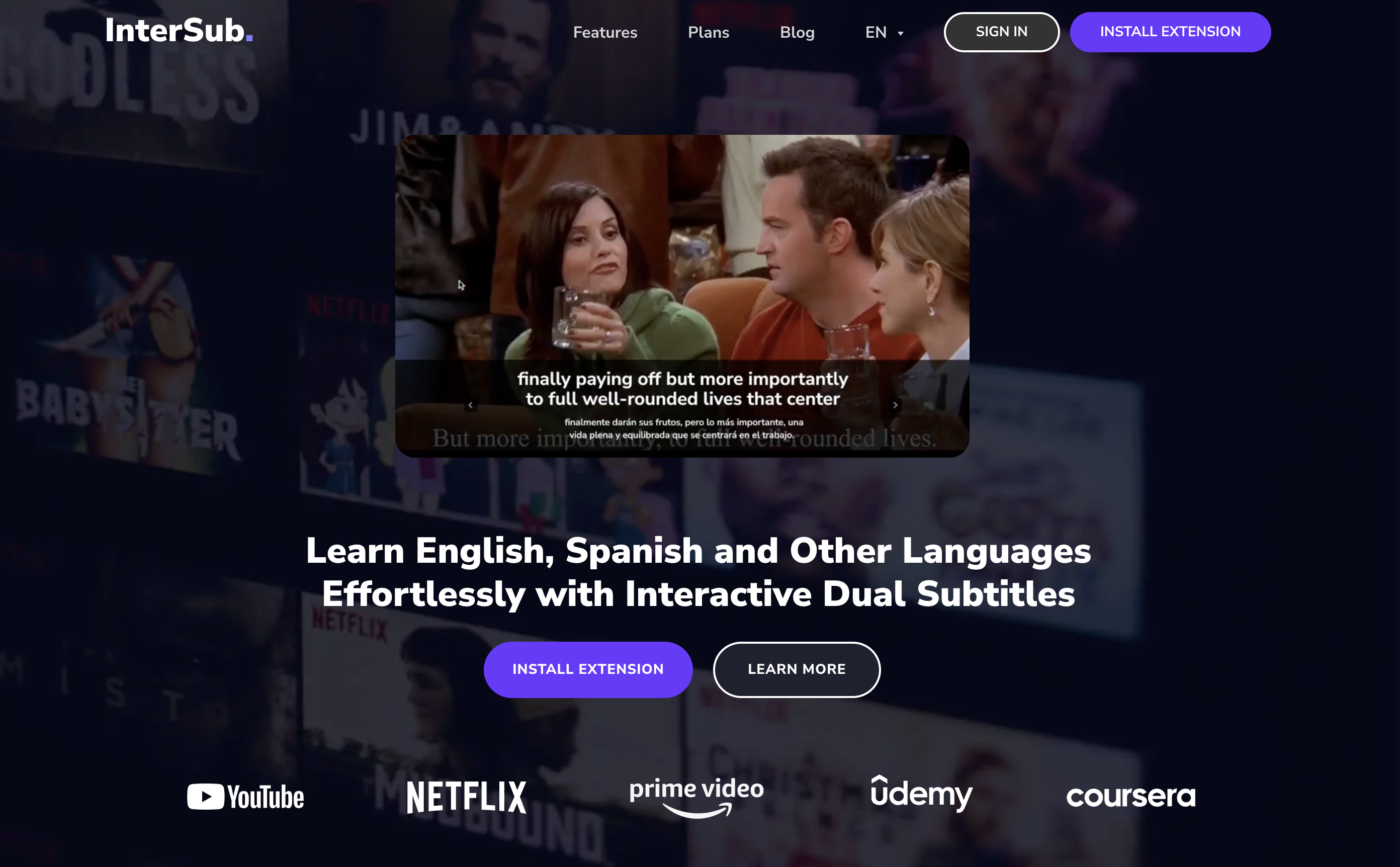
- Acquire new vocabulary effortlessly by watching your favorite shows on Netflix, YouTube, and Prime Video with interactive dual subtitles in your native and target language
- Instantly understand every word by hovering over subtitles for AI-generated definitions and contextual translations without interrupting your viewing
- Build a lasting vocabulary bank as every translated word is automatically saved to your Personal Wordbook for targeted self-study and review
- Practice on the go by syncing your Personal Wordbook to mobile apps or Telegram bots, turning spare moments into productive language sessions
- Decode nuanced English expressions like phrasal verbs and idioms with AI-powered collocation detection that reveals deeper linguistic patterns
- Look up unfamiliar words on virtually any website, extending language learning beyond video platforms to news, blogs, and online courses
- Maintain an uninterrupted learning flow on a larger screen by using your phone as a remote control to look up words without pausing the video
- Focus on content without distraction by activating the Show Subtitles on Pause feature, revealing translations only when you stop the video
Pros & Cons
Pros
- Interactive dual subtitles
- Real-time translation
- Instant translations
- Supports multiple platforms
- Personal Wordbook feature
- Hover-over word definitions
- Syncs with mobile apps
- Telegram bot integration
- Collocation detection feature
- Remote control usage
- Works on any site
- Automatic word saving
- Self-study support
- Contextual translations
- Enhanced language learning
- Supports English and Spanish
- Offers vocabulary enhancement
- Enables looking up words
- Subtitles in user's language
- Subtitles in target language
- Supports linguistic insights
- Enhances online content consumption
- Operates with Netflix and YouTube
- Works with Prime Video
- Endorses learning on-the-go
- Allows instant word translations
- Vocabulary review facility
- Words autosaved to Wordbook
- Performs language translations
- Subtitles both native and target language
- Offers learning convenience
- Can use with Coursera
- Performs content-based translations
- Integrated with other learning tools
- Edtech capabilities
- Permits nuanced language learning
- Recognizes English phrasal verbs
- Identifies English idioms
- Detects English compound nouns
- Show subtitles on pause
- Multi-platform support
- Mobile integration feature
Cons
- No offline functionality
- Doesn't support all languages
- Dependent on original subtitles
- Limited to certain platforms
- Requires browser extension
- Subtitles may lack nuance
- Possible translation inaccuracies
- No voice recognition
- Relies on internet connectivity
- May not support niche dialects
Reviews
Rate this tool
Loading reviews...
❓ Frequently Asked Questions
InterSub is an AI-powered tool designed specifically for language learning. It enhances the learning process through the use of interactive dual subtitles while consuming online content. InterSub displays subtitles in the user's native language and the target language simultaneously. Besides, this tool provides instant translations, offers a Personal Wordbook for vocabulary tracking, and various other features for a holistic language learning experience.
InterSub is compatible with a wide variety of platforms including but not limited to YouTube, Netflix, Prime Video, HBO Max, Crunchyroll, TED, and Coursera. Moreover, it also offers utility on learning platforms like Udemy and LinkedIn Learning.
Yes, InterSub can be used for both English and Spanish language learning, among other languages. It offers dual subtitle displays in both these languages
Yes, beyond video platforms like Netflix or YouTube, InterSub also operates on multiple online course platforms such as Coursera, Udemy, LinkedIn Learning, etc. Additionally, it allows users to look up words on almost any website.
InterSub translates subtitles on the fly in instances where the video does not contain subtitles in the user's native language. This means it provides real-time translations to maintain a seamless learning experience.
While the precise accuracy rate isn't specified on their website, InterSub relies on advanced AI for translation, and it's designed to provide accurate, context-aware translations. Users have found the translations to French to be highly accurate, according to feedback. Actual accuracy may vary based on the complexity of phrases and quality of original subtitles.
Yes, InterSub provides translations for individual words. It allows users to hover over any word in the subtitles to receive instant AI-generated definitions and contextual translations.
The 'Personal Wordbook' is a feature in InterSub that helps users track vocabulary they've encountered. All translated words get automatically saved to the Personal Wordbook, making it a handy tool for reviewing and enhancing vocabulary.
InterSub automatically saves all the translated words to the 'Personal Wordbook'. This happens in real-time, meaning every time a user gets a translation, it's automatically saved.
Yes, InterSub users can sync their 'Personal Wordbook' to other mobile apps or Telegram bots. This feature is designed for learning on the go, making the Wordbook even more accessible and versatile.
Absolutely, InterSub is capable of looking up words on virtually any site. This greatly extends its utility beyond video platforms and online courses, making it an all-around tool for language learners.
InterSub's collocation detection feature works by using advanced AI to recognizes English phrasal verbs, idioms, and compound nouns. While no specifics are given on their website, it presumably scans the input text for common phrases and patterns that constitute these linguistic nuances.
The remote control feature in InterSub enhances user convenience by allowing users to look up words via their phone while watching on a larger screen. It contributes to a more seamless and non-disruptive viewing experience for the users.
Yes, InterSub can be installed as a browser extension on multiple devices, allowing for a cross-device language learning experience.
InterSub does support languages other than English and Spanish. While the exact number isn't specified on their website, it mentions the support of 'English, Spanish and 30 other languages'.
The 'Show Subtitles on Pause' feature in InterSub improves the user experience by allowing users to focus more on the video. It displays subtitles only when the video is paused, promoting a less disruptive learning experience.
Yes, InterSub's AI recognizes English phrasal verbs, idioms, and compound nouns. This recognition forms part of InterSub's advanced collocation detection feature, enabling learners to gain a more in-depth understanding of the language nuance.
Yes, the InterSub extension can be used on several popular browsers including Google Chrome, Microsoft Edge and Firefox.
The InterSub browser extension is free to install. However, it's not specified whether all features are available for free or if some require a paid subscription.
InterSub offers various resources for self-study. Users can learn new words and phrases from interactive dual subtitles, review and reinforce their vocabulary using the Personal Wordbook, and even sync their wordbook to mobile apps or Telegram bots for learning on the go. The instant translation and word lookup features also greatly facilitate self-directed learning.
Pricing
Pricing model
Free Trial
Paid options from
$6/month
Billing frequency
Monthly