Jam SQL Studio
Overview
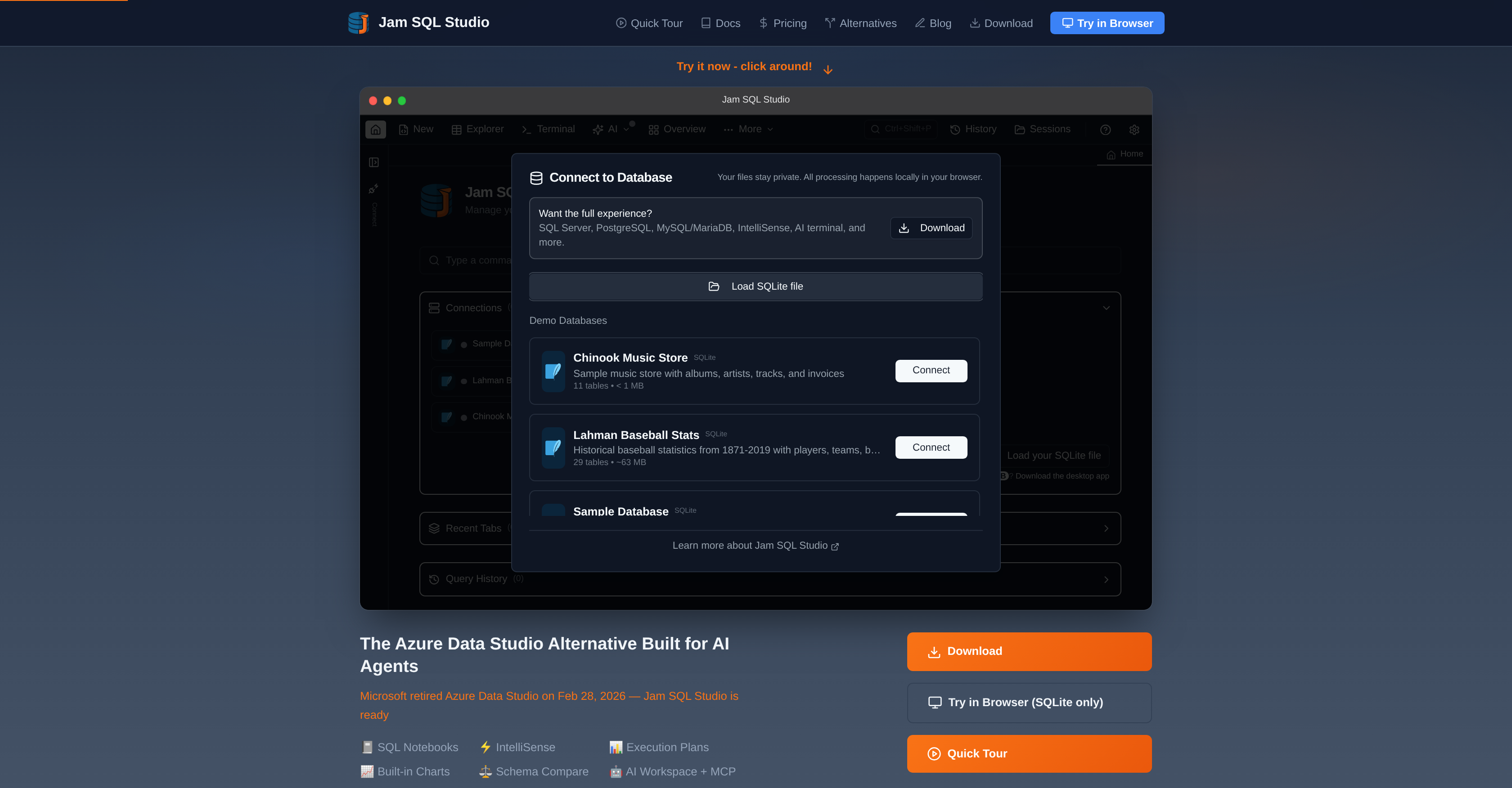
- Migrate from Azure Data Studio instantly without creating an account, using straightforward instructions to transfer your SQL scripts and connection credentials.
- Visualize your entire database structure at a glance with an interactive graph overview of tables, views, and foreign key relationships.
- Create bar, line, and pie charts directly from query results and export them as SVG or PNG for reports and presentations.
- Safely integrate AI agents into your workflow with a local MCP server that executes read-only queries under your control.
- Edit data like a spreadsheet with the table explorer, featuring inline row editing, filtering, sorting, and multi-format export.
- Identify and fix performance bottlenecks by visualizing and comparing execution plans in both tree and graph views.
- Generate sync scripts instantly by comparing database schemas across connections to view DDL differences side-by-side.
- Write accurate SQL faster with context-aware IntelliSense that autocompletes tables, columns, and keywords with real-time error checking.
- Manage active sessions, analyze performance metrics, and monitor storage across SQL Server, PostgreSQL, MySQL, and Oracle from one place.
- Explore data models effortlessly by clicking any foreign key value to preview the referenced row and navigate relationships.
Pros & Cons
Pros
- Cross-platform SQL IDE
- Alternative to Azure Data Studio
- Integrated IntelliSense
- Execution plan feature
- Schema compare function
- Built-in charting capabilities
- Local Model Context Protocol
- Supports variety of databases
- SQL notebooks feature
- Data comparison tool
- Built-in DBA tools
- Seamless migration from Azure Data Studio
- No account setup requirement
- Visual schema overview
- Table explorer for data management
- Foreign key navigation
- Script generation function
- Free trial available
- Classic keyboard shortcuts integration
- Context-aware code completion
- Modern user interface
- CLI Integrated
- Execution Plan Visualization
- Data Compare feature
- Command Palette
- Session Persistence
- Entra ID Authentication
- SQL Snippets
- Transaction Management
- Data Export
- Backup and Restore function
- Integrated Terminal
- Schema Compare
- Data Compare
- Clone Database and Table feature
- Dependency Viewer
- DBA Dashboard
- Session Browser
- Integrated Claude Code CLI
- No Extra API keys
- Active Connection Info
- Database Schema Info
- Auto-generated context files
- DataGrip Limited Feature
- JavaScript cells with Markdown
- Real-time syntax checks
- Email alert system
- Intuitive interface
- Runs on SQLite
Cons
- Lacks mobile support
- No multi-language programming support
- Lacks real-time collaboration
- Requires downloads
- No live chat support
- No cloud version available
- No community forums
- Doesn't support non-relational databases
- No API for external integrations
- Doesn't support bulk import/export
Reviews
Rate this tool
Loading reviews...
❓ Frequently Asked Questions
Jam SQL Studio is a cross-platform SQL Integrated Development Environment (IDE) designed as an alternative to Azure Data Studio. It supports macOS, Windows, and Linux operating systems and is targeted at enhancing user productivity and data analysis.
Jam SQL Studio is equipped with a variety of features intended to boost user productivity and data analysis. These include SQL notebooks, IntelliSense, execution plans, schema compare, and built-in charting capabilities. The IDE also features an AI workspace and a Local Model Context Protocol (MCP) server to facilitate safe AI agent tooling.
Yes, Jam SQL Studio is a cross-platform SQL IDE, designed to operate proficiently on macOS, Windows, and Linux systems.
Jam SQL Studio supports a wide range of databases including SQL Server, PostgreSQL, MySQL, MariaDB, Oracle, SQLite, and Azure SQL.
IntelliSense in Jam SQL Studio is a key feature that provides autocompleting hints as the user types, thereby improving coders' efficiency and accuracy.
The Local Model Context Protocol (MCP) server in Jam SQL Studio is an innovative component that enables safe and controlled AI agent tooling. It works by providing a local interface for AI agents to safely interact with the database, thus enhancing safety and reliability.
Jam SQL Studio comes with built-in charting capabilities which help in the data analysis process. Users can create bar, line, pie, area, and scatter charts directly from their query results.
Yes, Jam SQL Studio provides a straightforward, seamless experience for users switching from Azure Data Studio. The process involves no account setup, making it easier for developers to make the switch.
Jam SQL Studio enhances user productivity through an array of features aimed at simplifying and enriching the experience of working with databases. This includes AI-driven assistance, versatile database compatibility, intuitive design, and advanced functions such as visual schema overview, SQL notebooks, IntelliSense, execution plans, and built-in charting capabilities.
Beyond traditional management functions, Jam SQL Studio adds depth to database management with advanced features. These include visual schema overview, table explorer, foreign key navigation, and script generation for more customizability and in-depth management.
AI Workspace in Jam SQL Studio is a dedicated space designed to facilitate AI-dependent operations. It synchronizes with .sql files and the desktop app runs a local Model Context Protocol (MCP) server enabling AI agents to safely interact with databases, query editors, and SQL notebooks.
Jam SQL Studio includes advanced features like an AI workspace that enables a safe and controlled AI tooling experience, a schema explorer for a bird's-eye view of database structures, foreign key navigation to easily understand database relationships, and script generation capabilities to automate repetitive tasks.
Yes, Jam SQL Studio provides comprehensive viewing options including a visual schema overview for a holistic look at database structures and foreign key navigation to effectively understand and navigate database relationships.
Yes, Jam SQL Studio features a table explorer for intuitive table browsing and manipulation and it also supports script generation for a smoother database development experience.
Although both Azure Data Studio and Jam SQL Studio are SQL Integrated Development Environments, Jam SQL Studio offers a variety of advanced features that Azure Data Studio does not. These enhancements include AI-native operations (MCP + Workspace), integrated Claude Code CLI, and native cross-platform support for macOS, Windows, and Linux. Moreover, users switching from Azure Data Studio to Jam SQL Studio can expect a smooth, seamless migration experience.
Yes, Jam SQL Studio is an AI-Native tool. It is fortified with an AI workspace and a Local Model Context Protocol (MCP) server, which allow coders to utilize AI agents safely and efficiently in their database management operations.
Yes, Jam SQL Studio provides features for effectively managing database connections. The users can easily manage their multi-database connections and transfer SQL scripts within the platform.
Jam SQL Studio provides an intuitive interface and features for transferring SQL scripts. The options are built with usability in mind, simplifying the process of script transfers and making it easy even for less experienced users.
No, Jam SQL Studio does not require any account setup for users migrating from Azure Data Studio. The seamless migration experience is designed to be straightforward and user-friendly.
Jam SQL Studio presents a modern user interface (UI) which is sleek, responsive and comes with dark mode support. The UI integrates semantic theming, smooth animations, and familiar keyboard shortcuts from SQL Server Management Studio (SSMS) and Azure Data Studio.
Jam SQL Studio is an artificial-intelligence-centric, cross-platform SQL integrated development environment (IDE) designed as an alternative to Azure Data Studio. It supports macOS, Windows, and Linux operating systems and provides a range of data management and development functions.
Key features of Jam SQL Studio include SQL notebooks, IntelliSense, execution plans, schema comparison, built-in charting capabilities, compatibility with multiple databases, a modern UI, DBA tools, visual schema overview, table explorer, foreign key navigation, and script generation. It also provides seamless migration experience for users switching from Azure Data Studio without requiring any account setup.
In Jam SQL Studio, the AI Workspace allows for easy coding for AI agents. Query tabs sync to .sql files, and the desktop app runs a local Model Context Protocol (MCP) server allowing agents to execute read-only queries under your AI policy.
Jam SQL Studio supports several databases including SQL Server, PostgreSQL, MySQL, MariaDB, Oracle, SQLite, and Azure SQL.
Advanced features in Jam SQL Studio for database management and development encompass a visual schema overview that presents an interactive graph visualization of the entire database schema, a table explorer for seamless data browsing and editing, script generation for commonly-used SQL patterns, foreign key navigation for exploring data model effortlessly, and context-aware code completion.
DBA tools in the Jam SQL Studio serve to enhance database management capabilities. They allow users to track active sessions, analyze performance metrics, manage storage across multiple database types, and monitor other critical aspects of database functionality.
In Jam SQL Studio, the Local Model Context Protocol (MCP) server aids in securely tooling AI agents. The server allows external AI tools to interact with databases, query editors, and SQL notebooks. It sets Bearer token authentication, controls query editors and notebook tabs, along with providing access to read-only SQL queries.
With its intuitive features like built-in charting, data comparison, schema compare, execution plans visualization, and SQL notebooks, Jam SQL Studio significantly enhances data analysis. The software provides visual insights into data and query performance, supports comparison of data and database schemas, and offers interactive SQL notebooks for dynamic data exploration and reporting.
IntelliSense in Jam SQL Studio aids in improving the productivity and accuracy of SQL scripting. It provides context-aware code completion for tables, columns, functions, and keywords, and performs real-time syntax and semantic error checking.
The visual schema overview in Jam SQL Studio provides an interactive graph visualization of the database schema. It presents tables, views, procedures, and functions as connected nodes with foreign key relationships and other dependencies rendered as arrows.
Table Explorer is a feature in Jam SQL Studio that lends an intuitive interface for data browsing and editing akin to a spreadsheet. It allows users to filter and sort data, edit rows inline, preview foreign key relationships, and export data in multiple formats.
Foreign key navigation is a feature in Jam SQL Studio that lets users efficiently explore the data model. By clicking any foreign key value, users can preview the referenced row, thereby allowing easy exploration of inbound relationships.
No, Jam SQL Studio doesn't require any account creation for its usage. The IDE is ready-to-use immediately upon installation.
Jam SQL Studio facilitates migration from Azure Data Studio by providing straightforward migration instructions. It allows the transfer of SQL scripts and database connection credentials from Azure to Jam SQL Station. The software replicates the familiar keyboard shortcuts from Azure Data Studio to aid users in an effortless transition.
AI-native in context of Jam SQL Studio indicates the IDE's design and functionality towards actively incorporating AI into its operations. This includes the presence of an AI workspace to facilitate effortless coding for AI agents and the integration of a Local Model Context Protocol (MCP) server for secure AI agent tooling.
The execution plan feature in Jam SQL Studio enables visualization of query execution plans. Users can view execution plans in tree and graph views, compare side-by-side, import/export for sharing, and identify performance bottlenecks.
Yes, Jam SQL Studio can be used across macOS, Windows, and Linux operating systems, endorsing its capability as a cross-platform SQL IDE.
The schema compare feature in Jam SQL Studio allows users to compare database schemas across different connections. They can view side-by-side Data Definition Language (DDL) differences and generate ALTER/CREATE/DROP sync scripts.
Built-in Charting in Jam SQL Studio enables the creation of various types of charts directly from query results, including bar, line, pie, area, and scatter charts. Users can then export these charts as SVG or PNG for reports and presentations.
Pricing
Pricing model
Freemium
Paid options from
$9.99/month
Billing frequency
Monthly