
Overview
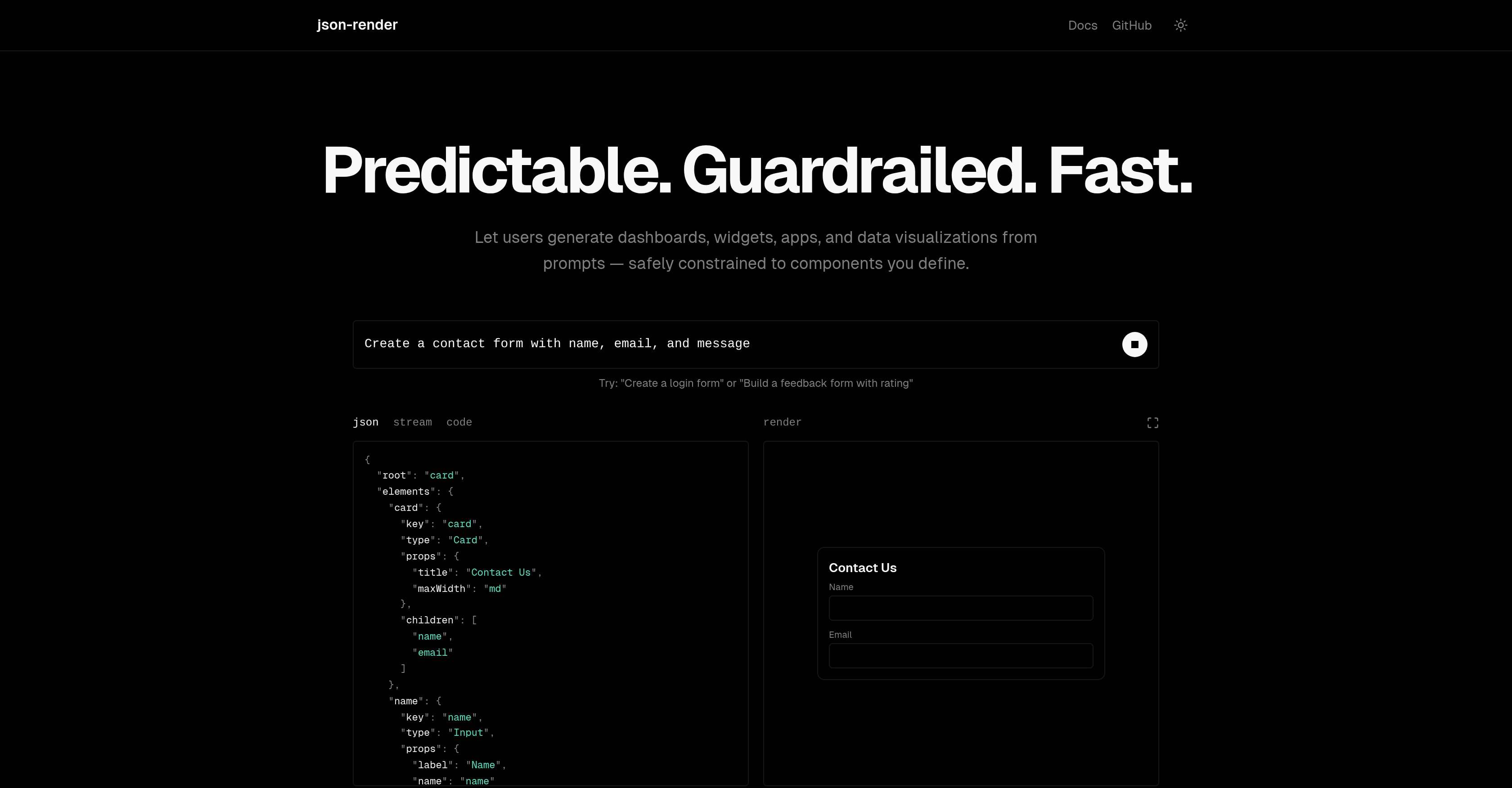
- Generate dashboards, widgets, and data visualizations from simple prompts using AI that outputs structured JSON code.
- Ensure predictable and controlled UI output by restricting AI to your predefined catalog of components, actions, and data bindings with the Guardrails feature.
- Render UI components natively and incrementally with progressive rendering as JSON data streams in for a smoother user experience.
- Keep your UI and business logic in sync automatically with two-way data binding using JSON Pointer paths.
- Trigger complex application logic seamlessly by defining and handling named actions with specific parameters.
- Control component visibility dynamically based on user data or authentication status without manual toggling.
- Maintain data integrity with built-in and custom validation functions that check data before it progresses.
Pros & Cons
Pros
- Generates UI components
- Customizable component catalog
- Includes 'Guardrails' feature
- Predictable output
- Components render progressively
- Two-way data binding
- Handles named actions
- Conditional show/hide features
- Validation functions
- JSON Pointer paths supported
- Streams JSON data
- Creates dashboards
- Generates widgets and apps
- Enables data visualizations
- Uses user prompts
- JSON code generation
- Supports action definition
- Rendered by user components
- Shows and hides UI components
- App can handle named actions
- Data integrity assurance
- End-user friendly
- Fast rendering
- Supports format properties
- Check authentication status
- Data or auth based visibility
- Custom validation
Cons
- No multi-language support
- Lack restricted output control
- Limited pre-defined components
- Over-reliance on developer's definitions
- Non-dynamic UI generation
- Lack of tutorial resources
- Potential JSON code redundancy
- Limited custom validation functions
- Lacks Graphical interface
- No built-in error handling
Reviews
Rate this tool
Loading reviews...
❓ Frequently Asked Questions
Json-Render is an AI-enabled user interface (UI) tool that generates UI components using user prompts and AI to produce JSON code that aligns with the developer's constraints.
Json-Render can generate various UI components such as dashboards, widgets, apps, and data visualizations.
Json-Render uses AI by employing user prompts to intelligently produce JSON code. The AI takes into account the constraints set by the developer, such as their defined catalog of components, actions, and data bindings.
The 'Guardrails' feature in Json-Render ensures a controlled and predictable output by limiting the AI's capabilities to only utilizing components defined in the developer's catalog.
Json-Render ensures predictable and controlled output via its 'Guardrails' feature. This feature restricts the AI to use only the components defined in the developer's catalog, thus providing a controlled and predictable output.
Progressive rendering in Json-Render is a feature where UI components are rendered incrementally as JSON data gets received from the stream, providing a smoother user experience.
Json-Render implements two-way data binding using JSON Pointer paths. This allows changes in the model state to automatically update the view, and vice versa, creating a bridge between the UI and the business logic.
Json-Render handles named actions by the application by creating an option to manage such actions within the tool. This allows predefined actions to be triggered based on certain conditions or events.
In Json-Render, UI components' visibility can be manipulated based on data or authentication status. This is achieved through defining conditions within the tool to show or hide specific components based on such states.
Json-Render ensures data integrity by offering built-in and custom validation functions. These functions check the validity of the data before it progresses further in the system.
A user prompt in Json-Render is a way for end-users to define what they want. The AI then uses these prompts to generate JSON that aligns with the developer's predefined catalog, ultimately resulting in the desired UI component.
The catalog in Json-Render includes defined components, actions, and data bindings that the AI can use. Components could include a description and title properties for a card, or label, value path, and format properties for a metric.
In Json-Render, a component like a card with title and description properties is defined within the developer's catalog. This definition would include the type of properties the card component has, such as a string title and a nullable description.
Yes, Json-Render can certainly generate UI components like dashboards and apps based on user prompts and according to the developer's defined catalog.
The constraints set by the developer for Json-Render to produce JSON code primarily consist of the defined catalog of components, actions, and data bindings. These elements guide the AI in generating JSON code.
Yes, as mentioned on their website, Json-Render can handle data visualizations. These visualizations can be specified as user prompts and then rendered using the defined components in the developer's catalog.
When it is said that the JSON output by Json-Render is rendered natively by your components, it means that the JSON code produced by Json-Render can be interpreted and presented directly by the developer's pre-defined UI components.
Json-Render handles named actions by your application through a provided option within the tool. The developers can define certain actions and their parameters, allowing these predefined actions to be triggered by specific events or conditions.
The process of generating a UI component in Json-Render involves defining the component catalog, sending a user prompt describing the requirement, and the AI implementing the instructions to generate JSON code. This received JSON data then progressively renders the UI components.
Json-Render can be used for software development by enabling developers to create interactive and dynamic UIs more efficiently. Users can generate dashboards, widgets, apps, and data visualizations by giving instructions to the AI, which applies the developer's predefined catalogs to create JSON code that renders the desired UI components.
Pricing
Pricing model
Pricing
Paid options from
N/A