Overview

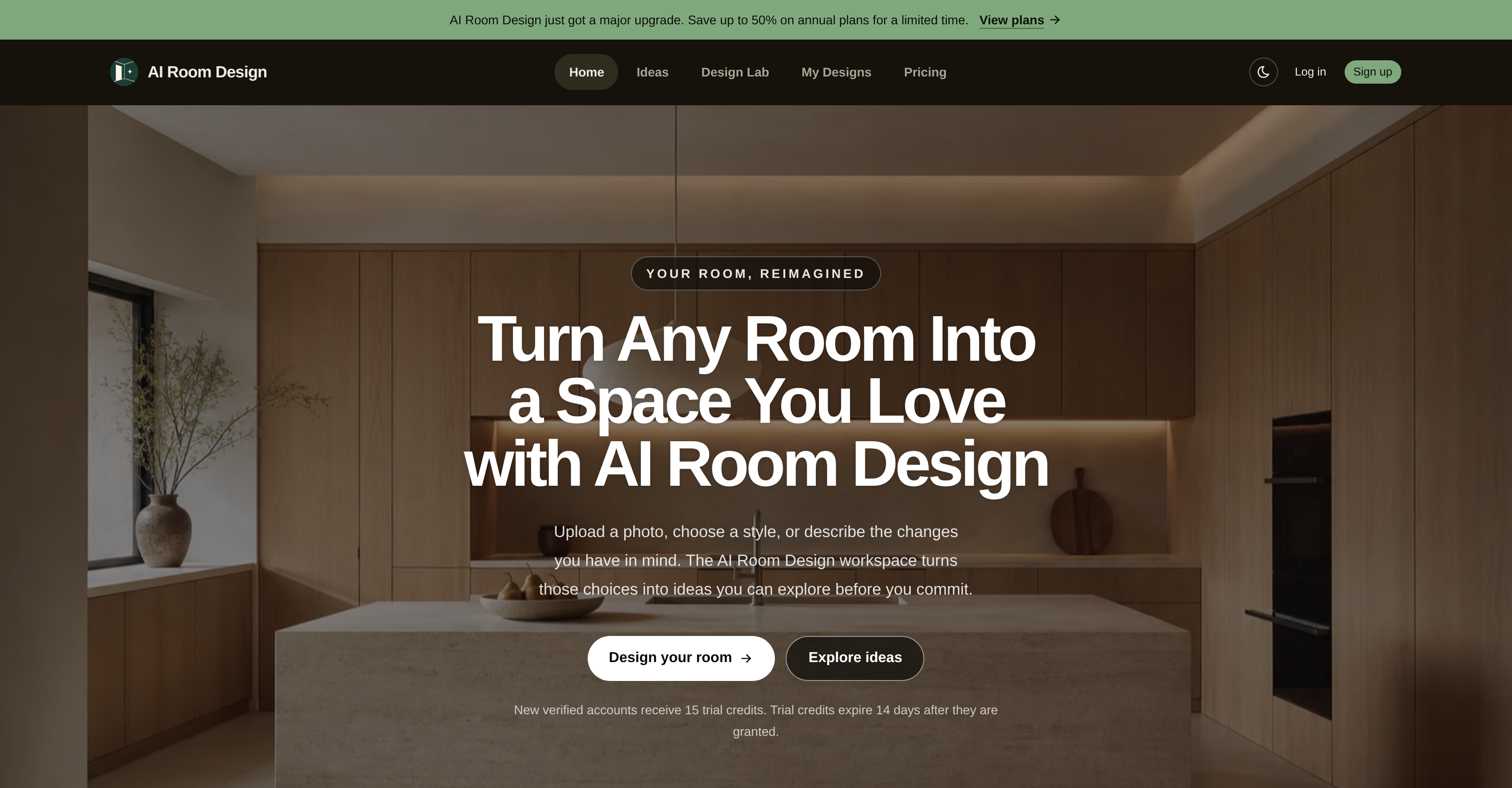
AI Room Design - Screenshot showing the interface and features of this AI tool
  • See your room instantly transformed into modern, minimalist, or traditional styles by uploading a clear photo and selecting your preferred aesthetic.
  • Explore exterior, kitchen, and floor plan possibilities from the same platform, covering all your home redesign needs in one place.
  • Turn vague ideas into concrete visual concepts for client presentations, making it easy to communicate design directions and secure approvals.
  • Keep every design confidential with robust privacy measures, ensuring your home concepts remain visible only to you.
  • Discover fresh inspiration and current trends from a curated library, helping you refine your taste and stay ahead of design styles.
  • Achieve a personalized look that matches your exact specifications, with AI translating your preferences into viable, tailored design ideas for any room.

Pros & Cons

Pros

  • Interior and exterior design
  • Kitchen design feature
  • Floor planning capability
  • Privacy measures
  • Extensive style selection
  • Aesthetic refinement
  • Efficient design process
  • User-friendly interface
  • Library of design inspiration
  • Suited for professionals
  • Personalized design suggestions
  • Photo upload functionality
  • Useful for casual users
  • Offers modern design
  • Includes minimalist design
  • Traditional design options
  • Useful for client presentations
  • Updates based on trends
  • Comprehensive home designing solutions
  • Transforms designs from photos
  • Fits broad range of tastes
  • Advanced technology integration
  • Ideal for brainstorming concepts
  • Specific requirements catered
  • Creates clear visual concepts
  • Offers unique personalization
  • Offers design variety
  • Assists in design discovery
  • Particular focus on privacy
  • Adjustability based on user specifications

Cons

  • Requires clear, high-quality photos
  • Limited style options
  • Limited to existing room layout
  • Privacy concerns
  • Limited to specific design styles
  • Requires photo upload
  • No instant visualization
  • Trial credits expiration
  • Requires explicit user specifications
  • No physical interaction with design

Reviews

Rate this tool

0/2000 characters

Loading reviews...

Pricing

Pricing model

Free Trial

Paid options from

$9.90/month

Billing frequency

Monthly

Use tool

Top alternatives

ForthWrite logo - Alternative to AI Room Design

ForthWrite

Draft emails in your authentic voice without rewriting every message—Voice Match captures your tone, sentence rhythm, and sign-offs from your real sent mail. Auto-draft replies before you even open your inbox, so you respond faster and clear your queue in seconds—automated email replies work in the background as messages arrive. Maintain your personal voice at scale across hundreds of replies—recipient-aware drafts adapt to who you are emailing, keeping each message contextually appropriate. Cut email composition time to near zero—accept a pre-written draft and send, because the AI learns from your accepted drafts to improve accuracy with every email sent. Protect your unique writing style and data with full privacy control—BYOK support lets you bring your own API key for OpenAI, Claude, Grok, and more, with encrypted, isolated training sets. Refine your email persona through data-driven iteration—Prompt Lab enables version control and A/B testing of prompts against your sent emails to optimize how closely drafts mirror your voice. Track how well drafts match your style and measure time saved—Performance Analytics shows acceptance rates and similarity scores, giving you concrete proof of personalization improvement. Start using it instantly with zero setup—works inside Gmail and Outlook on the web, adapting progressively from your first sent email without any training required. Export or wipe your training data anytime with one click—full data portability and a data wiping feature ensure you retain complete ownership of your writing profile.

Free
Movie Maker Studio - Free Web Edition logo - Alternative to AI Room Design

Movie Maker Studio - Free Web Edition

Produce a finished ad, TV show, or short movie from a one-line description in just 10 clicks, thanks to a fully automated AI pipeline that writes prompts, generates clips, and assembles the timeline. Keep your cast, vehicles, and locations visually consistent across every shot with AI-generated reference photos that anchor each scene. Control every creative decision when you want—from individual shot prompts to transitions and audio mix—through a detailed seven-step workflow, or switch to one-click auto-production anytime. Create content in 36 languages, making it easy to produce localized ads and films for global audiences without extra translation steps. Avoid installation and account hassles—everything runs directly in your Chrome or Edge browser, with projects stored in a local folder so your footage stays private. Export broadcast-ready MP4 or MOV files with loudness-normalized audio, ensuring your final movie plays at a consistent volume across all platforms. Get actionable feedback before publishing with three AI critics that score your film, pinpoint what works, and suggest specific prompt rewrites for regeneration. Produce a 30-second commercial in about five minutes for roughly $1.60 in API costs, using your own API key for transparent, pay-as-you-go pricing. Generate an original soundtrack with AI-written lyrics and music, or skip it to keep production fast and lean. Start from 128 quick-start templates matched to real TV and social runtimes, with 154 story blueprints, 310 themes, and 92 genres to spark ideas instantly.

Free