Overview
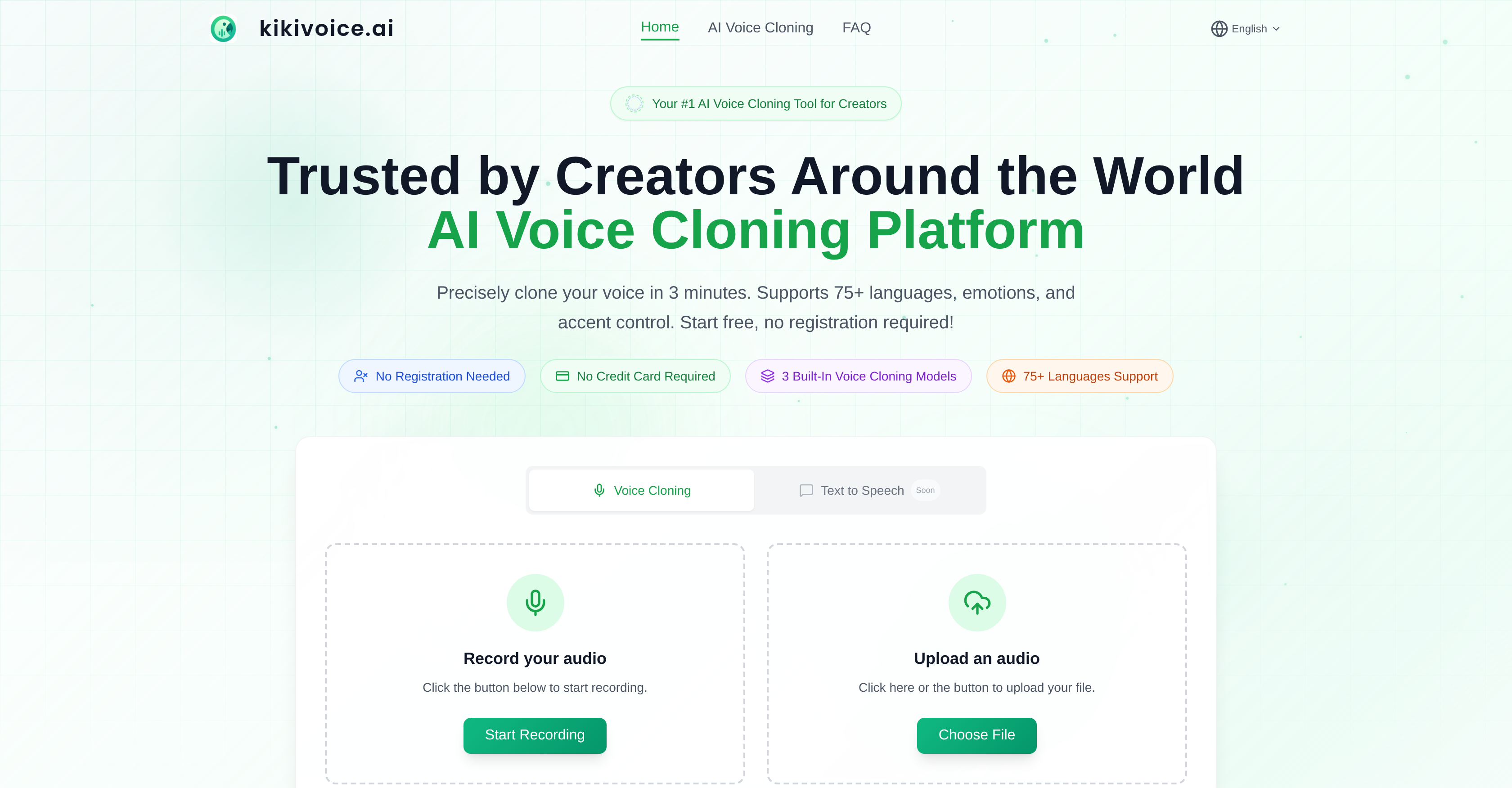
- Launch new audio content in under three minutes by cloning any voice from a short 3-15 second sample, enabling rapid video dubbing and social media voiceovers.
- Produce professional-grade narration with precise emotional expression and style control using the Kiki Pro model for audiobooks and e-learning.
- Scale content globally by generating speech in over 75 languages with authentic accent variations via the Kiki Multilingual model for international projects.
- Protect your original audio with encrypted processing and automatic data deletion, ensuring voice privacy for commercial use.
- Switch seamlessly between optimized models for speed, quality, or language support to match any creative task without registration barriers.
Pros & Cons
Pros
- Free to use
- No sign-up required
- 75+ languages supported
- 99% similarity to original voice
- Quick, under three minutes processing
- Three distinct voice models (Core, Pro, Multilingual)
- Designed for different user needs
- Seamless model switching
- Supports diverse use-cases
- Ideal for quick, everyday use (Kiki Core)
- Professional-grade production (Kiki Pro)
- Facilitates global content creation (Kiki Multilingual)
- Capable of emotion simulation
- Built-in voice style control
- Ability to control accent
- Efficient for fast-paced workflows
- Highly optimized for timbre consistency
- Ideal for content diversification
- Tool for multilingual localization
- Minimal effort voice cloning
- Rich emotion and style controls
- Supports upload of audio as input
- Generates voice from text input
- High-speed voice generation
- Supports variable content length
- Allows rapid iteration in workflows
- Can clone any voice
- Realistic audio processing
- Useful for narration and dubbing
- Podcast and audiobook enhancement
- Useful in e-learning and course narration
- Suitable for game/character voice acting
- Facilitates international content scaling
- Platform for content creators
- Allow style and speed optimization
- Voice synthesis become simplified
- User-friendly platform
- Allows content to be multilingual
- Enables multiple accent variations
- Uses short audio clips as input
- Generates realistic synthetic voices
- Automated voice track generation
- High level of customization
- Intended for diversified content
- Enhances richness of content
- Supports professional grade content
- Designed for performance and speed
- Supports multiple voice variations
Cons
- No offline version
- Only three voice models
- No account for saving work
- Limited emotional control
- Requires high quality audio samples
- Limited to 75 languages
- Data security concerns
- Unclear voice use rights
- Limited output formats
- Bland user interface
Reviews
Rate this tool
Loading reviews...
❓ Frequently Asked Questions
KikiVoice is a free, no sign-up required, AI voice cloning platform designed for creators. By uploading a brief voice sample, users can generate a highly realistic voice clone in minutes, which can then be used to turn text into speech. KikiVoice offers strong timbre consistency, delivering up to 99% similarity in many scenarios. It supports over 75 languages with multiple accent variations and provides users with the ability to control emotion and style of the synthesized voice.
KikiVoice operates by analyzing user-uploaded audio samples through its AI voice-cloning models. The timbre, pitch, accent, and speaking patterns from the audio sample are used to create a voice clone that the user can control. The platform accommodates text-to-speech conversion and generates the speech with the created voice clone. It presents three models namely Kiki Core, Kiki Pro, and Kiki Multilingual, each designed for specific user needs.
KikiVoice is built to provide fast results. Depending on the length of the audio and the given workload, end-to-end voice generation can finish in minutes. The voice cloning process, from audio sample upload to the output, typically completes under three minutes.
To clone a voice with KikiVoice, you need to provide a clear audio sample that is 3-15 seconds long with no background music or noise. The audio can be in various formats including WAV, MP3, M4A, AAC, among others and it should be recorded in a quiet space.
Yes, with KikiVoice, users have control over the emotional expression and style of the cloned voice. The Kiki Pro model allows for richer emotional expressiveness and more controllable parameters for better-quality results and precise control over the voice's mood and style.
KikiVoice boasts multilingual capabilities and supports over 75 languages. It has a built-in Kiki Multilingual model specifically designed for global content creation in numerous languages and accent variations, making it a suitable tool for international audience reach.
KikiVoice is optimized to deliver high similarity between the original and the cloned voice. In typical scenarios, KikiVoice can achieve up to 99% similarity, accurately reproducing the tone, pitch, accent, and speaking pattern of the original voice.
Yes, the flexible design of KikiVoice allows users to seamlessly switch between its voice cloning models. Whether prioritizing speed, quality, emotional expression, or multilingual coverage, users can match the chosen Kiki Core, Kiki Pro, or Kiki Multilingual model to their current task.
No, there is no sign-up required to use KikiVoice. The platform is free to use and allows direct upload of voice samples for cloning without any registration process.
KikiVoice is best utilized in scenarios involving video narration and dubbing, short-form social content voiceovers, podcasts and audiobooks, e-learning and course narration, game or character voice acting, and multilingual localization for scaling global content.
Yes, KikiVoice has the capability to clone any voice with a high degree of realism. By uploading an audio snippet, a user can perform voice cloning with 99% similarity, achieving effectively similar voice timbre, accent, and speaking style of the original voice.
Yes, KikiVoice provides an advanced accent control capability. The Kiki Multilingual model is designed to handle multiple accents allowing creators to switch between various accents including English, Chinese, Spanish, and others.
KikiVoice is highly committed to the privacy and protection of user data. The user's voice data is encrypted during processing and is automatically deleted afterward, ensuring that no voice data is permanently retained.
KikiVoice offers three built-in AI voice cloning models to fit different user needs. The Kiki Core model focuses on speed and stability, and is ideal for quick generation and everyday content creation. The Kiki Pro model provides advanced control parameters and a broad range of emotional expressions, making it suitable for professional-grade, high-quality content creation. The Kiki Multilingual model supports over 75 languages and multiple accents in various language combinations, designed to facilitate multilingual content and global projects.
Yes, KikiVoice is well-suited for professional-grade content production. The platform's Kiki Pro model enables creators to create voice clones featuring richer emotional expression, controllable parameters, and high-quality results suitable for professional-grade production.
Yes, KikiVoice does offer the ability to control accents. The platform allows users to switch between various accents using the Kiki Multilingual model. This feature aids in localizing content and scaling it to international audiences.
KikiVoice supports mainstream audio formats for voice cloning. Formats such as WAV, MP3, OGG, OPUS, AAC, M4A, FLAC, WMA, ALAC, AIFF, AMR, as well as video formats including MP4, MOV, MKV, AVI, WEBM are all supported. The maximum file size limit is 50MB.
Yes, KikiVoice's AI cloning model service does support commercial use. As long as you hold the full copyright and usage rights for the uploaded voice samples, you are permitted to use the generated voice clones for commercial purposes like video dubbing, advertising, podcasts, and more.
Content creators choose to use KikiVoice due to numerous advantages it provides. It's free, requires no sign-up, supports over 75 languages, has a high voice similarity rate, and conveniently creates realistic voices from just a few seconds of audio within minutes. The platform's ability to control emotions and styles of the voices enhances the versatility of content that creators can produce. The user-friendly tool lends itself to be particularly effective in content diversification, voice synthesis, audio processing, and content creation.
The Kiki Multilingual model of KikiVoice greatly assists in content localization by supporting over 75 languages and various accent variations. It enables creators to localize content and scale to international audiences. The ability to switch between diverse accents further enhances its utility in multilingual content localization.
Pricing
Pricing model
Free
Paid options from
Free
Related Videos
chiriping parrot voice #kikivoice #shorts #shortsvideo
Sobia jahangir•30 views•Sep 29, 2023