

LeetPilot
Overview
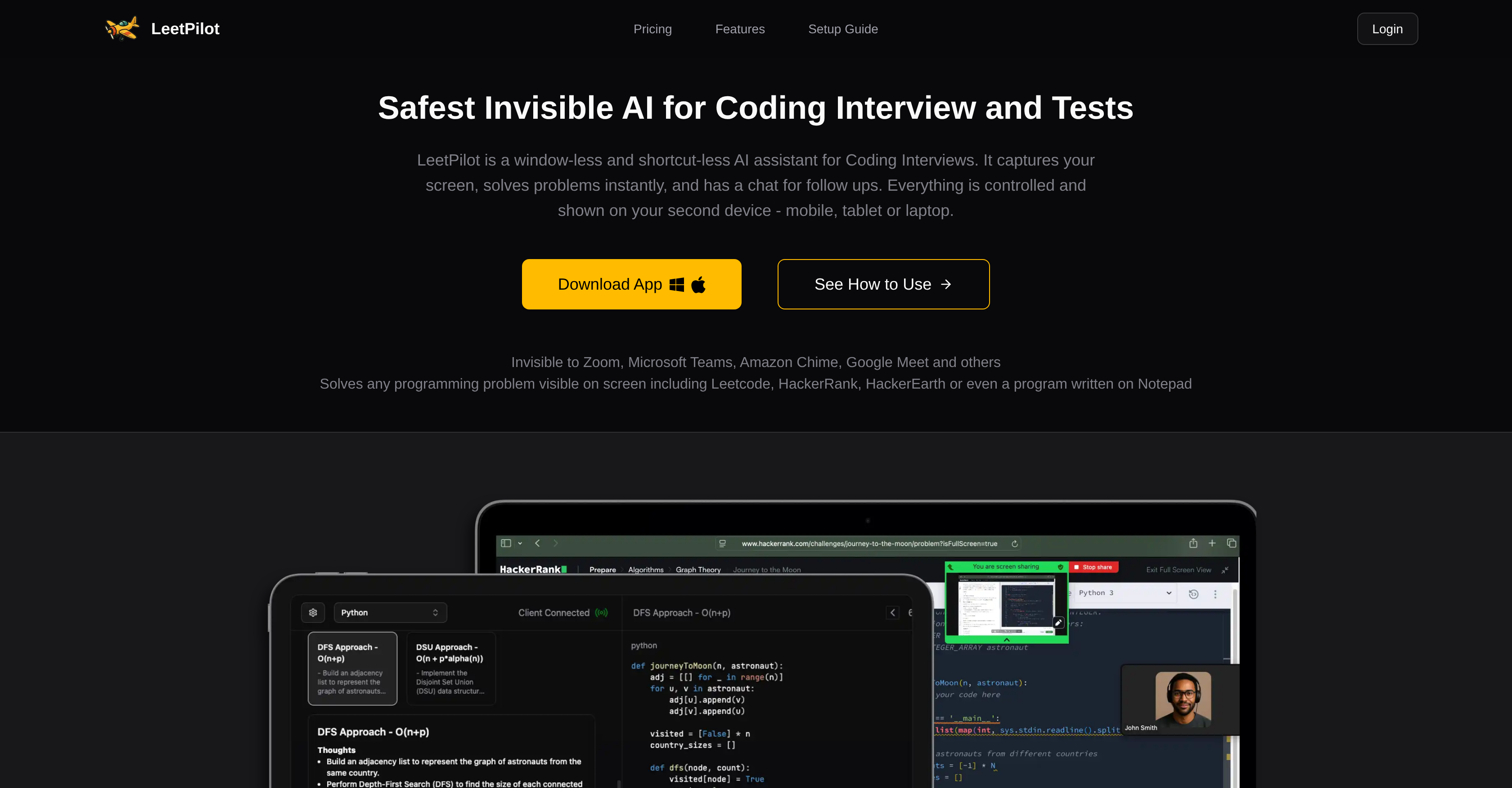
- Pass technical interviews confidently with instant solutions displayed privately on your second device using background screen capture
- Understand optimal approaches with multiple solutions including time and space complexity analysis for each algorithm
- Solve any visible programming problem from Leetcode, HackerRank, or even Notepad using screenshot extraction technology
- Get solutions in your preferred language with support for Python, Java, C++, JavaScript and 7 other programming languages
- Refine answers in real-time using the chat interface to ask follow-up questions and request code modifications
- Maintain complete privacy during video calls with window-less operation that leaves no visible evidence on your interview computer
Pros & Cons
Pros
- Undetectable on video platforms
- Screen capture technology
- Multiple solutions with complexities
- Support across different devices
- Extracts questions via screenshots
- Chat interface for modifications
- Supports multiple programming languages
- Works invisibly without window
- Solves any programming problem
- Solutions viewed on second device
- Extract problems from Leetcode
- Extract problems from HackerRank
- Extract problems from HackerEarth
- Compatible with mobile devices
- Compatible with laptops
- Compatible with tablets
- Doesn't require shortcuts
- Real-time problem solving
- Python language support
- C++ language support
- Java language support
- Typescript language support
- Swift language support
- C# language support
- Go language support
- Kotlin language support
- Ruby language support
- Rust language support
- Javascript language support
- Solves problems in Notepad
- Allows follow-up questions
- Suitable for coding interviews
- Suitable for coding tests
- Discreet during video calls
- Doesn't disturb main task
- View solutions remotely
- No visible software traces
- Multi-solution approach
- Shows time complexity
- Shows space complexity
- Can be used on Zoom
- Can be used on Microsoft Teams
- Can be used on Amazon Chime
- Can be used on Google Meet
- Completely unobtrusive
- No on-screen prompts
- All guidance on second device
- Convenient for remote scenarios
- Support within 24hrs
- Privacy maintained
Cons
- No offline usage
- Privacy is a concern
- No visible interface
- No shortcut keys
- Requires second device
- Screenshots for question extraction
- Potential for misuse
- Lack of integration features
- Device compatibility issues
- Chat interface limitations
Reviews
Rate this tool
Loading reviews...
❓ Frequently Asked Questions
LeetPilot is a discreet AI tool designed to aid users in coding interviews and tests. It operates invisibly in the background and provides immediate solutions for programming problems. Its functionalities are operated and demonstrated on a second device like a mobile, tablet, or laptop.
LeetPilot supports users in coding interviews by capturing the screen, extracting questions, and providing immediate solutions. These solutions can involve multiple approaches, each complete with their time and space complexities. Additionally, users have the option to ask follow-up questions or request modifications through LeetPilot's chat interface.
LeetPilot is undetectable on platforms like Zoom and Google Meet because it functions as a window-less and shortcut-less assistant. It does not display any windows on the interview computer, rather, it operates in the background without any visible evidence of its activity.
LeetPilot can solve any programming problems that are visible on the screen. This includes problems from platforms such as Leetcode, HackerRank, and HackerEarth, as well as those written in Notepad.
LeetPilot extracts questions from screenshots, which can be triggered either from the helper device or using a shortcut on the interview device.
Yes, LeetPilot is compatible with mobile devices. It can be controlled and its functionalities can be displayed on a separate device like a mobile.
LeetPilot supports several programming languages including Python, C++, Java, Typescript, Swift, C#, Go, Kotlin, Ruby, Rust, and Javascript.
LeetPilot delivers multiple solutions to a problem, with each solution accompanied by its time and space complexity. This feature allows users to understand the efficiency of each approach.
Yes, LeetPilot functions as a window-less and shortcut-less assistant, ensuring that it remains invisible during operation.
Yes, all the controls as well as the solutions provided by LeetPilot can be demonstrated on a separate helper device such as a mobile, tablet, or laptop.
Yes, LeetPilot is capable of solving programming problems from platforms like Leetcode, HackerRank, and HackerEarth.
Yes, LeetPilot can also solve programming problems written in Notepad, provided the problem is visible on the screen.
The chat interface of LeetPilot allows users to ask follow-up questions, request modifications, and perform more interactions. It operates similarly to ChatGPT-like models.
Yes, using the chat interface, LeetPilot users can ask follow-up questions or request modifications if needed.
No, there won't be any visible proof of LeetPilot operation on the desktop. It runs in the background without displaying any windows.
LeetPilot manages to remain invisible during a video call on Microsoft Teams or Zoom because it does not display any windows on the user's computer. All actions and results are controlled and shown on a second device such as a mobile or laptop.
Yes, LeetPilot is designed so that solutions are displayed on a separate helper device. This could be any laptop, phone, or tablet.
To set up LeetPilot, first start and hide the desktop app as it will run in the background without any visible window. Second, open the website on your chosen helper device. Here, you will be able to trigger screenshots to capture coding problems. After this, you can view instant solutions on your helper device and use the chat interface for further modifications.
Yes, screenshots can be activated from the helper device in LeetPilot, enabling extraction of coding problems from the interview device.
Yes, LeetPilot has a free plan alongside its paid plans. The free plan allows users to download the client and test features before buying.
Pricing
Pricing model
Free Trial
Paid options from
$49/month
Billing frequency
Monthly










