

Midjourney Video
Overview
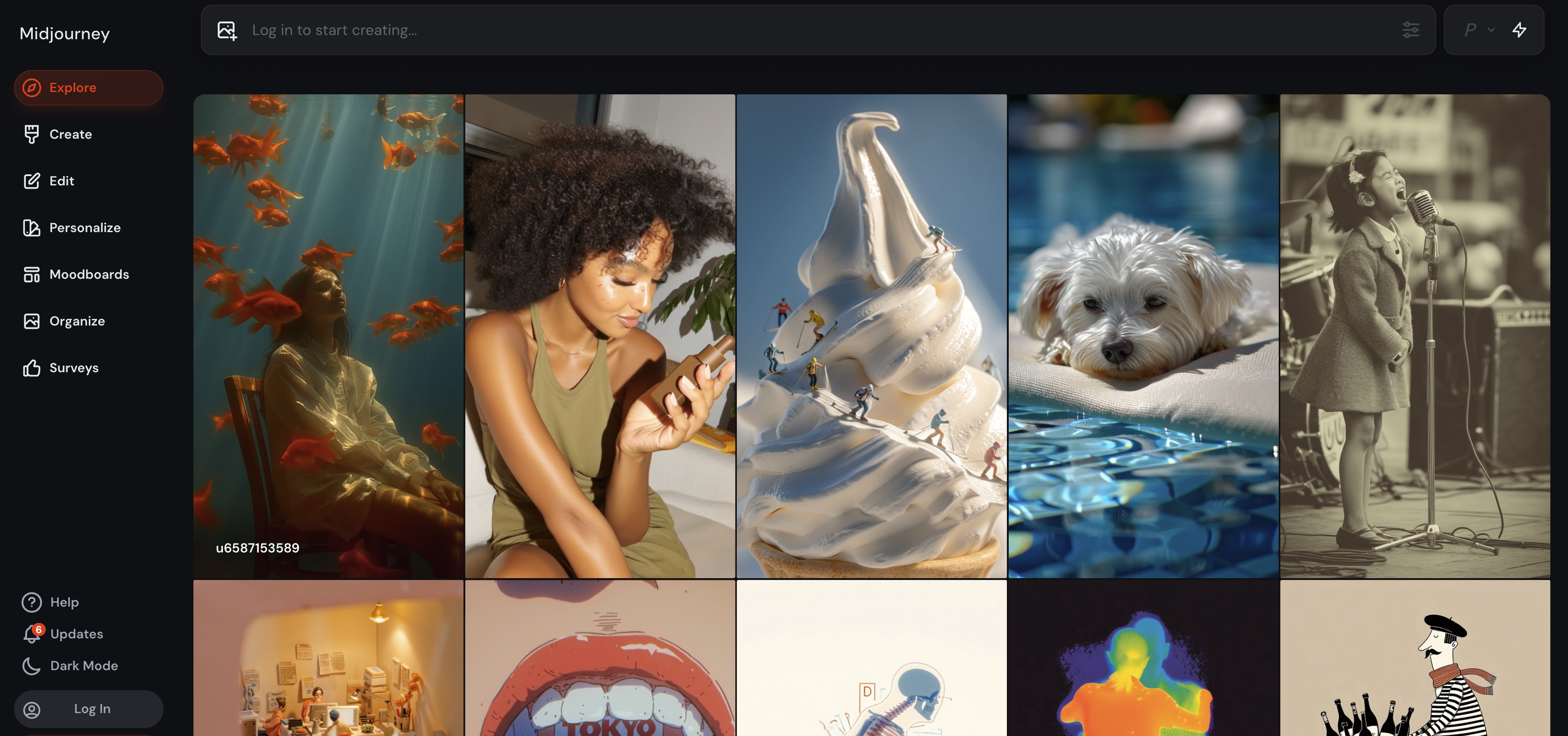
- Bring static images to life with subtle motion or dramatic camera movements using low and high motion settings
- Extend your creative storytelling with 4-second segment additions, building videos up to 21 seconds total
- Instantly generate four unique animated variations from any single image upload for maximum creative options
- Create stylized shorts and social media content optimized for single-subject scenes that maintain artistic integrity
- Animate both Midjourney-generated images and imported visuals with the same seamless transformation process
Pros & Cons
Pros
- Expansive personalization options
- Adjustable aesthetics
- Style personalization
- Content uniqueness
- Various modes for customization
- Standard, Raw, Fast, Turbo modes
- Unlimited image generation
- Draft Mode for quick drafts
- Content organization features
- Different image formats
- Interactive user interface
- User Login
- Add Images option
- Personalizations option
- Moodboards option
- Integration with various user-contexts
- Ability to modify content
- Image to video capabilities
- Unique 'Relax' mode
- Various image resolution options
- Undo Option
- Image editing capabilities
- Option to adjust 'weirdness'
- Content Creation Option
- User-defined customization
- Ability to personalise 'weirdness'
- Ability to adjust stylization
- User interaction options
- Potential integration with Surveys
- Potential integration with Settings
- Feed of latest generations
- Option to select Personalizations
- Option to select Moodboards
- Customise content creation process
- Portrait, Square, Landscape formats
- Lower resolution draft-quality images
- Organization in different formats
- High speed content creation
- Fast and Turbo speed options
- Speed personalizations
- Lower resolution for faster creation
- Image Size Options
- Increased control over aesthetics
- Increased control over stylization
- Increased control over uniqueness
- Increased control over variety
- Control over Model Mode
- Control over Version
- Personalize Speed Options
- Moodboards for customization
- Profile Loading options
Cons
- Lacks clear user-context
- Undefined surveys and settings
- No video editing feature
- Limited speed options
- No explicit content classification
- Undefined 'weirdness' personalization
- Limited image resolution choices
- Unclear 'Relax' mode conditions
- Lacks comprehensive image editing
- Undefined terms of Personalizations and Moodboards
Reviews
Rate this tool
Loading reviews...
❓ Frequently Asked Questions
MJ Explore is an AI-powered tool designed specifically for content generation, personalization, and organization. Its purpose is to provide users with a platform to create and modify content according to their individual needs.
MJ Explore offers various features for content generation. These include several varied modes such as 'Standard', 'Raw', 'Fast', and 'Turbo', each providing different levels of speed and image resolution. An extra 'Relax' mode allows unlimited image generation for the Standard Plan and higher. There's also a 'Draft Mode' for quickly creating low-resolution draft-quality images. Image to video creation is unconfirmed.
MJ Explore provides a wide range of features to personalize content. Users can adjust aesthetics, stylization, and 'weirdness' for uniqueness or creativity. They can also select 'Personalizations' and 'Moodboards' to further customize the content creation process.
Yes, MJ Explore provides the functionality to alter aesthetics and stylization to suit your unique content needs. These features allow users to determine the visual appearance of their content and style it according to their preferences.
'Weirdness' in the context of MJ Explore, most likely refers to the degree of uniqueness or creativity of content. Users can modify this element to add an element of originality or distinctive style to their content.
MJ Explore provides various modes for user-defined customization, namely 'Standard', 'Raw', 'Fast', and 'Turbo'. Each mode offers different levels of speed and image resolution. There's also an additional 'Relax' mode for unlimited image generations on Standard Plan or higher.
The 'Relax' mode in MJ Explore is a special feature that offers unlimited image generation for those users subscribed to the Standard Plan or higher.
Yes, MJ Explore provides options for different image formats. Users can organize their content in various formats such as Portrait, Square, Landscape.
Yes, MJ Explore integrates features for user interaction such as 'Log in' and 'Add Images'. These features allow users to access their account and contribute images to the content they are creating.
'Draft Mode' in MJ Explore is a feature designed for quicker creation of lower resolution, draft-quality images. This would be helpful for creating preliminary drafts or prototypes before refining the final versions of content.
'Personalizations' and 'Moodboards' in MJ Explore are additional options for users to customize their content creation experience. Although their specific functions are not clearly defined, they likely provide further visual and stylistic options for content personalization.
MJ Explore may integrate features for the organization of content in different formats - Portrait, Square, Landscape, however, specific mechanisms for content organization are not clearly defined.
The specifics of editing images in MJ Explore are not explicitly detailed. However, considering the various personalization features and different modes available, it's highly likely that users can make significant modifications to their images.
Yes, MJ Explore is capable of generating AI-based images. This is one of the key facets of MJ Explore, providing the user with unique and personalized content generation.
Based on the available information, it's not clear whether MJ Explore can create videos from images. The primary focus seems to be on image generation and personalization.
It is not explicitly mentioned whether MJ Explore offers an 'Undo' option. However, with the wide range of customization and editing options provided, it's plausible that such a feature might exist.
MJ Explore offers various modes like 'Standard', 'Raw', 'Fast', and 'Turbo' that significantly affect the image resolution. However, specific settings dedicated solely to image resolution are not mentioned.
Yes, MJ Explore seems to have premium plans. For instance, the 'Relax' mode, which provides unlimited image generation, is available to users on the Standard Plan or higher.
There's no clear indication that MJ Explore supports Surveys. While 'Surveys' is mentioned, its context and application within the tool is not defined.
It's not clearly defined why 'Settings' are not explicitly mentioned in MJ Explore. However, with the variety of modes and personalization options available, users might be able to access and adjust several types of settings within these features.
Pricing
Pricing model
No Pricing
Related Videos
Introducing Midjourney V1 Video
Midjourney•36.4M views•Jun 19, 2025









