Mindsmithv3
Overview
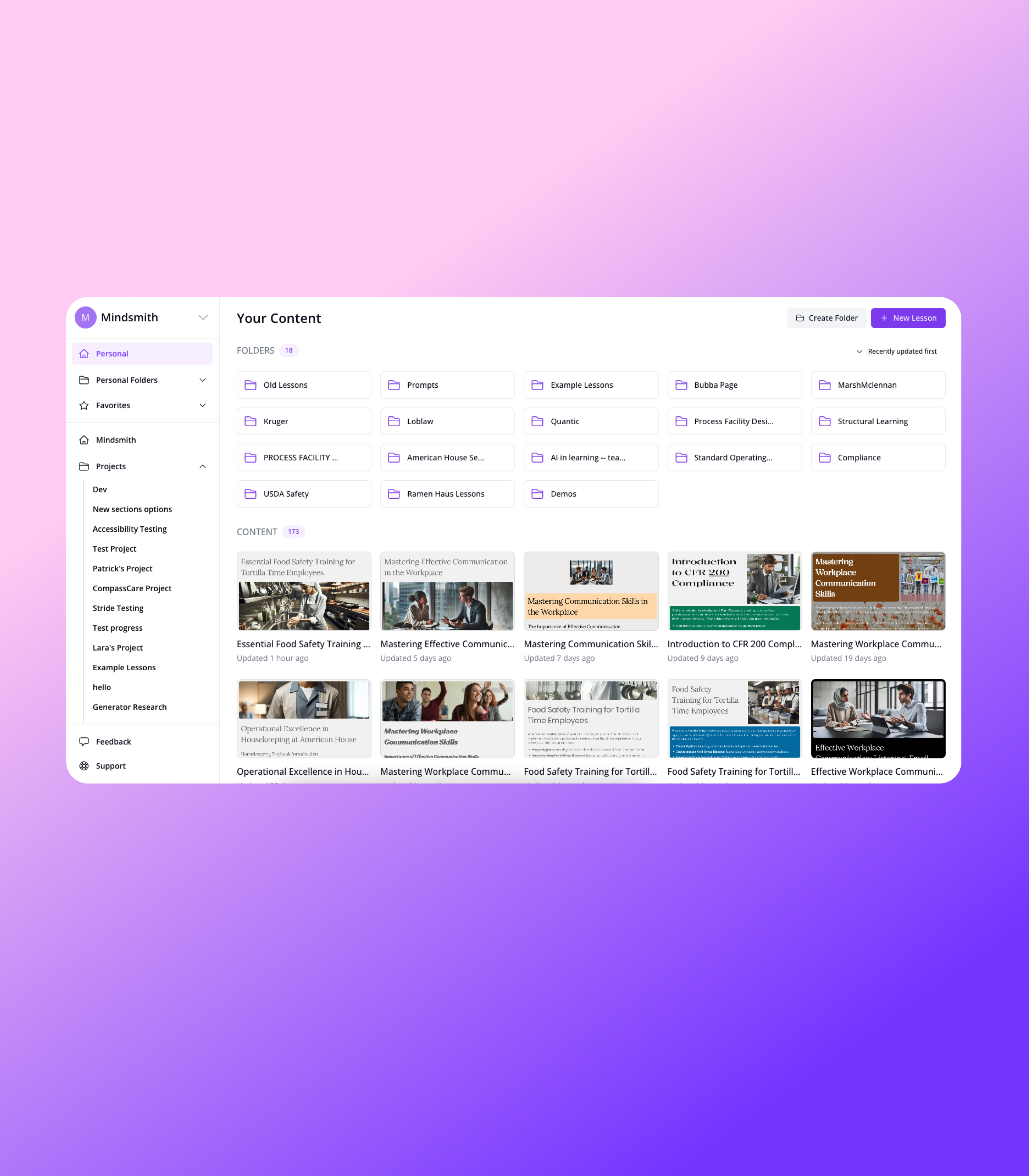
- Create professional eLearning content up to 12x faster than manual methods using AI that generates entire lessons and eliminates writer's block
- Deploy training instantly across multiple platforms with dynamic SCORM packages that auto-update across all systems when you make changes
- Share lessons effortlessly with learners via direct links, QR codes, SMS, email, or embed codes without technical setup
- Track learner progress and comprehension with built-in assessment questions that make self-assessment feel natural
- Build mobile-friendly microlessons that work perfectly on any device with bite-sized modules optimized for retention
- Maintain complete data security with enterprise-grade protection that never uses your content to train AI models
Pros & Cons
Pros
- Simplified course authoring
- Intuitive authoring tool
- Works on any screen size
- Generates entire lessons
- Insert questions that fit content
- Makes content more digestible
- Shares via link, SMS, email
- Integrates with your learning system
- Tracks learner completion
- Tracks performance
- Flexible for various use cases
- Used for onboarding
- Used for course reviews
- Used for safety training
- Used for compliance training
- Used for homework
- Promotes deep human learning
- Quickly generate and publish courses
- Produces bite-sized learning modules
- Augment lessons with images
- Augment lessons with assessment questions
- Augment lessons with GIFs
- Used by over 500 organizations
- Mobile friendly
- Allows self-assessment
- Adaptable to learning styles
Cons
- No offline usage
- Limited integration options
- Less customizable
- No multilingual support
- No user documentation
- Not open source
- No version control
- Limited content formats
- No live interaction features
- Lacks advanced analytics
Reviews
Rate this tool
Loading reviews...
❓ Frequently Asked Questions
MindSmith is an AI-powered microlearning platform used for creating and sharing course materials and trainings. Its generative AI makes the process of course creation easier and more efficient.
MindSmith offers an intuitive authoring tool and an AI assistant that guides you in the creation of engaging microlessons. It also has a feature to generate entire lessons, insert fitting questions into the content, and to make content more digestible. It provides options to share these materials via link, SMS, or email and track learner completion and performance.
The AI assistant in MindSmith is designed to eliminate writer's block during course material creation. It generates entire lessons and inserts relevant questions into the content to enhance the learner's understanding. However, the specifics of how the AI makes these decisions is not explicitly stated.
Yes, MindSmith is designed to be easy to use. It allows courses to be instantly generated and published. It also provides an intuitive authoring tool that works on any screen size and guides users through the course creation process.
You can share your course materials created on MindSmith easily via link, SMS, or Email. This makes the distribution of your instructional content straightforward and accessible to learners.
Yes, you can integrate MindSmith with your existing learning system. However, detail about the specifics of the integration process, supported systems and the nature of the integration is not provided on their website.
MindSmith can be utilized for various use cases such as onboarding, course reviews, safety training, compliance training, and homework. Its flexible canvas and integrations enable it to be easily adapted to different educational contexts.
Yes, MindSmith is mobile-friendly. It is designed to work on any screen size, providing students an easy way to access and engage with the course material on their preferred device.
MindSmith supports student self-assessment through the generation of course materials that include assessment questions. These tools provide a student-centric way for learners to check their understanding of course material without the feel of taking a test.
MindSmith's generative AI works by assisting in the creation of high quality learning content. It generates entire lessons, inserts questions that fit your content, and makes the content more digestible. However, the underlying technical aspects of the generative AI technology are not explicitly mentioned.
MindSmith can be used for various types of training including onboarding, safety training, compliance training and more. It's versatile in nature and can be adapted to meet different training needs.
Over 500 organizations are currently using MindSmith for their learning and training needs. These include universities, corporations, and other educational institutions.
Yes, MindSmith allows you to track learner completion and performance. However, the precise nature of the metrics tracked, how this data is presented, or how it can be used for analysis is not detailed.
Yes, MindSmith's platform is versatile. It is tailored to be adaptable, suitable for a wide range of use cases such as onboarding, course reviews, safety training and compliance training, and is easy to use on any screen size.
'Bite-sized learning' in MindSmith refers to the division of content into easy-to-manage modules. It allows lesson augmentation with stock images, assessment questions, and GIFs. This feature is designed to make content consumable in small, manageable chunks, which aids learning retention.
You can generate and publish courses on MindSmith with the click of a button. The AI-assistant guides you through the process, making it swift and straightforward.
The course authoring process in MindSmith is simplified and intuitive. Its authoring tool guides you in creating engaging microlessons, eliminating writer's block. You can also insert fitting questions into your content and make it more digestible with the help of the AI assistant.
Yes, you can insert questions into your content using MindSmith. The AI assistant helps in this process by generating questions that fit well with your content.
The lessons created by MindSmith's AI lesson assistant are designed to be high quality and easily digestible. Entire lessons are generated, with built-in questions tailored to match the lesson material, enhancing the learner's experience.
While there is feedback from users stating they were able to customize activities to help their students learn and practice new skills, it is not explicitly mentioned on their website whether the platform allows customization to fit individual student’s strengths, weaknesses, and preferred learning styles.
No, Mindsmith is not an LMS. Typically, people will port Mindsmith lessons into an existing LMS through SCORM. But you can also share lessons as a public link, QR code, iframe embed code, via email/SMS, or as a review link.
We've had customers tell us they they create content up to 12x faster than doing it manually. Depending on your use case it may be faster or slower.
Yes! Mindsmith is trusted by many large organizations -- from financial institutions to insurance groups to manufacturers.
None of the content you upload to Mindsmith gets used to train any AI models. None -- at all -- ever. We also follow all other data security best practices. To do a deeper dive, you can check out our trust center.
You are free to sell courses created in Mindsmith, however Mindsmith doesn't provide monetization tools. Those that sell courses made in Mindsmith typically integrate with an LMS built for content creators like LearnWorlds or through an LMS plugin for their wordpress website like LearnDash. You can also embed lessons on a website using the embed feature.
Pricing
Pricing model
Freemium
Paid options from
$31
Related Videos
Tutorial for Mindsmith AI Assistant (May 2023)
Mindsmith•493 views•May 13, 2023