

MossImage Studio
Print-ready posters, flyers, price lists, and product labels with crisp, correctly spelled copy, powered by MOSS-Image's in-image typography engine that renders headlines, prices, captions, and even Chinese characters cleanly.
Listing not yet reviewed by our editors · How we check
Overview
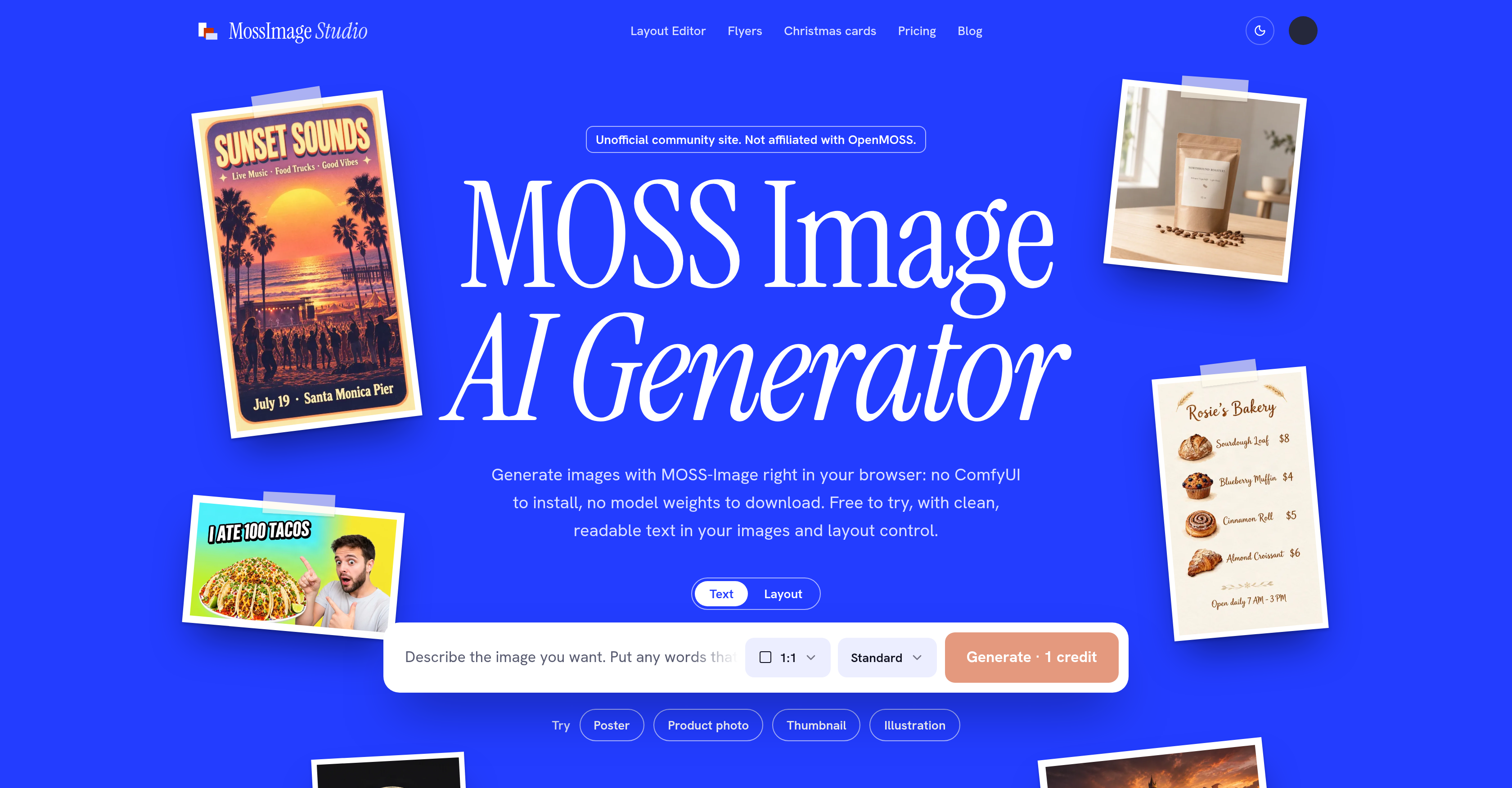
- Print-ready posters, flyers, price lists, and product labels with crisp, correctly spelled copy, powered by MOSS-Image's in-image typography engine that renders headlines, prices, captions, and even Chinese characters cleanly.
- Exact control over where every word and object lands, using Layout mode's draggable boxes to position headlines, supporting copy, and visual subjects before generating the image.
- Fresh variations without breaking your composition, by fixing a seed and locking words so you edit one element and regenerate while the layout stays intact.
- Reusable design templates for repeat projects, through one-click export of your arrangement as a MOSS-Image JSON layout file.
- Open-source MOSS-Image text-to-image results in minutes instead of hours of setup, with no ComfyUI installation, model weight downloads, or GPU configuration required.
- Outputs sized for each channel, from 16:9 video thumbnails to 9:16 vertical stories and 1:1 social posts, in Standard (~1 MP) or HD (~2 MP) quality.
- A finished design from a proven starting point, using a gallery of example prompts such as a retro festival poster, bakery menu, and branded coffee bag that load into the generator with "Try this prompt" for instant editing, plus dedicated flyer maker and Christmas card creator workflows.
- Detailed art direction in a single request, with a 2,000-character prompt field for specifying art style, lighting, composition, and copy together.
- Text-free visuals from the same studio, including landscape photography, portraits, fantasy concept art, and children's storybook illustrations generated by omitting text from the prompt.
- Commercial use with full ownership of generated images, ready for T-shirt graphics, product packaging, and client marketing materials.
- Low-cost, no-subscription image generation, starting with 3 free credits and one-time packs from $4.99 for 30 credits, with credits that never expire and watermark removal applied retroactively to earlier images after any purchase.
- A persistent personal image library, with generations stored on the site until you delete them and permanent removal of originals and their links when you do.
Pros & Cons
From the listing; not yet checked by our editors.
Pros
- No installation required
- No model weight downloads
- Browseronly interface
- Draganddrop layout editor
- Exportable JSON layout files
- Precise bilingual typography rendering
- English and Chinese text support
- Multiple preset aspect ratios
- Standard and HD quality options
- Generation under one minute
- Creditbased payonce pricing
- Builtin example prompt library
- Load and modify gallery examples
- Seedpreserving composition regeneration
- Apache2.0 open source model
- Native ComfyUI compatibility
- 5Bparameter diffusion transformer
- Efficient finetuning friendly
- Dedicated flyer creation route
- Dedicated Christmas card route
- No subscription needed
- Offline local run possible
- Direct PNG download button
- Realtime layout preview
- Automatic linebreak handling
- Socialmedia aspect presets
- Multilingual prompt guide included
- Transparent credit usage display
- GitHub source code available
- Model hosted on Hugging Face
- Supports product packaging designs
- Supports label and price list
- Handles textfree landscapes
- Supports video thumbnail format
- JSON layout coordinates in yxyx
- Bounding box visual feedback
- Customizable CFG/SLG settings UI
- Browser caching speeds repeat runs
- HD output up to 2MP
- Standard output about 1MP
- Multiple language prompt parsing
- Structured layout controls via JSON
- Export layout for external tools
- Integrated pricing and credit purchase
- Responsive design for all devices
- Supports high contrast text outlines
- Screenprint texture presets
- Builtin Tshirt graphic mode
- Supports vintage badge generation
- Fast tokenization of prompts
Cons
- No official affiliation
- Credit system limits usage
- Browser-only, no offline mode
- Proprietary layout JSON format
- No batch generation support
- Max resolution 2MP only
- No persistent seed across sessions
- Supports only English/Chinese text
- No design-tool integrations
- Model parameters not adjustable
Alternatives to MossImage Studio
Tools that share the most tags with MossImage Studio.
- EzRemove
Browser tool that removes the background from a photo and returns a transparent PNG.
Freemium
Not listed
Nov 24, 2026
- Playground AI
Transform text descriptions into photorealistic images and unique artwork instantly using AI-powered text prompts
Freemium · from $12/month
$12/month
Not yet checked
- daisy | LinkedInPro
Create professional headshots from everyday photos without expensive studio sessions using AI-powered photo transformation
Freemium · from $2.50
$2.50
Not yet checked
- Etsy Media Kit Generator - Image-To-Video.app
Launch professional product listings in minutes instead of days by generating a complete media kit from a single photo in 10-15 minutes
Free trial · from $8.25/month
$8.25/month
Not yet checked
- PNG AI
Instantly create high-quality PNG images from a simple text description using the Flux AI model
Free trial · from $10/month
$10/month
Not yet checked
- Dewatermark
Erase any watermark automatically in seconds using AI detection, even complex multi-layered or color-blended ones
Freemium · from $5/month
$5/month
Not yet checked
Reviews
Rate this tool
Loading reviews...
Frequently asked questions
What is the difference between Text mode and Layout mode in MossImage Studio?
Text mode lets you generate an image directly from a prompt without explicit spatial control, while Layout mode provides a visual editor where you can drag boxes to position text and objects, export the arrangement as a JSON layout, and regenerate parts of the image while preserving the overall composition.
Can MossImage Studio generate Chinese characters inside images?
Yes, MossImage Studio can render Chinese characters accurately inside images.
How do I export a layout as JSON from MossImage Studio?
In Layout mode, after arranging text and object boxes, click the export button in the layout editor to download the current arrangement as a MOSS-Image JSON file.
What aspect ratios are available for image generation?
The generator supports three aspect ratios: 1:1, 16:9, and 9:16, each available in Standard (≈1 MP) or HD (≈2 MP) quality.
How many credits does an HD image cost compared to a standard image?
A standard image costs 1 credit; an HD image costs 2 credits.
Is there a watermark on images generated with free credits?
Images produced with the three free credits carry a small mossimage.studio watermark.
Can I use the images I create with MossImage Studio for commercial projects?
Yes, you own the generated images and may use them commercially, though you remain responsible for any third‑party rights issues.
How can I load and edit one of the example prompts in MossImage Studio?
Click the "Try this prompt" button on any example; the prompt loads into the main input field where you can edit the text, adjust settings, and generate a new image.