MusicMakerApp
Overview
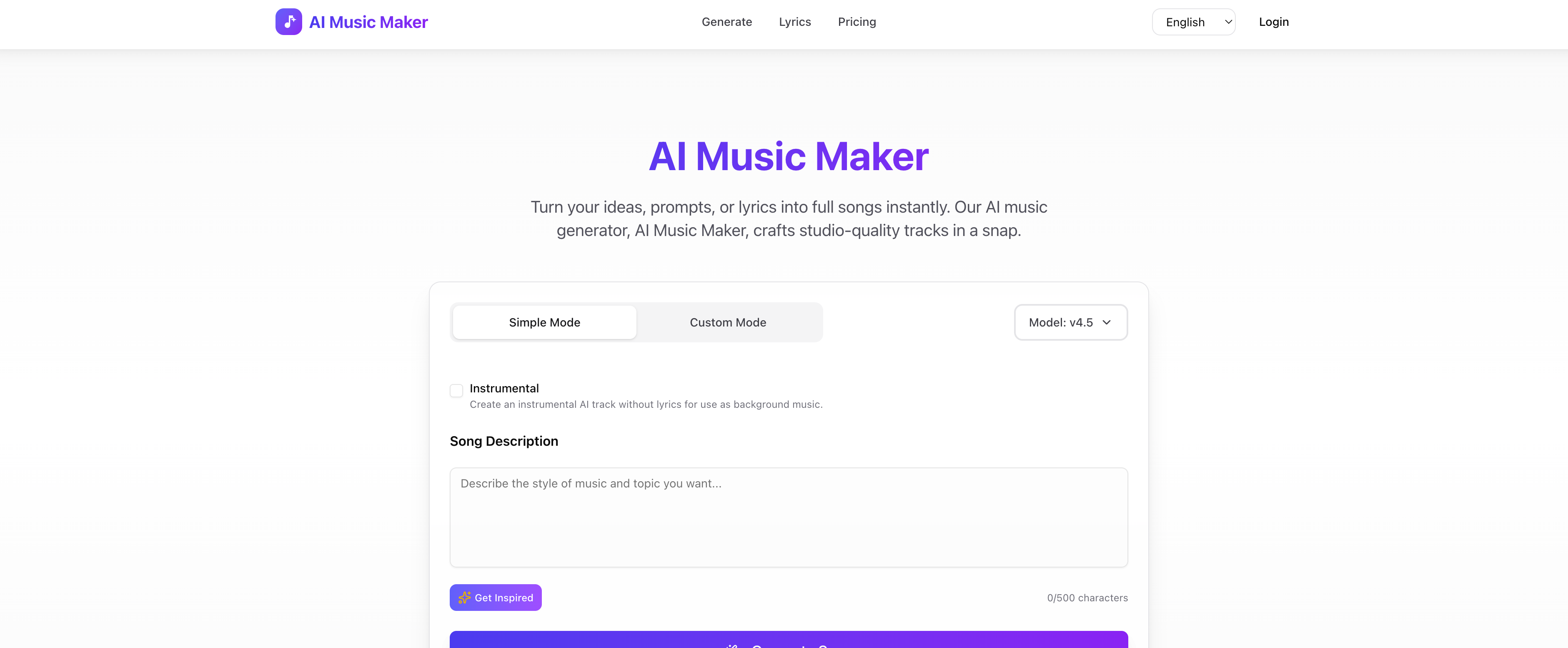
- Instantly create copyright-safe background music for videos and podcasts with royalty-free AI generation, eliminating licensing worries.
- Produce complete, studio-grade tracks in seconds using advanced text-to-music algorithms, bypassing complex production software.
- Generate specific song elements like custom beats or AI vocals on demand for flexible project needs, not just full compositions.
- Start creating music immediately without any musical training through a simple text-input interface, removing the skill barrier.
- Use your AI-generated tracks commercially for jingles, soundtracks, or ads, enabled by guaranteed royalty-free output.
Pros & Cons
Pros
- Generates music from text
- Produces royalty-free music
- Requires no technical knowledge
- User-friendly interface
- Generates studio quality music
- Quick music composition
- No charge for use
- Offers unique sounds
- Generates songs and beats
- Generates vocals
- Suitable for different needs
- Online tool
- No music theory knowledge required
- Simplified music production process
- Generates high standard output
- Fast music creation
- Bridges gap for non-musicians
- Effortless music creation
- Ideal for content creators
Cons
- No offline functionality
- No API for integrations
- Limited to text input
- No customization of algorithm
- Lacks manual editing features
- Doesn't support collaboration
- Limited music styles
- No mobile version
- Dependent on internet speed
- No user community for support
Reviews
Rate this tool
Loading reviews...
❓ Frequently Asked Questions
AI Music Maker is an AI-driven tool that turns text into creative melodies. It caters to users with different skill levels, eliminating the complexities of music production by producing songs, beats, and vocals with advanced algorithms. Additionally, it grants users the freedom to create either an entire song or specific elements of a track, making the music creation process seamless. The songs produced by AI Music Maker are royalty-free, making them safe for various uses without copyright infringements. Moreover, it generates music swiftly, making it an efficient solution for music creation needs ranging from soundtracks and jingles to personal entertainment.
AI Music Maker turns text into music using advanced algorithms. Upon receiving the user-inputted text, these algorithms interpret the text, translate it into musical notes and patterns, and finally generate a unique melody. The automated process is AI-driven, complex, and intricate, turning text into musical renditions.
No, AI Music Maker does not require users to have technical skills. Despite its advanced AI-driven capabilities, this tool is designed to be user-friendly. It has a novice-friendly interface and doesn’t necessitate knowledge about music theory. Its simplicity combined with its power makes it accessible to music enthusiasts of various skill levels.
Yes, AI Music Maker allows users to generate a full song. It allows flexible generation of music, which includes both entire songs and specific elements of a track, contingent upon the user's requirement.
Yes, AI Music Maker is capable of producing both beats and vocals. It leverages advanced algorithms not only to generate melodies, but also to create beats and even vocals, making music creation versatile and comprehensive.
'Royalty-free music' in the context of AI Music Maker means that the music created using the tool is free from copyright restrictions. Users can use the generated music for various purposes without worrying about copyright infringement or paying any royalties for its use.
AI Music Maker is able to generate music in a matter of seconds. It is designed with speed and efficiency in mind, offering users a swift solution for their music creation needs.
Yes, the music generated by AI Music Maker is of professional grade or studio-quality. It uses AI technology to produce unique, high-quality music that rivals what can be made in a professional studio setup.
AI Music Maker is user-friendly for novices due to its straightforward and simplistic interface. Users don't need to have technical skills or a deep understanding of music theory to generate music with this tool. It allows novices to create music by interpreting and converting simple text into musical melodies, thus making the music creation process accessible and enjoyable.
Yes, AI Music Maker can be used for creating soundtracks or jingles. Its capabilities extend beyond personal entertainment to practical applications such as creating jingles, background music, and soundtracks.
Yes, AI Music Maker allows the creation of background music. It's perfect for both personal and professional use due to its ability to produce studio-quality, copyright-free music.
No, AI Music Maker will not infringe any copyright laws. It guarantees that the music it creates is royalty-free, meaning users can employ the created songs for different purposes without worrying about copyright issues.
AI Music Maker makes music more accessible by leveraging the power of AI to eliminate the technical complexities of music production. It eliminates the necessity of musical theory knowledge or technical expertise, making it easy for anyone to create music from text, regardless of their skill level.
AI Music Maker harnesses advanced AI algorithms to convert simple text into musical melodies. These algorithms not only generate the melody but also the beats and vocals, simulating a comprehensive music construction process that traditionally requires several different tools and expertise.
Yes, AI Music Maker can be effectively used by music professionals. It provides an efficient way to construct unique, studio-quality tracks. It's a versatile tool that can be beneficial for professionals, allowing them to create a full song or specific elements of a song according to their needs.
AI Music Maker allows the creation of an entire song or specific elements of a track. This includes creating the melody, beats, and even vocals, providing a comprehensive music creation solution.
AI Music Maker revolutionizes music creation by making it accessible, efficient, and flexible. By using AI to turn text into music, it eliminates the need for technical skills or music theory knowledge. Plus, it’s capable of creating an entire song or just specific elements, and the music generated is royalty-free and ready in seconds.
The quality of the vocals generated by AI Music Maker are of high standard, contributing to the overall studio-quality of the music produced. It utilizes AI algorithms to simulate vocals that enhance the allure of the tracks created with this tool.
AI Music Maker facilitates an immersive experience by making music creation process simple and ingenious. It engages users by transforming text into music, allowing them to explore their creativity. Being user-friendly, it doesn't intimidate beginners and provides professionals a unique tool to experiment with.
Yes, the music generated by AI Music Maker is copyright-free. This tool produces royalty-free music, which means users can freely use their creations for various purposes without worrying about potential copyright violations.
AI Music Maker operates by taking user-input text and translating it into music. It applies AI and a deep understanding of music composition to generate unique tracks.
Yes, AI Music Maker is capable of creating vocals along with songs and beats.
Yes, all music generated by AI Music Maker is royalty-free. This allows users to employ the music for various purposes without worrying about copyright violations.
AI Music Maker is designed for a wide range of users. Whether you're a content creator needing background music, a professional musician, or someone who simply enjoys creating their own unique sound, AI Music Maker can meet your musical requirements.
No, users do not need to have knowledge in music composition to use AI Music Maker. Its interface is designed to be user-friendly, making it accessible to people across different skill levels.
AI Music Maker can generate a variety of music types, including songs, beats, and vocals. It's versatile and can fulfill a wide range of music needs.
Yes, AI Music Maker is suitable for professional song production. It provides high-quality, studio-grade music quickly, revolutionizing the process of music production.
Yes, AI Music Maker is suitable for beginners. It does not require technical know-how or any music theory knowledge to use effectively.
The music produced by AI Music Maker can be used in a wide range of places, such as soundtracks, jingles, background music, personal entertainment, and even for commercial purposes.
Yes, AI Music Maker has a user-friendly interface that does not require any technical know-how or music theory knowledge to use effectively.
Yes, AI Music Maker is a free online tool.
AI Music Maker utilises AI technology by taking user-input text and applying advanced algorithms to translate it into music. It demonstrates a profound understanding of music composition and harnesses the power of AI to facilitate an efficient music creation process.
Yes, AI Music Maker can be used to create suitable background music.
Yes, since the music generated by AI Music Maker is royalty-free, it can be used for commercial purposes.
AI Music Maker can generate music from any user-input text.
Yes, in addition to songs and vocals, AI Music Maker is capable of creating beats.
The specifics of customization based on user needs are not directly stated. However, users have the ability to influence the music generated through the text they input.
What sets AI Music Maker apart from other music creation tools is its innovative use of AI. It enables users to generate studio-quality, royalty-free music from text in seconds. It also offers efficient and user-friendly music creation capabilities without the need for any technical knowledge or experience in music theory.
Pricing
Pricing model
Freemium
Paid options from
$10/month
Billing frequency
Monthly
Refund policy
No Refunds