
Overview
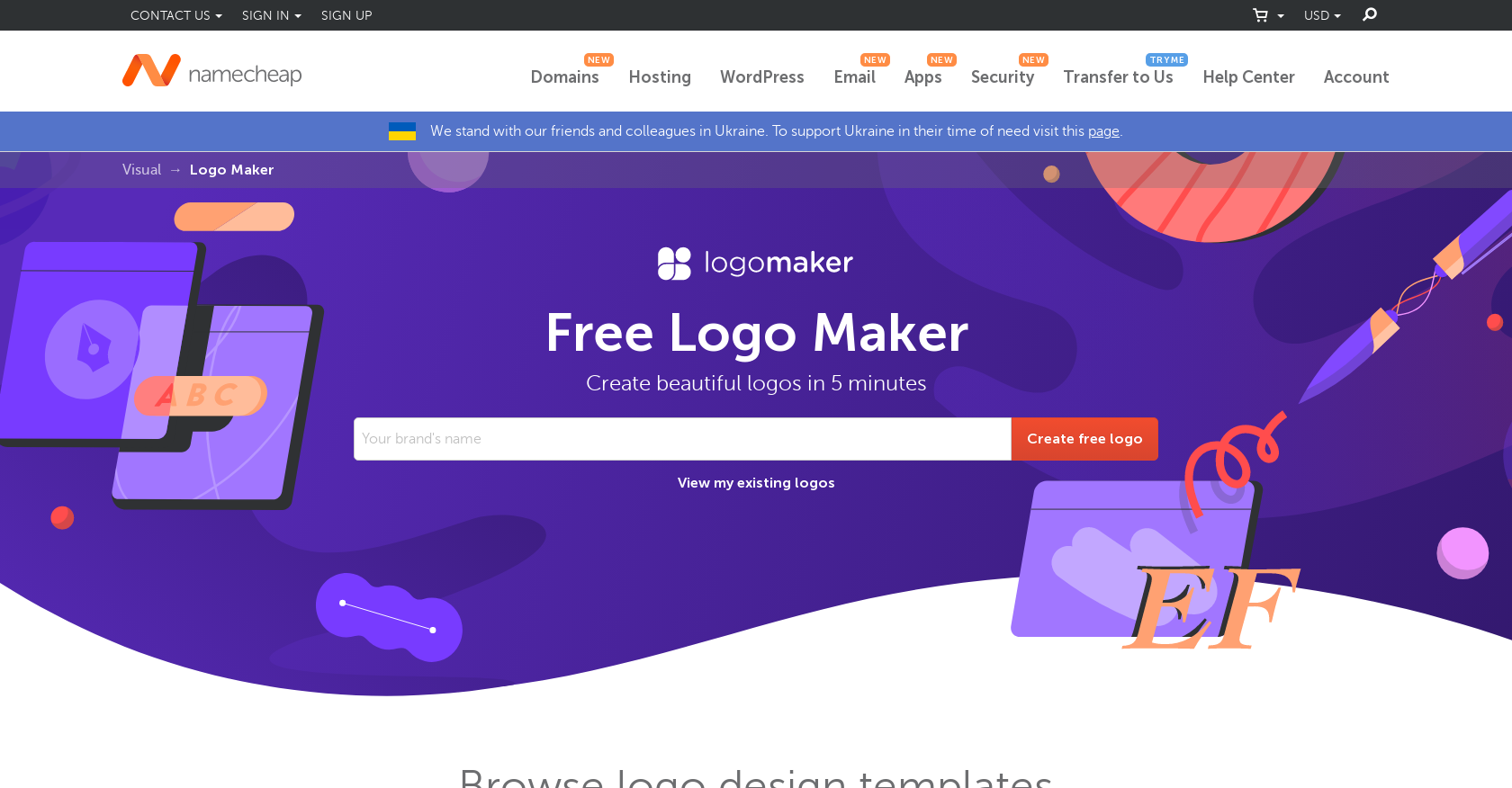
- Get a professionally designed logo without hiring a designer using the AI-driven design wizard that generates thousands of unique options
- Download print-ready logos in high-resolution PNG and SVG formats at no cost, maintaining quality across all mediums
- Create unlimited logos for multiple projects or businesses with complete freedom to experiment and refine your branding
- Customize every element of your design with full control over fonts, icons, and color schemes to match your brand identity
- Access industry-specific logo templates spanning gaming, real estate, restaurants, and more for immediate inspiration
- Share your finished logos directly to social media or colleagues using quick links that work across all devices
Pros & Cons
Pros
- Free logo creation
- High-resolution logos
- High-quality logos
- Fully customizable logos
- User-friendly design wizard
- Professionally designed logo library
- Unlimited free logos
- PNG and SVG downloads
- No additional costs
- Easily import into Site Maker & Card Maker
- Creates logos suitable for business cards
- Works on all devices
- Offers quick links for social media sharing
- Real-time logo showcase on t-shirts, business cards
- Provides variety of logo sizes
- Allows unlimited logo creations
- Allows logo edits and saves
- Part of Namecheap Visual Suite
- Logo preview before download
Cons
- Requires account to download logos
- No assist for copyrighting
- Logo ownership might be unclear
- Unable to incorporate complicated designs
- Potentially similar logos produced
- Limited to available icons
Reviews
Rate this tool
Loading reviews...
❓ Frequently Asked Questions
Namecheap Logo Maker is a free online tool that helps users to design custom logos for businesses and websites. It provides an easy-to-use platform for creating high-resolution, high-quality and fully customizable logos.
Key features of Namecheap Logo Maker include a user-friendly design wizard, a library of professionally designed logos, and the option to create unlimited free logos. It also offers AI-driven infinite logo combinations, allowing users to customize fonts, icons, and color schemes. High-resolution, high-quality logos can be downloaded in both PNGs and SVGs in all colors and layouts at no extra cost.
You can customize your logo on Namecheap Logo Maker by choosing your preferred font, icon, and color scheme. You can also input your design preferences and let the AI generate unique logo designs. Once the designs are generated, you can choose your favorites and make any necessary edits before finalizing your logo.
Namecheap Logo Maker allows you to create a wide variety of logos tailored to your specific needs. It can be used to craft logos for different industries, including gaming, art, industrial, blogging, personal branding, real estate, education, and restaurant.
Yes, Namecheap Logo Maker offers AI-driven features. Its AI-driven design wizard generates thousands of unique logo designs based on users' selected styles and preferences. Furthermore, it offers AI-driven infinite logo combinations, allowing users to come up with logos that meet their specific needs.
Logos created on Namecheap Logo Maker can be downloaded in two formats: PNGs and SVGs. These formats ensure that your logos maintain their high resolution and quality in different mediums.
No, Namecheap Logo Maker does not charge for downloading logos. Users can download their logos in all colors and layouts for free, without any additional or hidden costs.
Namecheap Logo Maker ensures high-resolution and high-quality logos by generating designs that maintain their quality and clarity in different mediums. Users can download their logos in PNGs and SVGs format, both of which are known for their excellent quality and resolution.
Yes, Namecheap Logo Maker can be used for any specific types of businesses or websites. It can generate logos for different industries, including gaming, art, industrial, blogging, personal branding, real estate, education, and restaurants.
Yes, Namecheap Logo Maker is universally accessible and works on all devices and operating systems. So, you can create, view, and download your logos using any device compatible with internet browsing.
You can sign up for Namecheap Logo Maker by creating an account on the Namecheap website. If you do not have an account, you can sign up for a free account on their website.
No, there are no additional or hidden costs involved in using Namecheap Logo Maker. It offers free access to logo creation features, free downloading of logos, and even allows users to create unlimited free logos.
Yes, you can adjust the color scheme of your logo in Namecheap Logo Maker. Users have the flexibility to choose their preferred color scheme during the creation of their logo, which is then reflected in the generated logos.
Namecheap Logo Maker provides help support via a dedicated support team. They offer 24/7 customer support, known for being knowledgeable, friendly, and professional. Users can get assistance anytime through live chat, help center, and other support channels.
Namecheap Logo Maker's design wizard is very user-friendly. It provides a guided process for logo creation, allowing users to easily select styles, input design preferences, and generate unique logos. It also allows for easy customization and editing of the generated logos.
Yes, you can view your saved logos on Namecheap Logo Maker. Once signed in to your Namecheap account, you can click on the 'View my existing logos' link at the top of the main Logo Maker page. From there, you will be able to navigate to all of your saved logos.
Yes, Namecheap Logo Maker provides a library of professionally designed logos that can serve as inspiration for users. These ready-made logos span various industries, offering a wide range of design ideas for users to spark their creativity.
Creating a custom logo design on Namecheap Logo Maker involves selecting a variety of fonts, icons and color schemes, inputting your design preferences for the AI to generate unique designs, browsing through the different logos created for you, and downloading them directly to your device.
The AI-driven infinite logo combinations feature works by leveraging artificial intelligence to generate thousands of unique logo designs based on the user's selected styles and preferences. The AI tool employs advanced algorithms to combine different fonts, icons, and color schemes in an almost infinite number of ways, ensuring users get a uniquely tailored logo.
Yes, Namecheap Logo Maker allows users to share their designed logos on social media or with colleagues using quick links. The platform is designed to work seamlessly on all devices, enabling users to share their designs easily across various digital channels.
Pricing
Pricing model
Free
Paid options from
Free
Related Videos
Create a Free Logo in 5 Minutes with Namecheap Logo Maker | No Watermark, Perfect for your Brand
Umair Butt•130 views•Mar 13, 2025









