AI Image Upscaler
Overview
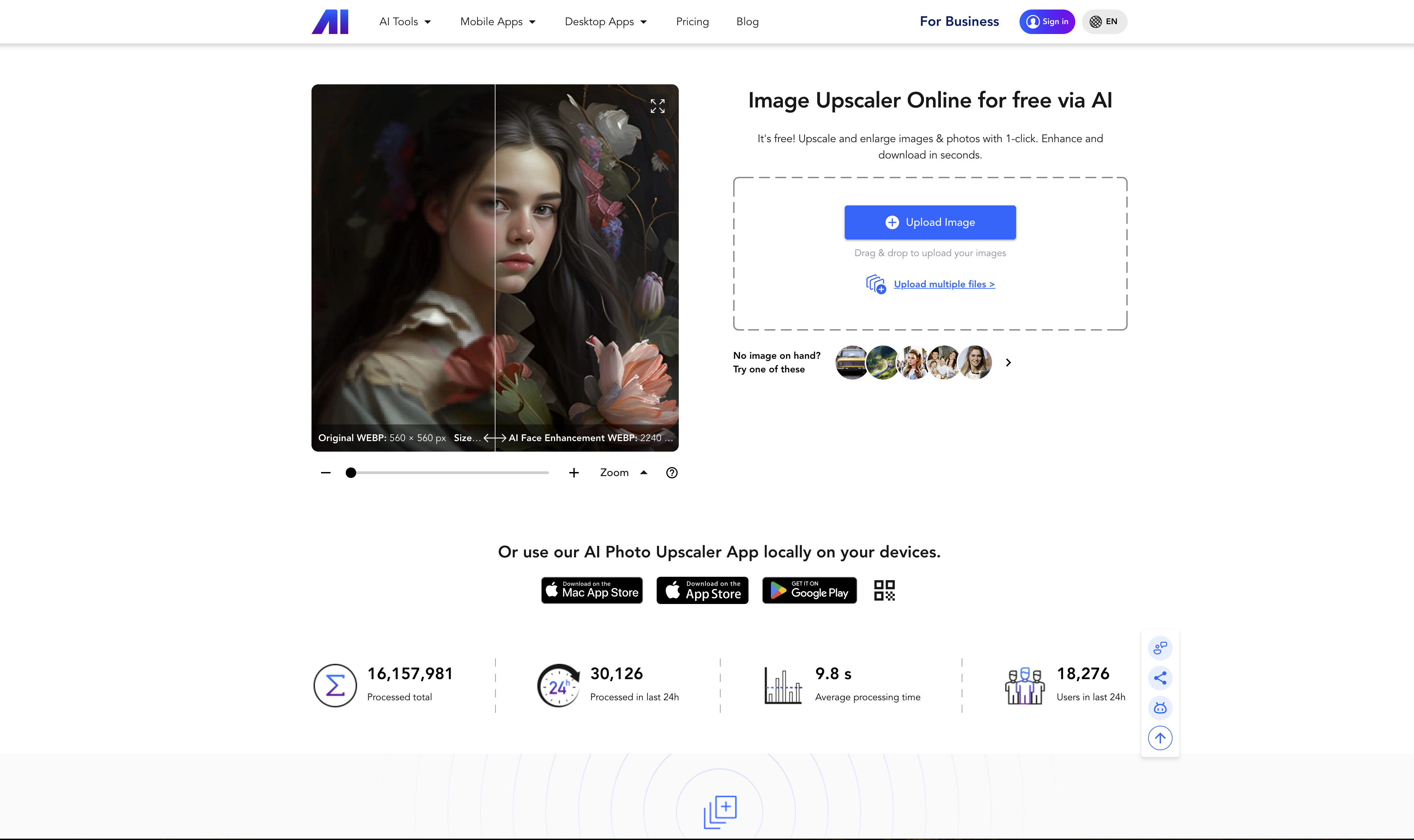
- Transform blurry product photos into high-resolution sales magnets using AI upscaling that adds realistic details
- Restore old photographs and remove compression artifacts with intelligent enhancement that works best on raw images
- Process multiple images simultaneously through batch processing to enhance entire photo collections in one click
- Create professional marketing materials without expensive software by turning screenshots into high-quality images
- Generate unique avatars and cartoonized photos using creative AI features beyond basic upscaling
- Remove backgrounds automatically from product images for e-commerce listings with transparent backgrounds
- Enhance AI-generated artwork from tools like Stable Diffusion and Midjourney while preserving original artistic details
- Animate static facial images with face animation technology for engaging social media content
Pros & Cons
Pros
- Free online tool
- Upscales image size
- Maintains high quality
- Deep convolutional neural network
- Massive training dataset
- Enhances raw images
- Removes JPEG noise
- Ideal for e-commerce
- Available on PC & mobile
- Image enhancement
- Photo restoration
- Image compression
- Noise reduction
- Batch processing
- Supports multiple image formats
- API integration
- Mobile compatible
- Desktop compatible
- Saves time
- Enhances clarity
- Adds detail to images
- Functions as a photo restorer
- Functions as a colorizer
- Functions as an image compressor
- Functions as a denoiser
- Functions as an organizer
- Creates avatars
- Cartoonizes photos
- Removes background
- Animates faces
- Upscales screenshots
- Eliminates need for expensive rendering software
- Attracts more customer attention
- Compatible with social media applications
- Ideal for poster and photo book printing
- Improves real estate marketing images
- Enhances digital art paintings
- Can upscale to 4K
- Turns images into high-resolution masterpieces
- Removes compression artifacts
- Sharpens images details
- Ideal for enhancing physical content
- Enlarges images for social media
- Easy handling
- Enables Face enhancement
- Enables Anime style upscaling
Cons
- Limited free uses
- No unlimited batch processing
- No explicit PSD support
- Best with raw images only
- Works better with sharp corners
- Limited noise reduction features
- Optimized for certain image content
- Credits driven access
- Restricted upscaling styles
Reviews
Rate this tool
Loading reviews...
❓ Frequently Asked Questions
Nero AI Image Upscaler is an artificial intelligence powered tool designed to upscale and enhance image size and resolution while maintaining high quality. It uses cutting-edge image super-resolution technology grounded in deep convolutional neural networks and has been trained on a huge dataset of images. It works best with raw images that haven't been previously enlarged or pixelated by any other software. Nero AI Image Upscaler can also remove JPEG noise (compression artifacts) if it detects an image with a .jpg or .jpeg extension. The tool is used to enhance e-commerce product photos, real estate marketing images, and digital art paintings. It is accessible on both PC and mobile devices.
The image upscaling feature of Nero AI Image Upscaler works using deep convolutional neural networks. These neural networks have been trained on a massive dataset of training images to recognize specific features in the images and to enhance those details based on general world knowledge. Importantly, this tool works best with raw images that have not been enlarged or pixelated by any other software. It also presents optimal outcomes with AI-generated images from sources like Dall-E, Craiyon, Stable Diffusion, Mid journey and other AI models.
Yes, Nero AI Image Upscaler enhances the quality of various image formats such as jpg, png, jpeg, webp, and bmp.
Nero AI Image Upscaler uses image super-resolution technology based on deep convolutional neural networks. This technology has been trained on a large dataset of images to recognize features and improve those details based on a general understanding of the world.
Yes, Nero AI Image Upscaler does support batch processing. This means users can upscale multiple images at the same time.
Yes, Nero AI Image Upscaler can be used on both mobile and desktop platforms. This makes it convenient for users as they can access the full AI power anywhere, anytime, on their devices.
Yes, Nero AI Image Upscaler does offer an API. This allows businesses and developers to integrate the upscaling technology into their own systems or applications.
Yes, Nero AI Image Upscaler can be used for photograph restoration. It helps to improve the clarity and detail of old or low-quality photos.
Some of the creative features of Nero AI Image Upscaler include a photo restorer, colorizer, image compressor, denoiser, and organizer. It can also generate avatars, cartoonize photos, remove backgrounds, and animate faces.
Yes, Nero AI Image Upscaler can remove the background from images. This feature is especially useful for e-commerce sellers who need product images with different or transparent backgrounds.
Nero AI Image Upscaler aids e-commerce sellers by enhancing product photos. With this tool, they can upscale and improve the quality of their product images, making them more attractive to customers. Clear, high-resolution images can significantly improve product visibility and potentially increase sales.
Yes, Nero AI Image Upscaler can turn screenshots into upscaled images. This eliminates the need for expensive rendering software, saving both time and resources.
Definitely, students and meme creators can readily leverage Nero AI Image Upscaler. Students can use the tool to enhance images for project presentations, while meme creators can upscale their images to ensure they remain high quality even when shared and resized across different digital platforms.
Yes, Nero AI Image Upscaler facilitates creating high-quality photo books and posters. Using this tool, users are able to increase the quality and clarity of their images, thereby enhancing the overall appearance of their photo books and posters.
Yes, Nero AI Image Upscaler does remove JPEG noise or compression artifacts if it detects an image with a .jpg or .jpeg extension.
Yes, Nero AI Image Upscaler can be used to generate avatars. This feature creates unique AI-driven avatars based on user inputs.
Yes, there is a mobile app available for Nero AI Image Upscaler. The app, known as Nero Lens, can be downloaded on Apple and Android devices.
Yes, Nero AI Image Upscaler can cartoonize photos. This feature transforms traditional photos into cartoon-style images while retaining the original details and quality.
Yes, Nero AI Image Upscaler can handle face animation. This supports the creation of animated expressions using AI from static facial images.
Nero AI Image Upscaler can enhance real estate marketing by generating sharper and more detailed property photos. High-quality images can attract potential buyers and increase sales.
Pricing
Pricing model
Freemium
Paid options from
Free tier available
Billing frequency
Monthly
Related Videos
How to Set Upscale Options | Nero AI Image Upscaler Tutorial
Nero Software•606 views•Dec 13, 2023