Overview
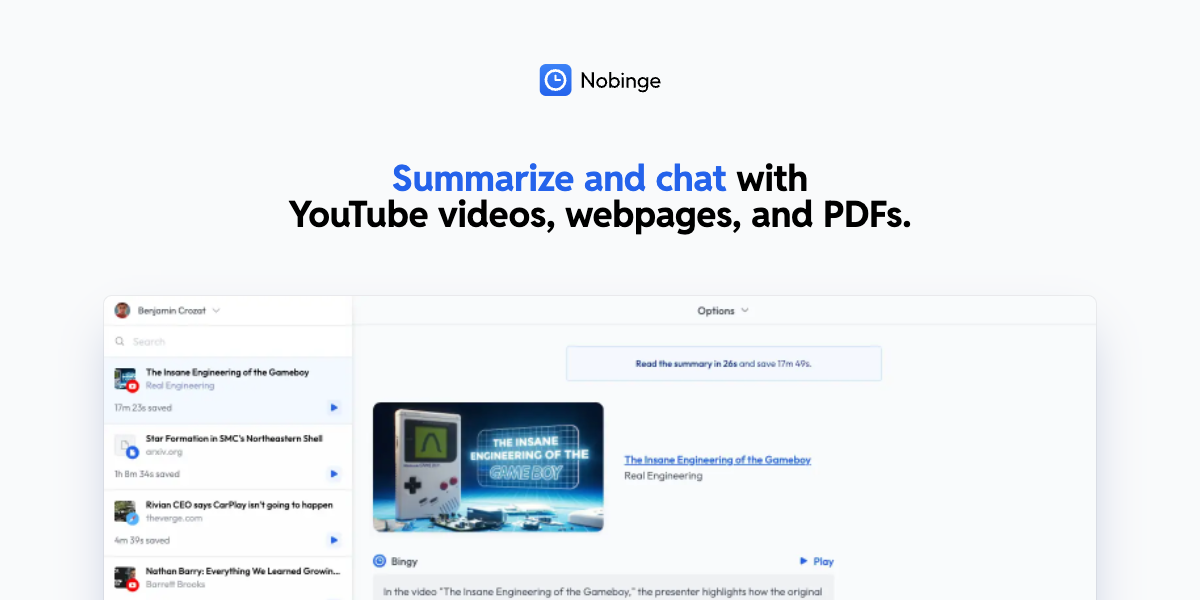
- Skip lengthy videos and ads entirely by reading concise AI summaries generated from any YouTube video transcript
- Save significant mobile data by reading text transcripts instead of streaming video, enabled by Nobinge's low-data processing
- Learn or research complex topics faster with downloadable transcripts you can review offline at your own pace
- Get accurate summaries in multiple languages including English, French, and Spanish, using advanced AI like ChatGPT
- Process videos of any length without restrictions, from short clips to hour-long lectures or documentaries
- Test different AI models for summarization to find the one that best matches your specific needs and preferences
Pros & Cons
Pros
- Free tool
- Generates transcripts
- Time-saving
- Enhances learning efficiency
- Reduces data usage
- Offline use support
- Lengthy video support
- Multilingual transcription
- Direct transcript copy
- Transcript download option
- Summary provided by like ChatGPT
- YouTube URL input
- No known transcript length limit
- Summary in user's language
- No prompt limit in summarizing
- Prompts from Large Language Models
- Integration with Google Gemini
- Integration with Microsoft Copilot
Cons
- Limited to YouTube videos
- Dependent on video subtitles
- Doesn't support large summaries
- Requires manual URL input
- No support for audio files
- No direct integration with YouTube
- Potential language translation errors
- No API for developers
Reviews
Rate this tool
Loading reviews...
❓ Frequently Asked Questions
Nobinge is a free tool that provides users with text transcripts of any YouTube video that supports subtitles. It aims to improve learning efficiency, reduce internet data usage, and save time. Nobinge also uses AI summarizers to provide concise summaries of the video content.
Nobinge generates YouTube video transcripts by allowing users to paste the URL of the desired YouTube video into its system. The system then processes the video and generates the transcript accordingly.
Yes, Nobinge is capable of generating transcripts for lengthy YouTube videos. There are no known limitations to the length of the videos.
Nobinge primarily uses the ChatGPT AI summarizer, although users are free to test other Large Language Models for their needs.
At this time, Google Gemini and Microsoft Copilot do not support large prompts for summarizing, so they may not be suitable for use with Nobinge.
There might be difficulties using AI summarizers like Gemini or Copilot because they currently do not support large prompts for summarizing. This might change with future updates.
Nobinge enhances learning efficiency by providing users with a written transcript of the video, which can be easier and faster to consume than the original video. Furthermore, Nobinge also offers summarization of the transcripts, further condensing the information.
Yes, users can easily download the transcripts generated by Nobinge for offline use.
Nobinge supports multiple languages for subtitles, including but not limited to, English, French, German, Italian, Japanese, and Spanish.
Yes, Nobinge is 100% free for users. It does not require any payment or subscription.
To get started with Nobinge, simply navigate to the home page, paste the URL of the YouTube video you wish to transcribe into the text field, and click 'Generate transcript and summarize'.
Nobinge can reduce internet data usage by providing text transcripts of videos. Reading a text transcript consumes significantly less data compared to streaming a video.
Yes, you can use Nobinge for offline learning. You can download the transcripts generated for offline use.
The AI summarizers used by Nobinge, such as ChatGPT, are continuously being updated. However, the frequency and extent of these updates depend on their developers.
To get a transcript of a video using Nobinge, users need to paste the URL of the desired YouTube video into Nobinge's system. The system will then generate the transcript.
Yes, Nobinge can use AI summarizers like ChatGPT to provide a summarized version of a video instead of the full transcript.
Users choose Nobinge over other transcript generators for several reasons: it's free, capable of processing lengthy videos, provides summaries using AI, supports multiple languages, and also allows for transcript downloads.
Yes, Nobinge can generate transcripts in multiple languages, including English, French, German, Italian, Japanese, and Spanish.
Yes, to get a transcript with Nobinge, users need to manually enter the YouTube video URL.
Yes, users have the freedom to test Large Language Models beyond ChatGPT with Nobinge.
Pricing
Pricing model
Paid
Paid options from
$8/month
Billing frequency
Monthly