Overview
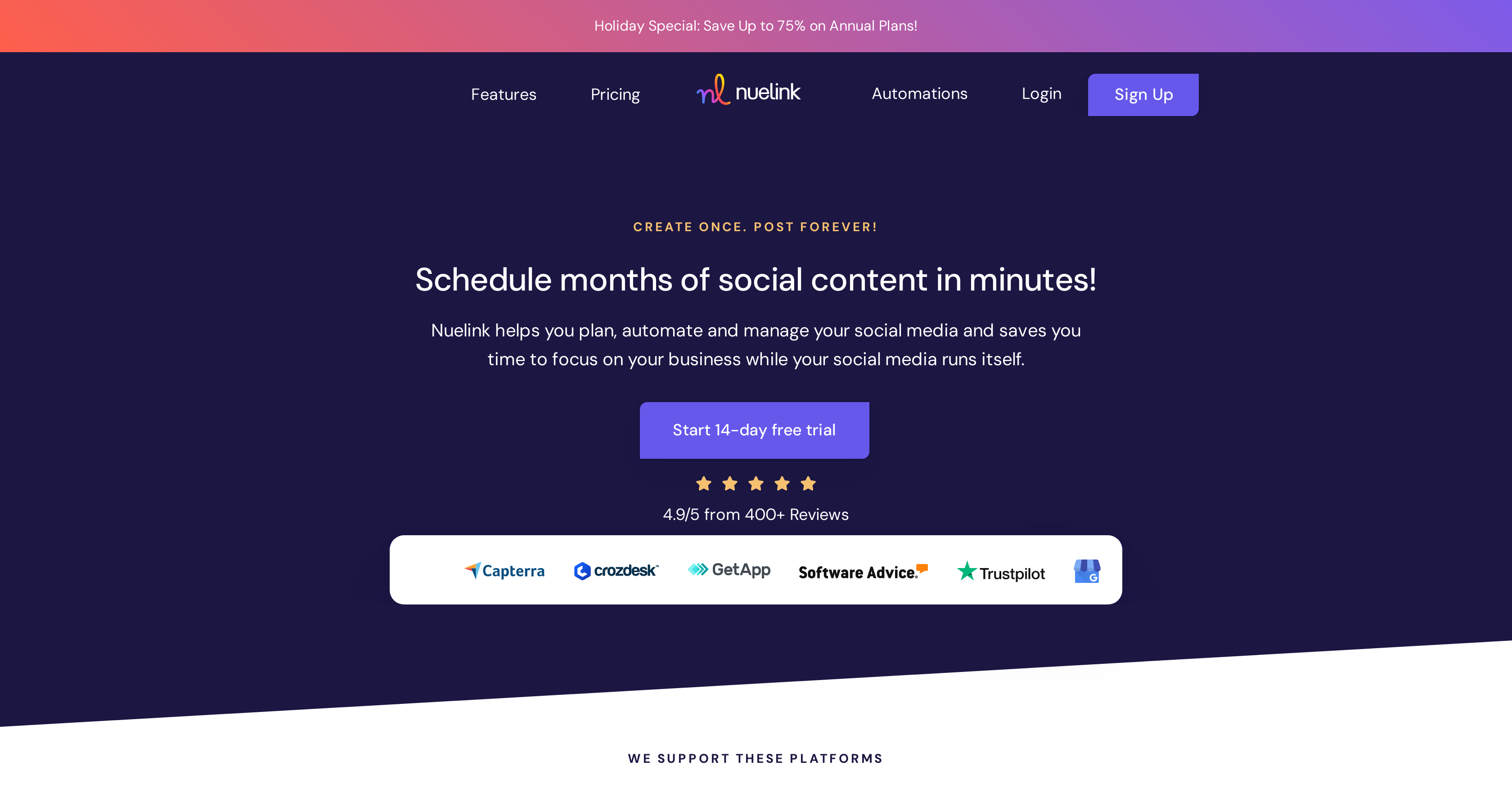
- Maintain consistent social media presence without daily effort using automated scheduling across all major platforms
- Recycle high-performing content automatically from your blog, eCommerce store, or YouTube channel to maximize value from existing assets
- Eliminate content creation blocks with ready-to-use posts from an extensive library of memes, quotes, and videos
- Optimize posting strategy with performance analytics that show which content drives the most engagement
- Scale social media management across multiple brands and team members with customizable plan capacities
- Precisely control posting times by setting specific days and hours for each content collection to reach your audience when they're most active
Pros & Cons
Pros
- Multi-platform compatibility
- Social media scheduling
- Automates post management
- Content library access
- Post collection organization
- Detailed analytics
- Optimizes content strategies
- Services cater to various business sizes
- Scalability with defined plans
- Supports different content formats
- Content recycling feature
- Automatically imports blog, eCommerce, YouTube content
- Facilitates weekly posting schedules
- Good reviews
- Manage multiple brands
- Manage multiple members
- Automate cross-posting
- Automated content importing
- Integration with various social platforms
- Varying capacity for social channels per plan
- Auto retweet feature
- Track post history
- Check engagements
- Auto-import from IFTTT
- Automate from Pabbly
- Automate from Zapier
- Blogs import
- Products import
- Podcast episodes import
- YouTube videos import
- Social post creation ability
- Bulk content import
- Allows unlimited posts in queue
- Automated systems
- User-friendly platform
- Convenient payment options
- Responsive customer support
- Fast feature updates
- Import via RSS feeds
- Newsletter import from Substack
- Blog Import from Wordpress
- Offers agency-level plans
- Highly rated by users
- Built-in automations
- Link shortening feature
- Bulk scheduling from CSV files
Cons
- No free version
- Limited channels on basic plan
- Limited automations
- Limited collections
- Post queue capacity limit
- No standalone mobile application
- Complex for beginner users
- Limited member access on basic
- Limited brand access on basic
- Premium features locked behind paywall
Reviews
Rate this tool
Loading reviews...
❓ Frequently Asked Questions
Nuelink supports a range of popular social media platforms including Facebook, Instagram, Twitter, LinkedIn, Google My Business, and Pinterest.
Yes, Nuelink offers content recycling features. Users can automatically import, share, and recycle social media content from different sources.
Yes, Nuelink can automatically import content from blogs, eCommerce stores, podcasts and even YouTube channels. This feature enables user to easily share and recycle a wide variety of content on their social media platforms.
Nuelink helps in scheduling post through its scheduling feature which allows users to set up weekly posting schedules for each collection by defining specific days and times of the week.
Collections in Nuelink are groups or folders of social media posts. These collections can include varied type of content - articles, tweets, memes, videos and more. Users can add social posts to these collections either manually or through the numerous automations Nuelink provides.
Yes, Nuelink provides detailed analytics on social media performance, posts history, and engagements. With daily, weekly, and monthly growth reports, Nuelink helps users understand what's working best for their business.
Yes, depending on the plan chosen, Nuelink can manage multiple brands and members. This feature allows it to cater to the needs of larger companies and startups alike.
Nuelink's content library is an extensive compilation of ready-to-use social posts in various formats and categories. Users can select and add content directly from this library to their social media platforms.
Users can easily set up posting schedules for each collection in Nuelink. By using the scheduling feature, users can specify the day(s) and time(s) of the week when each collection should be posted. This allows for a regulated and managed flow of content on their social media platforms.
The post management process in Nuelink can be both automated and manual. Although the tool provides convenient automation facilities, users also have the flexibility to manually add posts depending on their requirements.
Yes, Nuelink supports multichannel publishing. It works with numerous social media platforms including Facebook, Instagram, Twitter, LinkedIn, Google My Business, and Pinterest, enabling users to spread their content across a wide range of channels.
Nuelink caters to a diverse range of clients. It's suitable for entrepreneurs, startups and even larger companies. The ease of use and diverse features make it a versatile tool that can adapt to different needs.
In Nuelink, the maximum capacity for social channels, automations, collections, and queued posts varies depending on the plan chosen. In the top-tier Agency-Plus plan, It supports up to 600 brands, 60 members, 600 social channels, 600 automations, 600 collections, and offers unlimited posts in queue.
Nuelink greatly aids in digital marketing by making social media content planning, automation, and management easier and more efficient. It frees up time for users to focus on other key aspects of their business, making for efficient time management.
Yes, Nuelink offers different plans with varying capacities. It has a range of options from the Standard to Agency-Plus, each offering different capacities for the number of Brands, Members, Social Channels, Automations, Collections and queued posts that can be handled.
Nuelink's content library contains social posts in diverse formats. These can be anything from memes to quotes to videos, providing users with a varied range of content options to pick from.
With Nuelink, users can optimize their content creation and posting strategies with the help of analytics on social media performance, post history, and engagements. This empowers users to assess and improve their current strategies for enhanced performance.
Yes, Nuelink can be integrated with numerous eCommerce stores, enabling users to automatically import and share products and other relevant content. This includes popular platforms like Shopify, WooCommerce, and more.
Yes, with Nuelink, users can set up their weekly schedule, defining specific days and times of the week for each collection to be posted. This offers precise control over when the content should go live on the social media platforms.
To automate post scheduling in Nuelink, users need to organize their posts into collections, set up a schedule for each collection specifying the day and time for posting and then set up the desired automations. Nuelink's process makes scheduling smooth and efficient.
Pricing
Pricing model
Free Trial
Paid options from
$15/month
Billing frequency
Monthly
Related Videos
Nuelink - Schedule Months of Social Content in Minutes and Automate the Rest Forever
Nuelink•191 views•Feb 6, 2024