
OpenClaw OS
Overview
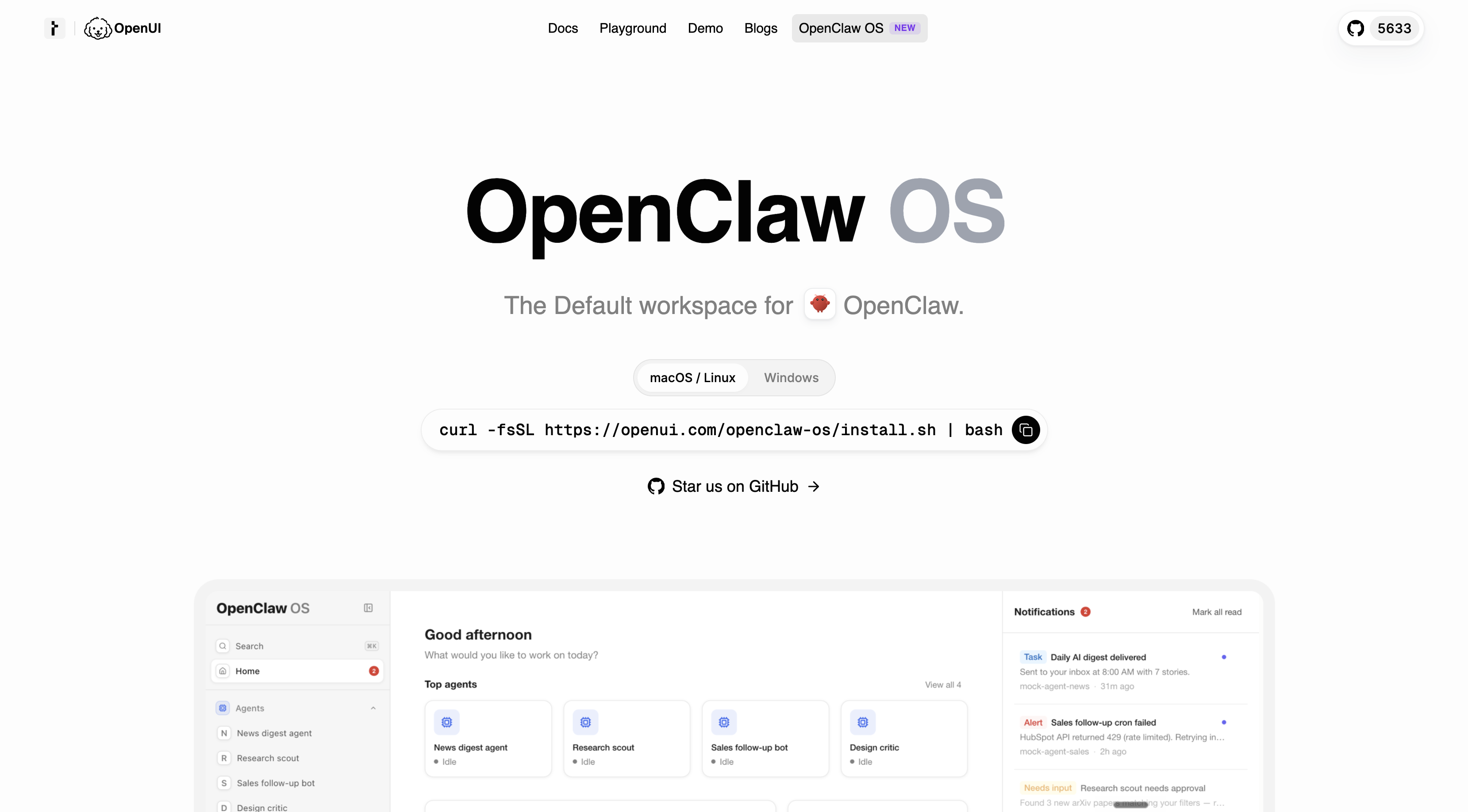
- Instantly turn any use case into a live, fully operational app for tracking sales, social media, sprint progress, or stock market trends with current data.
- Maintain consistent data accuracy across all apps by automatically updating them with live information in real time.
- Control permissions, schedules, and execution for every agent and app from a single interface, eliminating the need to juggle multiple tools.
- See exactly what your agent is doing with full visibility into tool calls, context, and actions as they happen.
- Stay informed immediately with live cron job notifications that alert you to important events without manual checks.
- Manage agents, sessions, artifacts, and apps in a highly organized workspace designed for clarity and efficiency.
- Work with an elegant, responsive interface that adapts to your desktop environment for a clear, distraction-free experience.
Pros & Cons
Pros
- Generates interactive apps instantly
- Tracks and monitors activities
- Real-time insights into tools
- Single interface control
- Live cron jobs notifications
- User-friendly interface
- Compatible with macOS/Linux
- Organized workspace for agents
- Social media tracking capabilities
- Sales and sprint progress tracking
- Real-time execution capabilities
- Direct control over permissions
- Schedule management capabilities
- Easy software installation
- Current data for application consistency
- Visual appeal and clarity
- Creates apps for various uses
- Offers fully operational instant applications
- Designed for Broad range of use
- GUI Generated Apps
- Generative UI capabilities
- Apps auto-refresh with live data
- Workspace houses agents, sessions, artifacts
- Provides full visibility and control
- Elegant responsive layouts and themes
- Cron jobs notifications
- Real-time agent actions inspection
- One interface for permissions, schedules, execution
- Structure, visibility versus chat services
- Setup in under a minute
- Automatic monitoring and updating
- Project management features
- Insights into tool calls
- Apps for stock market tracking
- Ability to observe social media
- Designed for swift and convenient use
- Persistent apps with live data
- Quick application transformation
- Sophisticated visual appeal
- Flexible workspace operation
- Versatile artifact management
- Fully operational application generation
- Automatic live data updates
Cons
- No Windows compatibility
- Overwhelming for beginners
- No mobile version
- Over-reliance on live data
- Notifications only for cron jobs
- Undefined artifact management
- No offline operation
- No custom themes
- Single interface control
- No third-party integration
Reviews
Rate this tool
Loading reviews...
❓ Frequently Asked Questions
OpenClaw OS is an application workspace dedicated to the operation and management of OpenClaw agent. It allows you to swiftly and conveniently create interactive applications and tools for a wide range of uses, maintaining them with live data for consistent accuracy.
OpenClaw OS's unique aspects include offering a structured workspace for managing agents, sessions, artifacts, and apps, the visible realtime actions of the agent and tool calls, direct user control over permissions, schedules, and execution, and offering live notifications.
With OpenClaw OS, you can generate a variety of apps designed for monitoring various scenarios including, but not limited to, company sales, sprint progresses, social media activities, and stock market trends.
OpenClaw OS manages data by maintaining applications consistently with live data for accuracy. It controls the permissions, schedules, and execution to handle the data effectively.
Yes, OpenClaw OS can be used to observe social media. An application can be swiftly generated for that specific purpose.
OpenClaw OS tracks market trends through specialized apps that can be instantly created. These apps use live data to consistently update and provide real-time information on market trends.
The OpenClaw OS interface is elegant with responsive layouts and themes for clarity and visual appeal. It is designed for clarity and provides insights into tool calls, context, and agent actions in real-time.
Yes, OpenClaw OS offers real-time insights. It gives full visibility into tool calls, context, and agent actions allowing users to glean insights as events unfold.
OpenClaw OS is compatible with both macOS and Linux operating systems.
OpenClaw OS provides users with direct control allowing for the handling of permissions, schedules, and execution from a singular interface.
OpenClaw OS manages schedules by providing direct control to users. Users can set and manage schedules from a singular interface.
Yes, OpenClaw OS does have alert and notification features. It offers live notifications, keeping users promptly informed with cron jobs notifications.
OpenClaw OS maintains the accuracy of data in applications by consistently updating them with live data obtained in real-time.
Yes, OpenClaw OS allows you to manage user permissions from a singular interface.
OpenClaw OS has been designed for easy installation. A simple bash command run in the terminal is sufficient to install OpenClaw OS on macOS and Linux.
Yes, OpenClaw OS can help track your company's sales. You can create a dedicated app for monitoring sales, which is automatically updated with live data for consistent accuracy.
Yes, OpenClaw OS supports real-time execution. It gives users insights into tool calls, context, and agent actions in real time.
Yes, a specific app can be instantly created in OpenClaw OS to monitor the progress of sprints.
OpenClaw OS workspace is highly organized where various applications related to different domains such as social media observation, company sales, sprint progress, and market trend analysis can be effectively managed.
Yes, OpenClaw OS can be used for project management. You can create an interactive application to cater to your project management needs that will be consistently updated with live data.
Pricing
Pricing model
No Pricing