
PlayPlay
Overview
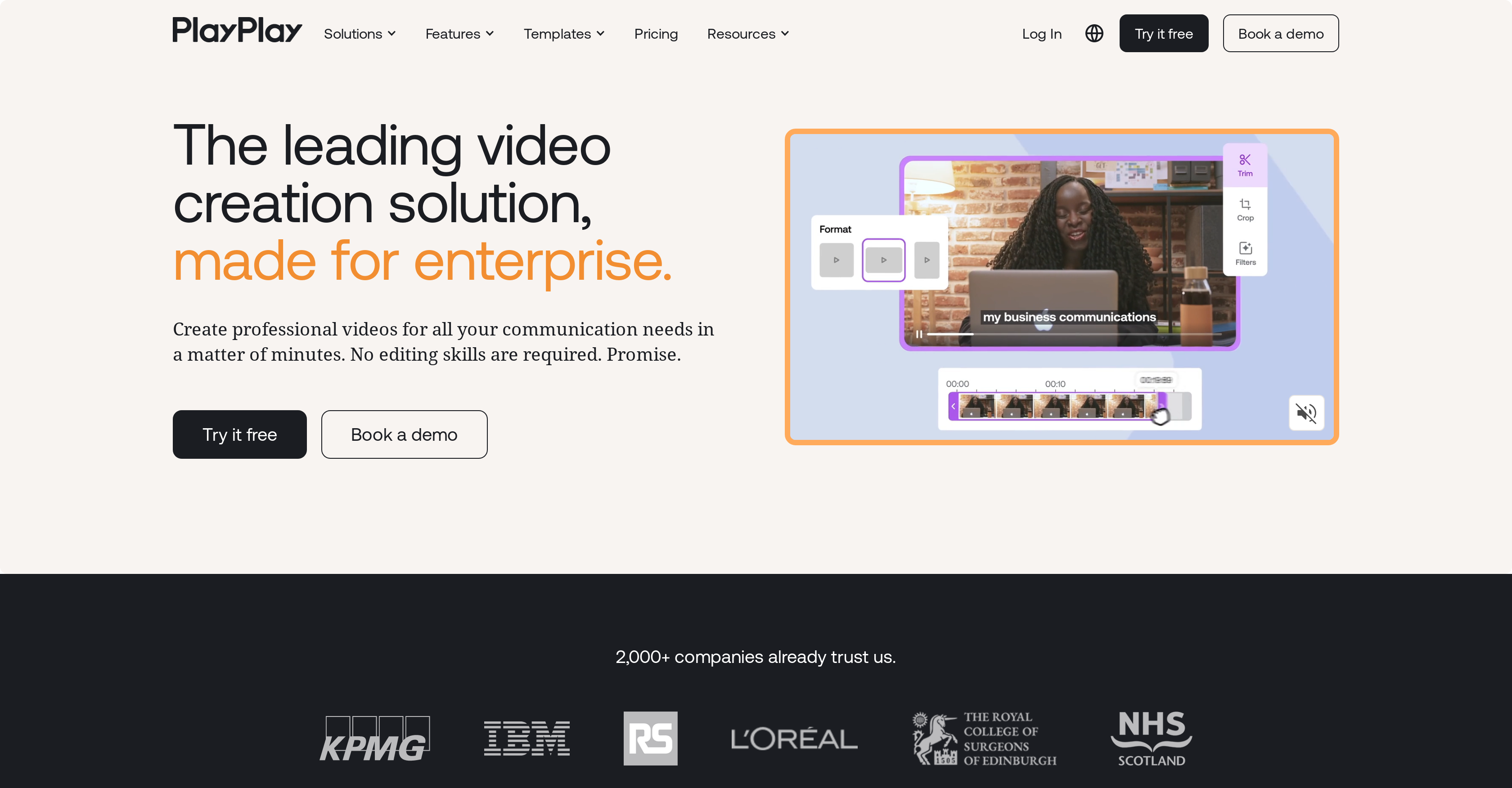
- Launch professional videos in minutes without editing experience using the drag-and-drop interface and AI video creation
- Engage your audience with perfectly formatted content for TikTok, LinkedIn, and other platforms using platform-specific templates
- Ensure your message is heard with automatic subtitle generation that makes videos accessible and effective
- Maintain brand consistency across teams with editable templates and layout suggestions that guide professional design
- Streamline organizational collaboration through built-in feedback sharing and user authorization tools
- Access premium stock library content for promotional videos, tutorials, and corporate communications
- Produce polished podcast and tutorial videos with integrated voice-over options and automatic formatting
Pros & Cons
Pros
- No video editing skills required
- Suitable for various roles
- Handles diverse video types
- Editable templates
- Automatic subtitles
- Voice-over options
- Variety of use-cases
- User-friendly interface
- Drag-and-drop layout
- Comes with premium stock library
- Facilitates collaboration
- Feedback sharing feature
- User authorization for collaboration
- 7-day free trial
- Diverse template options
- Allows app promotion videos
- Suitable for large organizations
- Speedy video generation
- Brand customization
- Pre-made video templates
- Supports marketing and communication
- Allows internal and external communication
- Supports HR videos
- Automatic video branding
- Enhances modern communication
- Efficient content generation
- High-quality video output
- Quick social media content
- Supports industrialized video production
- Customizable fonts and colors
- Integrates media, logos, icons
- Allows sharing project feedback
- Supports recruiting videos
- Allows creating corporate videos
- Supports marketing videos
- Convenient for corporate communications
- Good for internal communications
- Ideal for content marketing
- Offers video compilations
- Comprehensive guide and templates
- Supports audio trimming
- Supports text animation
- Efficient video trimmer
- User-friendly video editor
- Suitable for social media videos
- Supports event video templates
- Helpful video idea machine
- Reliable for HR & People
- How-to and tutorial videos
- Modern, dynamic video creation
Cons
- No offline mode
- Limited template customization
- No advanced editing tools
- No 3D video creation
- Limited voice-over options
- No multi-language support
- May be expensive for startups
- No mobile app
- Limited premium stock library
- No dedicated customer service
Reviews
Rate this tool
Loading reviews...
❓ Frequently Asked Questions
PlayPlay supports a variety of video types. This includes product videos, TikTok videos, LinkedIn videos, tutorial videos, podcast videos, advertising videos, and recruitment videos.
Yes, PlayPlay can automatically generate subtitles for the videos created using the platform.
PlayPlay features editable templates that users can utilize to create their videos. This feature enables users to customize videos based on their needs and preferences.
Yes, users can utilize PlayPlay to create videos for TikTok along with several other platforms like LinkedIn, advertising, podcast, product, and recruitment videos.
PlayPlay can be utilized for diverse use-cases, including social media marketing, internal communication, human resources, news, contests, tutorials, app promotions, and significantly more.
PlayPlay's AI video creation feature enables users to create seamless videos without requiring any prior editing skills. However, specifics on how the AI works are not provided on their website.
Yes, PlayPlay supports collaborative work within large organizations. It provides communication tools that aid in sharing feedback and granting user authorizations.
PlayPlay can be utilized for various roles including social media marketing, corporate communications, internal communications, employer branding, and content marketing.
Yes, PlayPlay comes with a premium stock library that can be used for creating videos for various promotional purposes.
Yes, PlayPlay offers voice-over options that users can utilize when creating their videos.
Absolutely, users can use PlayPlay to create professional videos without requiring any prior video editing skills.
Yes, PlayPlay offers a 7-day free trial period for new users to experience the platform and its features.
Yes, PlayPlay supports the creation of podcast videos, offering features such as automatic subtitles and editable templates.
PlayPlay offers various features and templates designed for social media marketing. Users can create videos for social media marketing, contests, app promotions, and much more using PlayPlay.
PlayPlay makes it easy to provide feedback through its user authentication and communication tools. However, specific details about the feedback process are not provided on their website.
PlayPlay's user-friendly interface with drag-and-drop and layout suggestion features make the process of creating tutorial videos much easier and straightforward.
Yes, PlayPlay is often utilized for internal communications within organizations, allowing clear and engaging visual communication among teams.
The user-friendly features of PlayPlay include a drag-and-drop interface, layout suggestions, automatic subtitling, and a premium stock library.
Absolutely, PlayPlay is commonly used for corporate communications. It offers features such as editable templates, automatic subtitles, and other tools that make corporate communication more effective and engaging.
Yes, PlayPlay provides layout suggestions that guide users in creating aesthetically pleasing and professional videos.
Pricing
Pricing model
Free Trial
Paid options from
Free Trial
Billing frequency
One-time
Related Videos
Elevate your videos with dynamic elements, now on PlayPlay
PlayPlay•529 views•Feb 24, 2023