PosterMyWall
Overview
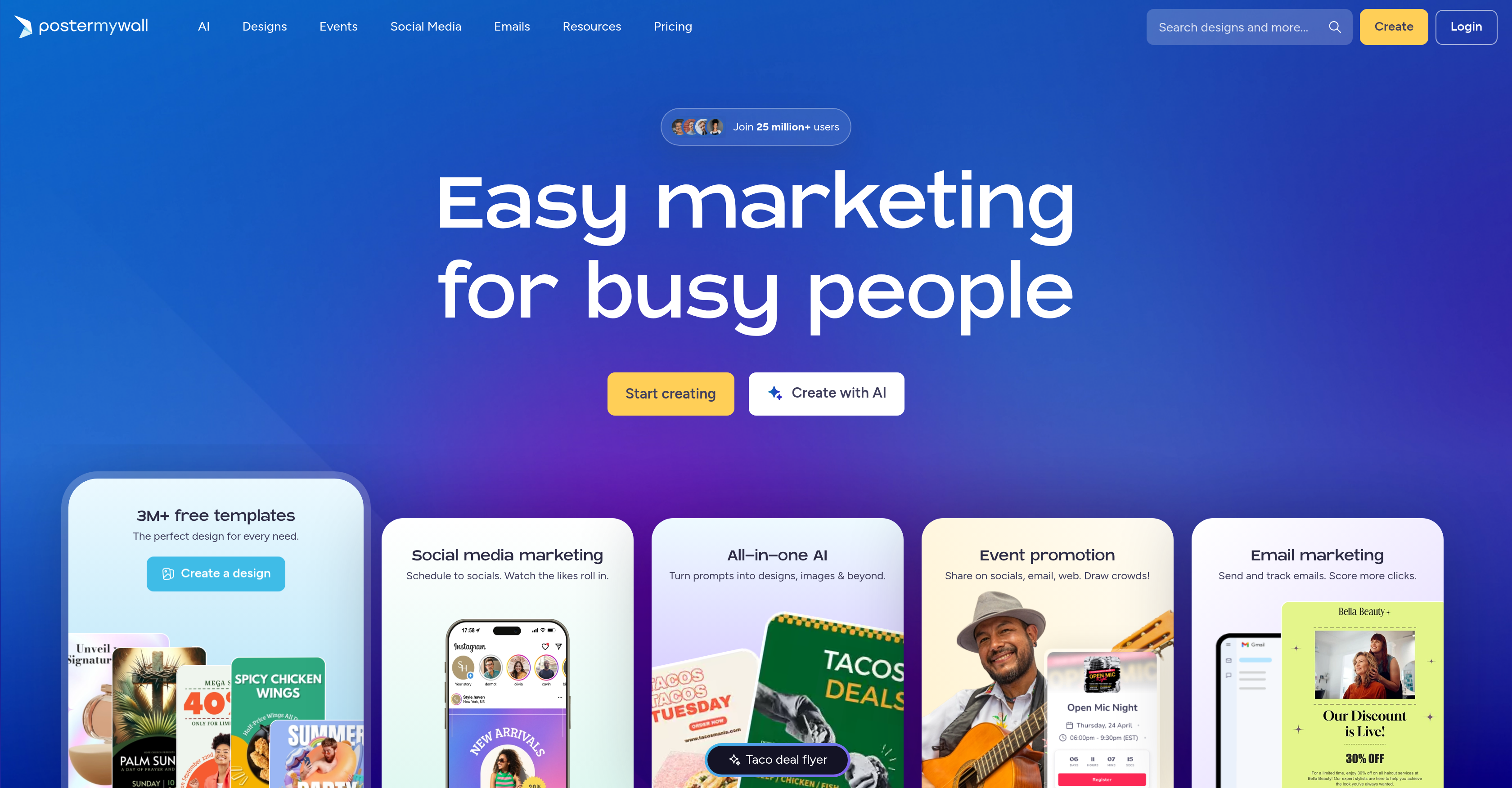
- Launch professional flyers, banners, and logos in seconds by describing your vision to AI-powered design tools that eliminate the need for any design experience.
- Remove image and video backgrounds instantly with a single click, letting you refocus attention on your subject and layer in custom backgrounds for polished, brand-consistent visuals.
- Generate high-quality voiceovers and custom images from simple prompts, enabling you to produce rich multimedia content without hiring voice actors or graphic designers.
- Schedule and publish social media posts across platforms from a single calendar, ensuring consistent online presence without daily manual effort.
- Automatically generate engaging captions and email copy with AI writing assistance, overcoming writer's block and maintaining audience engagement across all channels.
- Create and manage event pages with one-click promotion and real-time RSVP tracking, simplifying attendee coordination and boosting event visibility.
- Redesign email templates by describing the desired changes to AI, producing visually appealing campaigns that drive higher open and click-through rates.
- Produce industry-specific digital signage and animations tailored for retail, restaurants, or nonprofits, attracting customers with dynamic, on-brand displays.
- Edit videos—including cropping, trimming, and background removal—directly within the platform, streamlining video production for marketing campaigns.
- Access a library of customizable templates, themes, and sizes for any industry, accelerating content creation while maintaining brand consistency.
Pros & Cons
Pros
- Background Remover
- Voice and Image enhancements
- Metadata-driven prompts
- Adaptable themes, sizes, styles
- Video editing tools
- Digital signage creation
- Animations creation
- Content planner
- Social media scheduling
- Embedding and emailing capabilities
- Email redesign tool
- Signup forms
- App integrations
- Learning materials
- Event management functions
- Android App
- iOS App
- Custom designs creation
- Sharing event pages
- Publishing content features
- Digital Signage tool
- Video editor
- One-Click Promotion feature
- Manage RSVPs tool
- Content Planner tool
- QR code generator
- Menu Maker
- Animations
- Stickers
- Resize tool
- Brand Kits
- Free design templates
- Landing pages tool
- Embeddable calendar
- Email campaigns tool
- Signup forms
- Email templates
- Blogs and video tutorials
Cons
- Limited templates variety
- Lacks advanced video tools
- No multi-language support
- Limited design customization
- No live support
- Inefficient scheduling system
- Limited integrations
- Lacks in-built analytics
- Email redesign limitations
Reviews
Rate this tool
Loading reviews...
❓ Frequently Asked Questions
PosterMyWall is an AI-powered platform that simplifies the creation of design and marketing materials. It includes a wide range of AI features like Background Removal, Voice and Image enhancements, and AI writing. It facilitates the production of branded content using metadata-driven prompts and templates to create things like flyers, banners, logos, etc. It also provides features for video production, including editing, recording, and background removing capabilities. The platform supports different themes, styles, and sizes and offers specific tools for creating digital signage and animations. It also possesses features for managing social media and email marketing, and it can integrate with several other applications and platforms.
The Background Remover feature in PosterMyWall uses AI to automatically eliminate the background of an image or video. This helps to highlight the primary subject of the content and allows users to insert their choice of backgrounds, thus offering greater flexibility and creativity in the design process.
Yes, PosterMyWall offers both voice and image enhancements. Its AI Voice Technology allows you to incorporate high-quality realistic voiceovers into your content. Additionally, the AI Image Processing tool enables the creation of custom images in seconds and improvement of existing images, thus enhancing the quality of your visual content.
The primary function of PosterMyWall is to provide a platform that simplifies the creation of design and marketing materials. Its core focus is to enable the production of branded content such as flyers, banners, business cards, and logos with the aid of AI and metadata-driven prompts. It allows you to create, share, and track your promotional materials easily and efficiently.
You can use PosterMyWall to create marketing materials like flyers and banners through its simple and intuitive AI-driven process. You select your desired template and modify it according to your needs. The platform offers a wide variety of customizable themes, sizes, and styles for different industries. With the help of AI features, it becomes quite easy to create professional and eye-catching marketing materials.
Yes, you can edit video content on PosterMyWall. It provides tools for editing and recording videos, along with a background remover feature. This allows you to enhance your video content, make changes as necessary, and tailor it to suit the needs of your audience. Whether it's cropping, trimming, adding effects or transitions, PosterMyWall can cater to your video editing needs.
Yes, PosterMyWall is adaptable to different industries. It provides a broad array of themes, sizes, and styles so that users from various industries like retail, restaurants, churches, nonprofits, and small businesses can use the platform to create customized and industry-specific marketing materials suited to their requirements.
Yes, you can create digital signage and animations using PosterMyWall. The platform provides specific tools that enable the design and creation of engaging digital signage content and animations. This can be useful for attracting customers in retail environments or to make dynamic content for online marketing campaigns.
Yes, PosterMyWall offers tools for social media scheduling and managing email campaigns. Its Content Planner tool allows you to plan and schedule social media content in advance, while the email redesign facility lets you manage email campaigns more effectively. It also provides AI-driven features like an AI Writer for creating compelling email content.
The AI-driven Caption Writer feature in PosterMyWall helps in generating engaging captions for social media posts and other content. By analyzing the given content, it can suggest captivating captions that improve engagement and attract more viewers to your posts. This feature is AI-powered and can save considerable time, especially when managing multiple social media accounts.
PosterMyWall integrates with a variety of other apps and platforms to streamline your content creation and management process, although specific names of these apps are not mentioned on their website.
Yes, PosterMyWall provides learning materials to help users understand how to maximize the platform's capabilities. These resources include blogs, discovery articles, and video tutorials aimed at teaching users about the various features and tools offered by the platform.
Indeed, PosterMyWall provides a user-friendly interface that streamlines navigation and content creation. The clean design and organized menu options make it easy for both beginners and experienced users to navigate the platform, create content, and manage their marketing activities efficiently.
With PosterMyWall's AI Image Processing, you can generate custom images, logos, and stickers in seconds, enhancing the quality of your visual content. Its AI Writing Assistance feature, on the other hand, can help eradicate writer’s block by quickly generating captions and email content, essentially automating parts of your content creation process.
The PosterMyWall app on Android and iOS offers robust functionality that allows users to manage their content creation process on-the-go. On the apps, you can easily create, adjust and share promotional content. This means you can design and publish your marketing materials directly from your mobile device, giving you greater flexibility and control over your marketing efforts.
Yes, PosterMyWall offers a background remover for both image and video content. With this feature, you can easily separate your subject from its background, allowing you to replace it with a more suitable one or simply to put more focus on the subject itself.
Yes, PosterMyWall allows you to plan and organize your content through its Content Planner tool. This feature allows you to manage all your marketing activities - such as social media posts, emails, and events - on one comprehensive calendar, keeping you organized and efficient.
Yes, it is possible to manage RSVPs for your events through PosterMyWall. The platform has Event tools like One-click promotion and Manage RSVPs feature that lets you manage all aspects of event promotion and participation. It's especially handy because you can get real-time updates regarding how many to expect at your event.
You can use PosterMyWall's AI Email Redesign feature to effortlessly redesign your emails. By describing the changes you’re looking for, the AI can automatically apply them to your email template in a matter of seconds. This, along with the AI Writer, can ensure your emails are always visually appealing and contain engaging content.
PosterMyWall enables you to create and design branded content based on metadata-driven prompts. It has a suite of AI-powered tools that suggest design templates and assist you in the creation process. These tools use your input and metadata to generate suggestions that align with your brand's mission, values, and aesthetic, ensuring your content is always on-brand and effective.
Pricing
Pricing model
Freemium
Paid options from
$13/month
Billing frequency
Monthly
Related Videos
PosterMyWall Explained Create Videos Graphics and Emails Easily
SaaS Master•34.1K views•Nov 13, 2020