
Overview
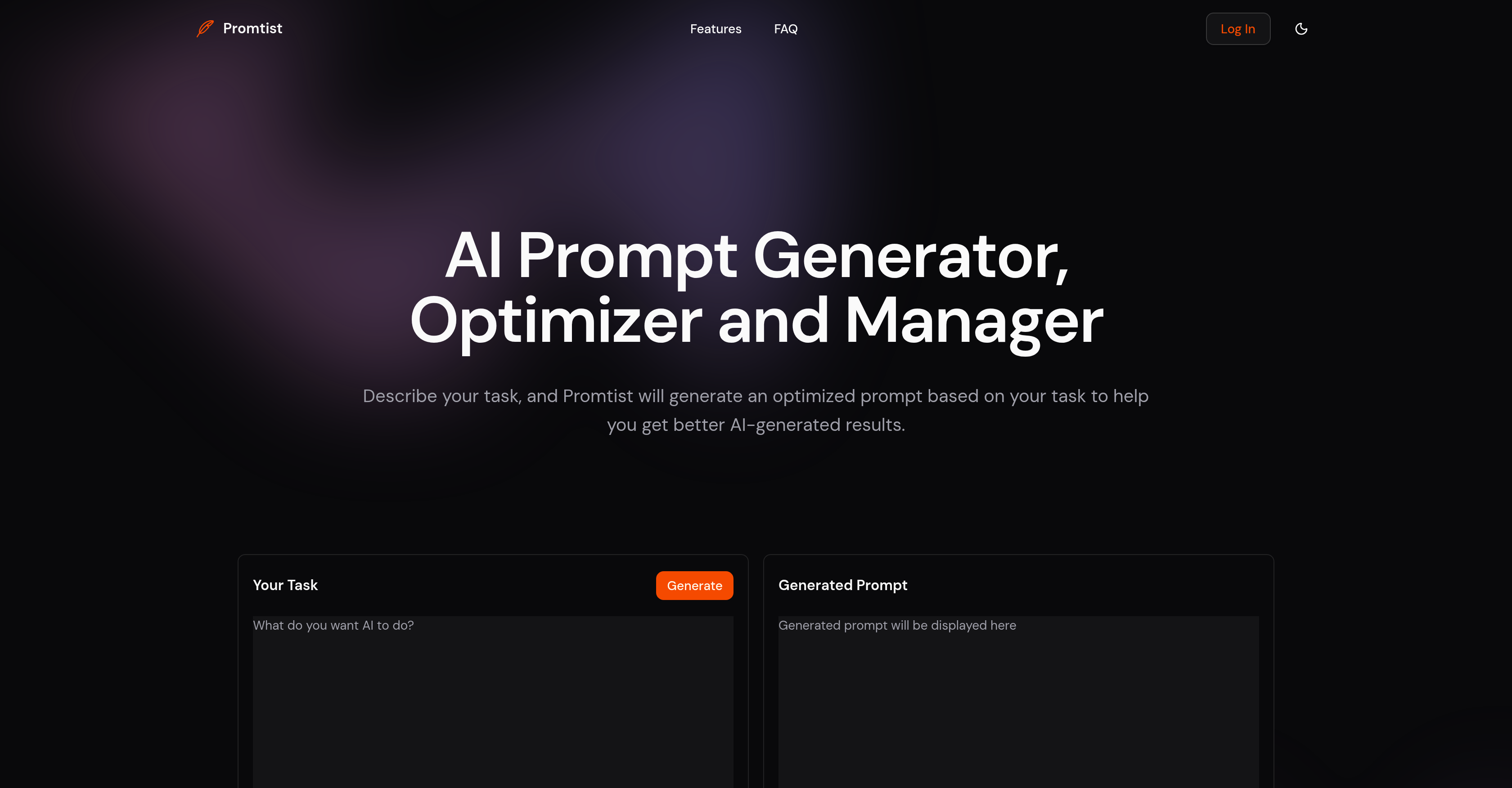
- Generate perfectly optimized prompts for any task instantly by simply describing what you need, eliminating guesswork and manual crafting
- Save and reuse your most effective prompts with organized categories and tags, building a personal library of proven templates
- Apply the same prompt structure to different tasks using customizable variables, maintaining consistency while adapting to new requirements
- Compare how the same prompt performs across ChatGPT, Claude, and Gemini side-by-side to identify the best model for each specific task
- Iterate and refine prompts with complete version history, allowing you to track changes and revert to previous successful versions
- Use optimized prompts directly within your favorite AI tools through the browser extension, streamlining your workflow without switching tabs
Pros & Cons
Pros
- Generates task-based prompts
- Optimized prompt generation
- Promt management features
- Saves prompts for reusage
- Professional-level prompts
- Version control for prompts
- Multi-model prompt comparison
- Prompt categorization and tagging
- In-built prompt templates
- Browser Extension support
- Streamlines task-specific prompt generation
- Facilitates drafting meeting invites
- Simplifies writing emails
- Aid in summarizing documents
- Promotes productivity and efficiency
- Prompt iteration feature
- Easy organization of prompts
- Enhanced ease-of-access
- Streamlines complex prompt creation
- Direct use in ChatGPT
- Direct use in Gemini
- Direct use in Claude
- Task management efficiency
- Document summary generation
- Swiftly rewrite text
- Text clarity improvement
- Professional prompt conduction
- Reusable prompt supports
- Revolves around user tasks
- Responsive user interface
- User-specific prompt generation
- Prompt customization features
- Ease of prompt iterations
- Comparative model analysis
- Increased task effectiveness
- Direct web-based services
- Highly organized prompt catalog
- Productive version history
- Easy prompt comparison
Cons
- No mobile application
- No collaboration features
- No multi-language support
- No offline functionality
- Requires manual task description
- Potential tool-specific learning curve
- Extension limited to certain browsers
- No prompt examples provided
- No support for non-text tasks
Reviews
Rate this tool
Loading reviews...
❓ Frequently Asked Questions
Promtist is a specific AI tool that specializes in the generation, optimization, and management of prompts to enhance the results produced by AI engines such as ChatGPT, Claude, and Gemini. It boasts features like text rewriting to enhance clarity and professionalism, drafting emails or meeting invitations, document summarization, prompt saving for future use, version control, prompt comparison, prompt categorization and tagging, and using prompt variables templates for applying the same prompt structure to different tasks.
Promtist optimizes prompts for AI engines like ChatGPT, Claude, and Gemini by allowing users to describe their tasks. Based on these tasks, it automatically generates optimized prompts. To assure optimization, it employs various algorithms and tools.
Promtist assists in drafting professional emails and invitations by utilizing its optimized prompts, which are created based on user input. It helps in improving clarity, precision, and professionalism in the text.
Promtist aids in document summarization by generating optimized prompts based on user-defined tasks. These prompts assist the AI models in condensing the text to produce a succinct summary.
Promtist's feature of saving prompts for future reusage means that once a prompt has been crafted, it can be stored within the system. When a user needs to carry out a similar task in the future, they can utilize the saved prompt, removing the need to create a new one from scratch.
Promtist makes prompt crafting less time-consuming by generating optimized prompts automatically based on user-defined tasks. It also has a feature which allows the re-usage of saved prompts, cutting back on the time spent creating new ones.
The version control feature of Promtist stores each version of a given prompt. This provides users the freedom to easily revert and compare different versions of the prompt.
Promtist allows users to compare the same prompt across different AI models. This comparison can highlight strengths and weaknesses of different models when handling the same prompt, thus allowing users to select the most effective one.
Promtist offers features for managing prompts including categorization and tagging, which help users to easily organize their prompts. It also provides a feature for saving prompts for future use, and comes with a version control feature that records the history of each prompt iteration.
With Promtist's Browser Extension, you can apply Promtist's optimized prompts directly within web-based AI services. Simply install the extension, login and use the prompts directly in your browser while working with AI services like ChatGPT, Gemini, or Claude.
Prompt optimization in the context of Promtist refers to the automatic generation of optimized prompts based on user-defined tasks. This optimization process employs advanced algorithms to assure that generated prompts are the most effective for the task and the AI engine utilized.
Promtist helps in text rewriting for clarity and professionalism by generating prompts that guide the AI engines to produce text which is precise, clear, and professional in tone. It's algorithms strategically generate prompts to obtain the desired output.
Using Promtist, you can create templates using prompt variables. This allows you to apply the same prompt structure across different tasks, making it easier to maintain consistency and reducing the work of creating new prompts.
Promtist supports comparing the same prompt across different AI models. By running the same prompt against various engines, users can visually see the AI's performance and determine which AI model is the most effective.
The AI management features of Promtist include improved generation, optimization, and management of prompts which lead to better AI results. The tool further allows for easy tracking and comparison of different versions of prompts, easier organization of the prompts, and a way to directly apply them in web-based AI services.
The iterative approach of Promtist in prompt generation allows users to generate an initial draft of a prompt, and subsequently refine it based on results or new requirements. This approach ensures the eventual prompt is the best fit for the desired task.
Yes, within Promtist you can categorize and tag prompts. This makes it easier to organize and manage the prompts, helping you to quickly and easily locate the needed prompts in the future.
Yes, Promtist does support prompt comparison across different AI models. It allows users to analyze how different AI engines perform with the same prompt, thereby making it easier for them to choose the best one.
Yes, Promtist can help you apply the same prompt structure to different tasks. It supports prompt variables, meaning you can create a template and use it for various tasks.
Promtist's browser extension enables the user to use Promtist's prompt directly within web-based AI services such as ChatGPT, Gemini AI, and Claude AI. This feature enhances user experience and makes it easy to utilize prompts across various platforms without leaving the browser.
Promtist is a specialized AI tool for generating, optimizing, and managing prompts to enhance the results generated by AI engines. It caters to a variety of tasks such as rewriting text, writing emails, and drafting meeting invites, etc. It saves prompts for future usage, manages them effectively, and provides a mechanism for prompt comparison among different AI models.
Promtist uses advanced algorithms to generate prompts. Users describe their specific task and Promtist generates an optimized prompt based on that task. The aim is to improve the results generated by AI services.
Yes, in Promtist, you can save prompts for future use with a dedicated feature. It saves the issue of writing the prompt from scratch each time and facilitates the reuse of effective prompts.
Promtist increases efficiency in generating prompts by utilizing its advanced algorithms to craft optimized prompts based on specific tasks. Moreover, with use of prompt variables, the same prompt template can be applied to different tasks, thus saving time and bolstering efficiency.
Promtist's version control feature allows for iterative modifications of prompts while maintaining a history of each version. This facilitates users to revert and compare different versions of a prompt, providing flexibility and control over prompt revisions.
Promtist allows users to compare the same prompt in different AI models. This feature aids in determining the model that generates the most effective results for a specific prompt, ensuring users can select the most efficient model.
In Promtist, you can effortlessly manage prompts by applying category and tag management. Use of prompt variables allows you to use the same prompt template for different tasks. Categories and tags aid in prompt organization and retrieval.
Yes, there is a browser extension available for Promtist which allows you to apply Promtist's prompts directly within web-based AI models like ChatGPT, Gemini, and Claude.
Promtist assists in drafting emails and meeting invites by generating optimized prompts based on these specific tasks. Users describe their requirement, for example, drafting a professional email or a meeting invite, and Promtist uses its algorithms to generate suitable prompts.
For tasks such as text rewriting and document summarization, Promtist generates optimized prompts which lead to improvement of clarity, precision, and professionalism in the AI-generated results. The task-specific optimized prompts guide AI models to yield better text outputs.
Promtist supports a variety of AI models, some of which include ChatGPT, Claude, and Gemini.
Yes, Promtist offers a feature where prompt variables can be used. With this, the same prompt structure can be effectively applied to different tasks.
Promtist provides iterative capabilities through its version-control feature. This allows users to make modifications to their prompts and save each version separately, providing provisions to revert and compare and choose the best among them.
Promtist provides easy access to your saved prompts by categorizing and tagging them. This structure not only makes retrieval and application of prompts quick and easy but also efficiently helps in managing a large number of prompts.
Promtist prompts can be used with multiple web-based AI services directly, including but not limited to ChatGPT, Gemini, and Claude, through Promtist's Browser Extension.
To use Promtist for prompt generation, you need to describe the task for which you require a prompt. Then, you select prompt type and generate the prompt. Once generated, you can save the prompt using Promtist to reuse it later.
Yes, Promtist assists in generating professional prompts through its advanced algorithms. When handling complex tasks, it is known to deliver professional prompts that can be lengthy but essential to get high-quality AI results.
By automating and enhancing the process of prompt generation, managing, comparison, and optimization, Promtist saves time for users. It permits the reuse of efficient prompts, and assists in applying the same prompt structure in multiple tasks. This results in direct enhancement of productivity.
Promtist optimizes prompts for better AI results through its sophisticated proprietary algorithms that process user-defined tasks and deliver optimized prompts. It also permits comparison of a prompt’s effectiveness across different AI models, to help users in choosing the best performing one.
Pricing
Pricing model
Free
Paid options from
Free