
Overview
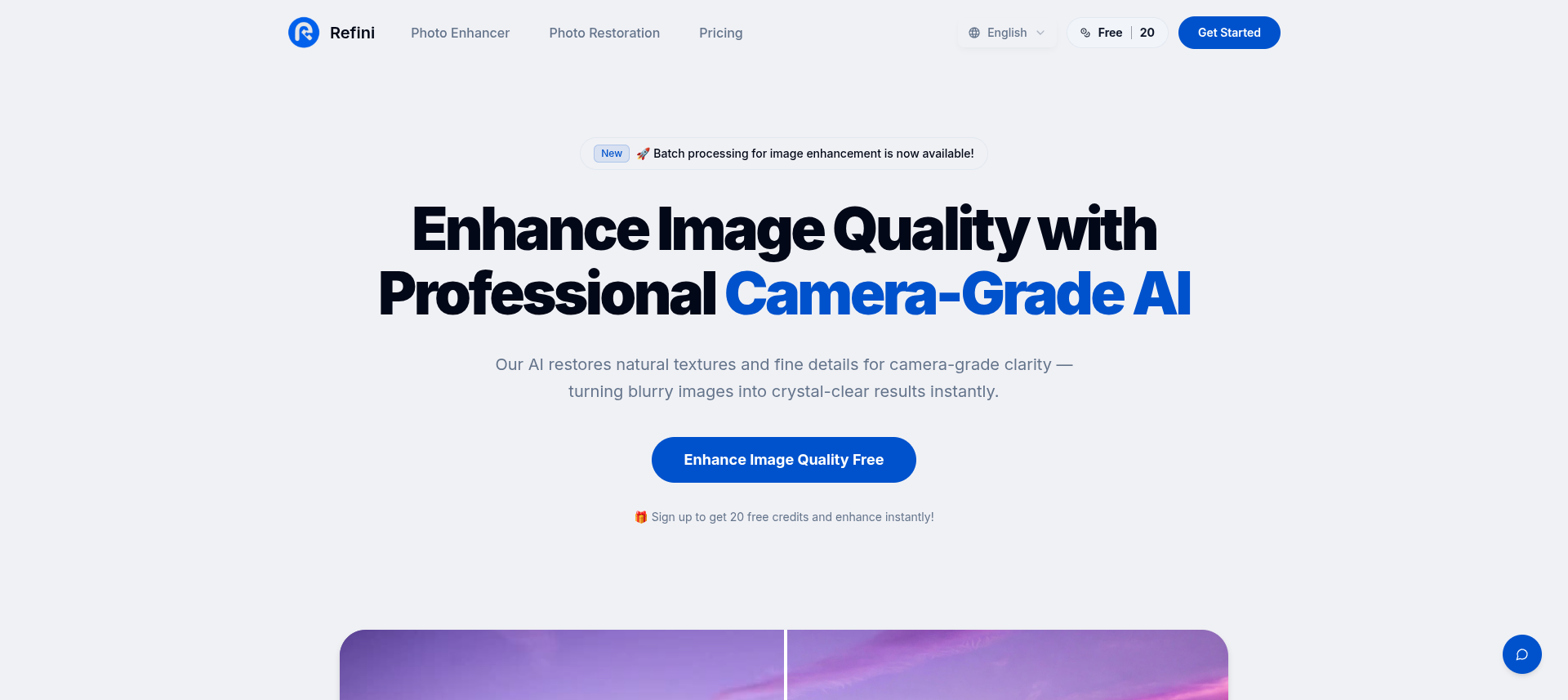
- Transform blurry photos into sharp, professional-grade images instantly using AI-powered deblurring and sharpening
- Upscale image resolution by 400% without losing detail for perfect printing and high-resolution displays with 4x AI upscaling
- Remove digital noise and grain from low-light photos to restore clarity and sharpness through intelligent denoising
- Revive old, damaged, or faded family photos by automatically repairing tears, scratches, and fading with AI restoration
- Enhance up to 50 photos simultaneously to save hours of manual editing using batch processing
- Achieve professional camera-grade results for ecommerce, real estate, and portrait photography with automatic image type recognition
Pros & Cons
Pros
- Professional camera-grade results
- Detail reconstruction capabilities
- Transforms low-quality photos
- Image denoising function
- Deblurring and sharpening features
- Batch processing function
- Free credits for starters
- Privacy and security guaranteed
- User-friendly interface
- Cross-device compatibility
- Restores natural textures
- Optimized for portrait photography
- Beneficial for ecommerce photography
- Effective for real estate photography
- Photo restoration capabilities
- Removal of digital noise
- Optimum for high-resolution platforms
- Restoration of lost details
- Delivery of high-definition photos
- Professional photo finish
- Enhancement without detail loss
- Enhances fading photos
- Resilient against manual work
- Instant photo enhancement
- Automatic photo repair
- Supports all photo types
- Can restore old photos
- Recognizes photo type automatically
- Capable of enhancing 50 photos simultaneously
- Photo deletion after 30 days
- Upgraded plan option
- Automatic image perfection
- Revives damaged photos
- Secure photo processing
- Provides professional finish
- Reconstructs fine textures
- Interactive FAQ section
- Repairs scratches on photos
- Automatic texture restoration
- Encryption assures upload security
- Photo data not shared
- No app installation required
- Automatic fine detail restoration
- Images fit for future generations
Cons
- No mobile app
- Potential loss of originality
- Maximum 10MB file size
- No API
- Requires login
Reviews
Rate this tool
Loading reviews...
❓ Frequently Asked Questions
Refini is an AI-driven tool designed to enhance image quality. The focus of Refini is beyond simple upscaling and providing professional camera-grade results. The tool primarily utilizes AI to restore natural textures and fine details with an emphasis on detail reconstruction. Refini is designed to transform blurry or low-quality photos into sharp, high-definition images.
Refini operates through a three-step process. First, you upload the image that needs enhancement. Then, it uses AI to not only upscale the image but also denoise, deblur, and sharpen it while restoring natural textures and fine details. Finally, the improved photograph can be downloaded instantly.
The core features of Refini extend to AI upscaling, denoising, deblurring, and sharpening of images. Additionally, it has a batch processing function, which allows multiple photographs to be enhanced simultaneously.
Refini enhances image quality by using AI to upscale the photograph, remove digital noise, enhance sharpness, and restore lost details and natural textures. It can turn blurry, low-resolution, or noisy images into clear, sharp, high-definition ones that rival results from professional camera equipment.
No, Refini can work with all photo types: portraits, landscapes, products, architecture, AI-generated art, anime, screenshots, and old photos. The AI automatically recognizes the photo type and applies the optimal enhancement.
Yes, Refini can be used for professional photography. Its features like AI-driven upscaling, denoising, deblurring, and sharpening can enhance professional photographs, making them appear as if they were taken with high-end camera equipment.
Refini transforms blurry images into high-definition ones by analyzing patterns, textures, and edges in the photo. It then uses deep learning, trained on millions of high and low-resolution image pairs to intelligently reconstruct lost details and enhance the quality.
Yes, Refini can be effectively used for ecommerce and real estate photography. It can enhance product images for online stores and brighten property photos, respectively, delivering sharp and clear images suitable for professional use.
Refini's three-step process in photo enhancement involves first uploading the image that you wish to enhance. The AI then analyses and automatically perfects your image. Finally, you can download your enhanced, high-definition photo instantly.
Yes, Refini offers a batch processing function that is designed to enhance multiple photographs simultaneously.
Batch processing in Refini allows you to enhance up to 50 photos simultaneously. This function saves hours compared to editing images manually and is especially beneficial for large projects.
Yes, Refini offers a certain number of free credits to starters. New users receive 20 free credits upon sign-up.
Upgrading on Refini has several benefits. It grants you an unlimited number of enhancements, access to batch processing, and priority support.
Refini ensures the security of your data. All uploads are encrypted and processed securely. Furthermore, photos are automatically deleted 30 days after generation for paid users, or 24 hours after generation for free users.
Yes, Refini guarantees the privacy of your images. The service never uses your images for training or shares them with third parties.
Yes, Refini can restore old photos. By applying its AI-driven enhancements, it can revive and repair damaged, faded, or torn family photos almost instantly.
Refini uses AI to sharpen images by analyzing the patterns, textures, and edges in the photographs. It intelligently learns from these visual cues and applies enhancements to remove blur and enhance sharpness, transforming hazy, out-of-focus images into crystal-clear, professional-quality photos.
Yes, Refini is designed with a user-friendly interface. The three-step process (upload, enhancement, download) makes the photo-enhancement process straightforward, quick, and uncomplicated.
Yes, Refini does offer customer support. With a paid plan, you get priority support to assist with any issues or inquiries.
Refini operates on a subscription model. It provides a certain number of free credits to new users, with the option to upgrade for unlimited enhancements, batch processing, and priority support.
Refini Photo Enhancer is an AI-powered tool for improving image quality. It's designed to transform blurry, low-quality photos into sharp, high-definition images effectively. Using AI, it restores natural textures and details, delivering professional camera-grade clarity. It's useful for multiple fields including portrait photography, ecommerce, real estate photography, and photo restoration.
Core features of Refini include 4x AI upscaling, denoising, deblurring, and sharpening. Its AI upscaling increases image resolution by up to 400% without losing detail, which is ideal for printing, e-commerce, and high-resolution displays. The denoising feature removes digital noise from low-light photos, restoring sharpness and clarity. Deblurring and sharpening transform out-of-focus images into clear, professional-quality photos.
Refini enhances image quality by utilizing AI for detail and texture restoration. It increases the image's resolution with its 4x AI upscaling without detail loss, removes noise and grain from photos taken in low light scenarios, eliminates blur, and enhances sharpness. The AI algorithms simulate image restoration processes that closely mimic high-end professional photo editing tools to achieve clear, detailed, and professional-quality images.
Yes, Refini can restore old or damaged photos. It offers photo restoration capabilities, allowing users to revive old, faded, or damaged photos using AI-powered techniques. The AI can fix tears, scratches, and fading automatically and bring back to life damaged, faded, and torn family photos.
The AI upscaling feature in Refini works by increasing the image resolution by up to 400% without losing detail. The AI has been trained on millions of high and low-resolution image pairs, enabling it to analyze patterns, textures, and edges in the photos and reconstruct lost details effectively. This enhanced upscaling process is perfect for printing, e-commerce, and high-resolution displays.
Yes, Refini offers a deblur feature to remove blur from hazy images. The Deblur & Sharpen function removes blur and enhances sharpness, hence transforming hazy, out-of-focus images into clear, professional-grade photos. This feature uses Refini's AI to analyze the image and apply the necessary enhancements.
Refini can assist in ecommerce photography by using its AI-powered techniques to enhance product photos. It enhances the image's resolution making it ideal for online display and ensures the product details are sharp and clear. Its denoising function also eliminates potential digital noise, ensuring a professional finish for product photos.
The batch processing function in Refini allows multiple photographs to be enhanced simultaneously. This function is advantageous when dealing with large volumes of images, saving hours of manual editing. It analyzes and enhances each image in the batch automatically and is particularly useful for fields handling multiple photos, such as ecommerce and real estate photography.
Yes, Refini offers free usage or trials. New users receive 20 free credits upon signing up. These credits can be used to enhance images and have a firsthand experience of the tool's capabilities before deciding on any potential paid plans.
Users can upgrade their Refini by opting for a paid plan. This plan offers unlimited enhancements, batch processing, and priority support. By upgrading, users can lift restrictions on the number of images they can enhance and enjoy more enhanced features and faster customer support.
Yes, the use of Refini is very secure. All uploads are encrypted and processed securely. For paid users, photos are automatically deleted 30 days after generation. For free users, photos are deleted 24 hours after generation. Refini guarantees that it never uses images for training or shares them with third parties.
Yes, Refini can be used on multiple devices. The platform is designed to be cross-device compatible, meaning it works perfectly on any device through a mobile browser without needing an app installation. Users can upload and enhance photos on iOS, Android, or any tablet with internet access.
AI-powered techniques used by Refini include deep learning algorithms trained on millions of high and low-resolution image pairs. These are used in core features like 4x AI upscaling, denoising, deblurring, and sharpening. Through these techniques, the AI learns patterns, textures, and edges in photos, allowing it to intelligently reconstruct lost details and deliver superior image enhancement.
Refini can be particularly beneficial in real estate photography. By enhancing the quality of property photos with AI-powered techniques, it can transform them into high-resolution, professional-grade images. This can help accentuate features of the property and increase appeal to potential buyers or renters.
Yes, Refini is highly suitable for portrait photography. Its range of AI-powered enhancements, like deblurring, denoising and sharpening, are ideal for creating sharp, high-quality portraits. In addition, the AI's ability to restore textures and details can greatly improve the results of portrait photography.
The process of image enhancement in Refini involves three steps: upload, enhancement, and download. Users upload an image, then the powerful AI of Refini analyzes and perfects the image automatically. Finally, users can download the improved, high-definition photo, making the entire process quick and straightforward.
Yes, Refini can transform low-quality images into high-definition photos. Using a combination of AI-powered techniques, it increases image resolution, removes digital noise and grain, eliminates blur, and enhances sharpness. These improvements help transform low-quality or blurry photos into clear, professional-grade images.
The AI in Refini analyzes and perfects the image by being trained on numerous pairs of high and low-resolution images. It looks for patterns, textures, and edges in the uploaded photo, then uses these to reconstruct lost details intelligently. The result is a higher quality, sharper, and clearer image.
To get started with Refini, one needs to sign up on the website, following which they receive 20 free credits. Users can then upload an image which is then enhanced by the AI. After the enhancement process, users can download their high-definition photo instantly. For unlimited enhancements, batch processing, and priority support, users can choose to upgrade to a paid plan.
Pricing
Pricing model
Paid
Paid options from
$4.49
Billing frequency
One-time