AI Video Generator by RenderFlow AI
Overview
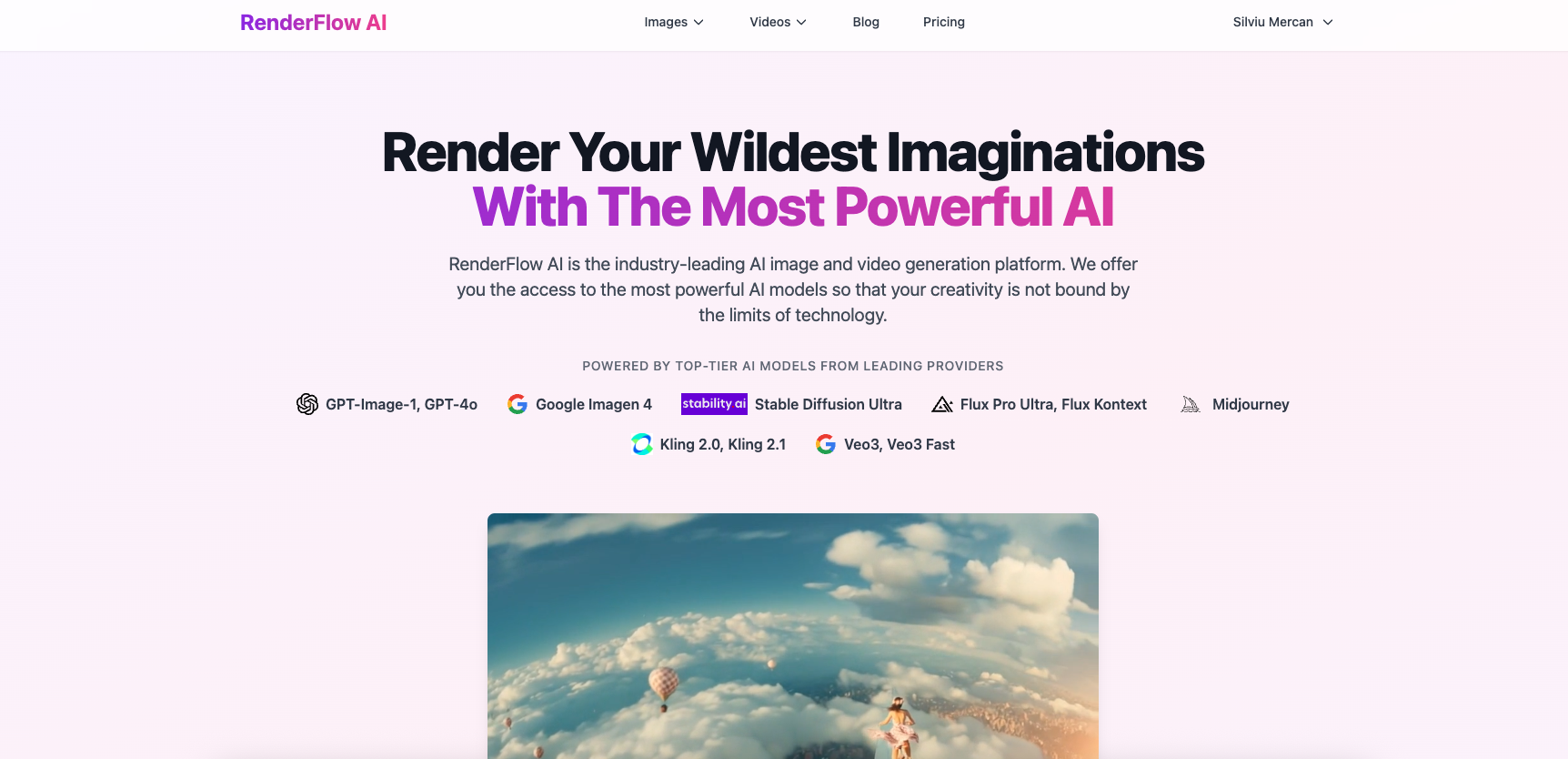
- Create professional videos from simple text descriptions without filming equipment using advanced AI models like Veo3 and Kling 2.1
- Achieve precise creative control over your video output by adjusting length, frame rate, and resolution parameters
- Generate diverse content types including product showcases, character animations, and motion graphics from single text prompts
- Enhance video accuracy and detail by uploading reference images alongside your text descriptions
- Own your creations completely with full usage rights for both personal and commercial projects
- Access premium AI capabilities immediately with 35 free monthly credits for video generation
Pros & Cons
Pros
- Text descriptions to videos
- Input of text prompts
- Upload reference images
- Fine-tuning video parameters
- Variety of video styles
- Produces nature clips
- Produces character animations
- Produces motion graphics
- Produces product showcases
- Full usage rights
- Supports commercial use
- Supports personal use
- Image editing capabilities
- Natural language processing
- Supports Veo3 model
- Supports Kling 2.1 model
- Supports Hailuo 2 model
- Premium and free plans
- Option to enhance prompt
- Generates preview before downloading
- Video length selection
- Frame rate selection
- Resolution selection
- Free credits upon sign-up
- Supports Google Veo 3
- Model parameter tuning
- High-quality video download
- Multiple model options
- Video creation from images
- Sound compatibility
- Videos up to 8 sec
- Videos up to 10 sec
- Professional image editing
- Generates videos from illustrations
- Can follow detailed prompts
- Supports variety of genres
- Easy to use interface
- Guided video generation process
- High consistency in output
- Supports multi-image input
- Wide variety of video styles
- Terms of service clarity
- Offers regular free usage
Cons
- Limited video length
- Text input reliant
- No sound generation
- Variability in model output
- Complex features, steep learning curve
- Doesn't support all video formats
- Resolution limitations
- No real-time editing
- Free version restrictions
- Exclusively online, requires internet
Reviews
Rate this tool
Loading reviews...
❓ Frequently Asked Questions
RenderFlow AI Video Generator is a specialized software that utilizes AI to turn text descriptions into dynamic and compelling videos.
Yes, RenderFlow AI Video Generator can indeed transform text descriptions into dynamic videos. The application accepts text prompts as an input.
RenderFlow AI supports multiple advanced AI models, including Veo3, Kling 2.1, and Hailuo 2. These models facilitate a variety of video styles and genres.
In RenderFlow AI, users can fine-tune their videos by selecting various parameters. These parameters include video length, frame rate, resolution, and other undisclosed parameters.
In RenderFlow AI, users can have control over parameters including video length, frame rate, and resolution to adjust and fine-tune their videos according to preference.
RenderFlow AI can generate a wide variety of videos including scenic nature clips, character animations, abstract motion graphics, and product showcases.
Veo3, Kling 2.1, and Hailuo 2 are sophisticated AI models used by RenderFlow AI. These models cater to diverse video styles and genres, enabling the creation of scenic nature clips, character animations, abstract motion graphics, and product showcases.
Yes, along with text prompts, users have the option to upload reference images to add detail to their video generation in RenderFlow AI.
Yes, users who generate videos via RenderFlow AI retain full usage rights to those videos. These videos can be used for both personal and commercial purposes.
Yes, besides video generation, RenderFlow AI offers capabilities of AI image generation and image editing. It provides an AI image generator and a product called Flux Kontext AI Image Editor.
Flux Kontext AI Image Editor is a product of RenderFlow AI designed to transform existing images using natural language prompts. It offers professional image editing capabilities powered by Flux Kontext models.
Yes, RenderFlow AI offers both a free and a premium plan. Users can choose the plan based on individual needs and requirements.
MarcusQ
🛠️ 1 tool
🙏 95 karma
wrote:RenderFlow AI's free plan gives you 35 credits per month, allowing for the generation of up to 5 seconds of Kling 2.1 standard video and usage of certain models free. For more extensive video generation and access to additional premium models, users may select the premium plan.
RenderFlow AI Image Generator can generate high-quality AI images from text prompts leveraging advanced models like Flux Pro, GPT-4, and Midjourney.
The use of natural language processing allows RenderFlow AI to generate or edit videos or images based on text descriptions. The software interprets the text prompts and then uses the AI models to generate or edit videos that meet the specifications outlined in the prompts.
Users need to enter a text prompt and optionally add reference images. Subsequently, they select the model and fine-tune settings such as video length, frame rate, and resolution. Lastly, they click on 'Generate' to initiate video creation.
The length of the videos generated in RenderFlow AI depends on the chosen model. Veo3 and Veo3 Fast can generate videos up to 8 seconds, while other models typically generate videos up to 5 seconds or 10 seconds.
MarcusQ
🛠️ 1 tool
🙏 95 karma
wrote:RenderFlow AI's free plan comes with 35 credits per month which allows you to generate up to 5 seconds of Kling 2.1 standard video or use certain models such as Kling 2.1 Standard Image to Video and Kling 2.1 Pro Image to Video.
Yes, you can use RenderFlow AI for commercial purposes. Once videos are generated using RenderFlow AI, users retain full usage rights and can utilise the videos for personal or commercial purposes.
RenderFlow AI offers video editing capabilities such as altering video length, frame rate, and resolution. Additionally, users can further enhance the video through the upload of reference images.
Pricing
Pricing model
Freemium
Paid options from
$10/month
Billing frequency
Monthly