Reverse Prompt | Video to Prompt
Overview
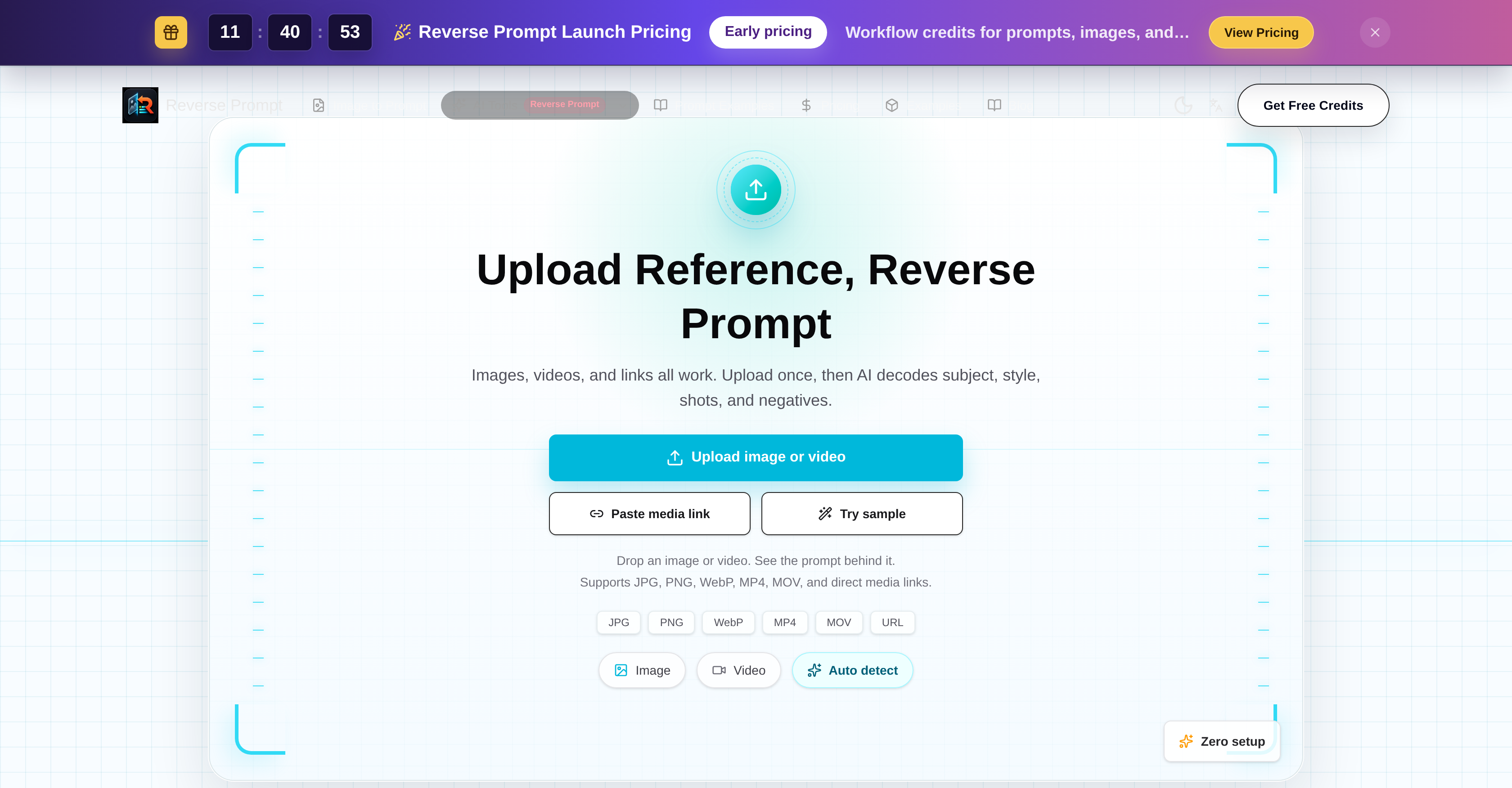
- Turn any reference video or image into ready-to-use prompts for Midjourney, Stable Diffusion, and ChatGPT by uploading MP4, MOV, JPG, or PNG files.
- Replicate any visual style, subject, or shot structure from your reference media without manual analysis—AI deciphers shot composition, key frames, and negative prompts automatically.
- Extract reusable video prompts and image prompts in seconds with zero setup—just upload or paste a media link and get structured outputs.
- Understand exactly what makes a reference video work by receiving deconstructed elements like shot structure, key frames, and negative prompts for deeper creative insights.
- Repurpose any existing media into new content by using its reverse-engineered prompts as a foundation for AI generation across multiple platforms.
- Save hours of manual prompt engineering by letting AI analyze subject, style, shots, and negatives from any uploaded JPG, PNG, WebP, MP4, or MOV file.
Pros & Cons
Pros
- Supports various media types
- Supports numerous formats
- Deciphers subject, style, shots
- Deciphers negatives
- Reverse-engineer images functionality
- Video elements dissection
- Video repurposing and reuse
- Automated setup
- Video prompt generation
- Key frames extraction
- Negative prompts extraction
- ChatGPT integration
- Midjourney integration
- Stable Diffusion integration
- ComfyUI integration
- Structured Data Extraction
- Automated Content Generation
- Creative Workflow Tools
- Multimedia Formats Support
- Content Reutilization
- Automated Media Analysis
- Image To Text Conversion
- No setup required
- Editable prompts generation
- In-depth media analysis
- Motion description extraction
- Shot direction extraction
- Composition and lighting analysis
- Reverse Prompt showcase
- Prompt Editing and Reuse
- Clear natural-language prompts
- Model ready prompts
- Prompt language for style, composition, subject detail
- Structured prompt parts and negative prompts
- Turn images into structured text prompts
- Detailed media data extraction
- Extracts camera movement, pacing, visual style
Cons
- Not open source
- No free trial
- Limited to specific formats
- No offline version
- Doesn't support live links
- No manual controls
- Mandatory registration
- Potential data privacy issues
- May produce inaccurate prompts
- May not support high resolution
Reviews
Rate this tool
Loading reviews...
❓ Frequently Asked Questions
The Video to Prompt Generator is an AI-based tool specifically designed for reversing engineering of reference videos. It's purpose is to take media content such as videos or even images, dissect it into its constituent elements and present them as structured prompts that can be useful in various creative contexts.
The Video to Prompt Generator operates by allowing users to upload media content in various formats. It then uses its AI capabilities to analyze different aspects of the media such as subject, style, shots, and negatives, thereby generating a reverse-prompt. The underlying aim is to deconstruct the media into usable elements like prompts, key frames, shot structures, and negative prompts, essentially offering a reverse engineering functionality.
The Video to Prompt Generator supports a multitude of media formats including JPG, PNG, WebP, MP4, and MOV. It also allows direct media links for user convenience.
Yes, you can indeed use images with the Video to Prompt Generator. This tool is not limited to video media; it includes a functionality to reverse-engineer image prompts as well.
The Video to Prompt Generator is quite insightful as it works to deconstruct videos into structured components like reusable video prompts, shot structure, key frames, and negative prompts. It creates a unique strategy by turning media elements into structured prompts that can be extremely beneficial for creators in diverse fields.
The Video to Prompt Generator is designed to be highly compatible with various other AI services. It is adept at creating structured prompts that can be utilized with AI services such as Midjourney, Stable Diffusion, ChatGPT, and ComfyUI among others.
The Video to Prompt Generator is fully automated. It requires zero set up and will automatically analyze the media uploaded to it. This makes it a highly convenient tool for users who are interested in exploring the potential of their media content.
Yes, the Video to Prompt Generator is designed to encourage and facilitate repurposing of media elements by examining media content and providing elements that can be reused for content creation.
The terms of service and privacy policy for the Video to Prompt Generator are applicable to its usage as mentioned on their website. The specific details about these terms are not explicitly available.
Yes, the Video to Prompt Generator is equipped to reverse-engineer image prompts apart from its ability to dissect videos. This dual functionality makes it a flexible tool for creators.
With the Video to Prompt Generator, extracting key frames from videos is a fundamental part of its functioning. It deconstructs videos into structured elements, which include not only reusable video prompts, shot structure, and negative prompts but also key frames.
Yes, the Video to Prompt Generator can also extract negative prompts. Negative prompts are parts of the content that are crucial in forming a comprehensive understanding of the media being analyzed.
The Video to Prompt Generator adds tremendous value to creative workflows by transforming videos or images into structured prompts. These prompts can then be utilized with AI services like Midjourney, Stable Diffusion, ChatGPT, ComfyUI among others. Considering it's zero setup requirement, the tool greatly simplifies understanding of media content whilst offering the potential for content reuse.
The Video to Prompt Generator can handle a variety of image formats including JPG, PNG, and WebP, making it versatile and easy to use.
The Video to Prompt Generator can generate prompts that are compatible with various AI tools like ChatGPT, Midjourney, and others. By dissecting media content into structured prompts, the tool paves the way for substantive engagements with other AI utilities.
One of the key advantages of the Video to Prompt Generator is its zero setup requirement. Users don't have to worry about any setup process as the tool is fully automated, ready to analyze media content as soon as it's uploaded to it.
Yes, another primary function of the Video to Prompt Generator is to dissect and decode media content. It performs an extensive analysis to understand various elements of the media, in order to provide valuable insights for users.
The terms of usage and privacy policy are applicable for using the Video to Prompt Generator. Other specific limitations or requirements are not provided on their website.
The Video to Prompt Generator opens up endless possibilities for content creation. By dissecting media content and transforming it into structured data, it enables the potential reuse and repurposing of media elements. Not only does it provide valuable insights from videos, but its reverse-engineering capability also extends to image prompts.
Yes, the Video to Prompt Generator can efficiently process a range of multimedia formats. It supports not just static image formats like JPG, PNG, and WebP but also video formats like MP4 and MOV, in addition to accepting direct media links.
Pricing
Pricing model
Paid
Paid options from
$12.90/month
Billing frequency
Monthly