Overview
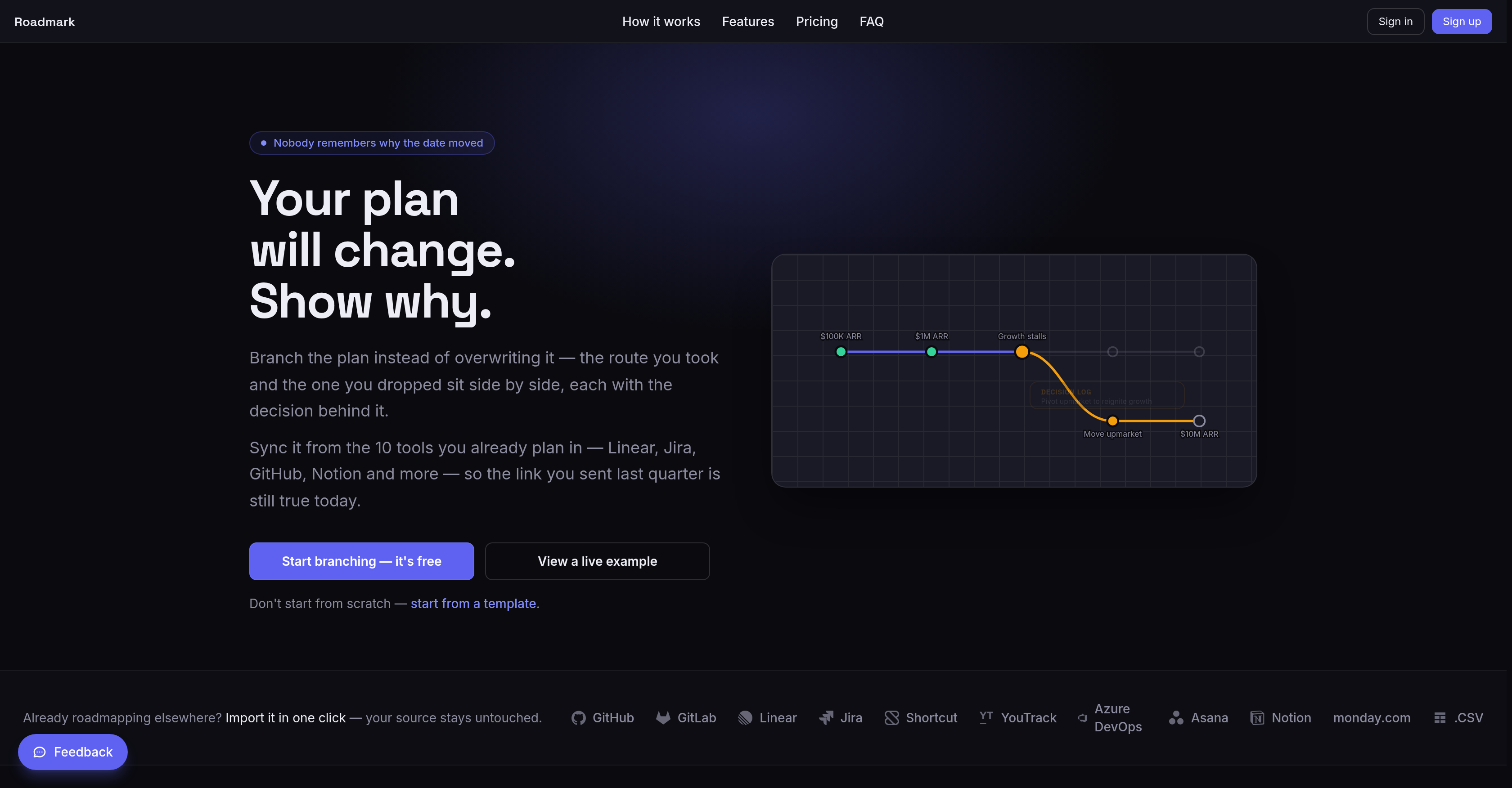
- Eliminate outdated roadmaps forever by branching timelines instead of overwriting—every pivot stays visible side by side with its original plan, and no date is ever silently lost.
- Restore trust in shared links with daily sync from Jira, Linear, GitHub, and 7 other tools—the link you sent last quarter shows today's plan, not a stale snapshot.
- Win investor and customer confidence with a public decision feed that records every change and its reasoning—visitors read what shifted and why without waiting for a status call.
- Share roadmaps securely at no extra cost with password-protected, expiring, or embedded links—viewers comment, react, and follow by email without consuming a seat.
- Accelerate planning with optional AI that drafts milestones from a plain-language brief, writes decision notes for branches, and stress-tests your plan against likely slips—all editable before hitting the board.
- Keep your workflow uninterrupted with flat per-workspace pricing—viewers never consume a seat, so sharing widely costs the same as sharing with one person.
Pros & Cons
Pros
- Flat pricing — read-only viewers never consume a seat
- PNG, SVG and PDF export
- Investor digest generated from the board
- AI drafts milestones, decision notes and a pre-mortem stress test
- Real-time collaboration on a board
- Viewers can comment, react and follow by email
- Embeddable roadmap widget for your own site
- Password-protected and expiring share links
- Public read-only links for stakeholders
- Import doesn't modify the original source
- Daily sync keeps a shared link current
- Syncs from 10 planning tools, including Linear, Jira, GitHub and Notion
- Every branch carries a written decision
- Branch a plan instead of overwriting it — both timelines stay
Cons
- No feature-request voting or prioritisation suite
- No public API
- Not open source
- Doesn't support multiple languages
- No mobile application
- Lacks offline functionality
Reviews
Rate this tool
Loading reviews...
❓ Frequently Asked Questions
Aleksandr Tretyakov
🛠️ 1 tool
wrote:Roadmark is a roadmap tool for teams whose plans keep changing. Instead of
overwriting a timeline when a date moves, you branch it — the original plan and
the new one both stay on the board, each with the decision that caused the
change. Boards sync daily from ten planning tools, so a link you shared months
ago still shows the real plan.
Aleksandr Tretyakov
🛠️ 1 tool
wrote:A branch is how you change direction. Rather than dragging a milestone to a new
date and losing the old one, you fork the timeline at the point where the plan
diverged. Both routes stay visible side by side, and creating a branch requires
a written decision explaining why. The result is a roadmap that carries its own
history instead of only its latest state.
Aleksandr Tretyakov
🛠️ 1 tool
wrote:Every branch carries its decision, and those decisions can be published as a
public decision feed alongside the board. Someone outside the team — an
investor, a customer, a community member — can read what changed, when, and why,
without waiting for a status call. Nothing has to be maintained by hand: the
record is a by-product of how the plan is edited.
Aleksandr Tretyakov
🛠️ 1 tool
wrote:Yes. You can import from Linear, Jira, GitHub, GitLab, Asana, Notion,
monday.com, Shortcut, Azure DevOps, and YouTrack, or from a CSV file. Dated items
become milestones on a board; items without dates are kept as undated nodes so
nothing is silently dropped.
Aleksandr Tretyakov
🛠️ 1 tool
wrote:You connect a source once, and Roadmark re-syncs the board daily. Statuses and
dates follow the source; anything you edited by hand in Roadmark stays pinned so
a sync can't overwrite your work, and a single milestone can be force-synced
back to the source version when you want the original again. Ten sources are
supported, plus CSV.
Aleksandr Tretyakov
🛠️ 1 tool
wrote:A shared link points at the live board, not at an exported snapshot. Because the
board re-syncs from its source every day, the link you sent last quarter shows
today's plan rather than the version that was true when you sent it. That is the
whole point: a roadmap only stays useful outside the team if nobody has to
remember to update it.
Aleksandr Tretyakov
🛠️ 1 tool
wrote:Any board can be published as a read-only public link — no account needed to
view it. Links can be password-protected or set to expire, and a board can also
be embedded as a widget on your own site. Read-only viewers never consume a
seat, so sharing widely costs nothing extra.
Aleksandr Tretyakov
🛠️ 1 tool
wrote:Publish the board, and visitors can comment, react to milestones, and follow the
board by email to hear when something ships — all without creating an account.
The public decision feed gives the same audience the reasoning behind each
change, and the embeddable widget puts the roadmap on your own site.
Aleksandr Tretyakov
🛠️ 1 tool
wrote:Because it answers the question a status update never does: not where the
project is now, but how it got there. Every pivot stays on the board with its
reasoning so that an investor can follow the thinking rather than a sequence of
announcements. Roadmark can also generate an investor digest from the board and
send it by email.
Aleksandr Tretyakov
🛠️ 1 tool
wrote:Three things: drafting a first set of milestones from a plain-language brief,
writing the decision note that explains a branch, and running a pre-mortem
stress test that argues against your own plan and flags where it is likely to
slip. All three are assistive — you edit the output before it lands on the
board.
Aleksandr Tretyakov
🛠️ 1 tool
wrote:Yes, for up to 3 boards for a single person, with no time limit. Pro is $15 a
month (or $150 a year) for unlimited boards and up to 4 members per board, with
a 14-day trial. Team is $49 a month (or $490 a year) with unlimited members.
Pricing is flat per workspace, not per seat.
Aleksandr Tretyakov
🛠️ 1 tool
wrote:No. Roadmark runs in the browser, and the board works on a phone, but there is no
native mobile app and no public API today. The interface is English-only.
Aleksandr Tretyakov
🛠️ 1 tool
wrote:No — and AI is optional throughout Roadmark, so nothing in the product requires
it either way. On Pro and Team, it runs on Roadmark's managed AI with a monthly
quota and nothing to configure. On any plan, including the free one, you can
instead bring your own Anthropic, OpenAI, or Google key, which is unlimited and
free — the provider is detected from the key itself, and your key is encrypted
at rest. Prompts go to the provider only at generation time and are never used
to train anything.
Pricing
Pricing model
Freemium
Paid options from
$15/month
Billing frequency
Monthly
Refund policy
14-Day Money Back Guarantee