Overview
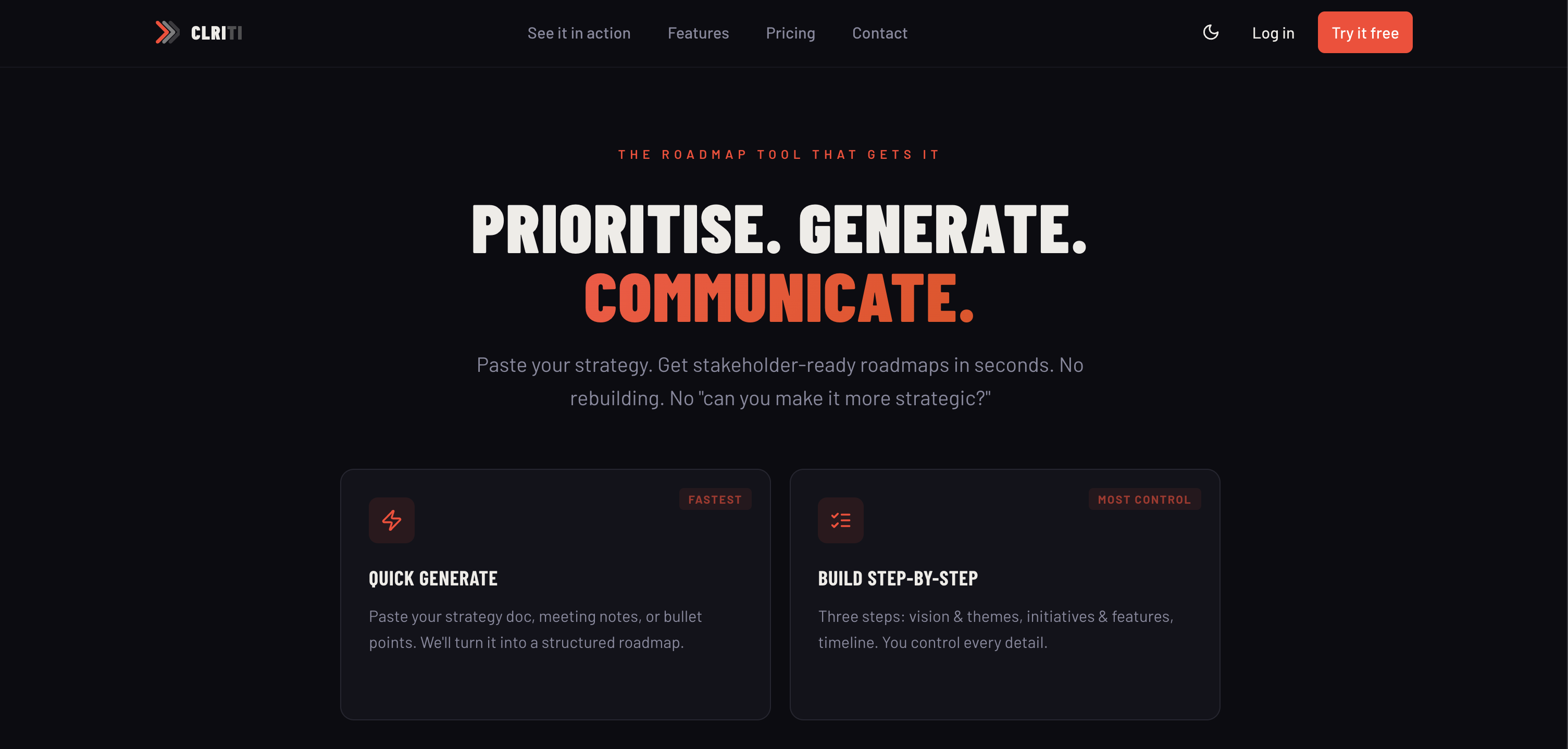
- Turn unstructured strategy notes into a polished, stakeholder-ready roadmap in seconds using AI-powered parsing, eliminating manual formatting work.
- Visualize initiatives across multiple formats like Gantt charts, swimlanes, and Kanban boards from a single input, catering to different audience needs instantly.
- Align every roadmap item directly to strategic objectives with the Goals & OKRs view, ensuring initiatives drive measurable business outcomes.
- Refine and restructure any roadmap element through conversational AI chat, continuously improving clarity without starting over.
- Share roadmaps for review via public links or collaborate in real-time within shared workspaces, streamlining stakeholder feedback loops.
- Export finalized roadmaps directly into presentation-ready PDF, PowerPoint, or PNG files, saving hours of manual deck creation.
- Customize roadmap themes and fonts to match your brand identity, ensuring consistent professional presentation across all communications.
Pros & Cons
Pros
- Instant roadmap generation
- Transforms unstructured text
- Offers multiple roadmap formats
- Chronological timeline view
- Detailed Gantt chart
- Swimlane view sorting
- Priority-based presentation
- Kanban-style initiatives board
- Goals & OKRs view
- Visual Flow diagram
- Customizable roadmap themes
- Exportable to PNG, PDF, PPT
- Collaborative shared workspaces
- Team management features
- Public link sharing
- Supports different audience types
- Offers free basic version
- Premium versions available
- Unlimited roadmaps in Pro version
- Custom themes in Pro version
- Advanced export options in Pro
Cons
- No mobile application
- Limited free version
- Dependent on text input
- No real-time collaboration
- No multi-language support
- No integrations mentioned
- No offline mode
- Charges for PDF/PPTX export
- Limited visual customization
- No iOS support
Reviews
Rate this tool
Loading reviews...
❓ Frequently Asked Questions
CLRITI is an AI-based tool designed specifically for product managers to convert unstructured strategy text into structured, stakeholder-ready roadmaps instantly. It has capabilities to produce roadmaps in various formats, and allows customization of roadmaps as well as enables collaboration from within shared workspaces. The tool also supports exporting of the generated roadmaps in different file formats.
CLRITI employs advanced AI techniques to parse the unstructured strategy text provided in the system. The AI then structures this text into a logical sequence of tasks, events, or actions, effectively transforming it into a high-level roadmap. This AI capability underpins CLRITI’s key functionality.
CLRITI can provide roadmaps in numerous formats. These include a chronological timeline, a Gantt chart, a swimlane view grouped by theme or team, a Now/Next/Later view based on priority, an initiatives board emulating the Kanban style, Goals & OKRs view aligned to objectives, and a visual flow diagram for mapping dependencies.
CLRITI's Gantt chart is a roadmap format that provides a graphical representation of a project schedule. It shows detailed scheduling with dependencies where each task or initiative is represented as a bar spanning across its required timeline, with the length indicating its duration, and dependencies between tasks are depicted through connectors.
The 'Swimlane' view in CLRITI is a roadmap format that presents the tasks or initiatives grouped by themes or teams. It similar to a lane in a pool, with the lanes (or swimlanes) representing the themes or teams and the tasks or initiatives represented as blocks moving in these lanes.
The 'Now/Next/Later' view in CLRITI is a priority-based roadmap format. It categorizes tasks or initiatives into three categories based on their priority: 'Now' for ongoing or immediate tasks, 'Next' for upcoming tasks, and 'Later' for tasks to be tackled in the future.
The 'Initiatives Board' in CLRITI is a Kanban-style dashboard that helps in status tracking of different initiatives. Just like Kanban boards, the initiatives board enables users to manage work in stages and visualize the workflow effectively.
CLRITI’s 'Goals & OKRs' view aligns the roadmap with strategic objectives. 'Goals & OKR' stands for Goals and Objectives and Key Results, a framework for setting and tracking goals. In this view, roadmap elements are linked to specific goals and key results, allowing its alignment with overall strategy and objectives.
In CLRITI, roadmaps can be customized using different themes and font pairings. This enables organizations to adhere to their brand guidelines or preferences, ensuring uniformity and brand consistency across the roadmaps.
CLRITI enhances collaboration through shared workspaces and team management features. Shared workspaces allow users to collaborate on the same roadmap, create, modify, and review together. Team management allows the admins to manage team members, their roles, and permissions.
CLRITI supports exporting of roadmaps into several file types. These include PNG for image format, PDF for document format, and PowerPoint for presentation format.
Yes, CLRITI roadmaps can easily be shared with stakeholders via shareable public links. This enables stakeholders to review the roadmap without requiring direct access to the CLRITI system.
The free version of CLRITI supports basic features including three roadmap creation, all view formats, and PNG export. The premium versions, on the other hand, offer advanced capabilities like unlimited roadmaps, AI refinement for restructuring or rewriting, extended export options to PDF and PPTX, custom themes, and collaboration tools for shared workspaces and team management.
'AI refinement' in CLRITI refers to the use of AI not only to parse and structure the initial strategy text into a roadmap but also to refine and restructure the roadmap or rewrite the strategy. This can be done through a conversation with the AI, which improves the clarity, comprehensibility, and effectiveness of the roadmap.
CLRITI leverages AI for roadmap restructuring by interpreting the provided strategy text. The AI can sort, arrange, and correlate data from the text to effectively restructure the roadmap, allowing infinite alterations and refinements based on the changing needs of the organization.
The 'Flow diagram' in CLRITI is a visual representation of dependencies between the tasks or initiatives in the roadmap. It helps in better understanding of the workflow, and clearly depicts which task is dependent on which one, thereby aiding in efficient project planning and execution.
Yes, CLRITI roadmaps can be aligned with strategic objectives. This is done through the 'Goals & OKRs' view, which links roadmap initiatives to specific goals and key results. It ensures that all initiatives contribute to the achievement of the overarching objective of the organization.
With CLRITI, team management is facilitated through shared workspaces. Administrators can manage team members, assigning roles and permissions. This provides a collaborative platform where all team members can create, modify, and review roadmaps together.
CLRITI allows organizations to customize their roadmaps using different font pairings. Although the exact font options are not specified in the information available on CLRITI's website, this feature offers users the flexibility to align the roadmap presentation with their branding or visual preference.
Yes, CLRITI supports unlimited roadmap creation. However, this feature is available in the premium versions and not in the free version.
CLRITI uses AI to convert unstructured strategy text into structured roadmaps. It effectively parses unstructured data providing a reliable visualization of the strategy in the form of roadmaps in a variety of formats. CLRITI accommodates three audience types: Strategic, Feature, and Commercial. Furthermore, you can interact with the AI to refine and rewrite roadmap structures.
CLRITI provides roadmaps in multiple formats. These comprise a chronological timeline, a Gantt chart displaying detailed scheduling with dependencies, a swimlane view grouped by theme or team, a Now/Next/Later format for priority-based planning, an Initiatives Board replicating the Kanban style, an Objective-oriented Goals & OKRs display, and a Flow Diagram description for dependency mapping.
Yes, CLRITI roadmaps can be customized according to your preferences. You have the flexibility to pick from different themes and font pairings to coincide with your brand or organizational theme, resulting in uniquely tailored roadmaps.
In CLRITI, AI chat plays a significant role in refining the structure of the roadmap. You can interact with the AI to revisit and revise different elements of the roadmap, thereby enhancing the presentation and ensuring it more closely aligns with the intended strategy.
You can share the roadmaps you created in CLRITI via public links, enabling easy access for stakeholders and team members. Additionally, CLRITI provides shared workspace functionality to enhance team collaboration and straightforward roadmap sharing.
Yes, CLRITI is designed to handle unstructured data. It takes in strategy input in an unstructured format and applies AI algorithms to instantly generate structured, stakeholder-ready roadmaps.
CLRITI supports various export formats for your roadmaps. You can download and store your roadmaps as PNG files, Adobe PDF documents, or Microsoft PowerPoint presentations.
The Now/Next/Later format provided by CLRITI is a method of priority-based planning. It helps to classify and order initiatives or tasks based on their importance or immediate requirement.
Yes, CLRITI can generate a Gantt chart. This chart provides a detailed schedule with dependencies, providing a comprehensive and visual way to manage your initiatives and their respective timelines.
CLRITI's team collaboration feature works via shared workspaces. This allows multiple team members to work together and contribute to the same roadmap. It can be particularly effective when strategizing and planning together as a team, facilitating efficient team collaboration.
CLRITI offers three pricing options. The Free version supports basic functionality, allowing you to create three roadmaps. The Pro version, on the other hand, offers unlimited roadmaps, PDF and PPTX export options, AI refinement, and custom themes. There's also a Team version that incorporates shared workspaces and team management features, for improved collaboration.
Yes, CLRITI does support Kanban-style management. It includes an Initiatives Board feature that emulates the Kanban style, helping you to manage the status of different tasks effectively.
CLRITI converts strategy into a roadmap by applying AI algorithms to parse the unstructured strategy input. The AI quickly produces a visual, structured, and stakeholder-ready roadmap that visually represents your intended strategy in an easy-to-understand format.
In CLRITI, a swimlane view is a way to group your roadmap by theme or team. This style of presentation provides a clear view of different initiatives assigned to different teams or categorised under various themes, helping to enhance understanding and tracking of tasks.
Yes, CLRITI does allow for shared workspaces. This feature supports team collaboration and management, making it easier for multiple team members to work together and contribute to the same roadmap.
The AI refinement feature in CLRITI allows you to further refine your roadmap by interacting with the AI. You can employ this feature to restructure or rewrite certain parts of your roadmap, resulting in a more precise and accurate representation of your strategic plan.
Objective-aligned Goals & OKRs view is a feature in CLRITI where the roadmap is constructed aligning with specific objectives, goals, and key results (OKRs). It helps in having a roadmap that is straight on track with the achieved and desired outcomes.
A flow diagram in CLRITI is a feature that provides a visual mapping of dependencies between different initiatives. It helps you visualize and understand connections and dependencies among different elements of your strategy, granting a holistic view of the process.
Yes, CLRITI can generate a timeline view of initiatives. The timeline gives a chronological representation of initiatives laid out across quarters, providing a clear idea about the timing and sequence of different activities.
Pricing
Pricing model
Free Trial
Paid options from
$20/month
Billing frequency
Monthly
Refund policy
No Refunds