Overview
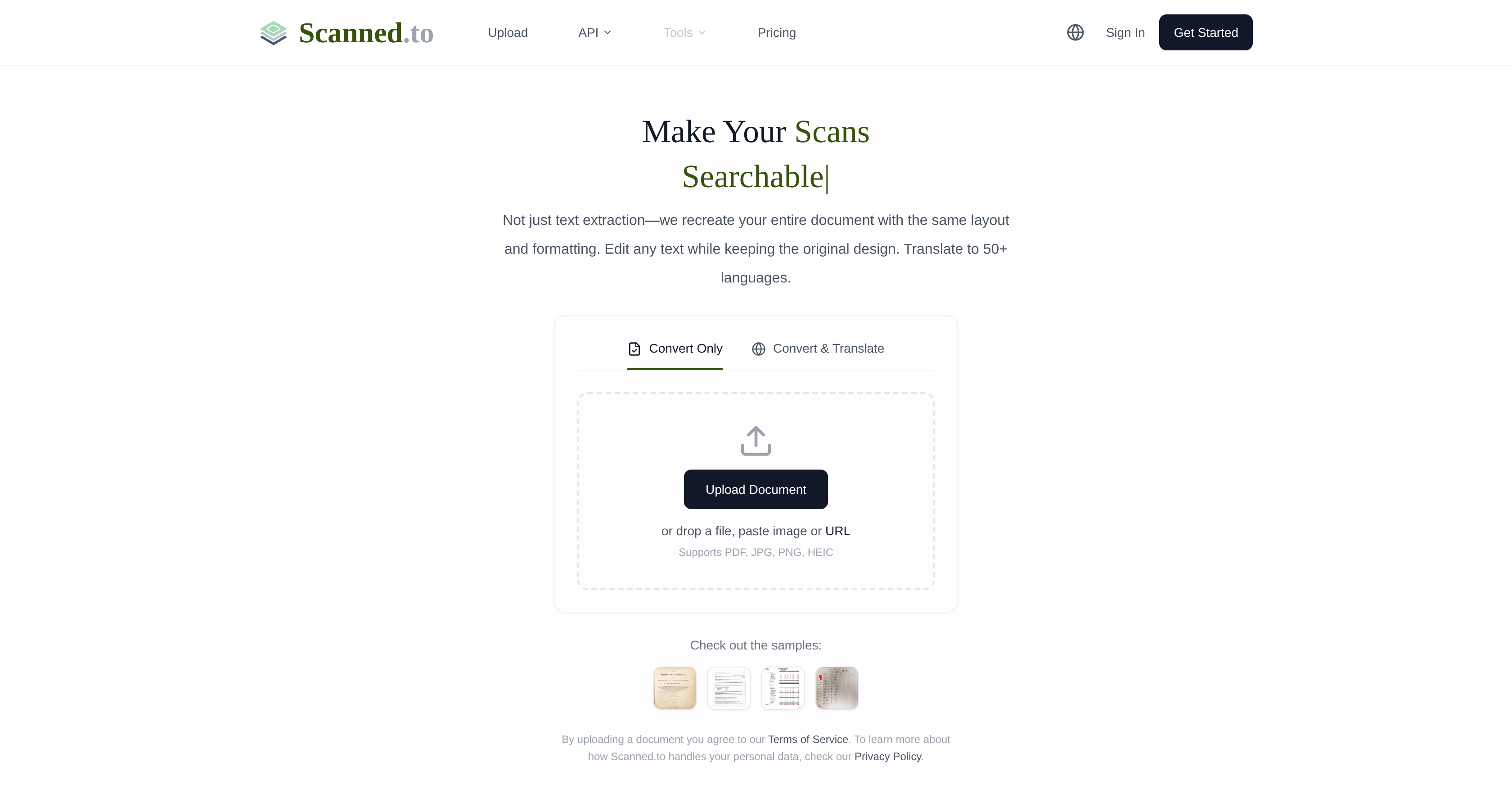
- Get perfectly formatted, editable Word documents from any scan or PDF, thanks to neural network OCR that preserves original layouts, fonts, and tables.
- Translate contracts, certificates, or menus into 50+ languages while keeping the original design intact, using AI optimized for specific document types.
- Digitize handwritten notes, drafts, or forms into clean, editable text, eliminating manual transcription for students, researchers, and professionals.
- Share converted documents securely with trackable links and view reading analytics to measure engagement and document reach.
- Automate bulk document processing and integrate OCR & translation directly into your apps or business systems with a robust, scalable API.
- Ensure complete document privacy with end-to-end encryption, no data sharing for AI training, and automatic file deletion for free users after 24 hours.
Pros & Cons
Pros
- Maintains original document's layout
- Supports handwritten text
- 'Convert & Translate' option
- Multiple upload methods
- Supports PDF, JPG, PNG, HEIC
- Advanced OCR recognition
- Document sharing & analytics
- API access for businesses
- Bulk processing capabilities
- Custom solutions provided
- High level data security
- End-to-end encryption
- Auto-deletion of uploads
- Supports over 50 languages
- Precise document translation
- Supports diverse document types
- Track reading statistics
- Accurate text recognition
- Preserves original formatting
- Secure document sharing
- Optimized translation for certificates, contracts, menus
- Integration into business workflows
- Printed text recognition
- Recreates entire documents
- Translate overseas shopping receipts
- Digitize handwritten class notes
- Translate rental contracts
- Organize old books and letters
- Translate foreign academic papers
- Organize library documents
- Convert handwritten drafts to digital
- Extract citation content
- Digitize meeting whiteboard notes
- Process multilingual invoices
- Share product manuals
- Develop receipt recognition apps
- Add multilingual support to apps
- Fully editable file generation
- Preserve tables, columns, headers
- Translate legal, medical, technical docs
- Uploads auto-deleted after 24 hours
- Instant shareable webpages
- Optimized neural networks
- Used by various professionals
- Used by personal users, students, researchers
- Auto-detect document type
- Digitize and organize letters
Cons
- Doesn't support all file formats
- Handwriting recognition accuracy variable
- Automatic deletion of free uploads
- Lack of offline functionality
- Limited to 50 languages
- Document format may differ
- Dependent on internet quality
- Advanced features require payment
- Potential delays in bulk processing
- Limited custom solutions
Reviews
Rate this tool
Loading reviews...
❓ Frequently Asked Questions
Scanned.to is an advanced AI service that leverages Optical Character Recognition (OCR) technology to convert scanned documents and PDFs into editable Word or Text formats. It goes beyond simple text extraction by recreating the entire document with the same layout and format as the original. This tool supports printed text, handwriting, and multiple file formats. It is designed for a variety of users, including personal users, students, researchers, business professionals, and developers.
Scanned.to processes scanned documents and PDFs using advanced AI and OCR technology. It does not merely extract the text, but recreates the entire document to mirror the same layout and formatting of the original. The processing also includes support for handwritten text.
Yes, Scanned.to is capable of recognizing handwritten text. It uses its advanced OCR capabilities to extract and convert handwritten text to editable formats.
Yes, Scanned.to maintains the original document's layout and format when processing conversions. It does not only extract the text but recreates the entire document to mirror the original's design and formatting.
Scanned.to supports multiple document formats for output and input. Users can upload documents files in the formats of PDF, JPG, PNG, and HEIC. The output can be edited in Word or text formats.
Scanned.to offers a range of capabilities outside of conversion. These include precise document translation, document sharing, and user analytics. It also provides enterprises with API access for integration into their products and workflows.
Document translation in Scanned.to is driven by AI. It preserves the original formatting of the document, while providing high-quality translation in over 50 languages. The service is optimized for various document types including certificates, contracts, menus, and more.
Scanned.to's translation service supports over 50 languages. It uses AI-powered translation models to deliver high-quality translations while preserving the original format and layout of the documents.
Yes, Scanned.to does offer a document sharing and analytics feature. Users can generate secure links to share converted documents and track reading statistics to understand document reach.
Scanned.to ensures a high level of data security, employing end-to-end encryption during transmission and storage. In addition, they never use documents for AI model training or share them with third parties. For free users, all uploads are auto-deleted after 24 hours.
Scanned.to is used by a variety of users. From personal users who need to translate overseas shopping receipts or digitize handwritten class notes, to students and researchers who may need to translate foreign academic papers or convert handwritten drafts to digital. Business professionals use it to translate international contracts, digitize meeting notes, or process multilingual invoices. Developers also utilize Scanned.to to integrate OCR and translation APIs, build automated document workflows, and add multilingual support to apps.
Yes, Scanned.to can be integrated into a business's system. It provides API access for companies to include its document processing capabilities into their own products and workflows. This also includes bulk processing capabilities as well as custom solutions.
Scanned.to can process a wide range of documents, from academic, official, and personal, to medical, legal, and business documents, amongst others. It can transform these documents while maintaining the original format and layout.
Scanned.to uses neural networks in its OCR technology to ensure high precision and accuracy in recognizing and converting text, including handwritten ones. This leads to more accurate text recognition and conversion, even in complex documents.
Yes, Scanned.to does offer translation for specific document types. The AI-driven translation service of Scanned.to is specially optimized for certain document types such as contracts, certificates, menus, and more, ensuring high-quality translations that maintain the original format and layout.
Yes, Scanned.to can convert scanned documents into editable Word formats. Whether the document is a PDF or a scanned image, Scanned.to can transform it into an editable Word document while preserving the original layout and formatting.
Yes, Scanned.to does offer bulk processing capabilities for businesses. It provides API access which businesses can use to integrate Scanned.to's document processing features into their operations. This allows for bulk processing as well as custom solutions.
Scanned.to employs end-to-end encryption to ensure data security during transmission and storage. This safeguards your documents and data throughout the entire process. Furthermore, Scanned.to does not use your documents for AI model training, nor shares your data with any third parties.
The 'Convert & Translate' functionality in Scanned.to allows users to not only convert a document into editable formats but also translate the text content while preserving the original formatting. This service uses advanced AI technology to support accurate translation in over 50 languages.
The 'auto-deletion' feature on Scanned.to allows for the automatic deletion of documents uploaded by free users after 24 hours. This guarantees that their documents will not be stored long-term, ensuring their privacy and data security.
Pricing
Pricing model
Free Trial
Paid options from
$5/unit
Billing frequency
Pay-as-you-go