Overview
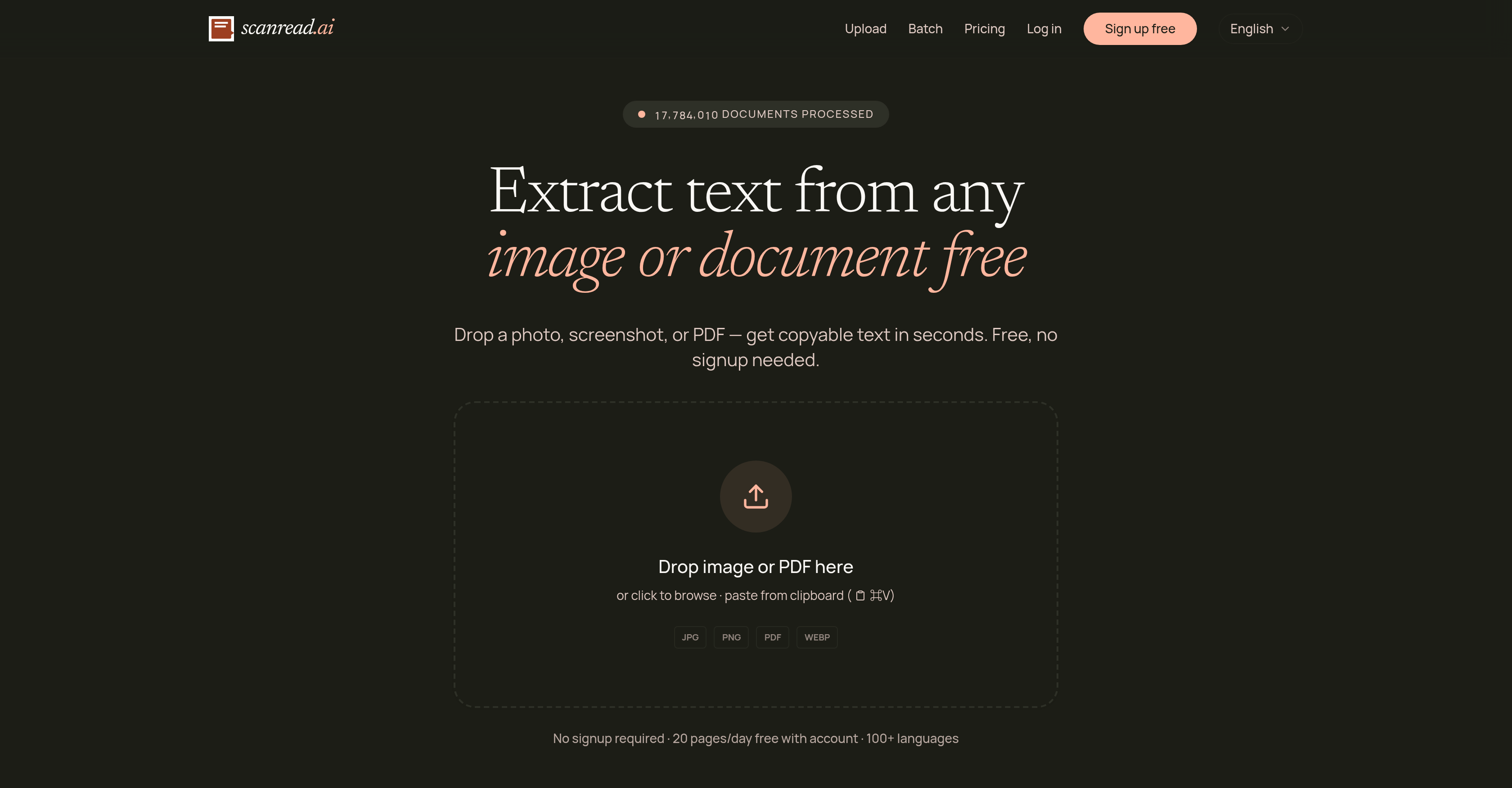
- Turn any photo, screenshot, or scanned PDF into instantly copyable and editable text without manual retyping, using the drag-and-drop interface for quick uploads.
- Search through entire scanned PDFs and find specific words in seconds, as ScanRead makes every page fully searchable and copyable after processing.
- Convert handwritten notes from meetings or lectures into typed, editable text that you can search, share, and store digitally, with accurate recognition of both cursive and print styles.
- Manage expenses effortlessly by digitizing receipts and invoices into organized text data, enabling faster expense tracking and financial record keeping.
- Share extracted text immediately with anyone by generating a direct link to your results, eliminating the need to download and re-upload files.
- Process multi-page contracts or textbooks in a single operation, saving hours of page-by-page work with batch document handling.
- Work with documents in over 100 languages including Arabic, Japanese, and Chinese, ensuring accurate text extraction from global materials without switching tools.
- Access the full text extraction service immediately without creating an account, with a free daily limit of 20 pages for casual use.
- Convert locked PDFs into editable Word documents, giving you full control to modify and reformat the content for reports or presentations.
Pros & Cons
Pros
- Extracts text from images
- Supports various document types
- Extracts text from PDFs
- Recognizes handwriting
- Multilingual support (100+ languages)
- Makes scanned PDFs searchable
- Processes multi-page documents
- Works with smartphone snapshots
- No separate scanner needed
- Aids in expense tracking
- User-friendly drop-and-drag interface
- Instantly copyable and editable text
- Option to download extracted text
- Option to share extracted text
- Free access with no signup
- Supports batch processing
- Specific utilities offered
- Image to text conversion
- PDF to Word conversion
- Handwriting to text conversion
- No signup required for use
- Textbook conversion utility
- Receipt scan utility
- Supports contract conversion
- Note conversion feature
- Supports expense tracking
- Enhances data security
- Supports education sector applications
- Supports business sector applications
- Supports research sector applications
- Supports legal sector applications
- Allows for immediate results sharing
- High performance in benchmark tests
- Fast local inference capability
- Recognizes mathematical expressions
- Processes document snapshots
- Processes screen captures
- Supports Arabic OCR
- Supports Japanese OCR
- Supports Chinese OCR
- Supports receipt OCR
- Process multilingual scene documents
- Pulls text from screenshots
- Allows copy from clipboard
- Capable of digitizing printed pages
- Converts math to LaTeX
- Processes dense CJK documents
- Assures privacy and data security
- Proven accuracy across industry-standard datasets
- Free access with enhanced features for account holders
Cons
- Accuracy varies between languages
- Account needed for more usage
- Inconsistent handwriting recognition
- No setup for batch processing
- Limited file upload formats
- Lack of collaboration features
- No OCR performance for all tools
- Limited options for error correction
- No options for customized utilities
Reviews
Rate this tool
Loading reviews...
❓ Frequently Asked Questions
ScanRead.ai is an AI-powered tool designed to extract text from a wide range of documents and images. Its main function is to digitize text from PDFs, screenshots, photos, and handwritten notes, making them instantly copyable and editable.
ScanRead.ai utilizes advanced AI techniques to extract text from images and documents. Users simply upload the document or image, and the tool digitizes the text, making it instantly copyable and editable.
ScanRead.ai can digitize a variety of documents and images. It supports photos, scans, screenshots, PDFs, and even handwriting.
Yes, ScanRead.ai can convert images to text. This feature forms part of its array of offerings and services.
Yes, ScanRead.ai support PDF to Word conversion. With this feature, users can transform their PDF files into editable Word documents.
Yes, ScanRead.ai can handle handwriting extraction. It can transform handwriting, whether cursive or print, into text that users can edit, search, and share.
ScanRead.ai supports over 100 languages. This includes but not limited to English, Spanish, French, German, Italian, Portuguese, Chinese, Japanese, Korean, Arabic, Hindi, Russian, Dutch, Polish, Turkish, Vietnamese, Thai, Indonesian, Swedish, Czech, Romanian, Greek, Hebrew, Ukrainian.
Yes, ScanRead.ai can make scanned PDFs searchable and copyable. It offers a feature where it can process scanned PDFs, making the text within them searchable and extractable.
Yes, ScanRead.ai is capable of processing multi-page documents in a single operation. This makes it easy to handle long documents with several pages.
Yes, ScanRead.ai can extract text from phone snapshots. Users can take photos of documents, receipts, or pages with their phones, then upload the snapshots to ScanRead.ai for text extraction.
ScanRead.ai provides support for expense tracking by digitizing receipts and invoices. Once digitized, these documents are easier to manage, enabling effective expense tracking.
Yes, ScanRead.ai is user-friendly. It has a simple drop-and-drag interface that makes it easy for users to upload documents and extract desired text.
Results from ScanRead.ai can be shared by coping the text directly, downloading it, or sharing a link to the results immediately.
In ScanRead.ai, documents can be uploaded through their user-friendly interface. Users can either drop the document into the designated area, or browse and select the document from their device.
No, users don't need to signup to use ScanRead.ai. The tool is available for free without the need for account creation.
Yes, the service offered by ScanRead.ai is free. This makes it accessible to all users in need of its functionalities.
Yes, ScanRead.ai can recognize different handwriting styles, including cursive and print. It uses advanced algorithms to ensure accurate handwriting conversion to text.
Yes, ScanRead.ai can be used to manage receipts and invoices. Its capabilities to digitize and extract text from these documents enhances their manageability, particularly for expense tracking purposes.
ScanRead.ai operates with a simple drop-and-drag interface. Users upload their documents, from which the tool extracts the editable text instantaneously. The extracted text can then be immediately copied, downloaded, or shared via a link.
ScanRead.ai can extract text from a wide range of documents including photos, scans, screenshots, PDFs, receipts, contracts, textbooks, and notes, among others.
Yes, ScanRead.ai can extract text from handwritten notes. It is capable of converting handwriting, be it cursive or print, into typed text that can be edited, searched, and shared.
ScanRead.ai offers several unique utilities. For instance, beyond simple text extraction, it provides specific utilities such as Image to Text, PDF to Word, and Handwriting to Text. It can also make scanned PDFs searchable and copyable.
Yes, ScanRead.ai is capable of making scanned PDF documents searchable and copyable.
Yes, ScanRead.ai can extract text from images taken with a phone camera. This means users don't require a separate scanner to process documents; they can simply take a snapshot of a document, receipt, or page with their phone.
Yes, ScanRead.ai does provide the functionality to convert PDF documents into Word format. This allows users to easily edit the extracted text from their PDFs.
No, signing up to use ScanRead.ai is not necessary. However, creating an account allows for greater daily usage.
Yes, directly after text extraction with ScanRead.ai, users can copy or download the text immediately.
Text extracted by ScanRead.ai can be shared immediately by generating and sharing a link to the results.
Yes, ScanRead.ai offers utility for expense tracking. It simplifies the management of receipts and invoices by making these documents easy to scan and extract text from.
ScanRead.ai is compatible with a variety of formats including photos, screenshots, PDFs, and handwritten notes.
ScanRead.ai simplifies the process of digitizing print materials by instantly converting them into editable text. This removes the need for manual transcription and speeds up information gathering.
ScanRead.ai has assured data privacy and security in their policy. In the digitization process, the data privacy and security of user content are upheld.
Without an account, ScanRead.ai provides free access with a limit of 20 pages per day.
Yes, ScanRead.ai does provide support for Arabic, Japanese, and Chinese character recognition among its tools.
Yes, ScanRead.ai offers a specific tool for Handwritten Text Recognition, facilitating the conversion of handwriting to editable and searchable typed text.
Yes, ScanRead.ai effectively extracts text from contract and receipt scans, streamlining processes in sectors such as business, legal, and financial management among others.
Pricing
Pricing model
Freemium
Paid options from
$10/month
Billing frequency
Monthly