

Scenariov1.8
Overview
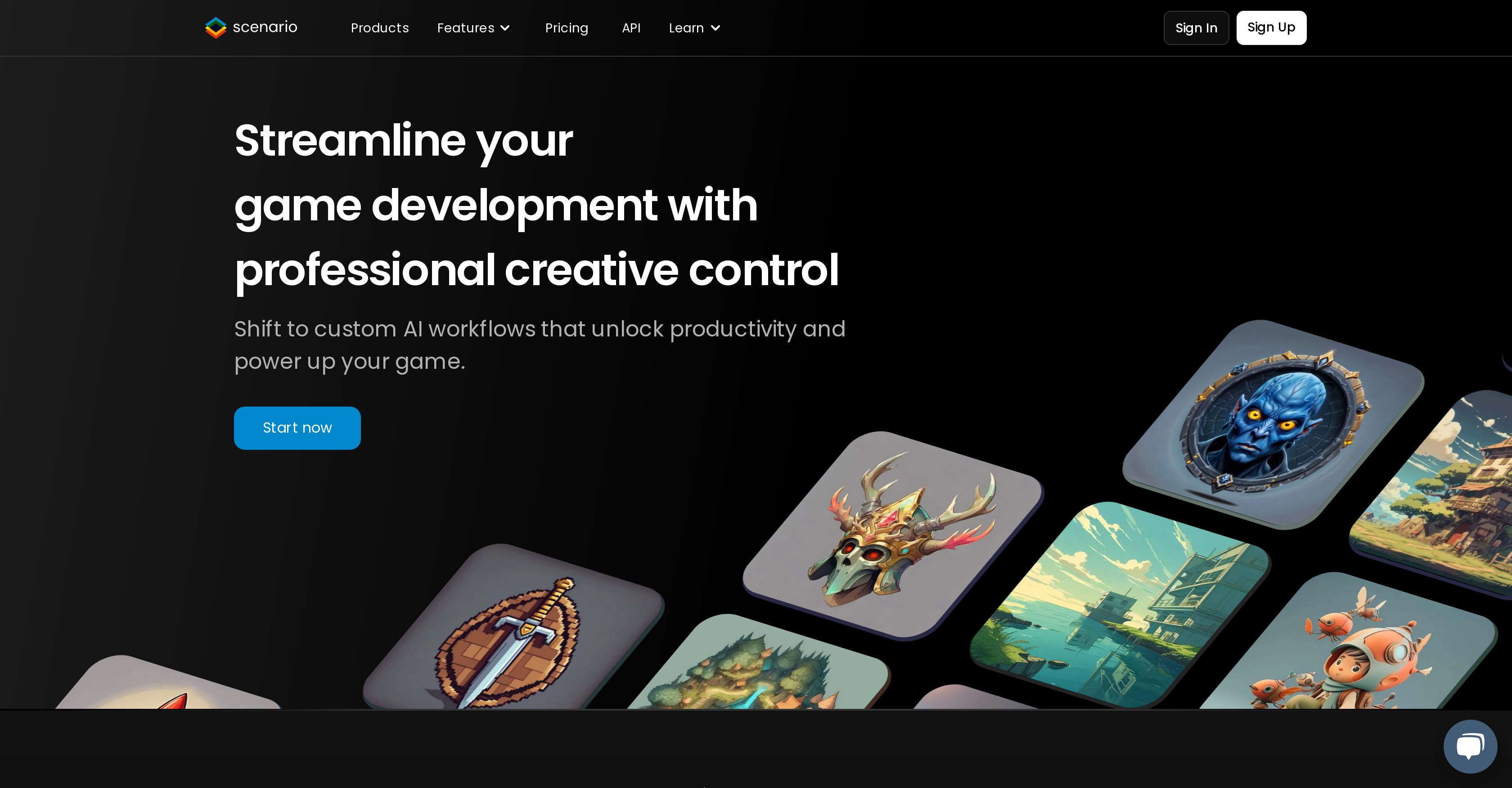
- Generate premium quality game assets that perfectly match your art style using custom-trained AI models that learn from your visual references
- Maintain cohesive art direction across all assets with style-consistent generation for characters, environments, props, and weapons
- Test new game concepts instantly by generating complete asset sets from simple text prompts without manual design work
- Create proprietary AI models tailored to your game's unique visual identity in just a few clicks, no technical skills required
- Accelerate production timelines from weeks to minutes by automating asset creation for characters, NPCs, vehicles, and buildings
- Generate infinite variants of any asset while maintaining style consistency across facial expressions, outfits, seasons, and environments
- Integrate seamlessly into existing workflows through API-first design that connects with game engines and design software
- Enable player-generated content that stays on-brand with controlled AI models that maintain your game's visual integrity
Related Articles
Pros & Cons
Pros
- Generates high-quality content
- Upload own training data
- Quick concept testing
- Efficient prompting
- Speeds up production
- Supports variety of data
- No technical skill required
- Single-word asset generation
- Supports wide range of visual styles
- Has Discrod community
Cons
- No offline functionality
- Dataset upload limit
- Limited to visual assets
- No collaborative features
- Lack of user-defined controls
- Only English language support
- Limited training data types
- No mobile application
- Single user license
- No API for integration
Reviews
Rate this tool
Loading reviews...
❓ Frequently Asked Questions
Scenario is an AI-powered gaming asset generation tool. It enables game developers to create engaging content quickly and easily, saving them time and piquing creativity.
The primary use of Scenario is to generate high-quality, style-consistent, proprietary assets for games. It allows game developers to quickly create, test and implement new content, ideas, and concepts.
Yes, Scenario is designed to be user-friendly and requires no technical skills. It enables users to create their own bespoke AI models in a few simple clicks.
With Scenario, you can upload a wide range of training data. This includes character designs, prop designs, vehicles, weapons, skins, buildings, concept art, pixel art, and sketches.
Scenario uses the training data you upload to create bespoke AI models. These models generate original, high-quality gaming assets. Additionally, users can test new game concepts and ideas, with more efficient prompting.
Yes, Scenario allows you to create your own proprietary AI models. These custom-trained models help you generate unique, high-quality game assets.
Creating a generative AI engine with Scenario involves three steps. Firstly, choose a set of visuals by uploading training data. Secondly, train bespoke AI models, which can be done in a few clicks and requires no technical skill. Finally, generate outstanding assets by using the trained AI engines.
Yes, Scenario assists you in generating unique, high-quality content. It uses your training data to create bespoke AI models that help generate consistent and visually appealing gaming assets.
Yes, using Scenario you can quickly test new game concepts and ideas. Its prompting feature enables developers to bring their ideas to life by inputting simple, easy-to-understand text commands.
Scenario's prompting feature is highly efficient. It allows developers to generate assets and bring their ideas to life using just a few words.
Yes, Scenario is capable of generating style-consistent assets. It ensures that the generated assets maintain a cohesive art direction according to the chosen style of the user.
The types of game assets you can create using Scenario range from characters, NPCs, and mobs to vehicles, worlds, maps, buildings, environments, props, resources, weapons, clothing, gears, and even avatars.
Scenario can significantly speed up your game production by automating asset creation. It turns your ideas into high-quality, style-consistent assets within minutes, thereby reducing the time used on manual design.
Generating assets with Scenario involves three steps. First, choose a set of visuals by uploading your own training data. Next, create your own generative AI engines in just a few clicks. Finally, generate the assets by inputting a few words.
In Scenario, you can choose visuals from a range of options including characters, props, vehicles, weapons, skins, buildings, concept art, pixel art, and sketches. These visuals form the basis for training your bespoke AI models.
With Scenario, you can bring your ideas to life by feeding them into your AI models. The models use your input to generate high-quality, style-consistent assets reflective of your ideas.
Yes, you can use Scenario to generate a variety of game assets such as characters, props, and buildings. These can be based on your training data, creating unique and style-consistent results.
Yes, Scenario can generate assets for different art styles including GUI, vehicles, characters, NPCs, mobs, avatars, worlds, maps, buildings, environments, props, resources, weapons, clothing, and gears.
Yes, there are reviews available for Scenario. They indicate positive experiences from users who have utilized Scenario to generate engaging, high-quality gaming assets.
Pricing
Pricing model
Freemium
Paid options from
$12/month
Billing frequency
Monthly


