
SeeVido | AI Video Generator
Overview
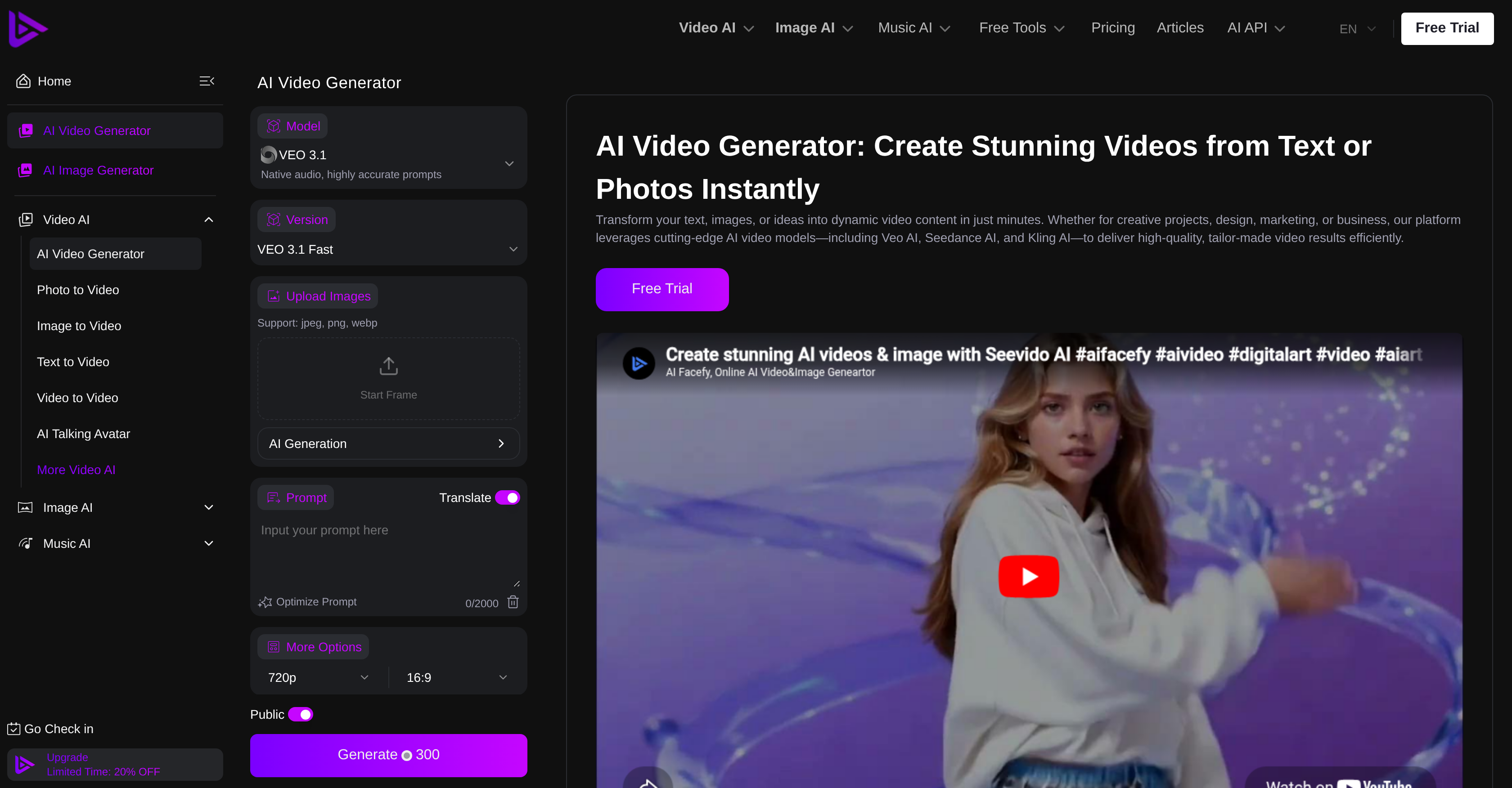
- Launch polished video ads and promos in minutes by describing your vision in plain language, powered by integrated AI models like Veo AI, Seedance AI, and Kling AI.
- Maintain professional visual consistency across every project as AI models preserve structure, timing, and style for coherent scenes with smooth transitions.
- Scale your content output effortlessly with batch video production that creates multiple videos simultaneously, ideal for large-scale campaigns and e-commerce catalogs.
- Produce diverse video outcomes—from realistic motion to stylized animation and abstract visuals—to match any creative, marketing, or business requirement.
- Edit or modify existing videos through simple text prompts or explicit instructions, removing the complexity of traditional video editing software.
Pros & Cons
Pros
- Generates dynamic videos
- Creates videos from text/images
- Various video outcomes
- Batch production feature
- Maintains video style consistency
- Realistic motion of videos
- Stylized animation display
- Abstract visuals usage
- Editing using text prompts
- Coherent scenes in videos
- Smooth video transitions
- Good for creatives
- E-commerce friendly
- Rapid video shorts production
- Excellent for ads/explainers
- User-friendly operation
- Produces high-quality videos
- Efficient operation of models
- Able to modify videos
- Ideal for large projects
- Ready videos for any platform
- Custom-made video results
- Aids in design tasks
- Useful for marketing
- Applicable for businesses
- Contributes to creative projects
- Transforms photos to videos
- Supports text to video
- Aids in automated video production
- Allows video animation
- Consistently high quality
- Accepts explicit instructions
- Professional result replication
- Image to video conversion
- Video description input
- Native audio support
- Fast upload feature
- Supports jpeg, png, webp
- Creates video shorts
- Generates explainers
- Ad creation option
- Prompt translate
- Optimize prompt feature
- Public Generate300 support
- Stunning videos from text/photos
- Versatile video generation
- Text-driven editing & creation
- Quality and cohesion maintenance
Cons
- Doesn't support 4K resolution
- Limited video editing features
- Single language interface
- Potential consistency issues
- Limited to JPEG, PNG, WEBP
- Overreliance on text prompts
- Lacks real-time video preview
- No multi-platform App
- No mention of offline functionality
- No integration with other tools
Reviews
Rate this tool
Loading reviews...
❓ Frequently Asked Questions
SeeVido AI is a proficient video generator tool that leverages artificial intelligence to craft dynamic videos out of text or images. It caters to various requirements such as creative projects, design, marketing, or business needs.
SeeVido AI creates videos from text or images based on AI models like Veo AI, Seedance AI, and Kling AI. These models work collaboratively to deliver high-quality custom-made videos. It uses text prompts or explicit instructions for video editing which means users can craft videos simply by describing what they want in simple terms.
SeeVido AI deploys multiple AI video models to synthesize dynamic videos. These include Veo AI, Seedance AI, and Kling AI. These models work synergistically to generate high-quality, tailor-made video results efficiently.
SeeVido AI supports a variety of video outcomes. These include the generation of realistic motion videos, stylized animation, and abstract visuals, allowing for a large degree of customization according to the users’ needs.
SeeVido AI empowers users with editing options that are based on text prompts or detailed instructions. These allow users to create or modify videos efficiently, delivering professional, consistent, high-quality visuals that adhere to the desired structure, timing, and style.
SeeVido AI handles batch video production efficiently by creating multiple videos simultaneously. This feature is particularly handy for large-scale projects or campaigns that necessitate the generation of a large number of videos in a short span.
SeeVido AI maintains video style consistency by employing its AI models to ensure constant visuals, keeping structure, timing, and style intact for professional-level video results.
SeeVido AI is user-friendly, designed to enable even non-technical users to craft videos effortlessly. Users can create videos simply by describing what they need in layman's terms, thereby eliminating the complexity usually associated with traditional video editing.
Yes, SeeVido AI can create videos from text prompts. This feature enables you to describe what you need in the video verbally or in written format, which allows for personalized content creation.
SeeVido AI is highly efficient in creating multiple videos concurrently, making it ideal for large-scale projects. It accomplishes this through its batch video production feature, which enables the system to create multiple videos simultaneously.
Yes, SeeVido AI can certainly create videos for e-commerce and marketing purposes. One of its major uses is for the rapid production of explainer videos, promos, ads, video shorts, and various other forms of engaging marketing content.
Yes, you can use SeeVido AI for creating explainer videos and video shorts. The platform facilitates easy and quick production of a variety of video content that fits the needs of creatives, e-commerce sites, and content creators.
SeeVido AI offers a wide range of animation types, from realistic motion to stylized animation and abstract visuals. This wide range of styles caters to a variety of user needs and creative project requirements.
SeeVido AI ensures high-quality video outputs by maintaining structure, timing, style, and delivering professional results with consistent visuals. The videos created by SeeVido AI present coherent scenes and smooth transitions and are ready for any platform.
Yes, there is a free trial offered for SeeVido AI. Users can try the AI Video Generator free on the SeeVido AI platform.
SeeVido AI maintains the structure and timing of a video using its intelligent AI models. This allows for consistent visuals in the videos, ensuring professional-level results that adhere to desired timing and structure, regardless of the complexity of the project.
Transitions created by SeeVido AI are smooth and visually appealing. This is achieved by the AI's ability to establish coherent scenes and ensure smooth transitions between them, thus maintaining a high-quality video viewing experience.
Yes, SeeVido AI can be successfully utilized for creative projects. Whether these are personal projects, design intents, marketing campaigns, or business presentations, SeeVido AI can support a plethora of creative video creation needs.
SeeVido AI can be utilized for large-scale video production projects through its batch video production feature. This allows for the creation of multiple videos simultaneously which makes it an ideal tool for big projects or campaigns.
SeeVido AI requires instructions in the form of text prompts or explicit commands in order to perform video editing. The platform has been designed to simplify video creation by allowing users to describe their needs in straightforward terms, thus eliminating the complexity associated with traditional video editing.
Pricing
Pricing model
Free Trial
Paid options from
$7.99/month
Billing frequency
Monthly