Skywork
Overview
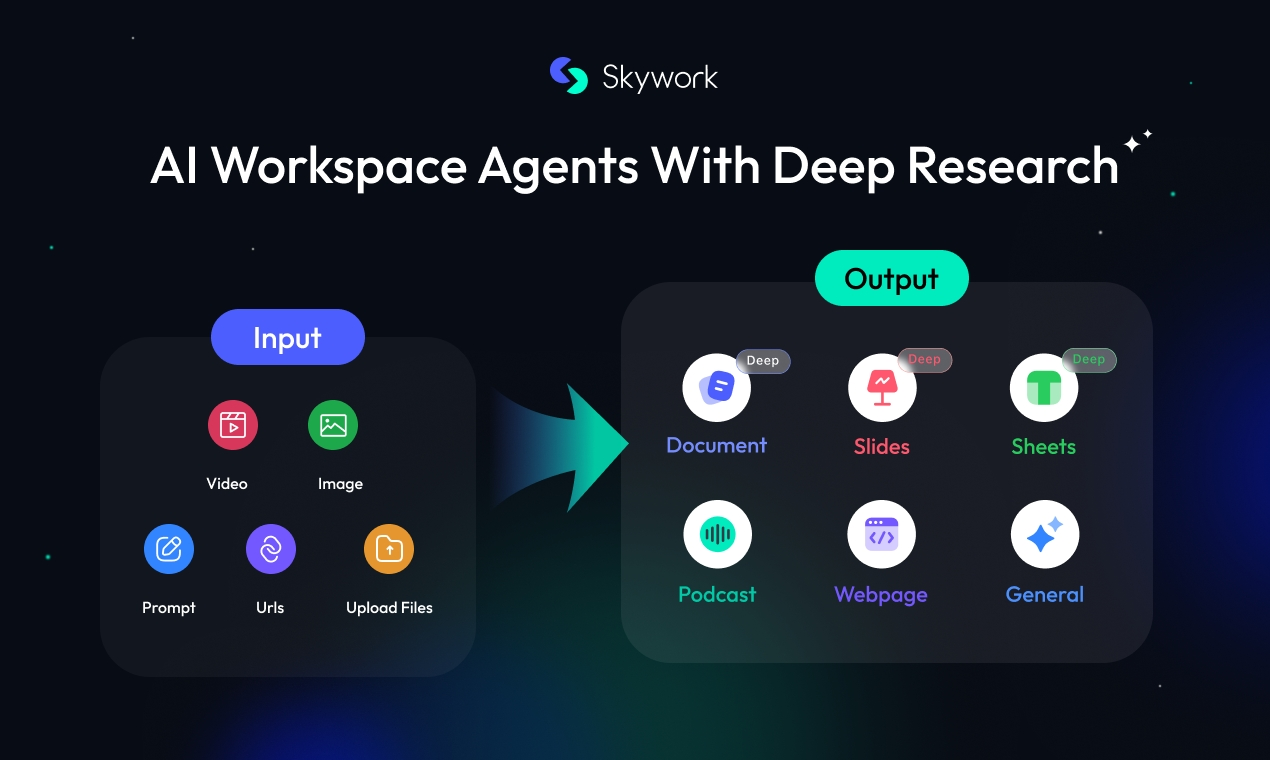
- Eliminate paperwork overload using AI automation that handles document management for you
- Focus on high-value work instead of administrative tasks with intelligent task prioritization that understands your work patterns
- Transform your workspace into a smart environment that adapts to your unique demands and work style
- Streamline daily routines with predictive intelligence that anticipates your paperwork needs before they become urgent
- Accelerate document handling through automated processing that reduces manual paperwork management time
Pros & Cons
Pros
- Enhances work productivity
- Assists in work organization
- Reduces paperwork load
- Saves user time
- Revamps work method
- Analyzes and predicts user needs
- Offers intuitive user experience
- Adaptive capabilities
- Transforms workspace into smart workspace
- Prioritizes work
- Streamlines work routine
- Manages professional tasks
- Rescues from paperwork navigation
- Automates workflow
- Catapults workspace efficiency
Cons
- Limited to paperwork management
- No real-time collaboration features
- No offline functionality
- Limited task management functionalities
- No third party integrations
- No mobile support
- Potential adaptation time required
- Lacks fine-tuning user preference options
Reviews
Rate this tool
Loading reviews...
❓ Frequently Asked Questions
Skywork is an AI-powered tool designed to enhance work productivity. It serves as a workspace agent to assist in organizational tasks, aiming to revamp the way work is done by reducing paperwork and predicting user needs.
Skywork enhances work productivity through its AI capabilities. It reduces the load of paperwork users need to manage, freeing up more time for users to focus on their main tasks.
Yes, Skywork can help organize work. It uses AI technology to understand the users' work-related activities and priorities, managing tasks and effectively transforming the workspace into a more efficient environment.
Skywork uses AI technology to understand and predict the amount of paperwork a user needs to manage. It then takes steps to reduce it by automating tasks and using predictive intelligence to avoid unnecessary paperwork.
When it's stated that Skywork analyzes and predicts user needs, it refers to Skywork's ability to utilize AI technology to understand the users' work-related activities and priorities. It can then predict future tasks or paperwork based on these insights.
Skywork is not strictly about managing timetables and reminders, but it can certainly do it as part of its overall function. Its main focus is to be an intelligent partner that helps to manage and prioritize tasks, reducing paperwork and streamlining work routines.
Skywork assists in task management by acting as an intelligent partner that can sort out your priorities and manage tasks. It uses AI technology to understand your work-related activities and priorities, and it helps streamline your daily work routine.
Yes, Skywork can adapt to individual user's unique demands. Skywork's intelligence enables it to comprehend the unique demands of each user and adapt accordingly.
A smart workspace is an environment where tasks and workflows are optimized with the help of technology to enhance efficiency. Skywork creates this by leveraging its AI capabilities to process and manage tasks, reducing paperwork and providing a more intuitive and user-friendly workspace.
Yes, Skywork can help prioritize tasks. It understands the users' work-related activities and priorities, aiding in task management and ensuring important tasks get completed first.
Skywork streamlines the daily work routine by using AI technology to understand user's work-related activities and priorities. It reduces the burden of paperwork, manages tasks, and by doing so, organizes the user's daily work pattern efficiently.
AI plays a significant role in Skywork's functioning. AI technology enables Skywork to understand the users' work-related activities and priorities, reduce paperwork, manage tasks, predict user needs, adapt to individual user demands, and create a smart workspace.
Skywork redefines productivity by using AI to understand and predict user needs, facilitating a more intuitive and user-friendly approach to professional tasks management. It smartly manages the paperwork, which saves time for users to focus on their primary tasks, thus enhancing overall productivity.
Skywork saves time for users by reducing the load of paperwork they need to manage using AI automation. This enables users to dedicate more time to their main tasks instead of paperwork.
Yes, Skywork is designed to assist all types of organizations. It comprehends each user's unique needs and adapts accordingly, making it adaptable and effective for any work environment.
Yes, Skywork provides an intuitive user experience. This is due to its ability to analyze and predict user needs, creating a more user-friendly approach to professional tasks management.
Skywork transforms the workspace into a 'smart workspace' by leveraging its AI capabilities. It manages and reduces paperwork, understands and predicts user needs, consequently making the workspace more efficient and easier to navigate.
Yes, handling paperwork is faster with Skywork. By reducing the load of paperwork users need to manage, it effectively accelerates the overall process of paperwork management.
Skywork interprets work-related activities by leveraging its AI technology to understand users' daily tasks and priorities, aiding in effective task management, paperwork reductions, and work routine streamlining.
The main purpose of Skywork is to enhance work productivity and assist in the organization of tasks in the workspace. It is aimed at redefining the way work is handled, with a significant focus on reducing paperwork and saving time for users.
Pricing
Pricing model
Free Trial
Paid options from
$19.99
Billing frequency
One-time
Related Videos
Tutorial: How to Add a Slide Template? | Skywork AI | Skywork Super Agents
Skywork•844 views•Jul 31, 2025