
SlideStorm
Overview
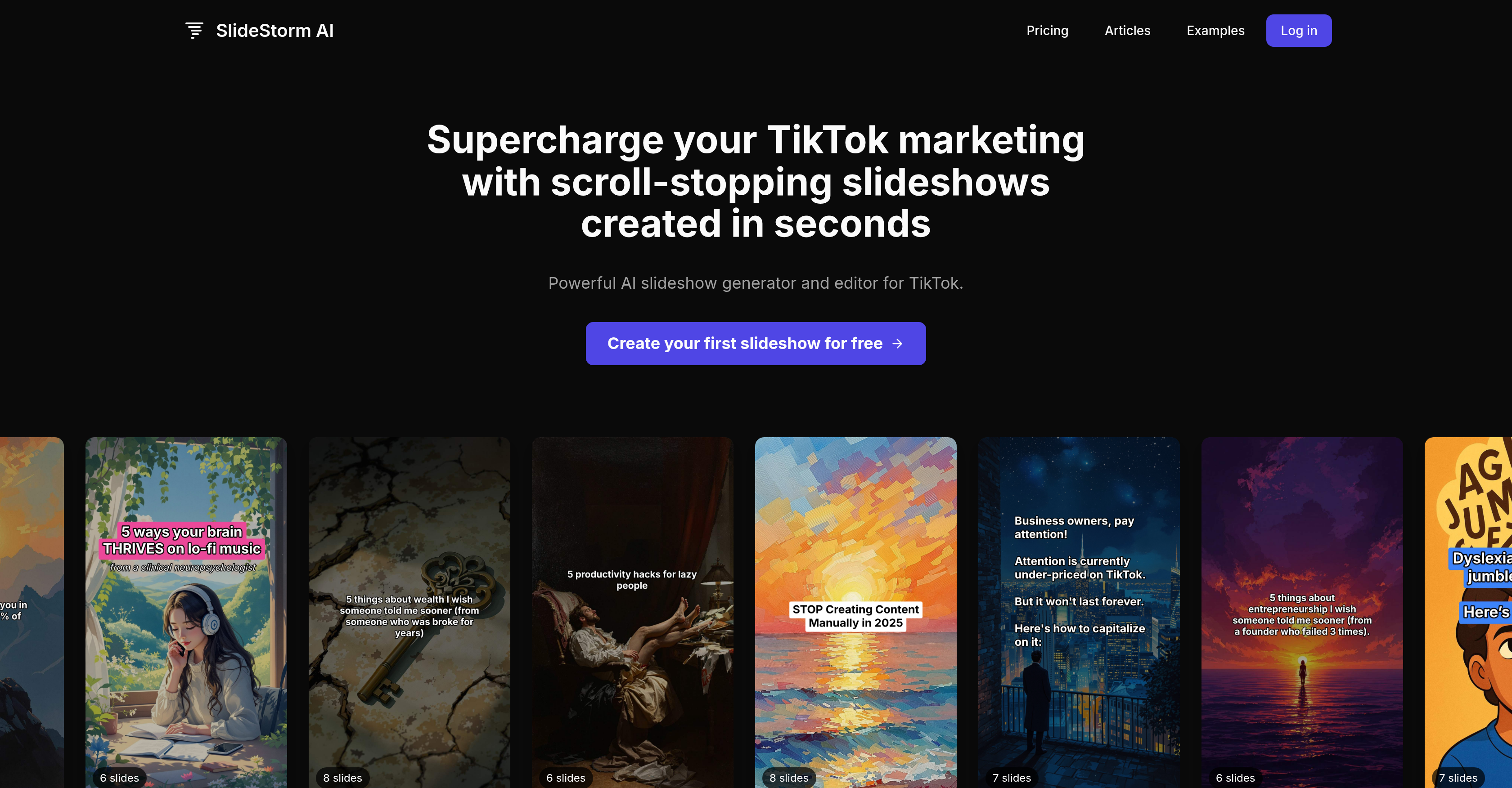
- Generate complete TikTok slideshows in seconds using AI that automatically adds images and captions based on your prompt
- Eliminate creative blocks with pre-tested templates and prompts proven to generate engaging TikTok content
- Manage multiple brands or client accounts efficiently by connecting and uploading directly to multiple TikTok accounts
- Customize every detail with an editor that lets you add/remove slides, change captions/images, and insert calls to action
- Maintain full creative control by uploading your own images or creating new ones alongside the AI-generated content
- Streamline your entire workflow from creation to posting with automatic upload to TikTok where you select the final music track
Pros & Cons
Pros
- Specially for TikTok marketing
- Automated slideshow creation
- Three-step creation process
- Template-based slideshow generation
- Allows editing pre-upload
- Extensive image library
- Allows user uploaded images
- Connects multiple TikTok accounts
- Great for agencies, multi-brand businesses
- Library of pre-tested templates
- No creative skills required
- Allows adding a call-to-action
- Automatically adds captions
- Proven templates and prompts
- Full control in slideshow editor
- Allows changing captions and images
- Subscription-based pricing
- Credit system for services
- Accumulating credits policy
- FAQs provided
- Priority support for premium
- Library images free-to-use
- Allows re-using generated images
- Image generation system
- Schedule posts feature planned
Cons
- Limited to TikTok platform
- No post scheduling feature
- Limited image style options
- Depends on template availability
- Limited to connected TikTok accounts
- Credits required for operations
- Limited prompts in library
- Limited customization in slideshow editor
- No offline functionality
Reviews
Rate this tool
Loading reviews...
❓ Frequently Asked Questions
SlideStorm AI is an artificial intelligence tool designed to enhance TikTok marketing efforts by automating the process of creating, editing, and uploading TikTok slideshows.
The SlideStorm AI Slideshow Generator works by taking a user's prompt and turning it into a professional-grade TikTok slideshow using a template. It automatically generates images and captions based on the prompt.
To create a slideshow using SlideStorm AI, enter a prompt, select an image style and slide count to generate a slideshow. Afterward, review the slideshow in the editor, adjusting text, images, or layout as required. Finally, upload the slideshow to a TikTok account and choose a music track.
Users can customize their SlideStorm AI slideshows using the Slideshow Editor function. This feature allows for the addition or removal of slides, changes to captions or images, and the addition of a call to action.
Yes, SlideStorm AI allows users to upload their own images for use in slideshows.
SlideStorm AI is ideal for automated marketing efforts on TikTok, hence it is suitable for a wide range of businesses looking to target the TikTok audience. This includes multi-brand businesses and marketing agencies.
Yes, SlideStorm AI supports multiple TikTok accounts, making it an ideal tool for managing multiple brands or client accounts.
Ewan
🛠️ 1 tool
wrote:SlideStorm AI uploads your slideshow to TikTok where you can select the music track before posting.
Ewan
🛠️ 1 tool
wrote:To upload a slideshow to TikTok using SlideStorm AI, first create and edit your slideshow. Following this, use the Upload function to upload your slideshow to your TikTok account.
Yes, SlideStorm AI provides users access to a library of pre-tested templates and prompts that generate engaging content.
Yes, SlideStorm AI is designed to save significant time and effort by simplifying and automating the process of creating, editing, and uploading TikTok slideshows.
SlideStorm AI automatically adds captions to your slideshow based on the prompt that you provide.
In the SlideStorm AI editor, users can add or remove slides, change captions or images, or add a call to action.
Yes, SlideStorm AI allows users to add a call to action in their slideshows, offering an opportunity to drive specific user behavior.
Yes, SlideStorm AI enables users to control the slide count in their slideshows by allowing them to choose the number of slides during the generation stage.
Yes, SlideStorm AI facilitates linking and uploading content to multiple TikTok accounts, offering significant advantages for agencies and businesses managing multiple brands.
SlideStorm AI provides automation in slideshow creation, editing, and posting. It includes features like AI-powered slideshow generation, pre-populated templates and prompts, and auto upload to multiple TikTok accounts.
Yes, SlideStorm AI has a range of features that assist with content generation, including an AI Slideshow Generator which automatically adds images and captions based on user prompts, as well as an extensive library of pre-tested templates and prompts.
SlideStorm AI helps drive more traffic to businesses by automating the creation, editing, and uploading of engaging TikTok slideshows, which can generate increased audience engagement.
Yes, SlideStorm AI enables the creation of new images for slideshows that can be generated using the AI or uploaded by the user.
Pricing
Pricing model
Free Trial
Paid options from
$16/month
Billing frequency
Monthly