

Overview
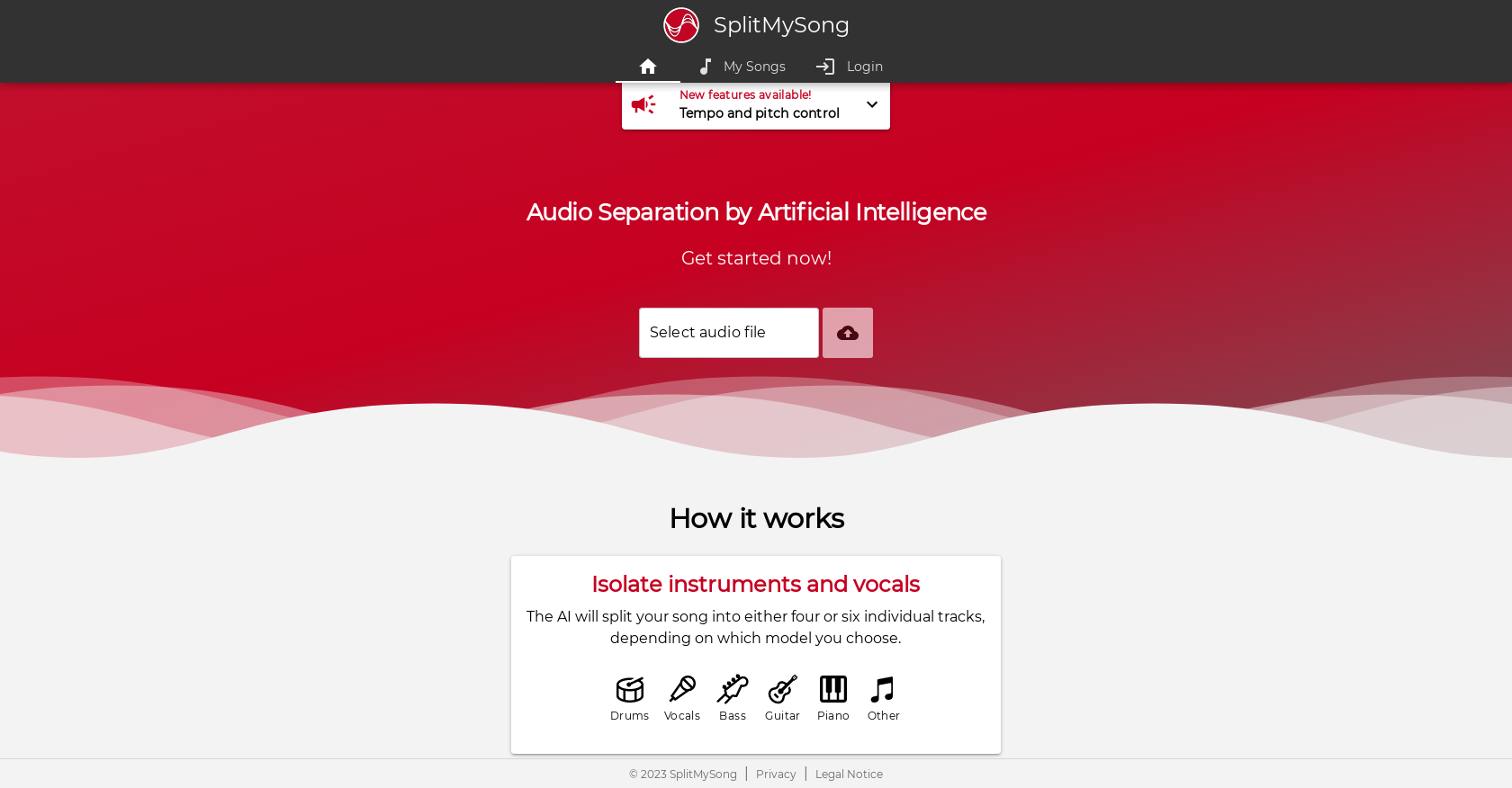
- Extract clean vocal tracks and instrument stems from any song using AI-powered audio separation
- Create custom remixes and karaoke versions by adjusting volume and panning for each isolated track
- Change song tempo and pitch to match your creative vision or performance needs with simple slider controls
- Process full-length songs with patron membership while maintaining privacy with automatic file deletion
- Export high-quality lossless WAV files for professional music production and sampling work
- Access your projects anywhere by installing the web app on mobile devices and desktop computers
Pros & Cons
Pros
- Supports multiple audio formats
- Track isolation feature
- Volume and panning adjustment
- Tempo and pitch control
- Downloadable customized mix
- Processing time 1-3 minutes
- User privacy protection
- Automatic track deletion
- Web App for mobility
- PC/Mac recommended for larger files
- Patreon credits for full-length songs
- Export mix in high quality
- Credits deducted after confirmation
- Unused credits expire monthly
- Patreon membership upgrade available
- Direct support via Patreon
Cons
- No native mobile app
- Free version limitations
- File size and duration restrictions
- Processing time varies
- Songs deleted after one day
- Limited upload quantity
- Song cropping for free version
- Requires Patreon for full access
- Dependence on powerful hardware
- Credit system for song splitting
Reviews
Rate this tool
Loading reviews...
❓ Frequently Asked Questions
SplitMySong.com is an Artificial Intelligence (AI) based tool specialized in music splitting, audio separation for music production, and music mixing. It allows users to isolate individual tracks such as vocals, drums, bass, guitar, piano, and 'other' from their songs. Moreover, users have the control to adjust the panning and volume of each track using the tool's mixer feature. Also, users can adjust tempo and pitch of their songs. No sooner is the user's desired mix reached, it can be downloaded for personal use.
SplitMySong employs an AI-powered audio separation process that splits a song into its individual components. Depending on the model chosen by the user, the AI separates the song into either four or six individual tracks such as vocals, drums, and a variety of instruments including bass, guitar, and piano.
Yes, there is a limit. Each file uploaded on SplitMySong must fit within the size of 0.1 and 200 MB. It's worth noting that the tool supports a variety of common audio formats, including mp3, ogg, flac, wav, and aiff. The maximum allowable audio duration is 20 minutes.
The tempo and pitch of a song can be controlled using the mixer feature of SplitMySong. Users can easily adjust the tempo and pitch of their songs using sliders present in the mixer.
Yes, once users have customized their song mix on SplitMySong, they can download it for personal use.
While SplitMySong doesn't have a native iOS or Android app, users can install the SplitMySong Web App on their mobile device or desktop. This enables it to be run like any other installed app, providing a similar experience to a native application.
Uploaded songs and processed tracks that are generated from them are automatically deleted after approximately one day. Users should use the download function provided by the site to save their results and prevent any data loss.
The SplitMySong mixer enables users to manually adjust the volume and panning of each track. The tool also allows users to change the tempo and pitch of their song if desired. Once all the adjustments are done, users can download their customized mix.
SplitMySong separates a song into vocals, drums, and a variety of instruments including bass, guitar, and piano. An additional 'other' track is created for audio information that remains after all the instruments and vocals have been removed. This track usually includes effects, noise, crowd noise, and other incidental sounds.
The audio separation process employed by SplitMySong is AI-based and computationally intensive. The processing time may vary depending on the duration of the audio file, but on average, it takes between 1 to 3 minutes to complete.
The free version of SplitMySong allows users to upload a maximum of two songs per day. In addition, songs uploaded by users of the free version are trimmed to a random 15-second snippet before being processed by the AI.
SplitMySong ensures user privacy by allowing each user to only access their own songs. This means other users will not have access to your songs unless shared by you.
Yes, SplitMySong offers full-length song splitting options. However, this service is available for the users who have subscribed to their Patron services. Users receive credits every month which get consumed for full-length song splits.
Yes, there is a Credit Calculator on SplitMySong, which enables users to assess their monthly credit requirements. This helps users understand which subscription is best suited for them, based on the number of songs they plan to upload and their song durations.
Yes, SplitMySong allows its users to log in using their Patreon account to unlock additional benefits. Becoming a patron allows users to split full-length songs and provides monthly credits based on the selected Patron subscription.
Tempo and pitch adjustments in SplitMySong are computationally intensive activities. Unlike adjustments to volume or panning, these adjustments are too demanding to be made during playback, and thus, require dedicated processing each time they're altered.
Although SplitMySong's AI tries to accurately separate instruments and vocals, it is technically impossible to perfectly reconstruct individual tracks from a mixed song. Hence, the success of the separation process can vary depending on the song. Factors like noise, effects, poor audio quality and unfamiliar instruments to the AI model could present challenges in perfect separation.
For optimal experience with SplitMySong, it is recommended to use one of the major web browsers such as Chrome, Firefox, Edge, or Safari. The tool may have limited functionality or support in other or in-app browsers.
To export in the highest possible quality on SplitMySong, choose the lossless file format 'wav' when exporting the mix. If a conversion to another format is needed, third-party software like FFmpeg can be used to avoid any loss of quality.
On SplitMySong, users can gain more credits by upgrading their Patron membership to a higher credit balance. An upgrade instantly increases the current credit balance by the difference between the old and new membership. Alternatively, users can wait until the next billing day for new credits to be automatically added to their account, based on their current membership level.
Pricing
Pricing model
Free Trial
Paid options from
$4.50/month
Billing frequency
Monthly


