Stealth Interviewv1.1
Overview
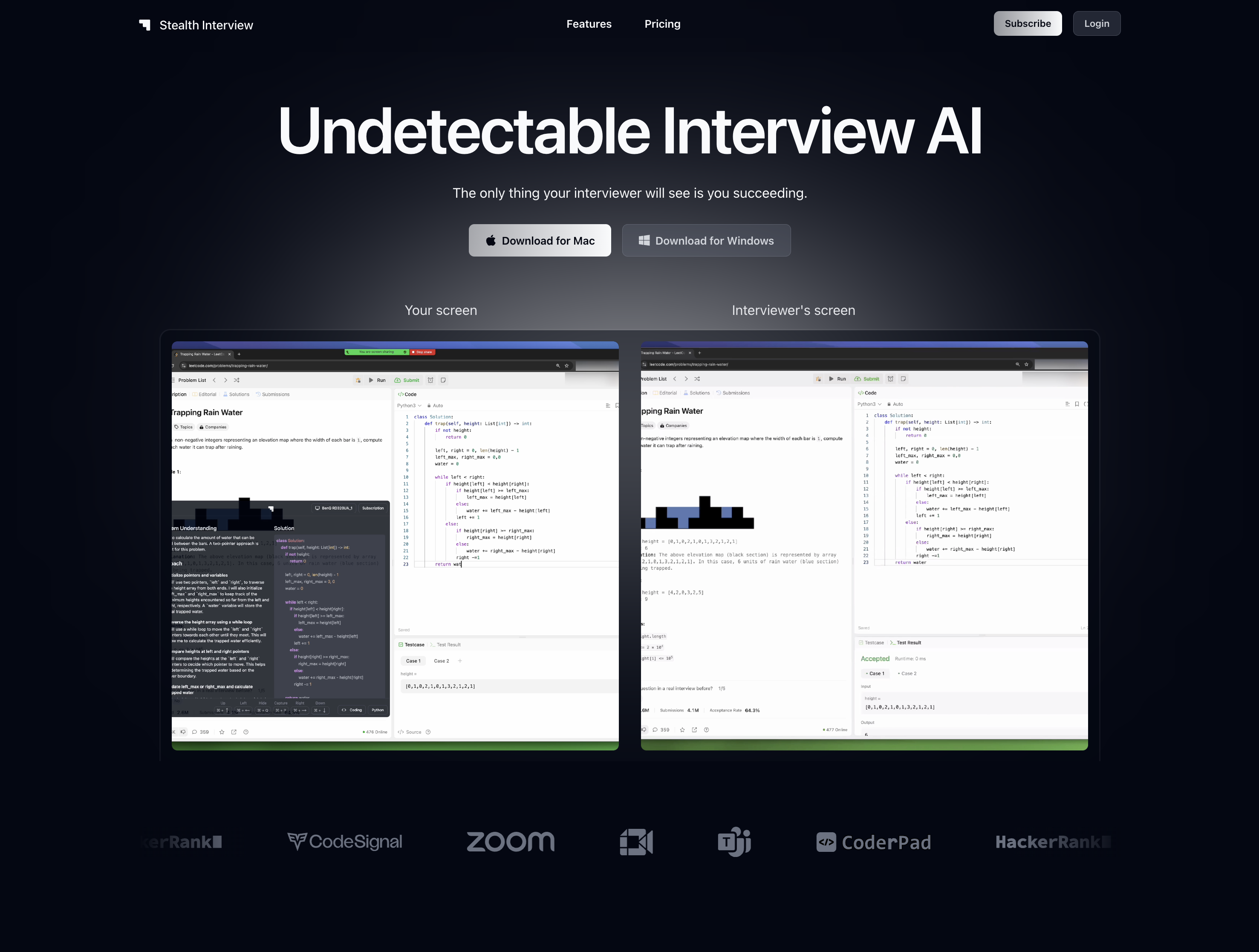
- Receive invisible AI assistance during screen sharing sessions through undetectable window movements that remain hidden from Zoom, Google Meet, and Microsoft Teams
- Transform complex technical problems into manageable solutions with systematic breakdowns for coding, SQL, and frontend interviews
- Maintain complete interview focus with 'always on top, never in focus' positioning that provides constant access without detection
- Quickly capture and analyze interview questions using screenshot functionality that processes technical challenges instantly
- Overlay assistance directly on any window using keyboard shortcuts for seamless integration with your coding environment
- Support multiple programming languages and interview types including frontend interfaces, data interviews, and SQL queries
- Instantly hide the application when needed with rapid toggle shortcuts that maintain normal user interaction appearance
Pros & Cons
Pros
- Undetectable by screen sharing apps
- Invisible on Zoom, Google Meet, Teams
- Imperceptible window movements
- 'Always on top, never in focus'
- Convenient keyboard shortcuts
- Allows screenshot captures
- Quick hide feature
- Overlay app on any window
- Supports multiple coding languages
- Aids with complex problem-solving
- Supports frontend to SQL interviews
- Transforms technical problems into solutions
- Works with Mac and Windows
- Does not lose focus
- Always on top of other windows
- Instant feedback on code quality
- Optimized for data interviews
- Assists with UI development
- Ideal for SQL interviews
- Aid in preparing mathematical interviews
- Coming soon: system design interviews
- Different subscription models
- Unlimited screen captures
- Advanced reasoning capabilities
- Priority support
- 2-hour support window
- Priority feature access
- Secure information handling
Cons
- Desktop only
- Screen sharing detectability potential
- Lack of intuitive UI
- Keyboard shortcuts requirement
- Need for constant updates
- Lack of fundmental understanding
- Retention of cheating habit
- Limited support languages
- Complexity in window management
- High cost
Reviews
Rate this tool
Loading reviews...
❓ Frequently Asked Questions
StealthInterview is an artificial intelligence tool specifically designed to assist users in technical interviews without detection by screen sharing apps. Its main objective is to transform complex technical problems into manageable solutions, thereby enabling users to demonstrate their problem-solving skills, their command of various programming languages, and their understanding of technical interview questions.
StealthInterview remains invisible on commonly used screen-sharing platforms, including Zoom, Google Meet, and Microsoft Teams.
Some of the main features of StealthInterview include imperceptible window movements, 'always on top, never in focus' capability, multiple coding language support, application overlaying on any window, screenshot capture, and quick hide. Additionally, it provides user-friendly keyboard shortcuts for quick navigation.
In technical interviews, StealthInterview aids you by staying undetectable by screen sharing software, letting you manipulate complex problems into easy solutions. Essentially, you get additional support that is not visible to your interviewer, so you can demonstrate your skills and understanding in a more effective way.
StealthInterview supports various coding languages that can be used in a wide array of interview scenarios.
StealthInterview simplifies complex technical problems by providing systematic breakdowns into manageable and comprehensible solutions. The user can work with StealthInterview to arrive at these solutions in a way that aligns with their personal problem-solving skills.
StealthInterview offers several keyboard shortcuts. These allow the user to move their window around without losing focus, capture screenshots, quickly hide the app and overlay the app on any window while maintaining the perception of a normal user interaction.
StealthInterview maintains an 'always on top, never in focus' presence by strategically resting on top of all other windows on the user's screen but without coming directly in focus. This mechanism prevents outsider apps from detecting any unusual focus shift, hence keeping the operations of StealthInterview a secret.
Yes, StealthInterview can be used for SQL and data interviews. It supports these interview types by assisting the user in transforming raw data into actionable insights, designing efficient database schemas, and writing optimized queries.
StealthInterview stays undetectable during screen-sharing sessions by using several tactics. Some of these include having undetectable window movements, maintaining an 'always on top, never in focus' stance on the user's screen, and remaining completely invisible to all popular screen-sharing apps.
StealthInterview captures screenshots using a simple keyboard shortcut. After capturing a screenshot, the AI then works to analyze the relevant aspects of the image.
StealthInterview's app overlaying feature works by allowing users to layer the app on top of existing windows. This can be done using a provided keyboard shortcut and makes it easier for users to interact with the StealthInterview interface without others noticing during a screen-sharing session.
Yes, StealthInterview works with both Mac and Windows operating systems.
Certainly, StealthInterview can assist you in frontend interface interviews. It provides functionality like UI and state management challenge solution formations, making it easier for any interviewee to demonstrate their expertise in modern frontend frameworks. It assists in the smooth implementation of user interactions during these interviews.
StealthInterview manages window movements by utilizing keyboard shortcuts that allow the user to move the StealthInterview window around stealthily i.e., without losing focus or drawing attention. The movement is designed to be so imperceptible that apps that monitor window focus can't detect it.
By breaking down complex technical questions into manageable solutions, StealthInterview provides the perfect assistant during an interview. It allows interviewees to articulate their problem-solving skills effectively, showing their command of various programming languages, as well as understanding of the asked questions.
Apart from its main functionalities, StealthInterview also supports use cases for various interview types such as coding interviews, frontend interviews, data interviews, SQL interviews, mathematical interviews, and upcoming system design interviews. It aims to be an all-in-one tool for interview preparations.
StealthInterview helps you to not lose focus during the interview by providing stealthy keyboard shortcuts that move your window around without losing focus and enabling rapid toggling of the application's visibility.
StealthInterview has a keyboard shortcut that allows you to quickly hide the app when necessary. Pressing Ctrl+Q will toggle the application's visibility extremely fast.
StealthInterview stays on top of all other windows to provide the user with a constant, readily-available tool which is easy to access but remains undetected by any screen-sharing or focus-monitoring applications.
Pricing
Pricing model
Paid
Paid options from
$49/month
Billing frequency
Monthly