

StreamLadder
Skip hours of rewatching your own streams: paste a Twitch, YouTube, or Kick VOD link and ClipGPT scans the full recording for funny reactions, chat interactions, and intense gameplay highlights, then cuts them into clips.
Listing not yet reviewed by our editors · How we check
Overview
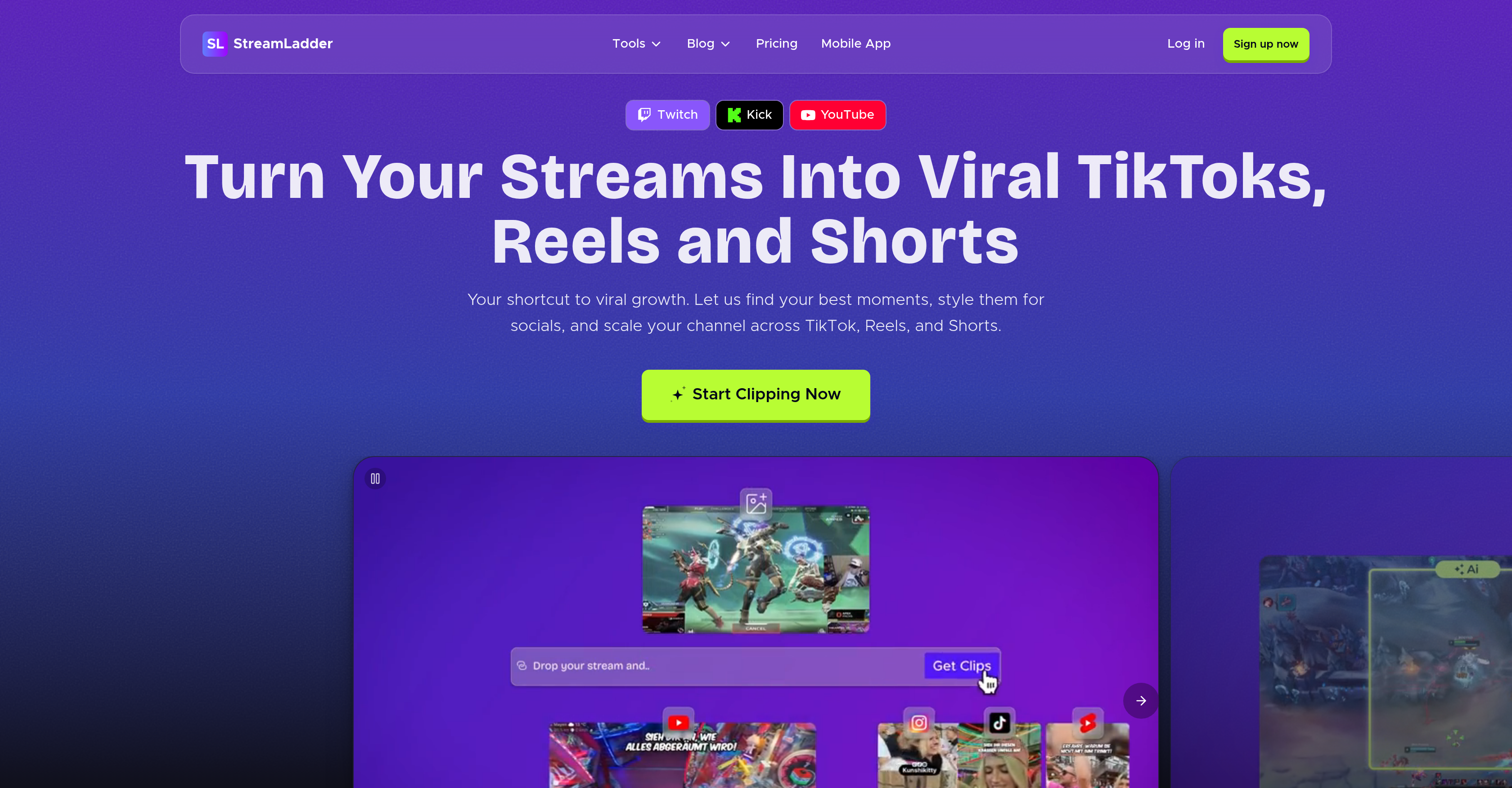
- Skip hours of rewatching your own streams: paste a Twitch, YouTube, or Kick VOD link and ClipGPT scans the full recording for funny reactions, chat interactions, and intense gameplay highlights, then cuts them into clips.
- Post highlights while they're still relevant: you get candidate clips from a fresh stream without manual scrubbing, so short-form content goes out while the moment is current.
- Get vertical videos that look made for mobile feeds: the browser-based Clip Editor and AI reframing convert horizontal gameplay into vertical TikTok, Instagram Reels, and YouTube Shorts formats without awkward crops or black bars.
- Produce polished clips with no editing experience: templates and built-in captions turn raw stream footage into styled, readable short-form videos.
- Distribute to every short-video channel in one pass: the Content Publisher uploads clips to TikTok, YouTube Shorts, and Instagram Reels from one place and schedules each post for the time you choose.
- Know which clips bring in new followers: clip performance analytics show which posts attract followers and which posting times work best for your audience.
- Give viewers a single best-of reel: the Montage Maker stitches selected stream highlights into one continuous highlight montage.
- Turn memorable stream moments into channel identity: the Emote Maker creates custom emotes from your clips for Twitch, 7TV, and BTTV.
- Tell your community exactly when you go live: the Schedule Maker produces a branded stream schedule ready to share with your audience.
- Manage clipping and posting away from your desk: the iOS and Android app puts the streamer toolkit on your phone.
- Start repurposing VODs at no cost: the free plan includes the clip editor, converter, and downloader with watermark-free basic edits, and a 7-day free trial unlocks ClipGPT, the Content Publisher, and clean exports.
Pros & Cons
From the listing; not yet checked by our editors.
Pros
- Finds highlights in long VODs
- Accepts Twitch, YouTube, Kick VODs
- Starts clipping from a stream URL
- Creates clips from detected moments
- Edits vertical video in-browser
- Reframes horizontal footage for vertical
- Avoids awkward crops and black bars
- Prepares clips for TikTok, Reels, Shorts
- Adds captions to clips
- Stitches highlights into one montage
- Makes emotes directly from clips
- Supports Twitch, 7TV, and BTTV emotes
- Creates branded shareable stream schedules
- Publishes clips across platforms from one place
- Schedules posts for chosen times
- Shows which clips attract followers
- Identifies audience-effective posting times
- Connects clipping, editing, and publishing
- Provides the toolkit on mobile
- Supports streamers beyond clip creation
Cons
- ClipGPT starts from recorded VODs
- Twitch/YouTube/Kick VOD inputs
- Clip editing is browser-based
- Editing targets vertical short-form
- Clip selection doesn't guarantee reach
- Emotes target Twitch, 7TV, BTTV
- Analytics centers on clip performance
Alternatives to StreamLadder
Tools that share the most tags with StreamLadder.
- WUI.AI
Instantly repurpose long videos and podcasts into scroll-stopping short clips optimized for TikTok, Instagram, and YouTube Shorts using AI Clips that automatically identify the most engaging moments
Freemium · from $10/month
$10/month
Not yet checked
- Video Tap
Publish SEO-optimized blog posts with images and headings automatically generated from your video content, expanding your Google visibility without writing
Free trial · from $25/month
$25/month
Not yet checked
- Burncaps
Turn one long recording into a batch of ready-to-post short clips: AI highlight detection ranks the strongest moments from podcasts, talks, webinars and interviews up to 3 hours long and cuts them into captioned vertical 9:16 clips with suggested in and out points.
Freemium · from $9.98/month
$9.98/month
Not yet checked
- Common Sense Machines (CSM)
Transform text, images, or sketches into game-engine ready 3D worlds instantly using AI-powered conversion
Freemium · from $20/month
$20/month
Not yet checked
- Kaiber
Transform text descriptions into captivating video sequences instantly using advanced AI algorithms that interpret your input for contextually accurate results
Free trial · from $5/month
$5/month
Not yet checked
- Freepik AI Video Generator
Transform text scripts into complete videos with custom shot types and transitions for coherent storytelling
Freemium · from $5/month
$5/month
Not yet checked
Reviews
Rate this tool
Loading reviews...
Frequently asked questions
How does StreamLadder find highlight moments in a long VOD?
ClipGPT analyzes the entire VOD and identifies potentially engaging moments, such as funny reactions, chat interactions, and intense highlights, then creates clips.
Which stream platforms can I import VODs from with StreamLadder?
StreamLadder supports importing VODs from Twitch, YouTube, and Kick.
Can I paste a Twitch, YouTube, or Kick VOD link into StreamLadder?
Yes. StreamLadder says you can paste your stream URL to get started.
Does StreamLadder automatically create clips, or do I choose the moments?
ClipGPT analyzes the VOD and creates clips, and you can choose candidate highlights to refine. The information does not specify how much selection is automatic versus manual.
How accurate is StreamLadder's ClipGPT at spotting entertaining moments?
IDK
Can StreamLadder guarantee that its clips will go viral?
No. StreamLadder does not guarantee that clips will go viral or reach an audience.
How does StreamLadder turn horizontal footage into vertical videos?
The browser-based Clip Editor converts horizontal footage into vertical videos with social-ready framing. StreamLadder also lists AI reframing as a tool.
Can I add captions and adjust the framing in StreamLadder's Clip Editor?
Yes. StreamLadder lists captions and framing options for making vertical clips without awkward cropping or black bars.