

Video Tap
Publish SEO-optimized blog posts with images and headings automatically generated from your video content, expanding your Google visibility without writing
Listing not yet reviewed by our editors · How we check
Overview
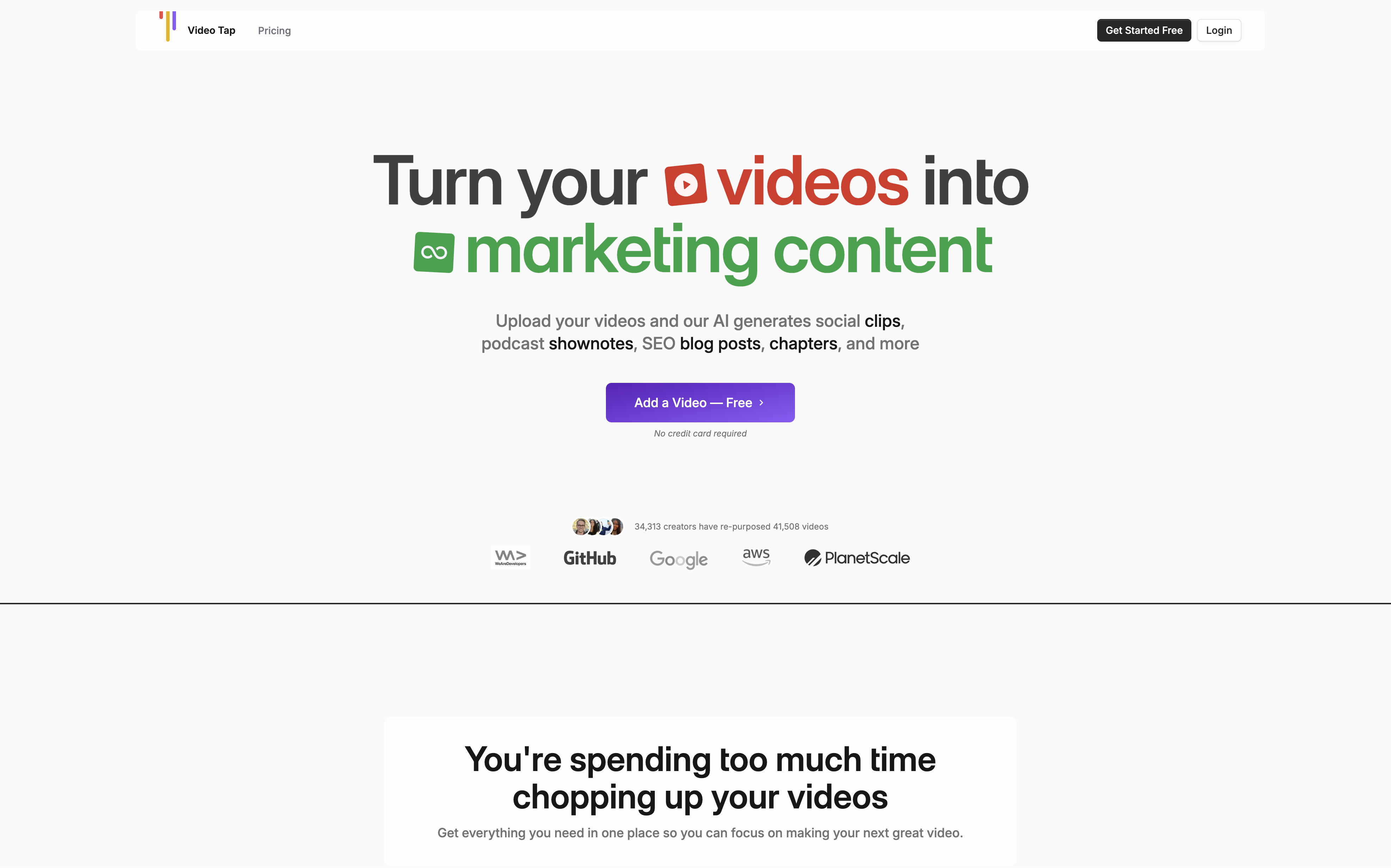
- Publish SEO-optimized blog posts with images and headings automatically generated from your video content, expanding your Google visibility without writing
- Create engaging social media clips and Twitter threads from existing videos to maximize content reach across multiple platforms
- Generate accurate video transcripts and subtitles in .srt/.vtt formats to improve content accessibility and viewer engagement
- Convert entire YouTube channels into organized blog content with chapters and tags through bulk processing for comprehensive content repurposing
- Eliminate content writing costs by automating blog post creation with complete formatting, removing the need for a writing team
- Export repurposed content to HTML or Markdown for seamless publishing on any platform or CMS with flexible format options
- Scale content production efficiently with pay-per-minute pricing that requires no monthly subscriptions, ideal for variable workloads
- Localize content for global audiences using translation features to reach international markets without additional production costs
Pros & Cons
From the listing; not yet checked by our editors.
Pros
- Fast repurposing of videos
- Generates full blog posts
- Automatically adds images
- Automatically adds headings
- Automatically includes code
- Supports Markdown exports
- Supports HTML exports
- Interactive editor
- Chat support
- No need for writers
- Offers bulk discount
- Produces ready-to-publish content
- Offers various price plans
- Creates video to blog post
- Generates social media clips
- Produces Twitter threads
- Offers translations
- Generates video transcripts
- Extracts video screenshots
- Affordable per-minute pricing
- Enterprise plan for bulk videos
- Promise of money-back guarantee
- Supports course videos
- Supports YouTube channel videos
- Focused on cost-effectiveness
Cons
- Limited output formats
- No free plan
- No audio content support
- No integrations provided
- Lacks built-in analytics
- Doesn't support multiple languages
- No collaborative editing
- No offline capability
- Limited scalability options
- No user role management
Alternatives to Video Tap
Tools that share the most tags with Video Tap.
- WUI.AI
Instantly repurpose long videos and podcasts into scroll-stopping short clips optimized for TikTok, Instagram, and YouTube Shorts using AI Clips that automatically identify the most engaging moments
Freemium · from $10/month
$10/month
Not yet checked
- Burncaps
Turn one long recording into a batch of ready-to-post short clips: AI highlight detection ranks the strongest moments from podcasts, talks, webinars and interviews up to 3 hours long and cuts them into captioned vertical 9:16 clips with suggested in and out points.
Freemium · from $9.98/month
$9.98/month
Not yet checked
- StreamLadder
Skip hours of rewatching your own streams: paste a Twitch, YouTube, or Kick VOD link and ClipGPT scans the full recording for funny reactions, chat interactions, and intense gameplay highlights, then cuts them into clips.
Free trial · from $15/month
$15/month
Not yet checked
- Common Sense Machines (CSM)
Transform text, images, or sketches into game-engine ready 3D worlds instantly using AI-powered conversion
Freemium · from $20/month
$20/month
Not yet checked
- Kaiber
Transform text descriptions into captivating video sequences instantly using advanced AI algorithms that interpret your input for contextually accurate results
Free trial · from $5/month
$5/month
Not yet checked
- Freepik AI Video Generator
Transform text scripts into complete videos with custom shot types and transitions for coherent storytelling
Freemium · from $5/month
$5/month
Not yet checked
Related Videos
VideoTap "clips": generated small videos from text highlighted in the transcript of a bigger one.
Christian Heilmann · Aug 25, 2023

Atenção criadores de conteúdo em vídeo! 📢
Fabio Vedovelli · Mar 17, 2023
Reviews
Rate this tool
Loading reviews...
Frequently asked questions
What is Video Tap?
Video Tap is a tool powered by artificial intelligence that assists individuals and businesses in repurposing their videos into various formats. The tool is primarily designed to convert videos into fully formulated and formatted blog posts, complete with images, headings, and code. It offers automation and an interactive editor for fine-tuning the output, thus making the content ready-to-publish in minutes.
How does Video Tap works?
Video Tap employs its AI capabilities to process a video and transforms it into a different format such as full blog posts. It employs automated processes to convert the video content seamlessly and provides an interactive editor that users can use to finalize their content. All you have to do is provide the video and let the tool do the rest.
What are the core features of Video Tap?
The core features of Video Tap include converting videos into fully structured and formatted blog posts, adding images, headers, and code blocks to the generated blog articles. It provides an interactive editor for final adjustments and offers chat support. There's also an option to export the repurposed content to Markdown or HTML.
What types of content can I create with Video Tap?
With Video Tap, you can create a variety of content. The primary output is fully formulated blog posts ready for publishing. Additionally, through the AI's processing, you can produce transcripts, social media clips, Twitter threads, translations, and YouTube chapters.
How much does Video Tap cost?
Video Tap operates on a per-minute pricing model for videos. It offers two principal plans: the automated blog post plan costing $1 per minute of video and the enterprise plan costing $3 per minute of video, with bulk discounts available. The pricing is straightforward with no monthly subscriptions attached.
What is the enterprise plan for Video Tap?
The enterprise plan from Video Tap costs $3 per minute of video content. It's designed for users with a significant amount of videos, an entire course, or a complete YouTube channel. With this plan, you can hand over all your videos to the Video Tap team for processing, and in return, you will receive Markdown files. The plan also includes provisions for bulk discounts.
Do I need a team of writers if I use Video Tap?
No, you do not need a separate team of writers if you use Video Tap. The tool automates the process of converting videos into blog posts, which includes structuring the post with images, headings, and code as applicable. This eliminates the need for a content writing team, saving time and costs.
How quickly can I create a blog post with Video Tap?
Video Tap's automated process allows users to create a blog post in minutes. However, the exact time can vary depending on the length of the video. This fast turnaround time also includes complete formatting for images, headings, and code to make the post ready-to-publish.