

SugarCube AI Realism Enhancer
Strip the synthetic look from AI renderings and get a photographic finish, using targeted light adjustments and texture enhancement that make AI images look real.
Listing not yet reviewed by our editors · How we check
Overview
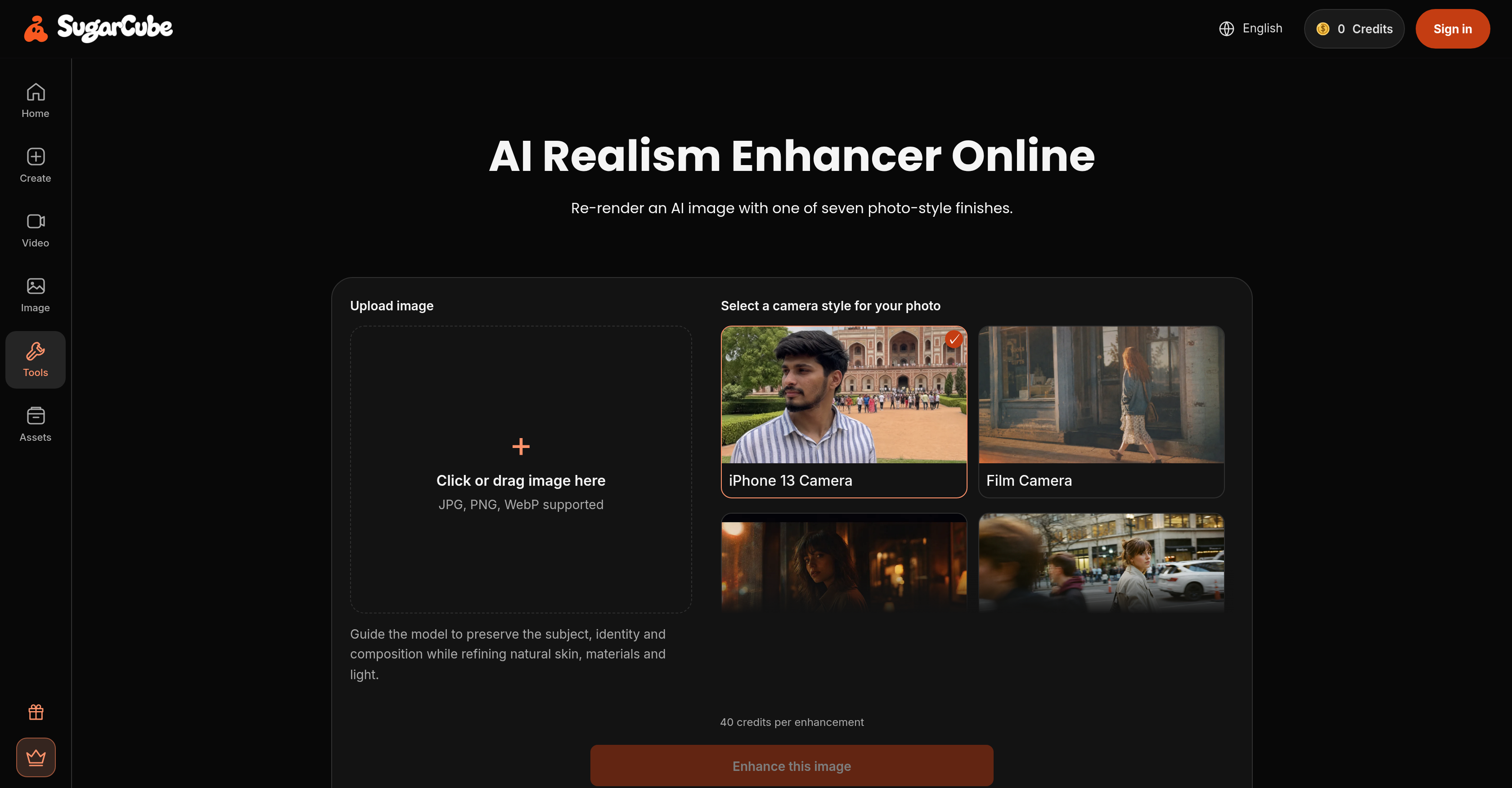
- Strip the synthetic look from AI renderings and get a photographic finish, using targeted light adjustments and texture enhancement that make AI images look real.
- Keep the same face, subject, and framing you started with, by guiding the model to preserve identity, subject, or composition while it refines everything else.
- Get AI portraits that pass as natural photos, with refinement of skin material, textures, and lighting for a believable, humanized finish.
- Give every image a specific photographic mood, choosing camera styles such as iPhone 13 Camera, Film Camera, Cinematic Film, and Street Snapshot for clean detail, vintage grain, dramatic color grading, or candid natural light.
- Reach a polished, realistic result without manual photo editing skills, through pre-defined templates that set the look and feel of each image in one step.
- Bring images straight from your AI image generator and walk away with a finished file, with JPG, PNG, and WebP upload support and direct download of the enhanced photo.
- Keep a consistent photorealistic finish across an entire image series, through plans built for enhancing multiple AI-generated images in volume.
Pros & Cons
From the listing; not yet checked by our editors.
Pros
- Photographic finish enhancement
- Multiple editing options
- Light and texture adjustments
- Various camera styles
- Supports JPG, PNG, WebP
- Custom look via templates
- Model guiding feature
- Natural appearance enhancement
- Artificial look reduction
- Large volume processing
- iPhone 13 Camera Style
- Film Camera Style
- Cinematic Film Style
- Street Snapshot Style
- Reduces waxy skin shine
- Connects skin, fabric, light
- Realism enhancement instructions
- Previews before downloading
- Real Life Template options
- Fine details inspection
- Facilitates natural light softening
- Adds depth to faces
- Offers series editing plans
- Embeds photographic cues
- Files processed in cloud
- Downloadable results
- Enhances synthetic portraits
- Brightens flat lighting
- Compatible with different angles
- Flexibly adjust settings
- Natural texture enhancement
- Consistent treatment across elements
- Believable finish for everyday portraits
- Offers related tool suggestions
- Provides cost beside create button
- Direct comparison feature
- Enhances lettering realism
- Interactive image upload interface
- Helpful FAQs
- Supported input mode controls
- Account balance utilization
- Cloud-based generation process
Cons
- Limited to specific image formats
- No real-time editing
- Preserving specific image areas only
- Does not support batch processing
- Adjustments based on predefined templates
- Need to download edited image
- No options for custom templates
- Limited styles (iPhone 13, Film, etc.)
- Requires manual review before download
- No option for resolution enhancement
Alternatives to SugarCube AI Realism Enhancer
Tools that share the most tags with SugarCube AI Realism Enhancer.
- PoloX AI Casual Motion Candid
Turn stiff, posed portraits into candid photos that look spontaneously snapped on a smartphone, with natural motion blur, subtle camera shake, and a casual Dutch-angle handheld tilt.
Free trial · from $11.99/month
$11.99/month
Not yet checked
- SparkPix AI Image Humanizer
Get AI-generated images that look shot on a real camera: the AI image humanizer re-renders each image to replace waxy skin and synthetic texture with natural photo realism.
Freemium · from $9.99/unit
$9.99/unit
Not yet checked
- EzRemove
Browser tool that removes the background from a photo and returns a transparent PNG.
Freemium
Not listed
Nov 24, 2026
- Dewatermark
Erase any watermark automatically in seconds using AI detection, even complex multi-layered or color-blended ones
Freemium · from $5/month
$5/month
Not yet checked
- Remove Background by Picsart
Eliminate manual editing and process thousands of product images automatically with AI-powered background removal that scales with your production needs
Freemium · from $10/month
$10/month
Not yet checked
- UnblurImage AI
Rescue blurry photos ruined by motion or poor focus with AI algorithms that refine each pixel for maximum sharpness
Freemium · from $3.90/month
$3.90/month
Not yet checked
Reviews
Rate this tool
Loading reviews...
Frequently asked questions
What is SugarCube AI Realism Enhancer Online?
SugarCube AI Realism Enhancer Online is a tool that refines AI-generated images to give them a more photographic finish. It focuses on enhancing the natural textures, light adjustments, and unique photo-style finishes for AI-generated images to make them look more lifelike.
How does SugarCube AI Realism Enhancer work?
SugarCube AI Realism Enhancer works by allowing you to upload your AI-generated images in specific formats. You can then choose the adjustments such as light and texture via predefined templates. The images are then processed and refined to preserve crucial elements like identity, subject, or the composition while enhancing other aspects.
What features does SugarCube AI Realism Enhancer offer?
SugarCube AI Realism Enhancer offers a variety of features, including light adjustments, texture enhancements, several camera styles, image editing, and model guiding. It also allows you to download the edited image and offers plans for users intending to enhance multiple images.
What image formats are supported by SugarCube AI Realism Enhancer?
SugarCube AI Realism Enhancer supports AI-generated images in JPG, PNG, or WebP format.
How can I guide the model in SugarCube AI Realism Enhancer?
In SugarCube AI Realism Enhancer, you can guide the model to preserve the subject, identity, and composition of the image while enhancing other elements.
Can I choose different camera styles in SugarCube AI Realism Enhancer?
Yes, SugarCube AI Realism Enhancer allows you to choose from different camera styles like iPhone 13 Camera, Film Camera, Cinematic Film, Street Snapshot, and others to tailor the aesthetics of the image.
How does SugarCube AI Realism Enhancer help in image humanization?
SugarCube AI Realism Enhancer aids in image humanization by giving AI portraits a more natural appearance. It refines the artificial look of renderings by enhancing natural textures and lighting, thereby making the image appear more akin to a natural photograph.
Can I download the edited image from SugarCube AI Realism Enhancer?
Yes, you can download the edited image from SugarCube AI Realism Enhancer after the refinement process.