UnblurImage AI
Overview
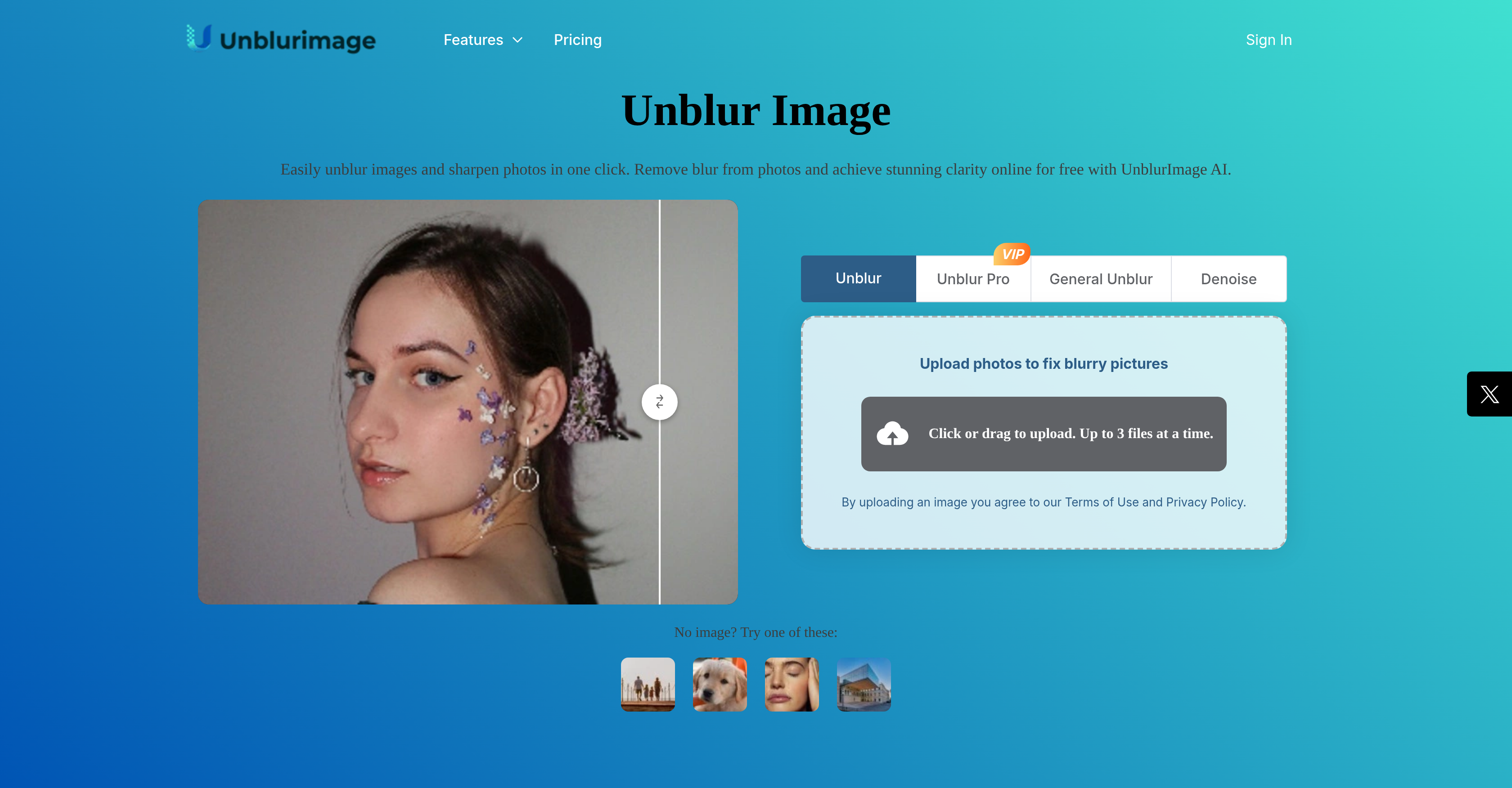
- Rescue blurry photos ruined by motion or poor focus with AI algorithms that refine each pixel for maximum sharpness
- Eliminate distracting noise from high ISO, scanning, or compression while preserving original image detail and clarity
- Upscale images to 4000x4000 resolution for crisp high-resolution prints and large displays without quality loss
- Process multiple images simultaneously with batch blur removal to enhance entire photo collections efficiently
- Enhance product photography with sharper lines, more vibrant colors, and clearer textures to increase customer appeal
- Improve social media visuals instantly without creating an account and download enhanced images immediately
Pros & Cons
Pros
- Remove photo blur
- Flexible upscale options
- Clearer texture visibility
- Supports multiple formats
- No sign-up required
- Image noise removal
- Refines each pixel
- Enhances image quality
- Makes colors vibrant
- Makes lines sharper
- High-resolution image support
- One-click quality enhancement
- No ads
- Batch blur removal support
- Comprehensive image enhancements
- Instant result downloading
- Intelligent noise identification
- Maintains detail during noise reduction
- Responsive to variety of blurs
- Better image clarity
- Effective at high ISO noise
- Proficient at compression noise
- Expert at scan noise
- User-friendly interface
- Enhanced image printing quality
- Proficient in social media posts
- Multi-Format Support
- Tailored enhancement settings
- Optimized for productivity
- Eliminates unwanted blur
- Upscales image resolution
- Highly recommended by users
- Ideal for image printing
- Enhancement options are customizable
- Detailed instruction for usage
- Ideal for e-commerce
- Helpful for design projects
- Massive pixel size support
- Image detail enhancement
- Suitable for professional and casual use
Cons
- Lacks batch processing
- No mobile app
- Limited upscale options
- Limited maximum resolution
- No subscription options
- Unspecified processing time
- Lacks advanced editing features
- No video unblur feature
- Doesn't support RAW format
- Limited high resolution support
Reviews
Rate this tool
Loading reviews...
❓ Frequently Asked Questions
UnblurImage AI is a tool aimed to help users easily remove blur from their images and enhance photo clarity. It offers various features including, blur removal, noise removal, image upscaling, image quality enhancement and more. It is ideal for use cases such as e-commerce, image printing and enlargements, design and visual projects, and social media.
UnblurImage AI uses artificial intelligence-based algorithms to remove blur from images. It refines each pixel in an image, which results in sharper and clearer images. It is effective in restoring clarity to images affected by motion blur or poor focus.
UnblurImage AI is capable of eliminating various types of noise from photos, such as high ISO noise, scan noise, or compression noise. It intelligently identifies and removes the noise, maintaining the image clarity and detail.
Yes, UnblurImage AI offers image upscaling feature that can upscale images to higher resolutions, making photos crisp and sharp even when enlarged for high-resolution prints or large displays.
UnblurImage AI supports multiple formats such as PNG, JPG, and HEIC. It is designed to facilitate easy upload from any device.
No, there is no need to sign up to use UnblurImage AI. Users can process and download the unblurred, high quality image directly.
Yes, UnblurImage AI provides an image quality enhancement feature that makes lines sharper, colors more vibrant, and textures clearer. This benefits not just close-ups and product shots, but also any image where detail matters.
UnblurImage AI offers free access to its image clarity enhancement feature which fixes image blur and improves image quality. Users can experience these features without needing to log in.
UnblurImage AI uses artificial intelligence to enhance images. Its AI-based algorithms effectively refine each pixel in an image, improving sharpness and clarity, while also eliminating various kinds of noise. The advanced AI can also intelligently upscale image resolution and enhance image quality.
UnblurImage AI can handle high-resolution images. The maximum resolution of the processed images is 4000×4000 pixels.
UnblurImage AI provides various enhancement features, such as removing blur from images, eliminating noise, and upscaling images to higher resolutions. It also enhances image details, making lines sharper, colors more vibrant, and textures clearer.
Yes, UnblurImage AI supports the batch removal of image blur. This significantly improves the efficiency of image processing.
No, UnblurImage AI does not damage the image quality. It intelligently upscales the image resolution and enhances the image quality while removing image blur.
Yes, UnblurImage AI can also remove blur from video footage and restore clarity through its 'Video Enhancer' tool.
UnblurImage AI can handle most file sizes. There's no explicit file size limitation mentioned but for exceptionally large files, the processing time may vary.
The Unblur Pro version of UnblurImage AI offers superior results with advanced AI technology. It provides sharper image quality, faster processing speeds, and more consistent handling of complex blur scenarios, making it ideal for professional photographers, designers, and anyone requiring high-quality results.
UnblurImage AI helps improve photography by removing image blur, reducing noise, upscaling image resolution, and enhancing image quality. These transformations can make blurry photographic images crystal clear and sharp, enhancing details and the overall aesthetic.
UnblurImage AI enhances the clarity of lines, colors, and textures by redefining each pixel in an image. It makes lines sharper and textures clear, so every detail in a photo stands out. Furthermore, it makes colors more vibrant, adding life to the images.
Yes, UnblurImage AI can help improve the quality of images for an online store. It can remove blur and noise from product images, enhancing their clarity, detail, and quality. This makes products more appealing to customers by allowing them to see every detail, color, and texture clearly.
Yes, UnblurImage AI can enhance visuals for social media posts. By removing blur, reducing noise and enhancing clarity and detail, UnblurImage AI can make social media posts more professional-looking, crisp, and engaging, helping them to stand out on platforms like Instagram, Facebook, and Twitter.
Pricing
Pricing model
Freemium
Paid options from
$3.90/month
Billing frequency
Monthly