

supertranslate
Overview
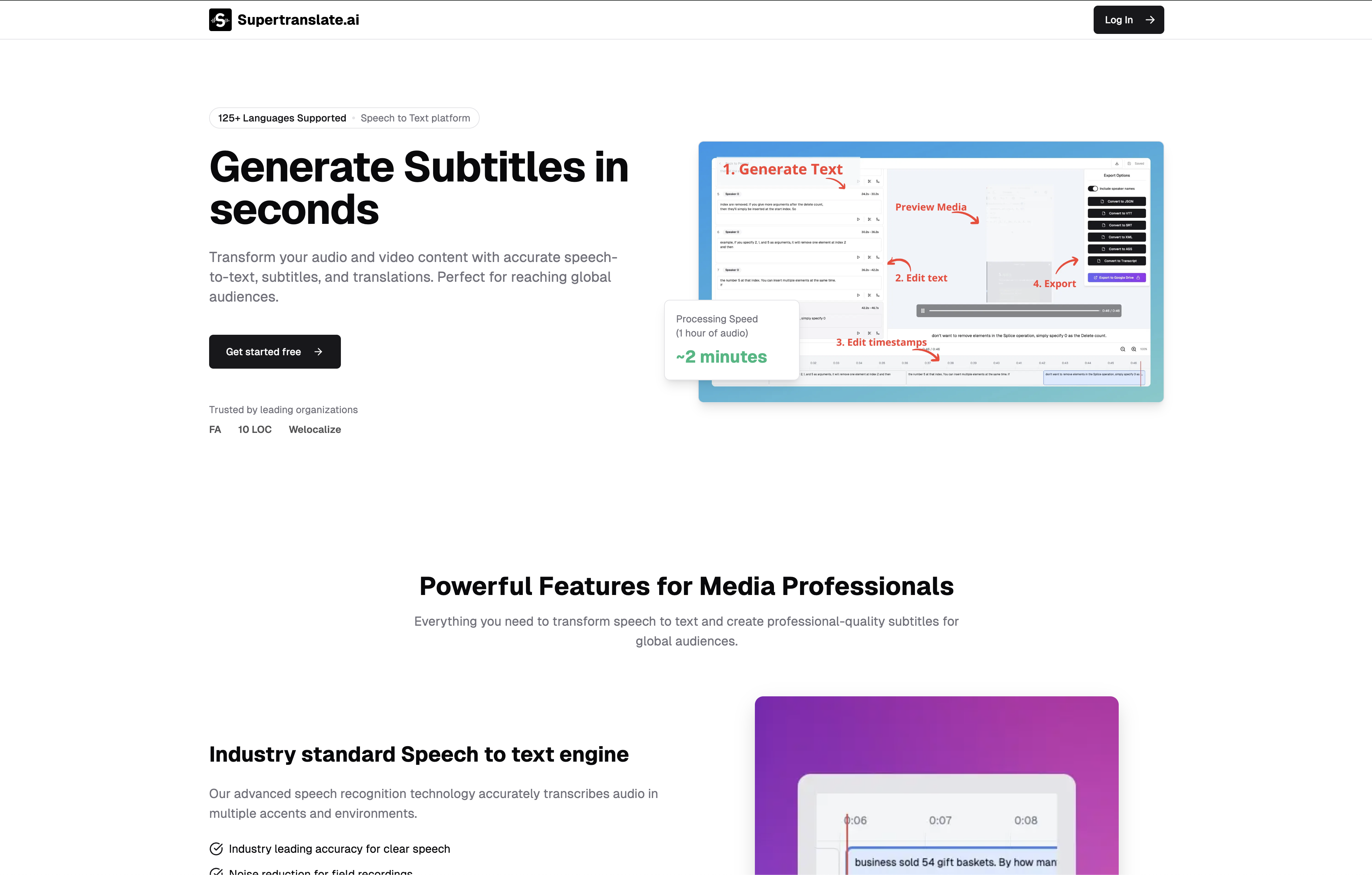
- Create English subtitles for videos in any language automatically using OpenAI's Whisper speech recognition
- Download subtitle files in both SRT and VTT formats for compatibility with any video platform or player
- Fine-tune subtitle timing with an intuitive editor that lets you split, merge, and adjust timecodes precisely
- Process video files of any format without requiring credit card information or account commitments
- Achieve professional subtitle accuracy for content localization and accessibility without manual transcription work
Pros & Cons
Pros
- Automated English subtitle addition
- Supports any language videos
- Easy three-step process
- Downloadable .srt or .vtt files
- Intuitive subtitle editor
- Subtitle split, merge, adjust timecodes
- Free to use
- No credit card required
- Cancellable anytime
- User-friendly tool
- Efficient subtitling solution
- Designed for all user levels
- High-quality subtitle generation
- Content-localization capability
- Multilingual subtitle support
Cons
- Only adds English subtitles
- Lacks multiple output formats
- No offline functionality
- Cannot handle low-quality audio
- Lacks support for multiple simultaneous translations
- No live transcription feature
- No collaborative editing
- No mobile version
- No voice recognition customization
- Does not support other subtitle formats
Reviews
Rate this tool
Loading reviews...
❓ Frequently Asked Questions
Supertranslate is an advanced tool, powered by artificial intelligence, specifically OpenAI's Whisper. It enables users to automatically add English subtitles to videos regardless of the original language. Supertranslate is equipped with features that allow users to edit and adjust the timecodes of the generated subtitles, transforming the process of subtitling videos into a user-friendly experience.
The working process of Supertranslate is straightforward. Users upload a video in any language to the platform, where OpenAI's Whisper, an accurate speech-to-text engine, processes the audio to generate subtitles. Once generated, the users can edit, split, merge, and adjust the timecodes of these subtitles for optimal synchronisation. Subsequently, the users can download the subtitles in .srt or .vtt format.
OpenAI's Whisper is a powerful speech-to-text engine known for its accuracy. Supertranslate leverages this technology to convert the audio from uploaded videos into English text, creating subtitles. Hence, Whisper's role is pivotal in allowing Supertranslate to provide precise and quick subtitling solutions.
Yes, Supertranslate can generate English subtitles for videos in any language.
Supertranslate allows users to download subtitles in .srt and .vtt file formats.
Yes, Supertranslate incorporates a subtitle editor, allowing users to split, merge, and adjust the timecodes of generated subtitles. Users can apply necessary changes to the subtitles for better alignment with the video content.
The timecode of subtitles on Supertranslate can be adjusted using its integrated subtitle editor. This feature allows users to fluidly alter timecodes, ensuring the subtitles align perfectly with the video timing.
Yes, Supertranslate is a free-to-use platform.
No, a credit card is not required to use Supertranslate.
Yes, users can cancel their Supertranslate account at any time without incurring any charges.
Getting started with Supertranslate is simple. Users have to access the website, upload a video in any language, generate the subtitles, and then download the subtitle file in either .srt or .vtt format.
Supertranslate can process video files of any format as long as they have clear audio for the AI to accurately generate subtitles.
The subtitles generated by Supertranslate are highly accurate, thanks to the power of OpenAI's Whisper - a state-of-the-art speech-to-text engine recognized globally for its precision.
Yes, Supertranslate features a user-friendly subtitle editor, designed to accommodate users of all levels, including beginners.
Supertranslate uses OpenAI's Whisper for both translation and transcription services. From the audio of a video file in any language, it creates English subtitles that match the spoken content.
Yes, Supertranslate supports subtitling for video content in multiple languages. Users can upload videos in any language, and the tool, using OpenAI's Whisper, will translate and transcribe the audio into English subtitles.
Yes, by generating accurate English subtitles for videos in any language, Supertranslate facilitates the process of content localization.
The quality of subtitle generation by Supertranslate is ensured by leveraging OpenAI's Whisper, an advanced speech-to-text engine known for its high accuracy.
The difference lies in their application. Both .srt and .vtt are popular subtitle formats. SRT (SubRip Text) is widely used and supported by most video players, while VTT (WebVTT) is commonly used for HTML5 videos.
You can reach out to Supertranslate through the 'Contact' option available on their website for further information or support.
Pricing
Pricing model
Freemium
Paid options from
$10/month
Billing frequency
Monthly
Related Videos
Supertranslate - AI Tool Review #ai #aitools #sanssapien
SansSapien•51 views•Jul 8, 2025


