

SwiftScan
Create premium quality scans of documents, receipts, and whiteboards from anywhere using your phone's camera with automatic cropping and color optimization.
Listing not yet reviewed by our editors · How we check
Overview
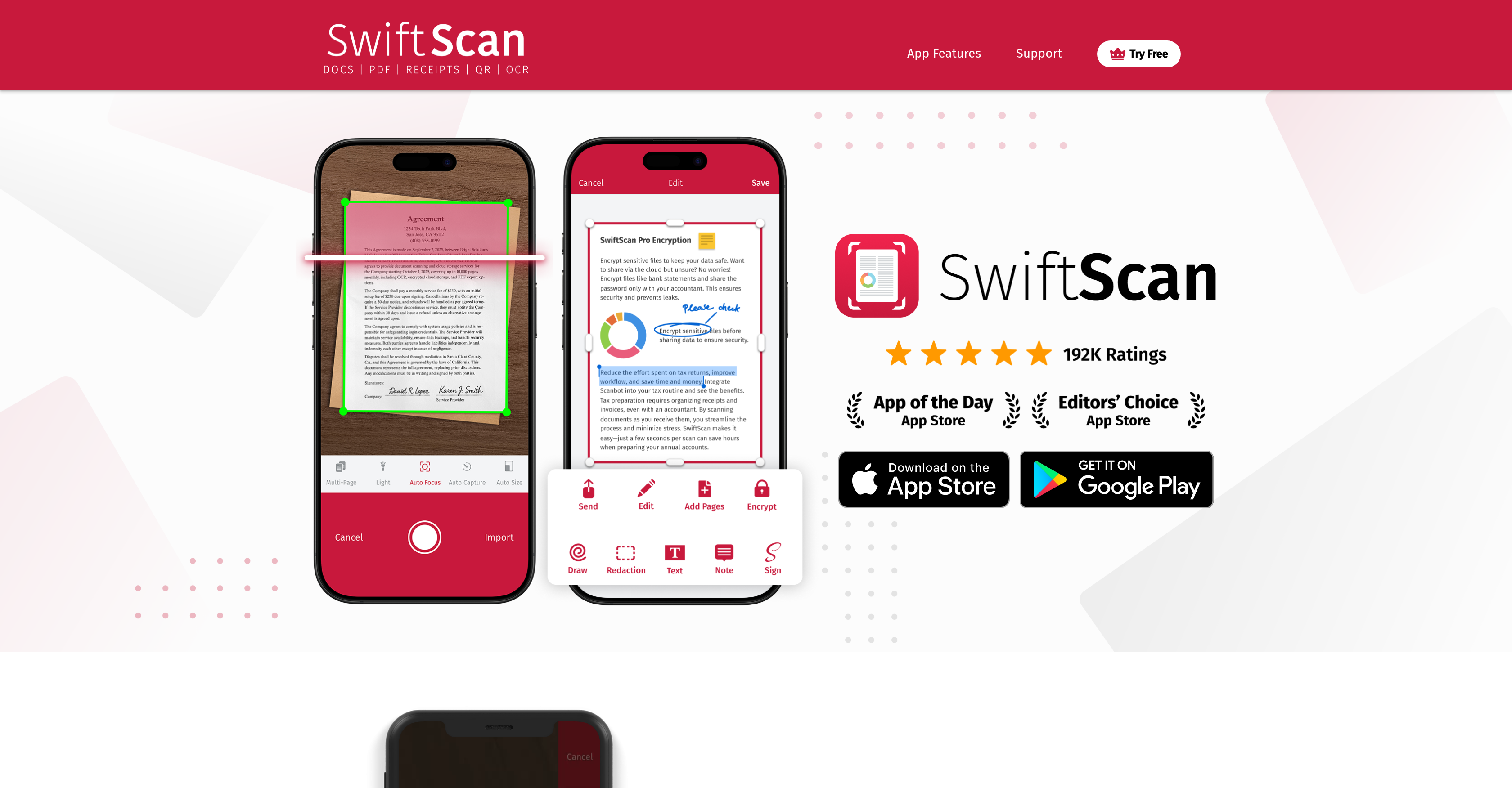
- Create premium quality scans of documents, receipts, and whiteboards from anywhere using your phone's camera with automatic cropping and color optimization.
- Protect sensitive information with on-device text recognition (OCR) that processes your data privately, never sending it to third parties.
- Edit and finalize documents on the go by adding notes, signatures, highlights, and rearranging or removing pages within your PDFs.
- Send legally binding faxes directly from your mobile device by scanning, editing, and transmitting documents without needing a physical fax machine.
- Instantly save scans to your workflow with one-tap uploads to all major cloud services, which remembers your last used folders for speed.
Pros & Cons
From the listing; not yet checked by our editors.
Pros
- Premium quality scans
- Immediate cloud upload
- Automatic image capture
- Supports multiple material types
- In-built privacy protection
- In-device text recognition
- Intuitive cloud integration
- PDF manipulation
- Integrated faxing function
- Continuous updates
- Document signing feature
- Document highlighting feature
- Custom page arrangement
- New page addition
- Directly from phone faxing
- Creates legally binding documents
- Automatic cropping
- Optimization features
- QR code scanning
- Barcode scanning
- Remembers last folders
- Supports major cloud services
- Supports multiple color modes
- Auto-upload feature
- Instant sharing
- JPEG and PDF saving
- On-board PDF tools
- Note addition in PDFs
- Page removal in PDF
- Fax feature for iOS/Android
- Straightforward credit system for faxes
- High DPI
- Supports multiple platforms
- Handy for various paper types
- Data remains on device
- Protection against third parties
- Work with PDF documents
- Supports third party cloud services
- Also a PDF tool
- Edits documents inside the app
- Available for iOS and Android
- Handles multiple document types
- Instantly turns scans to PDF
- Scan and send feature for faxes
- Feature additions for enhanced functionality
- Private and secure scans
- Auto-upload and instant sharing
- Scanning in different color schemes
- Respects user privacy
- Keep files as PDF/JPG
- Past folder memory
- One-tap uploads for convenience
Cons
- No offline capabilities
- Limited editing options
- No handwriting recognition
- No multi-language support
- Limited fax destinations
- Missing batch scanning
- No desktop version
- No collaboration features
- No password protection
- Fixed cloud service integration options
Alternatives to SwiftScan
Tools that share the most tags with SwiftScan.
- Doxis AI
Eliminate manual data entry and reduce processing turnaround times with AI-powered OCR and automated data extraction from invoices, forms, and IDs.
Not listed
Not listed
Not yet checked
- Docsumo
Eliminate manual data entry and its errors by automating extraction from complex layouts like tables and forms with AI that achieves 99% accuracy
Not listed
Not listed
Not yet checked
- iScanner
Transform any paper into a crisp, professional PDF instantly with AI-powered automatic cropping, distortion correction, and background cleanup
Freemium · from $9.99/month
$9.99/month
Not yet checked
- PromptLoop
Transform messy text into structured data instantly using a simple spreadsheet formula that works like SUM or VLOOKUP
Freemium · from $49/month
$49/month
Not yet checked
- SheetyAI
Create complex spreadsheet formulas instantly by describing your problem in plain English, eliminating the need to memorize syntax
Free
Not listed
Not yet checked
- SheetGod
Create complex Excel formulas and Google Sheets functions instantly by typing plain English instructions instead of memorizing syntax
Freemium · from $8/month
$8/month
Not yet checked
Related Videos

SwiftScan - There's a scanner in your pocket!
Eric S. Smith, CPA, PLLC · Feb 4, 2021
Reviews
Rate this tool
Loading reviews...
Frequently asked questions
What platforms is SwiftScan available on?
SwiftScan is available on iPhone, iPad, and Android devices.
How does SwiftScan ensure user privacy?
SwiftScan is committed to user privacy. No user data in documents is sent to third parties, and all text recognition is performed directly on the device.
What types of documents can SwiftScan scan?
SwiftScan can scan a variety of materials, including documents, receipts, sketchbooks, whiteboards, QR codes, and barcodes.
Does SwiftScan support cloud integration?
Yes, SwiftScan supports cloud integration. It supports all major cloud services and remembers a user's last folders for one-tap uploads.
What are the PDF manipulation tools available in SwiftScan?
SwiftScan offers PDF manipulation tools that allow users to add notes, sign documents, highlight text, remove pages, rearrange them, and add new ones to PDF documents.
Can SwiftScan send faxes from my phone?
Yes, SwiftScan includes a feature to send faxes directly from your phone. You can scan, edit, and send legally binding documents as faxes.
How does SwiftScan optimize scans?
SwiftScan optimizes scans by offering high-quality automatic capture with features such as cropping. It also applies the filtered high-quality scans to produce premium PDFs.
Can SwiftScan recognize text within the documents scanned?
Yes, SwiftScan performs text recognition directly on the device.